
Where to Place Security Cameras for the Best Home Security?
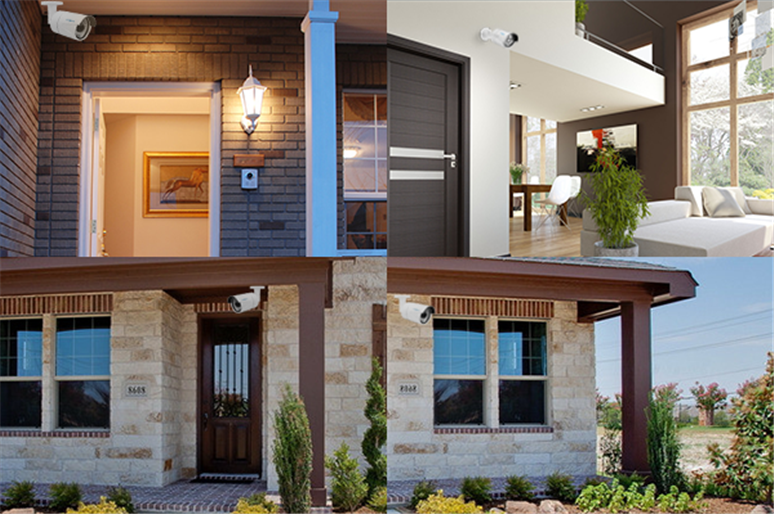
Ensuring optimal security camera placement is a strategic step towards creating a robust surveillance system for your home or business. The effectiveness of your security cameras relies heavily on their positioning, capturing critical footage and deterring home break-ins and keep your family, and property safe from vandals and burglars.
However, whatever security camera you choose, its effectiveness can be influenced by where you place it. So knowing where to place security cameras around your home is extremely important.
Key Takeaways:
- Best locations: Cover main entrances, windows, driveways, garages, yards, and key indoor traffic areas.
- Proper height: Mount cameras around 7–10 feet high and angle them slightly downward.
- Clear coverage: Minimize blind spots and avoid glare, reflections, and strong light sources.
- Privacy matters: Avoid bedrooms, bathrooms, and unnecessary views of neighboring private property.
- Where to Place Security Cameras Outside Home
- Where to Place Security Cameras Inside Home
- Camera Height and Angle: Details You Should Know
- What to Consider in Security Camera Placement?
- Where Not To Place Security Camera?
- Easy-to-Install Home Security Camera Recommendations
- Home Security Camera Placement Laws
- FAQs
- Conclusion
Where to Place Security Cameras Outside Home
Outdoor security cameras should focus on the main entry points and areas around the property that are most vulnerable or difficult to see from the street. Prioritize the front door, back and side doors, off-street windows, driveway, garage, and open areas around the home. Mount outdoor cameras high enough to reduce the risk of tampering while maintaining a clear view of the target area.
Front Door
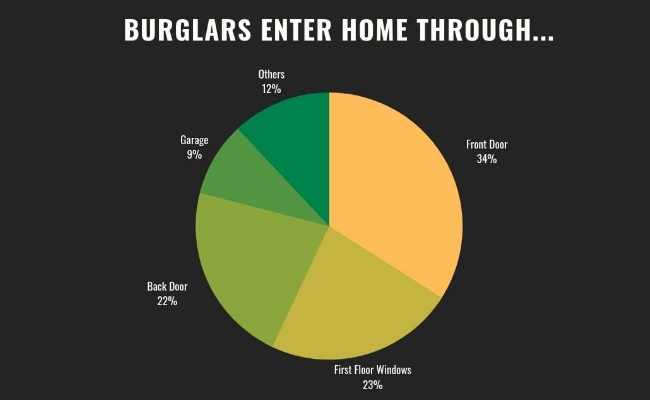
Around 34% of burglars enter through the front door, making it one of the most important locations for an outdoor security camera. Position the camera to clearly monitor visitors and activity around the entrance.
If possible, mount the camera at second-floor level or around 9 feet above the ground to make it more difficult to reach or tamper with. A video doorbell can also be used to monitor the front entrance, especially when you want a closer view of visitors and deliveries.
Back and Side Doors
Up to 22% of burglars enter through the back door, so back and side entrances should also be covered. These areas are often less visible from the street and can provide a more concealed access point to the property.
Install cameras above these doors and keep them out of easy reach to reduce the risk of tampering.
Off-Street Windows
About 23% of burglars enter through rear or off-street windows. Since these windows are less visible to neighbours and passing traffic, positioning an outdoor camera toward them can provide additional coverage.
Whenever possible, install the camera outdoors rather than behind a window. Recording through glass can cause glare and reflections, particularly at night.
Driveway and Garage
Place a security camera where it can monitor vehicles and people entering or leaving the driveway. For wider driveways, position the camera where the main approach to the property remains clearly visible.
Garages should also be monitored, particularly when they contain vehicles, tools, bicycles, or other valuables. A camera can cover the garage door as well as the surrounding access area.
Front and Backyard
Front and backyards are useful locations for monitoring visitors, pets, and unusual activity around the property. Position cameras toward the main paths people are likely to use rather than trying to cover every part of the garden.
Corners of the House
Mounting cameras near the corners of a house can provide wider coverage of the property's exterior. Multiple cameras can also be positioned with overlapping views to reduce blind spots around larger homes.
Where to Place Security Cameras Inside Home
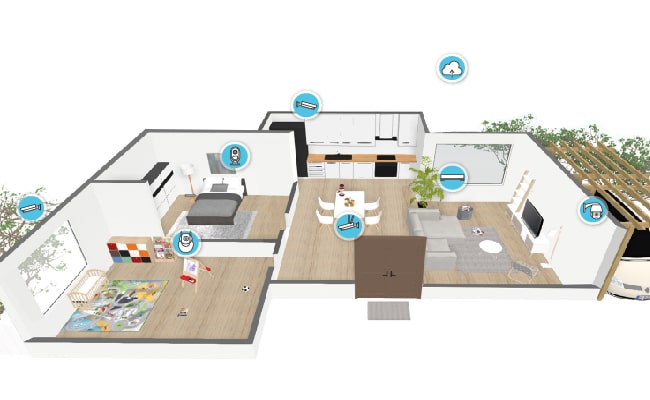
Indoor security cameras should primarily monitor entry routes and common areas rather than private spaces. Entryways, hallways, staircases, living rooms, kitchens, and basement access points are useful locations because people entering the home are likely to pass through these areas.
Main Entryways
Place an indoor camera near the foyer or another main entrance to capture activity immediately after someone enters the home. This can also provide additional coverage when an outdoor entrance camera is unavailable or has a limited viewing angle.
Hallways and Stairs
Hallways and staircases are natural passageways between different areas of a home. Positioning a camera here can monitor movement between rooms or between different floors without requiring a camera in every room.
Living Rooms and Kitchens
Consider placing cameras in living rooms, kitchens, and other frequently used common areas, particularly where electronics, valuables, or important belongings are stored.
Position the camera in a corner or another elevated location where it can cover as much of the room as possible without being easily obstructed.
Basement
A basement can be particularly important to monitor if it has an external entrance, accessible windows, or valuable equipment. Position the camera toward the basement entrance or the main route leading into the rest of the house rather than simply covering the entire room.
Second Floor
If important rooms or access points are located upstairs, a camera positioned near the staircase or second-floor hallway can monitor movement between floors. This provides broader coverage without placing cameras inside private bedrooms.
Also check our videos to find out what are the suitable places to put your home security cameras:
Camera Height and Angle: Details You Should Know
The right camera height and angle help balance broad coverage with useful visual detail. Security cameras are generally best mounted around 7–10 feet (2.1–3 meters) above the ground, depending on the location. Cameras should usually be angled slightly downward toward the target area without creating an overly steep top-down view.
What to Consider in Security Camera Placement?
Choosing the right location is only the first step in effective security camera placement. You should also consider camera visibility, durability, coverage, lighting, power sources, and protection from tampering. These factors can affect both camera performance and the quality of the footage you capture.
Visible or Hidden Cameras
Visible cameras can act as a deterrent, while hidden cameras provide more discreet monitoring. Consider your security goals and the area being monitored when deciding whether cameras should be visible or concealed.
Durability and Camera Security
Outdoor cameras are exposed to rain, dust, temperature changes, and other weather conditions. Choose cameras with weather-resistant designs and suitable operating temperature ranges for the environment.
Cameras should also be securely mounted and kept out of easy reach to reduce the risk of tampering or theft. However, avoid mounting cameras excessively high simply to protect them, as this can reduce useful visual detail.
Field of View and Camera Coverage
Consider what area each camera needs to cover before deciding where to place it. A single camera cannot capture every area or detail at once, so position each camera according to its main monitoring purpose.
For larger areas, use multiple cameras with overlapping views to reduce blind spots. If you need wider and more flexible coverage, a PTZ security camera can monitor different directions from a single location.
The number of cameras you need will depend on your property's size, layout, and the field of view of each camera. Check our guide on how many security cameras do I need to plan the right coverage for your home.
If you use multiple Wi-Fi cameras, also consider network capacity and signal strength to maintain reliable connections.
Lighting, Reflection, and Glare
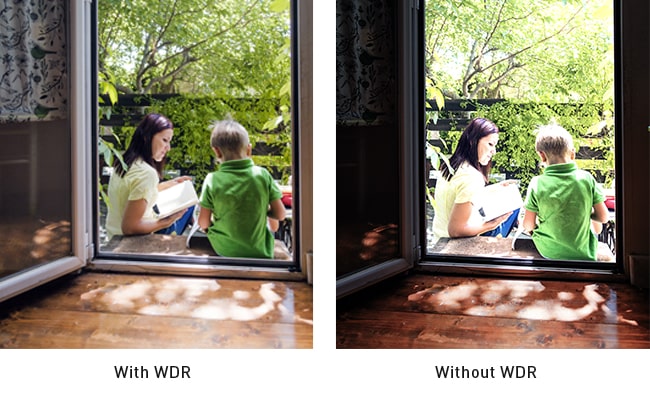
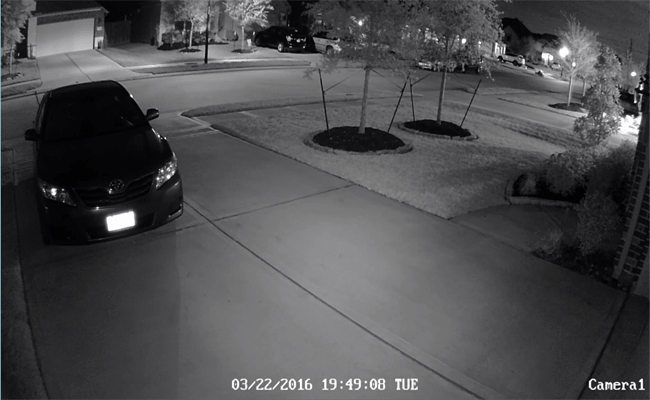
Lighting conditions can significantly affect camera image quality, so check how light changes around the installation location during both the day and night. Avoid pointing cameras directly toward sunlight, windows, bright lights, or highly reflective surfaces, as these can cause glare and make important details harder to see.
At doorways and windows, where bright and dark areas often appear in the same scene, cameras with WDR or HDR can help produce a more balanced image.
For nighttime monitoring, make sure there is enough light for the camera to capture a clear image. If the camera does not have adequate night vision, additional lighting may be necessary, but avoid placing cameras too close to bright lights that could overexpose the image.
Power Sources
Make sure each camera location has access to a suitable power source before installation. Wired cameras require access to cabling, while battery-powered cameras offer more flexibility in locations where wiring is difficult. Power over Ethernet (PoE) is another option for wired cameras, allowing power and data to travel through a single Ethernet cable.
Proximity to Valuables
Prioritize areas containing valuable belongings or providing access to important parts of the property. Position cameras to monitor the routes people are most likely to use when approaching these areas rather than focusing only on the valuables themselves.
Where Not To Place Security Camera?
Do not place security cameras where they unnecessarily capture a neighbor's private property or in areas where people reasonably expect privacy, such as bedrooms and bathrooms.
Neighbor's property:
Avoid placing cameras that capture footage on your neighbor's property. Check your state's laws regarding surveillance to ensure compliance. Focusing cameras solely on your own premises prevents legal complications and respects your neighbor's privacy.
Bedrooms:
Bedrooms are private spaces where individuals expect a high level of privacy. Even if you store valuables in your bedroom, it's recommended to refrain from installing security cameras in this area to maintain the sanctity of personal spaces.
Bathrooms:
Similar to bedrooms, bathrooms are intimate spaces where privacy is paramount. Given that burglars are unlikely to target bathrooms, there's little security risk in leaving them unmonitored. Avoid placing cameras in bathrooms to uphold privacy standards.
Easy-to-Install Home Security Camera Recommendations
Have a clear idea of where to position CCTV cameras at home already? Here is an easy-to-install option suitable for all CCTV camera placement, indoors and outdoors.
Best battery powered security camera for home - Reolink Altas PT Ultra
Rechargeable battery powered, Reolink Altas PT Ultra is highly portable and easy to install with NO wires at all! You can place it anywhere, like the front door, back door, off-street windows, simply anywhere.
Thanks to its flexibility, easy installation and affordable price, the Altas PT Ultra has already become the first choice for people to boost their home security. It will start recording if there is any movement, so you will know all that matters during the past days, weeks even months. Matching it with a solar panel, you don’t need to even think about the battery recharging.
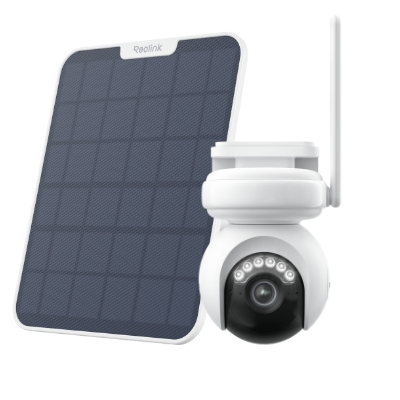
4K Battery-Powered PTZ Camera with Continuous Recording
👍 4K UHD video with continuous recording
👍 ColorX night vision in low light
👍 Pan, tilt, and automatic person tracking
👍 Local storage without monthly fees
Best PoE security camera for home - Reolink TrackMix PoE
Reolink TrackMix PoE is a groundbreaking solution for advanced surveillance. With its expansive 180° pan rotation, this camera ensures comprehensive coverage, minimizing blind spots for heightened security. Boasting 4K 8MP Ultra HD capabilities, it delivers crystal-clear imagery, capturing every detail with precision. The innovative Color Night Vision technology sets it apart, providing vivid, full-color visuals in low-light conditions.
Designed for user convenience, the TrackMix PoE offers easy installation with Power over Ethernet (PoE) technology, eliminating the need for additional power cables.
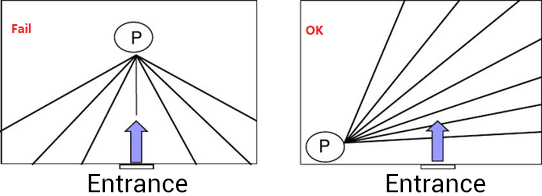
Bonus Tips: The motion detection will be more accurate if you put the camera in the direction crossing the possible intruder instead of facing it. For example, the best home security camera placement should be like this:
Want to take a look at other camera types before final decision? Check the list that covers all types of security camera (bullet camera, dome camera, PTZ camera, cameras without network, and more) and best quality picks for home security.
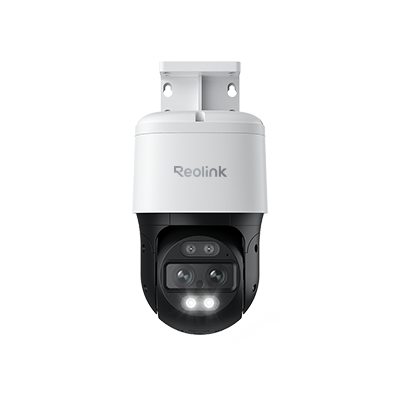
4K Dual-Lens PTZ Camera with Dual Tracking
4K 8MP Ultra HD, Wide & Telephoto Lenses, Pan & Tilt, Auto-Tracking, Person/Vehicle Detection, Power over Ethernet, Two-Way Audio.
Best NVR home security system - Reolink RLK16-800B8
The Reolink RLK16-800B8 is an excellent choice if you want a robust, comprehensive security setup with minimal installation hassle. It’s especially well‑suited for homes, large properties, or businesses that need to monitor multiple zones — offering both convenience and wide‑area coverage in one package.
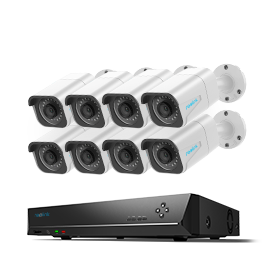
24/7 Surveillance in 4K Ultra HD
Power over Ethernet; 24/7 Continuous Recording; 16-Channel NVR; 4TB HDD Built-In; Audio Recording; 100ft Night Vision.
Check Home Security Camera Placement Laws
When strategically placing home security cameras, it's essential to avoid common mistakes and choose optimal spots for installation. However, beyond considering camera placement for effectiveness, it's crucial to be mindful of security camera placement laws. To prevent legal complications and respect privacy, it is imperative to understand the regulations surrounding surveillance.
In the United States, federal law, particularly the Fourth Amendment, protects homes from unwarranted surveillance. It is illegal to point security cameras at others' properties, including roofs, windows, or lights, as this invasion of privacy is considered a violation of the law. This legal restriction holds even if the surveillance is unintentional or conducted from a public or privately-owned location.
Moreover, security camera placement laws vary from state to state. Therefore, it is strongly advised to thoroughly research and understand your state's statutes before installing security cameras.
FAQs
Can your neighbor point a security camera at your house?
A neighbor can generally point a security camera at your house if it only captures areas visible from public spaces, such as your front yard or driveway. However, recording private areas where you have a reasonable expectation of privacy, such as bedrooms or bathrooms, may violate privacy laws.
Where is the best place to place outdoor security cameras?
The best places for outdoor security cameras are front and back doors, side entrances, driveways, garages, accessible windows, and yards. Position cameras about 8–10 feet (2.4–3 meters) above the ground and aim them toward common approach paths to provide useful coverage while keeping them harder to tamper with.
Conclusion
Strategic security camera placement is a pivotal aspect of creating a robust and effective surveillance system for your home or business. By following the top 6 tips on security camera placement outlined in this guide, you can maximize coverage, deter potential threats, and enhance the overall security of your property.
If you like this article and find it helpful, share it with your friends. Do you have something to say about security cameras placement? Make sure you leave a comment below!
Search
Subscribe for the Latest Updates
Security insights & offers right into your inbox