



































































































































LAN Cable vs Ethernet Cable: Understanding the Key Differences

You might have heard the common terms LAN and Ethernet cable. However, most people get confused by these terms and mix them up. Both things are closely related but not the same.
In this article, we will discuss LAN cable vs Ethernet cable. We will clarify any doubts you may have regarding these terms and provide clear differences for better understanding.
Is a LAN Cable the Same as an Ethernet Cable?
A LAN cable and an Ethernet cable are commonly used in networking, which creates a bit of confusion among users. However, they are not the same at all but are closely related to each other.
A LAN cable is generally considered the means by which computers, printers, and routers are connected within a local area network. On the other hand, Ethernet cables are specifically used for network transmission and can be one of the LAN cables.
In simple words, an Ethernet cable can be a LAN cable, but not all LAN cables follow Ethernet cable standards. You can say that an Ethernet cable is only specified for network transmission. A LAN cable is a broader technology consisting of multiple cables to establish a connection between devices.
LAN Cable vs Ethernet Cable: What's the Difference?
One of the major differences is that a LAN cable can be of any type used to create a local area network for computers, printers, and other devices. The cable used can be an Ethernet, Coaxial, or fiber optic cable, establishing a connection between devices.
In comparison, an Ethernet cable is specifically designed for network transmission, adhering to a specified bandwidth and connectivity. In other words, an Ethernet cable is a specific type of LAN cable. It is considered one of the providers of LAN cables.
When discussing applications, LAN cables are widely used in commercial sites where large amounts of data are transmitted and high precision is required. In comparison, Ethernet cables are usually used in homes, offices, and schools due to affordability.
LAN Cable vs Ethernet Cable: Basic of Them
What is a LAN Cable?
A LAN cable is any type of transmission wire used to establish a connection between devices within a local area network. It usually has a limited range inside the premises but serves as a backbone for device-to-device communication. The LAN cables come in different forms, which include Ethernet cables, Coaxial cables, and fiber optic cables (used for high-speed transmission).
However, choosing a LAN cable solely depends on your requirements. If your requirements are much higher, fiber optic cables would be the most efficient option to consider. A LAN network is regarded as a reliable option, providing interference-free communication even between distant devices.
What is an Ethernet Cable?
An Ethernet cable is regarded as a medium of network transmission. It usually consists of a set of copper wires crimped inside RJ45 connectors on both ends. It comes in multiple variants, each having different specifications. The popular ones include CAT5, CAT5a, CAT6, CAT6a, and CAT7, and CAT8. They each have different bandwidths, max speeds, and network interference. You must choose the cable category according to the requirements.
However, Ethernet cables are considered one of the most affordable and widely used for moderate usage. They are reliable and withstand harsh weather conditions. They are often considered a long-term transmission technology from residential to commercial usage.
Bonus: Recommended Security Cameras Connected with Ethernet Cables
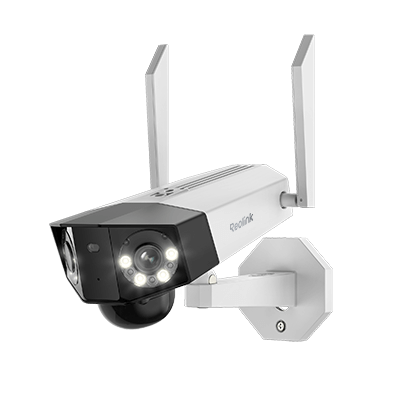
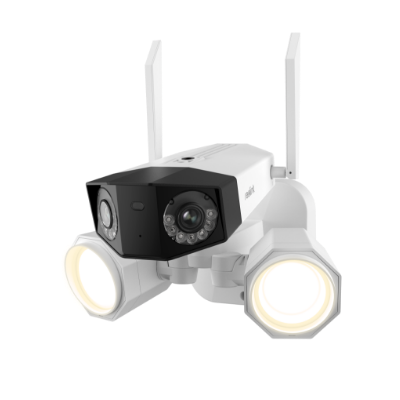
Reolink Duo 3V PoE
Reolink Duo 3V PoE is a vandal-proof security camera with PoE connectivity to ensure reliable performance. It's like a plug-and-play device you can install without any hassle. It records videos in 16MP resolution and captures a 180 ° wide field of view to offer exceptional clarity and detail in one frame.
It can automatically track the motion of objects and send real-time alerts. You can access the camera remotely and see the live feed without any lag. It has dual-night vision to capture clear and colored videos at night.

16MP Dual-Lens IK10 Vandal-Proof PoE Camera
16MP Ultra HD, 180° Panorama, Motion Track, IK10 Vandal-Proof, color night vision.
Reolink TrackMix PoE
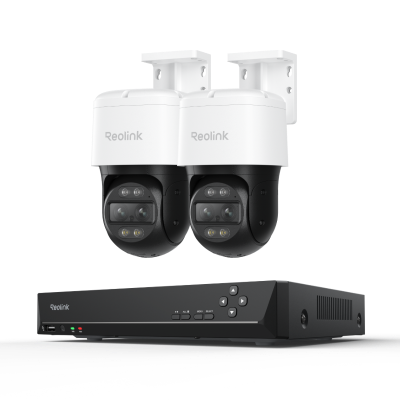
TrackMix PoE is a PTZ security camera that is connected to power and the internet via an Ethernet cable. It offers plug-and-play installation and reliable connectivity. It features dual lenses that capture 4K wide-angle and close-up views simultaneously. You can view the dual lenses, and both can track objects automatically.
It covers 360⁰ through pan and tilt motion. Its dual night vision ensures true colors and clear videos at night. It can smartly detect objects and send instant alerts to the connected devices. Other than that, it offers flexible storage, two-way audio, dual warning, and other incredible features.

4K Dual-Lens PTZ Camera with Dual Tracking
4K 8MP Ultra HD, Wide & Telephoto Lenses, Pan & Tilt, Auto-Tracking, Person/Vehicle Detection, Power over Ethernet, Two-Way Audio.
FAQs
1. Can I use a LAN cable for Ethernet?
LAN cable consists of multiple ones, including Ethernet, coaxial, or fiber optics. You can use an Ethernet cable for LAN, but not every LAN cable can be used as an Ethernet cable.
2. Is LAN or Ethernet better for gaming?
An Ethernet cable could be used directly for better connectivity and speeds. However, a LAN is primarily used when multiple users connect and interact with each other.
3. Should I plug my Ethernet into LAN or WAN?
You should plug the Ethernet cable into the LAN only if the requirement is to connect PCs, consoles, or any other device. A WAN is used to connect your router to a modem or other sources.
Conclusion
LAN and Ethernet are commonly used terms. They are closely related, but they are not the same. A LAN cable is a type of cable used to create a local area network (LAN). In contrast, an Ethernet cable is specifically used for the transmission of data. For beginners, it can be confusing, but we have explained the differences in detail to clear up any doubts.
Search
Subscribe for the Latest Updates
Security insights & offers right into your inbox