







Baby Monitor That Connects to Phone: Buying Guide
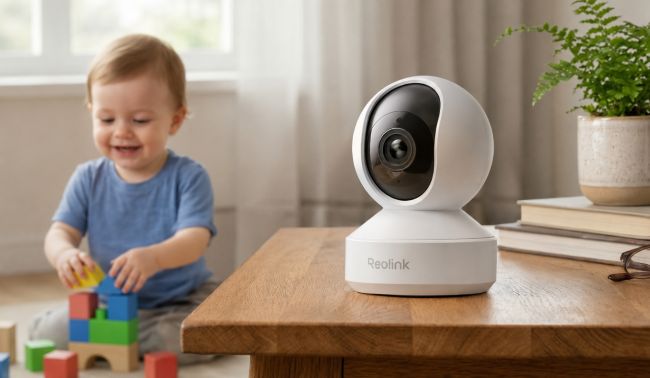
A baby monitor that connects to a phone is a better option to keep an eye on the baby from any location. Beyond video recording, it sends real-time alerts, offers a live feed, and captures every moment.
Let’s understand what a baby monitor that connects to a phone is. We will explain how it works and share the features you need to consider while buying one.
What Is a Baby Monitor That Connects to Your Phone?
A baby monitor that connects to your phone is a security camera system that uses the internet and a dedicated mobile app to show you the live view, send real-time alerts, and offer other features. That said, you don’t need a separate parent handheld unit; your mobile phone with the compatible app does the job.
Here’s what it offers:
- Parents can see the live feed on their smartphones from any location
- You get real-time notifications on your smartphone when the baby is crying or there is movement in the room or around the crib.
- It facilitates two-way audio, which means you can hear your baby’s voice and soothe your baby directly through your phone.
- Records videos 24/7 or motion-triggered events in local/cloud storage. You can check the recorded footage later.
- Offers multi-user access, so both parents and babysitter/caretakers can keep an eye on the baby.
How Does a Baby Monitor Connect to Your Phone?
A baby monitor connects to your phone through Wi-Fi. It connects to your home 2.4 GHz or 5 GHz Wi-Fi network and works via a mobile application.
Compatible Application: You need to install a compatible application on your phone. It’s where you can see the live feed, receive real-time alerts, use two-way audio, and control the baby monitor.
Device Pairing: After powering on the baby monitor, you need to pair it with your phone or mobile application. For that, you need to scan the QR code on the baby monitor or use Bluetooth. You also need to give the baby monitor access to your Wi-Fi by entering the password.
Once the device has been set up, you can do everything from your smartphone. You can also give access to other users to remotely view the live feed of the baby’s room/crib and use the baby monitor.
Baby Monitor With Phone App vs Dedicated Monitor: Which Is Better?
A baby monitor with a phone app is better for most parents, as they can use it from any location. They are not bound to a handheld device or limited range. It also offers multi-user access. However, a dedicated monitor is better for households with unstable internet or caregivers who prefer an always-on screen.
What Features Should You Look for in a Baby Monitor That Connects to Your Phone?
Video Quality and Night Vision
To monitor the baby’s room, crib, and things around clearly, parents need a decent video resolution. For rich details and optimal clarity, 4K monitors are ideal. Parents can see the faces and objects in the baby's room clearly on their phones, whether they are at home or outside.
For night monitoring or when the light is turned off, night vision is necessary. Look for infrared vision in baby monitors as they record clear videos without disturbing the baby’s sleep.
Crying Detection and Smart Alerts
Crying detection and smart alerts keep parents updated about every activity. Because of these features, parents do not need to check the live feed frequently. If the baby is crying, they will receive a real-time alert, and then they can act accordingly.
With smart alerts, parents can monitor the movements and objects around the baby. If there is a person or pet, they will receive real-time alerts on the connected devices. They can check who’s there. You will receive instant alerts of all important events.
Two-Way Audio
Two-way audio is great for soothing the baby when you are away and talking to the caretaker. If you are in the office or working in another part of the house, you can soothe the baby with your voice before going into the room.
You can also instruct caretakers or babysitters directly through the baby monitor. You can hear the voice and talk through the phone. It makes handling the baby and providing information much easier.
It’s also helpful in training toddlers and keeping pets away from the children. When motion is detected around the baby, talk through the camera.
Remote Viewing and App Compatibility
A compatible application is a must-have for any baby monitor that connects to a phone. It makes your smartphone a monitoring device with smart features. You will receive real-time notifications in the app. You can talk through it, check recordings, and adjust settings. It gives you remote access to the baby monitor.
Remote viewing enables parents to check the live preview from any location. They just need to open the app and tap on the baby monitor to see the baby’s room.
While buying a baby monitor, confirm there is no subscription needed for remote viewing and other remote features.
Privacy and Local Storage
Baby monitors that connect to a phone are connected to the internet, which increases the chances of data leakage and creates privacy issues. That’s why they need special security features, like data encryption, two-factor authentication, and WPA3 security. These features prevent unauthorised access and reduce the chances of data leakage.
If the baby monitor also has privacy mode, parents can enable the privacy mask and make the space private.
If you want to enhance privacy, you can go with local storage. All recordings are stored on the local device, such as a microSD card or NVR. Thus, there is no third-party cloud storage, which could expose your information or private videos.
Best Baby Monitor That Connects to Phone
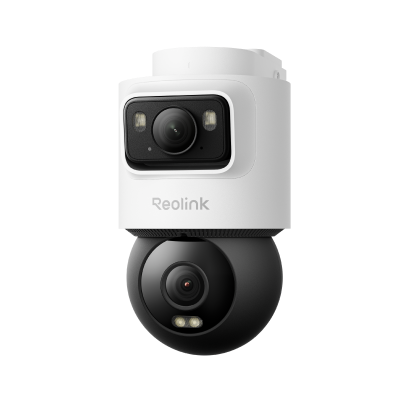
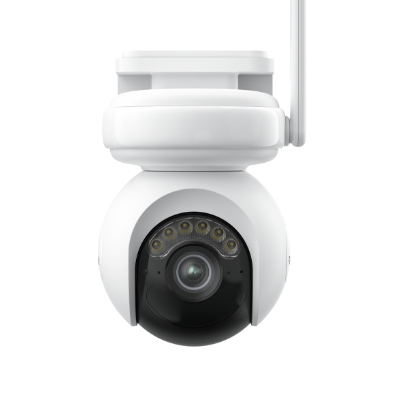
Reolink E1 Zoom
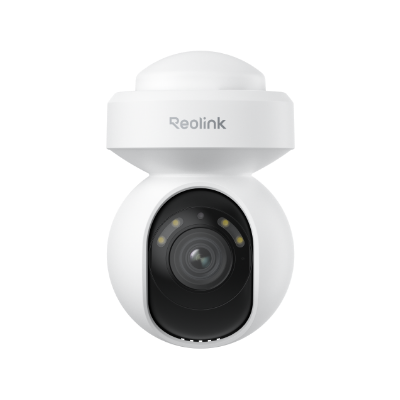
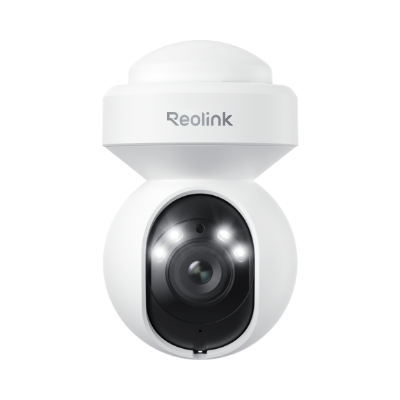
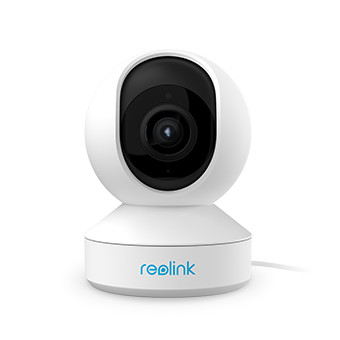
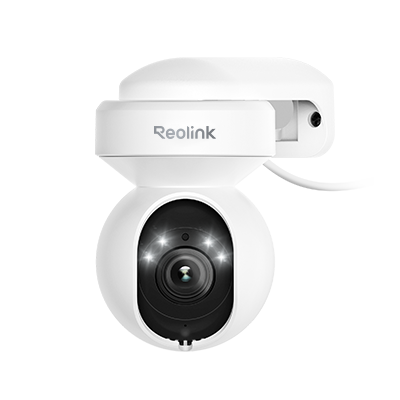
Reolink E1 Zoom is a compact baby monitor that connects to your phone. You can place it in the baby room on a table, wall, or ceiling and monitor everything in 4K resolution, which ensures clear details of objects. The camera covers 360° of the baby room with pan and tilt motion and offers close-up views with 3X optical zoom. Not only that, but it also tracks the movement of people and pets inside the room and captures every moment.
Without any subscription, it offers crying, pet, and person detection. You get real-time alerts on your connected devices to respond immediately. You can also save up to 64 viewing positions and switch the camera with one tap for quick monitoring. The notable feature is the privacy mode, which allows you to disable the camera with one tap. Its dual-band Wi-Fi 6 allows parents to monitor the room smoothly from any location.

PTZ Wireless Smart Home Camera
Smart, Powerful and Affordable All-Round Home Protection. 355° Pan and 50° Tilt; 4K Ultra HD, 3X Optical Zoom, Two-Way Audio, 2.4/5 GHz WiFi, with Google Assistant Integration.
Reolink E1 Pro
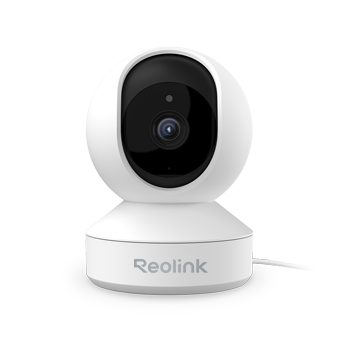
Reolink E1 Pro is an affordable baby monitor to keep you updated on all activities in the baby’s room. You get real-time alerts of crying, so you don’t need to constantly check the monitor. It also detects person/pet movements, so you get to know who’s in the baby's room. Despite being a compact camera, it covers 360° and tracks the motion of objects.
You can see clear details in the baby’s room, as it’s equipped with a 3K 5MP lens. Even at night, you get sharper and brighter images because of night vision. You can keep an eye on the baby and every corner of the room from anywhere because of dual-band Wi-Fi. Moreover, it’s a secure option because of local storage (microSD card, NVR, Home Hub, FTP/NAS) and the privacy mode.
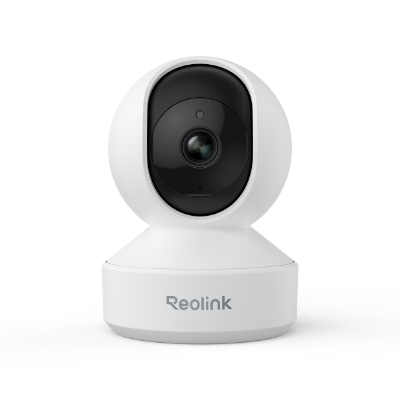
Smart 5MP Wi-Fi PT Indoor Security Camera
Crying Detection for Baby Monitoring; Smart Detection & Auto Tracking; 360° Coverage with Pan & Tilt; 5MP Super HD.
FAQs
1. Can I get my baby monitor on my phone?
If you have a smart baby monitor that connects to the internet, you can get it on your phone. Once you install the compatible application, you can see the live feed and get remote features.
2. Is there a baby monitor that connects to a phone without Wi-Fi?
No, baby monitors that connect to a phone require Wi-Fi. Without internet connectivity, they can still record videos, but you can’t see the live feed, get real-time alerts, or access the camera remotely.
3. Do baby monitors connect to phones?
Yes, modern smart baby monitors connect to phones. They require internet access and a mobile app to connect to the phone.
Conclusion
A baby monitor that connects to your phone is a smart device that not only helps you monitor the baby in the room, but it also alerts you if there is a person or pet nearby. You get crying alerts to act immediately. That’s why you don’t have to keep the live feed open, as it will alert you if there is anything important. Parents can take care of their baby and also give access to the caretaker.
Search
Subscribe for the Latest Updates
Security insights & offers right into your inbox