
microSD vs Home Hub: Which Storage Solution for Your Security Camera
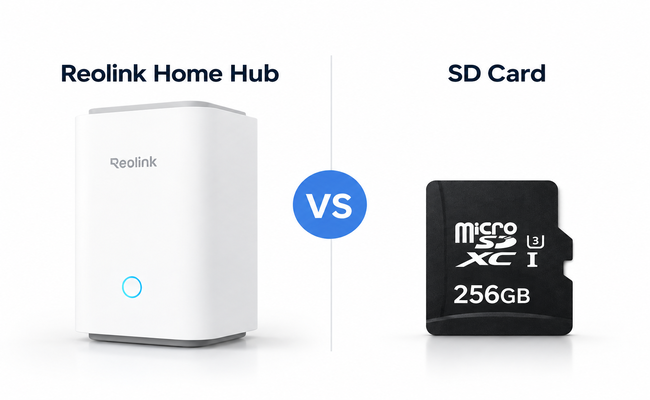
microSD card and Home Hub are two storage options for a security camera. However, they are both meant for different applications, scenarios, and use cases.
In this article, we will compare microSD vs Home Hub. We will share what factors to look at while choosing one of them. We will also highlight some use cases and usage scenarios to help you select the right one.
microSD vs Home Hub at a Glance
A microSD is installed in cameras as dedicated storage. All video recordings are stored in it, which is extremely convenient and affordable. On the other hand, a Home Hub is for storing and managing recordings of multiple security cameras. It offers massive storage and exceptional security features.
microSD vs Home Hub: 6 Things to Compare
Initial Cost
A microSD card is the most affordable option, costing only $15 to $35 per camera, depending on the capacity. You just need to install it, and the camera is ready to work. But if you want to store recordings of multiple cameras in one place, a Home Hub is a better choice for unified storage.
Storage Space
Security cameras support microSD cards with maximum storage up to 256GB or 512GB. It is enough to store motion-triggered videos for a few weeks. A Home Hub supports at least 1TB of storage. You can go with it if you want continuous recording.
Number of Cameras
A microSD card stores videos of only one security camera. If you have one or two cameras, you can buy a microSD card for each. However, a Home Hub can support several cameras and store their videos in a single storage.
Recording Security
The microSD card is installed directly on the security camera and is more prone to theft and tampering. If the camera is stolen, the recordings go along with it. In contrast, the Home Hub offers secure storage with encryption. It is connected to the cameras through Wi-Fi or Ethernet and is placed indoors. Thus, even if the camera is stolen, you have recordings saved in the Home Hub.
Viewing and Managing Recordings
Security cameras have dedicated microSD cards. To investigate an event, you have to check each storage for recordings. However, a Home Hub stores videos of multiple security cameras in one storage. You can see events separately or on a unified timeline. This makes managing recordings much easier.
Future Expansion
If you go with microSD cards, you will need a separate card for each camera. It’s fine for 1–2 cameras, but if there are more cameras, it will be too costly and will require more maintenance. For future expansion, a Home Hub is a great option. You just need to connect the new camera to the storage, and it’s ready to record. Plus, you can also upgrade the storage.
microSD vs Home Hub: Which One Should You Choose?
Front Door Monitoring: If you want to monitor the front door of your house only, you can go with a microSD card. It can record videos in event-trigger mode and keep track of who entered and left your house.
Rental Properties: For temporary rental properties, a microSD card is a great option. You just need to insert it, and it’s ready to go. It’s affordable and convenient.
Off-grid/Remote Locations: For such locations, a microSD card is a good choice. It is dedicated storage for the camera, and no other device is needed.
Multi-location Capture: For multiple cameras, you should go with Home Hub. You can store and manage recordings of 8 or more security cameras in one storage.
Sensitive Areas: You have to continuously record in sensitive areas for robust security. Home Hub is a better option because of vast storage.
Theft-prone Areas: You can go with a Home Hub as it is placed indoors, and the recordings remain safe even if the camera is damaged or stolen.
Can You Use microSD and Reolink Home Hub Together?
Yes, you can use a microSD card and a Reolink Home Hub together. Some Reolink cameras support dual recording, so they save the recording on the microSD card and the Home Hub. Thus, you have a backup of all your videos in case one storage device becomes inaccessible.
Reolink Home Hub supports two microSD cards of up to 1TB. So, you can expand the storage up to 2TB. The maximum storage that a Reolink camera can support depends on its model. Usually, cameras can support up to 256GB or 512GB microSD cards.
Reolink Home Hub Options
Reolink Home Hub
Reolink Home Hub is a wireless security center that can connect up to 8 Reolink cameras. It supports offline and local data storage with no monthly fee. Its storage is expandable up to two 1TB microSD cards. With dual-band Wi-Fi 6, it ensures exceptional speed and seamless connectivity. The storage is armed with exclusive encryption algorithms to protect data against unauthorized access.
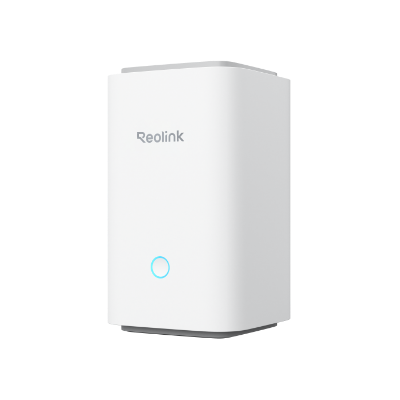
Wireless Security Center with Encrypted Local Storage and Multi-Device Management
64GB microSD Card Included; Exclusive Anti-Theft Algorithms; Expandable System Up to 8 Reolink Cams; No Monthly Fees
Reolink Home Hub Pro
Reolink Home Hub Pro is a Wi-Fi 6 wireless security center with centralized management. It supports up to 12 Reolink security cameras. It has built-in 2TB HDD storage, and you can expand it up to 16TB HDD, which is more than enough. It’s a subscription-free device with encrypted storage. Plus, it also works as a smart alarm system. The notable feature is that it supports 16MP live streaming, which is perfect for high-resolution cameras.
Reolink Home Hub Mini
Reolink Home Hub Mini is specifically for Reolink battery-powered Wi-Fi cameras, E-series, and Lumus. It can support up to 8 security cameras and a maximum of 1TB microSD card storage. It handles multiple camera recordings with exceptional privacy and security. It also shares weekly AI-powered insights from all security cameras.
What Happens to Local Recording Without Internet?
Whether you are using a microSD card or Home Hub, the recording will be stored in local storage even if there is no internet.
If there is a microSD card installed, the camera directly stores videos on it. There is no need for a wireless network or internet.
In the case of the Home Hub, there are two options. You can connect the camera and Home Hub to the same router. When there is no internet, the camera uses the Wi-Fi network to store videos in the Home Hub’s storage.
Secondly, you can connect the camera directly to the Hub's AP. It can record videos in the Hub’s storage without internet connectivity.
FAQs
What microSD Card Can Work with Reolink Device?
Reolink devices support microSD cards from 8GB to 512GB, depending on the device. The microSD card should have a Class 10 or higher read and write speed, FAT32, and TF type SD, SDHC(only goes up to 32GB), and SDXC standard.
What are the downsides of using a microSD card?
A microSD card can store videos on only one security camera. The storage is limited and suitable for motion-detection recording. It’s not encrypted, and users lose recordings when the camera is stolen or damaged.
Is microSD or microSDHC better?
microSDHC is better than microSD because it offers much larger storage. Original microSD stops at 2GB, while MicroSDHC ranges from 4GB up to 32GB.
Does Reolink Home Hub require a subscription?
No, Reolink Home Hub does not require a subscription. You can connect multiple cameras, access it remotely, use it as an alarm center, and enjoy high-definition playback/live view without any monthly fee.
How long can a microSD card/Home Hub record security camera footage?
A 256GB microSD card can store 4–5 days of continuous 24/7 recordings and 2–3 months of motion-based recording in 4K (8MP). A Home Hub usually has 1TB or more of storage. If its storage is 1TB, it can store up to 15–20 days of continuous recording and 12 to 24 months of motion-based recordings in 4K resolution.
Conclusion
A microSD card is the first choice when you have only 1–2 security cameras. It’s an affordable yet convenient option that anyone can use. But if you plan to have multiple security cameras or want to expand in the future, the best option is a Home Hub. It can store and manage recordings from multiple security cameras in one place. It offers secure local storage with encryption and an alarm, without any monthly fee. Compare both storage options on the six factors we have shared to decide which one fits best.
Search
Subscribe for the Latest Updates
Security insights & offers right into your inbox