
Reolink Home Hub vs Home Hub Pro: What's the Difference?
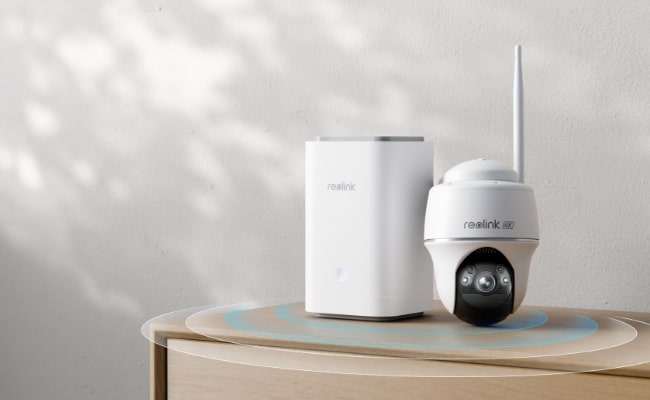
Reolink Home Hub and Home Hub Pro are devices that make connecting and controlling security cameras extremely simple and flexible. Not only do they provide a unified platform, but they also offer storage space with many incredible features.
Let’s see what both devices do and compare them in terms of features and different aspects. We will explain the key differences to help you select the right device.
Key Takeaways:
- Reolink Home Hub supports up to 8 cameras and up to 2TB of microSD storage, making it suitable for apartments and standard homes.
- Home Hub Pro is designed for larger homes, multi-camera setups, and heavier recording needs, with HDD storage expandable up to 16TB.
- Both support Wi-Fi 6, up to 16MP cameras, encrypted local storage, and subscription-free recording, while Home Hub Pro adds HDMI and USB connectivity.
Reolink Home Hub vs Home Hub Pro: Review of Them
Reolink Home Hub is a multi-device management and wireless security center with encrypted local storage. Designed for smaller home security setups, it supports up to 8 cameras, Wi-Fi 6, and cameras with resolutions up to 16MP. Its two microSD card slots support up to 1TB each, providing up to 2TB of local storage without a monthly fee.
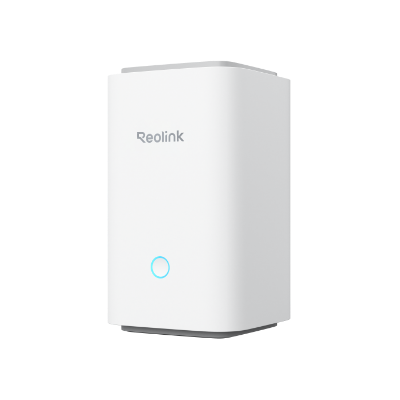
Wireless Security Center with Encrypted Local Storage and Multi-Device Management
64GB microSD Card Included; Exclusive Anti-Theft Algorithms; Expandable System Up to 8 Reolink Cams; No Monthly Fees
Reolink Home Hub Pro is designed for larger multi-camera setups that require more storage and connectivity. It is available with a built-in 2TB HDD, with HDD storage expandable up to 16TB. It also supports Wi-Fi 6, up to 16MP live streaming, encrypted local recording, and additional connectivity options such as HDMI and USB, without requiring a monthly subscription.
Reolink Home Hub vs Home Hub Pro: Key Differences
The main differences between Reolink Home Hub and Home Hub Pro are storage capacity, camera capacity, and connectivity. Home Hub supports up to 8 cameras and up to two 1TB microSD cards, while Home Hub Pro supports up to 24 cameras and includes a 2TB HDD expandable to 16TB. Home Hub Pro also adds HDMI and USB ports, making it better suited to larger multi-camera setups and direct monitor viewing.
Storage
Home Hub comes with a 64GB microSD card and supports up to two 1TB microSD cards, providing up to 2TB of storage. In contrast, Home Hub Pro comes with a built-in 2TB HDD that can be expanded up to 16TB. It also has a microSD card slot that supports up to 512GB.
Supported Cameras
Home Hub supports up to 8 security cameras, making it suitable for smaller home security setups. Home Hub Pro supports up to 24 cameras, including up to 12 wired cameras, making it more suitable for larger multi-camera systems.
Connectivity and Ports
Home Hub Pro offers more connectivity options than Home Hub. It has an HDMI port for connecting directly to a monitor or TV and a USB port for functions such as exporting or backing up recordings. It also provides two Ethernet ports, while Home Hub has one. These additional ports give Home Hub Pro more flexibility for larger security camera setups.
Comparison Table
Reolink Home Hub or Home Hub Pro: Which One Should You Choose?
Apartment or Condo: Choose Home Hub. A few cameras covering the entrance, balcony, living room, or other key areas can easily stay within its 8-camera capacity, while microSD storage keeps the setup compact.
Standard Family Home: Choose Home Hub. It can handle cameras around common areas such as the front door, driveway, garage, backyard, and indoors without requiring a larger HDD-based system.
Large or Multi-Story Home: Choose Home Hub Pro. More entrances, floors, and outdoor areas usually mean more cameras, and the higher camera capacity provides more room for full-property coverage and future expansion.
Small Business or Shop: Choose Home Hub Pro. It is more suitable for multiple cameras covering entrances, checkout areas, storage rooms, parking areas, and other key locations, while larger HDD storage supports longer recording retention.
Heavy 24/7 Recording: Choose Home Hub Pro. If several high-resolution cameras record continuously, its HDD storage expandable up to 16TB is better suited to the much larger amount of footage generated.
Reolink Home Hub Series Kits Recommendation
Home Hub with Argus PT Ultra
It comes with one Home Hub device and two Argus PT Ultra security cameras. The cameras record videos in 4K resolution along with Color night vision. With pan and tilt motion, they cover 360⁰ with auto tracking. The Home Hub works as a local storage and stores recordings without any fees. It offers encryption and weekly insights and works as an alarm center.
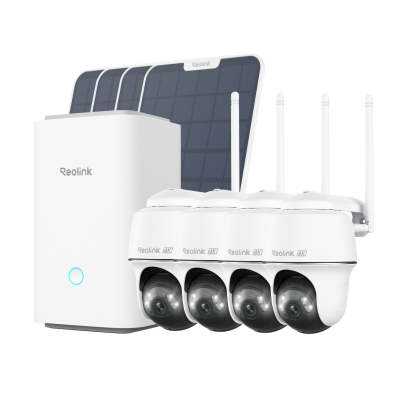
Wireless Security System With 4K PT Standalone Battery/Solar Wi-Fi Cameras
4K Color Footage Day & Night, 1 Year of Local Storage, Exclusive Anti-Theft Algorithms, 360° All-Around Coverage, Expandable System Up to 8 Reolink Cams.
Home Hub Pro with E1 Outdoor Pro
It includes one Home Hub Pro and four E1 Outdoor Pro security cameras. The cameras offer 4K color footage with 3X optical zoom. You can clearly see objects and zoom into them for a close-up view. They offer 360⁰ surveillance for optimal security. The Home Hub Pro can connect up to 24 cameras, and it has a 2TB HDD to store videos. It offers anti-theft encryption algorithms, HD live view, and playback.
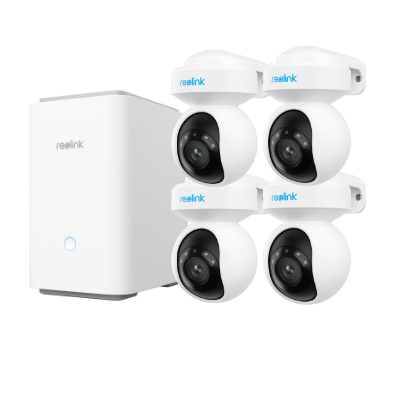
4K Wi-Fi 6 Security System with PTZ Auto Tracking
4K Color Footage with 3× Optical Zoom, 2TB HDD Included for Local Storage, Exclusive Anti-Theft Algorithms, Expandable to 24 Reolink Cams.
FAQs
1. What is the range of the Reolink Home Hub?
Reolink Home Hub offers a coverage of up to 1,000 square meters. Any cameras within the range can be connected.
2. Does Reolink Home Hub Pro require a subscription?
No, Reolink Home Hub Pro does not require a subscription. You can use it without any monthly fee and enjoy the local storage, real-time alerts, remote access, and all features.
Conclusion
Reolink Home Hub and Home Hub Pro are excellent for smart homes. They allow you to control multiple cameras with ease and store their videos with advanced encryption. Users can check the weekly summary and use the device as an alarm center. It makes surveillance, video management, and remote access hassle-free, and all of that without any recurring charges.
Search
Subscribe for the Latest Updates
Security insights & offers right into your inbox