
Elevator Cameras: Types, Installation, and Security Guide
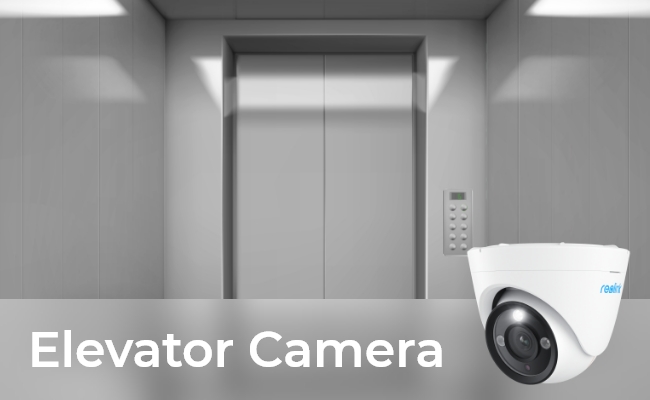
An elevator camera is a specialized security camera installed inside an elevator cab to monitor passenger safety, deter vandalism, and capture real-time incident footage. Designed with compact, vandal-resistant enclosures and ultra-wide-angle lenses, these systems maintain full coverage in tight spaces and transmit footage through elevator traveling cables or point-to-point wireless bridges.
This guide breaks down how elevator cameras work, key installation requirements, and how to choose the right system for your building.
Key Takeaways:
-
Elevator cameras improve building security. They help monitor passenger activity, deter vandalism, and record incidents in residential and commercial elevators.
-
Fixed wide-angle and vandal-resistant dome cameras are practical choices. They provide consistent cabin coverage, while IK10-rated models offer added protection against impacts and tampering.
-
Elevator camera installation requires special planning. Moving elevator cabins need reliable power and video transmission through traveling cables or suitable wireless bridges.
-
Choose cameras based on coverage, durability, and recording needs. Key features include 2K or 4K resolution, wide-angle lenses, night vision, remote access, and compatible recording systems.
-
Reolink offers options for different monitoring areas. The RLC-840A is worth considering for standard elevator cabins, while the Duo 3V PoE provides 16MP, 180° panoramic coverage for larger elevator areas and lobbies. Installation compatibility must be confirmed.
-
Privacy and legal requirements matter. Building owners should check local surveillance laws, signage requirements, and audio recording restrictions before installing cameras.
- Do Elevators Have Cameras?
- How Do Elevator Cameras Work?
- What Are Common Types of Elevator Security Cameras?
- What Are Benefits and Limitations of Installing Cameras in Elevators?
- How to Choose the Best Elevator Security Camera? 5 Key Features to Consider
- Recommended Reolink Cameras for Elevator Surveillance
- How to Install a Camera in an Elevator?
- FAQs
- Conclusion
Do Elevators Have Cameras?
Yes, many elevators in residential buildings, offices, hotels, and shopping malls have security cameras. They are typically installed in a corner of the elevator cabin or on the ceiling to monitor passenger activity, deter vandalism, and record incidents.
But not all elevators have cameras. It depends on specific security needs and requirements.
How Do Elevator Cameras Work?
Elevator cameras record footage inside moving elevator cars and send the video to a central recorder. Because the elevator moves up and down constantly, these systems rely on special wiring, wireless links, and wide lenses.
1. Sending the Video Signal
An elevator camera sends video out of the moving car in one of two ways:
-
Traveling Cables: A heavy cable hangs beneath the car and flexes as the elevator moves. Hybrid cables bundle power wires with Ethernet, coax, or fiber lines to send data directly to the building server room.
-
Point-to-Point Wireless Bridges: One wireless radio mounts to the bottom of the car, and a second radio mounts at the bottom of the elevator shaft. The two radios point at each other and stream video through the air over a 5 GHz connection.
2. Powering the Camera
Elevator cameras need continuous power while the car moves:
-
Car-Top Junction Box: The camera plugs directly into the power box on top of the car. This box also runs the cabin lights and fans.
-
Power over Ethernet (PoE): If the elevator uses a hybrid traveling cable, a PoE switch in the machine room sends both power and data down the cable drop.
3. Lens and Mounting
Elevators are small, tight spaces, so cameras use specific hardware to capture the full room:
-
Corner Ceiling Mount: Installers place the camera in a top corner facing the doors and button panel. This setup captures passengers, floor selection buttons, and door activity in one shot.
-
Ultra-Wide Lenses: Lenses measuring 1.8mm to 2.8mm (or fisheye lenses) cover the whole space. They eliminate blind spots in small cabins.
-
Impact-Resistant Housings: Dome and wedge cameras use strong polycarbonate shells (IK10 rated) to withstand accidental hits or intentional damage.
4. Recording and Storage
Once the video leaves the shaft, the signal connects to the building network:
-
Central Recorders: The camera feeds into a main Network Video Recorder (NVR) alongside standard hallway and lobby cameras.
-
Smart Detection: Camera software tracks motion and flags unusual activity. Building managers can pull up clips fast if a passenger gets stuck or an incident occurs.
What Are Common Types of Elevator Security Cameras?
Elevator security cameras come in different types based on their design, coverage, and installation requirements. Fixed wide-angle and vandal-resistant dome cameras are common choices for standard elevator cabins, while other options suit specific monitoring needs.
For most standard passenger elevators, a fixed wide-angle or vandal-resistant dome camera is a practical choice. These cameras provide consistent coverage, while vandal-resistant models offer additional protection against physical damage.
What Are Benefits and Limitations of Installing Cameras in Elevators?
Benefits
- Enhanced Security: It deters criminal activity and provides evidence in the event of incidents such as theft or vandalism.
- Safety Monitoring: Cameras in elevators allow for real-time monitoring of occupants, helping to prevent accidents and ensure passenger safety.
- Accountability: Surveillance footage from elevator cameras can be used to hold
Limitations
- Privacy Concerns: Some individuals may feel uncomfortable with the presence of cameras in private spaces such as elevators, raising privacy concerns.
- Maintenance Challenges: Elevator cameras require regular maintenance to ensure optimal performance, which can be costly and time-consuming.
- Legal Considerations: The use of elevator cameras may be subject to legal regulations regarding surveillance and privacy rights, requiring careful compliance.
How to Choose the Best Elevator Security Camera? 5 Key Features to Consider
Choose an elevator security camera based on its impact resistance, lens width, low-light performance, audio support, and network access.
1. Vandal-Proof Housing
Select a camera with an IK10 impact rating to prevent damage from intentional hits or heavy cargo.
Elevator cabs are small, enclosed spaces where cameras face frequent bumps, cargo hits, and vandalism. A vandal-proof camera uses a low-profile wedge or dome housing built with heavy-duty metal and a clear polycarbonate shell. These materials protect the internal lens and keep the feed running during an impact.
2. High Resolution and Wide-Angle Lens
Pick a 2K or 4K camera with an ultra-wide lens to capture faces and floor buttons without leaving blind spots.
Clear footage helps building managers identify faces, floor button presses, and door activity during an incident. Higher resolution options like 2K or 4K deliver sharp detail when you zoom in on recorded video. Pair this resolution with a 1.8mm to 2.8mm wide-angle or fisheye lens to cover the entire cab from a single corner mount.
3. Night Vision Performance
Look for infrared or color night vision to maintain clear video during power outages or dim lighting.
Elevator lighting can flicker, dim, or shut off completely during power failures. Cameras with built-in infrared (IR) LEDs switch to black-and-white video in total darkness, while low-light color sensors capture color footage when low ambient light is present. Reliable night vision maintains visibility inside the cab 24 hours a day.
4. Remote Access and System Integration
Ensure the camera supports remote viewing via phone or desktop so guards can check live feeds from anywhere.
Modern elevator cameras stream video over your local network to an NVR or video management system. With remote access enabled, security guards and property managers can pull up live feeds or review event clips on a phone, tablet, or PC. This quick access helps teams check passenger safety fast when an alarm trips.
Recommended Reolink Cameras for Elevator Surveillance
Reolink provides IK10 vandal-resistant PoE dome cameras that deliver local recording, high-resolution video, and broad fields of view for building surveillance.
Best for Standard Elevator Cabins: Reolink RLC-840A
A compact 4K PoE dome camera with IK10 impact protection, ideal for tight residential and hotel elevator cabs.
The Reolink RLC-840A packs 4K resolution into a tough, low-profile dome design. Its 125° diagonal viewing angle covers the interior of small to medium elevator cabs from a single corner ceiling position. Built with an IK10 vandal-resistant shell, it absorbs heavy impacts from cargo or intentional tampering without breaking.
It supports infrared night vision for dark conditions, local microSD storage, and continuous 24/7 NVR recording. Property managers use this model in apartment buildings, hotels, and office spaces that need durable cab monitoring without monthly fees.
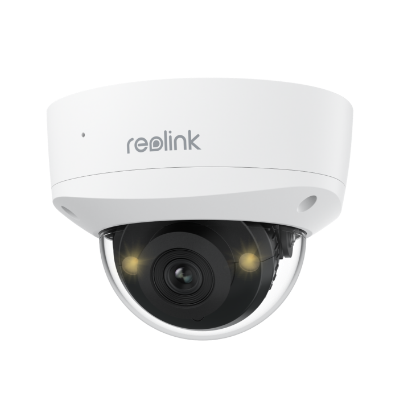
4K IK10 Vandal-Proof PoE Camera with Color Night Vision
4K 8MP Ultra HD, 125° Wide Viewing Angle, Color Night Vision, Two-Way Audio.
Best for Large Elevator Areas: Reolink Duo 3V PoE
A dual-lens 16MP camera that provides a seamless 180° panoramic view across massive elevator cabs, lobbies, and bank entrances.
The Reolink Duo 3V PoE uses dual lenses to stitch together a continuous 180° horizontal feed in ultra-clear 16MP resolution. This wide viewing angle eliminates blind spots across oversized freight elevators, high-capacity commercial cabs, and busy elevator waiting lobbies.
It features IK10 vandal-resistant housing, infrared night vision, and spotlight-assisted color night vision for low-light scenes. It stores video locally on microSD cards or Reolink NVRs, letting security teams monitor broad access areas from a single camera mount.
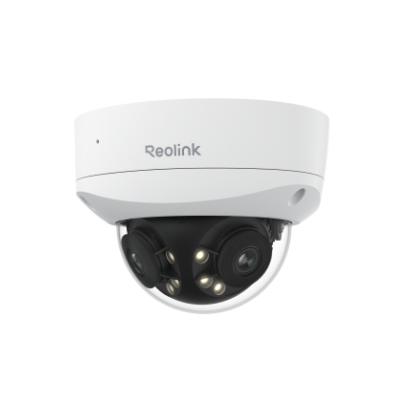
16MP Dual-Lens IK10 Vandal-Proof PoE Camera
16MP Ultra HD, 180° Panorama, Motion Track, IK10 Vandal-Proof, color night vision.
Installation Note: Both models run on standard Power over Ethernet (PoE) connections and serve as general-purpose security cameras rather than specialized, pre-rigged elevator hardware. Before mounting any camera inside a moving cab, consult a licensed elevator technician to plan cable runs, power feeds, wireless bridge placement, and local building code compliance
How to Install a Camera in an Elevator?
Installing a security camera inside an elevator cab involves four main steps: planning the transmission path, mounting the hardware, running power, and connecting the feed to a recorder.
1. Choose the Transmission Method
Determine how the video signal will exit the moving cab to reach your building network:
-
Wireless Bridge (Recommended for retrofits): Mount one 5 GHz directional wireless radio to the underside of the elevator car and a second radio at the bottom of the elevator shaft pointing up.
-
Traveling Cable (Hardwired): Use spare Ethernet/coaxial wires inside the existing elevator traveling cable or install a hybrid cable drop.
2. Mount Camera in Top Corner
Select a top corner near the ceiling facing both the elevator doors and the button panel. Fasten an IK10 vandal-resistant dome or wedge camera flush against the corner using heavy-duty wall anchors.
Adjust the lens to cover the door entrance, floor indicators, and cabin interior without leaving blind spots.
3. Connect Power Supply
Provide continuous power to the camera on top of the moving cab:
-
Car-Top Power: Plug a PoE injector or power adapter into the auxiliary power junction box located on top of the elevator cab (which powers cabin lighting and fans).
-
Traveling Cable PoE: Connect the camera directly to a PoE traveling cable line fed by a PoE switch in the machine room.
4. Link to NVR and Test
Route the camera network cable from the car top into your wireless transceiver or traveling cable termination. Connect the stationary receiver at the top/bottom of the shaft to the building’s local network switch or Network Video Recorder (NVR).
Run the elevator through full travel cycles from the ground floor to the top floor while monitoring the live video feed.
FAQs
How to tell if an elevator has a camera?
Look at the top corners of the cab ceiling for a visible lens, dome shell, or small pinhole opening.
Most elevators display an explicit notice or sticker near the main button panel that states the cab is under video surveillance. If no sign is present, inspect the ceiling joints and light panels. Cameras mount in top corners to maintain a clear line of sight to the doors, button panel, and passengers.
What do cameras look like in elevators?
Elevator cameras appear as small, low-profile dome housings, corner-wedge enclosures, or tiny pinhole lenses integrated into ceiling fixtures.
-
Dome & Wedge Cameras: These units feature dark, rounded polycarbonate bubbles or angled metal housings mounted flush against the ceiling corner. They use heavy-duty shells (often IK10 rated) to resist impact or tampering.
-
Pinhole / Hidden Lenses: Some buildings embed tiny pinhole lenses directly into ceiling panels, speaker grilles, or indicator displays, making the camera lens barely noticeable.
Are cameras allowed inside elevators?
Yes, property owners can legally install security cameras inside elevator cabins because elevators are considered shared public or commercial spaces with no expectation of privacy.
Building owners use elevator cameras to protect passengers, deter vandalism, and capture incident footage. However, local privacy regulations prohibit cameras from recording audio in certain jurisdictions without explicit warning signs, and cameras can never be placed in areas where privacy is legally expected.
Can elevator cameras record 24/7?
Yes, elevator cameras can record 24/7 when wired directly to a central Network Video Recorder (NVR) or building server.
Elevator camera systems stream footage continuously through traveling cables or point-to-point wireless bridge transceivers to a central NVR. The recorder stores 24/7 video locally on hard drives, using H.265 compression to keep file sizes manageable while preserving event history for property managers.
What kind of cameras are used in elevators?
Elevators typically use surveillance cameras designed specifically for indoor use, with features such as compact size, low-profile design, and vandal-resistant construction.
Are elevator cameras visible?
They may be visible or discreetly positioned depending on security requirements and design preferences. Visible cameras can serve as a deterrent to criminal activity, while discreetly positioned cameras may be preferred for aesthetic reasons.
Do elevator cameras record?
Yes, they are equipped with recording capabilities to capture surveillance footage for review and analysis. Recorded footage can be invaluable for investigating incidents, identifying individuals, and enhancing security protocols.
Conclusion
Elevator cameras play a vital role in enhancing building security by providing continuous surveillance of elevator activity. From wireless and PTZ cameras to vandal-proof and high-resolution systems, there are various options available to meet diverse security needs.
While elevator cameras offer numerous benefits, such as enhanced security and safety monitoring, they also raise considerations regarding privacy, maintenance, and legal compliance. Share your thoughts and comments below.
Search
Subscribe for the Latest Updates
Security insights & offers right into your inbox