
WPA2 vs. WPA3: Understanding the Key Differences

Wi-Fi security is everyone's concern, but getting into technicalities isn't everyone's cup of tea. WPA2 and WPA3 are Wi-Fi security protocols, and users must know about them to keep their wireless network safe.
In this article, we will explain the key differences between WPA2 vs. WPA3 to help you select the right protocol according to your needs.
The Basics of WPA2 and WPA3
What is WPA2?
WPA2 stands for Wi-Fi Protected Access 2. It is a security protocol introduced in 2004 by Wi-Fi Alliance. It is a better security standard compared to WPA and WEP (Wired Equivalent Privacy).
Most Wi-Fi devices use WPA2 as it is widely adopted. It offers Advanced Encryption Standard (AES) to protect your data and privacy. However, it can be vulnerable to a certain extent, and hackers can still get access to the network and attack connected devices.
What is WPA3?
WPA3 is the Wi-Fi security protocol that followed WPA2. It was introduced in 2018 and is more secure than WPA2. Support depends on the device. For Reolink cameras, encryption varies by model, so check the Wi-Fi section of a device's specifications before you rely on it.
WPA3 checks the Wi-Fi password with a newer handshake. A handshake is the short exchange where a device and a router prove they know the password. WPA3 also creates a fresh encryption key for each connection. Both changes make it much harder for an attacker to guess your password or read traffic recorded earlier.
WPA2 vs. WPA3: What's the Key Difference?
The biggest difference is how a device proves it knows your Wi-Fi password. With WPA2, an attacker can record the handshake and guess the password later on their own computer. WPA3 uses a new handshake called Simultaneous Authentication of Equals (SAE), which is designed to stop that. In their home versions, both use the same 128-bit encryption.
Encryption Strength
In home networks, WPA2 and WPA3 use the same encryption strength. Both use 128-bit Advanced Encryption Standard (AES), which scrambles your data so only your router and your device can read it. WPA3 gains its extra security from how it checks passwords and sets up keys, not from a longer key.
WPA3 introduced an optional 192-bit security mode for organizations that need extra protection against sophisticated cyberattacks. Think of it as a stronger, higher-security version of WPA3 that's intended for government and enterprise networks rather than everyday home Wi-Fi. This feature is available only with WPA3-Enterprise.
Forward Secrecy
WPA3 creates a fresh encryption key every time a device connects. This is known as forward secrecy. If someone learns your Wi-Fi password later, they cannot use it to unlock traffic they recorded earlier.
WPA2 has no forward secrecy. Everyone on the network uses the same Wi-Fi password, so a leaked password can unlock traffic recorded earlier.
Improved Authentication
WPA2 works on a Pre-shared Key (PSK). This is the Wi-Fi password everyone on the network types in. An attacker can record the handshake and then try many password guesses on their own computer. This is called an offline attack. A weak password is easy to guess this way.
WPA3 uses the Simultaneous Authentication of Equals (SAE) protocol. Unlike WPA2, SAE makes offline password-cracking attacks much harder. It is designed so that each password guess requires direct interaction with the network rather than unlimited offline guessing against a captured handshake. The Wi-Fi Alliance describes this as stronger protection against password guessing attempts by third parties.
Protection Against Attacks
WPA2 is stronger than WPA but has two known weak spots. KRACK interrupts the handshake by faking a dropped connection. A dictionary attack tries a long list of likely passwords against a recorded handshake.
WPA3 is designed to close both openings. Its new handshake was built to avoid the kind of attack KRACK relies on, and SAE is designed to block offline dictionary attacks.
WPA2 vs. WPA3: Comparison in Different Versions
WPA2 Personal vs. WPA3 Personal
You can have personal security protocols on WPA2 and WPA3. These are suitable for home Wi-Fi networks. However, there are a few differences between them.
Although WPA2 Personal and WPA3 Personal both uses a 128-bit encryption key, WPA3 Personal adds the SAE handshake and forward secrecy described above, which ultimately is more secure.
WPA3 Personal is the better choice when every device on your network supports it, which matches Apple's recommended router settings.
What Does WPA2/WPA3 Personal Mean on a Router?
WPA2/WPA3 Personal is a mixed mode, also called transitional mode, as Apple's router guidance describes it. It lets newer devices connect with WPA3 and older devices connect with WPA2 on the same Wi-Fi network. Choose it when some of your devices do not support WPA3. Choose WPA3 Personal alone when every device does. Keep in mind that older devices on a mixed-mode network still connect with WPA2, and researchers have shown that attackers can try to trick newer devices into connecting to a WPA2-only network. A strong password matters either way.
WPA2 Enterprise vs. WPA3 Enterprise
WPA2 Enterprise and WPA3 Enterprise are built for offices and other organizations. They do not use one shared Wi-Fi password. Each user or device signs in through a system called IEEE 802.1X.
In their standard modes, both use 128-bit encryption. As mentioned above, WPA3 Enterprise also offers the optional 192-bit mode for networks that carry sensitive data, such as government or finance. Devices that do not support WPA3 can only use WPA2 Enterprise.
WPA vs. WPA2 vs. WPA3: What's the Distinction?
WPA (Wi-Fi Protected Access) was released in 2003, and it was the first generation of the security protocol. It provided better encryption and security compared to its predecessor, WEP (Wired Equivalent Privacy). It uses a 128-bit encryption key, but it is vulnerable to attacks.
Then, WPA2 was introduced in 2004. It was an improved version to ensure the privacy and security of the wireless network. It implemented AES and Pre-shared Key to make the network more secure. But with time, hackers found a way to guess the password and intercept data.
In 2018, the Wi-Fi Alliance introduced WPA3, the most secure of the three. Its SAE handshake is designed to block offline password guessing and avoid the opening KRACK uses.
WPA3 Security Camera Recommendation
4K Wi-Fi 6 Security Camera - RLC-810WA
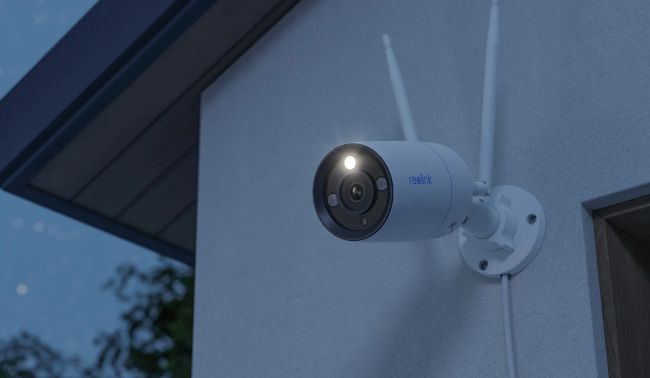
The Reolink RLC-810WA is one of the more accessible options if WPA3 compatibility is a priority, as it supports WPA3 security. Combined with Wi-Fi 6 support, the camera can take advantage of modern router security features while delivering 4K video and up to 100 ft (30 m) of infrared night vision. The fixed lens construction of this camera is ideal for users who prefer reliable, always-on monitoring of a specific area rather than a pan-and-tilt camera that moves between viewpoints.
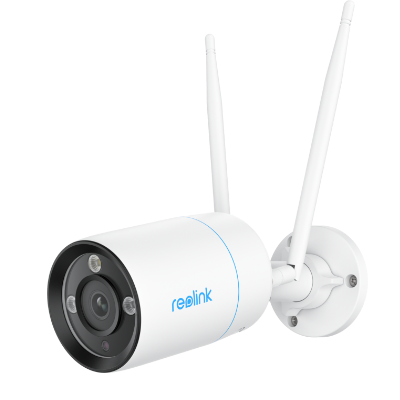
4K WiFi 6 Surveillance Camera
4K 8MP Ultra HD, Dual-Band WiFi 6, Color Night Vision, IP67 Waterproof, Smart Detection, Two-Way Audio, Built-in Siren.
4K Smart PTZ Wi-Fi 6 Camera - E1 Outdoor Pro
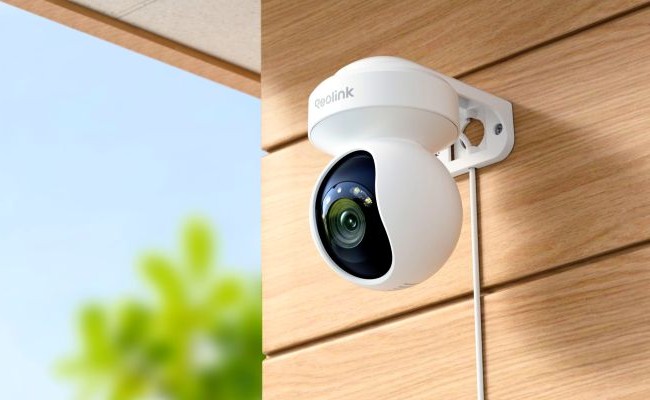
The Reolink E1 Outdoor Pro is a good choice for homeowners who need flexible coverage from a single camera. Its 355° pan and 50° tilt range allow it to monitor large areas such as backyards, driveways, and side yards that might otherwise require multiple fixed cameras. The camera also features 3X optical zoom, letting you zoom in on distant objects without the image quality loss commonly associated with digital zoom.
For active monitoring, the E1 Outdoor Pro supports auto tracking, automatically following moving people, vehicles, or animals as they move through the scene. As it also supports WPA3 security, it's a great camera for users who want to take advantage of the latest Wi-Fi security standards. When paired with a WPA3-compatible router, the camera benefits from stronger wireless authentication and better protection against password-cracking attacks than older WPA2-only devices.
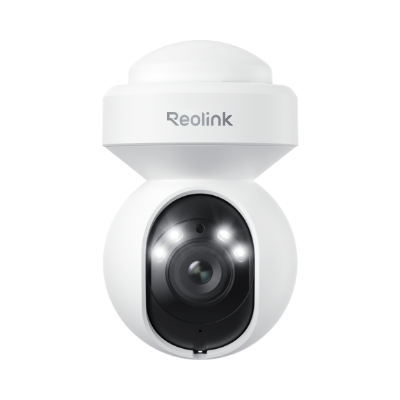
4K WiFi PTZ Camera with Auto-Tracking
4K 8MP Super HD, Smart Person/Vehicle Alerts, 355° Pan & 50° Tilt & 3X Optical Zoom, Auto Tracking, Color Night Vision.
FAQs
1. What are the disadvantages of WPA3?
The main drawback of WPA3 is device support. Devices that do not support it cannot join a WPA3-only network. A WPA2/WPA3 mixed mode lets those devices keep using WPA2 on the same Wi-Fi network.
2. What devices don't support WPA3?
There is a wide range of devices that do not support WPA3. It was introduced in 2018, so devices released before that generally don't support it, although some received updates that added it. Support also depends on the device itself. WPA3 only became required for new Wi-Fi CERTIFIED devices on 1 July 2020, so some later devices still lack it. In simple words, many computers, smartphones, and older network devices from before 2018 can't use WPA3, so check the manufacturer's spec sheet before you rely on it.
3. Is WPA3 only for Wi-Fi 6?
No. WPA3 is required in Wi-Fi CERTIFIED 6 devices, but that does not mean other Wi-Fi standards can't use it. WPA3 became required for all new Wi-Fi CERTIFIED devices in July 2020, so it is available in lower Wi-Fi standards as well.
Conclusion
WPA2 and WPA3 are two different Wi-Fi security protocols. The former is widely used but vulnerable to attacks. The latter is a bit new, but it provides optimal security. We have discussed both in detail and compared their features and capabilities. If you have compatible WPA3 devices and you need the utmost security, WPA3 is the best option, especially for home networks. Otherwise, you need to stick to WPA2 until WPA3 is widely compatible. Whichever mode you pick, be sure to set a strong password.
Search
Subscribe for the Latest Updates
Security insights & offers right into your inbox