





















































































































USB-C vs Lightning: The Ultimate Comparison Guide
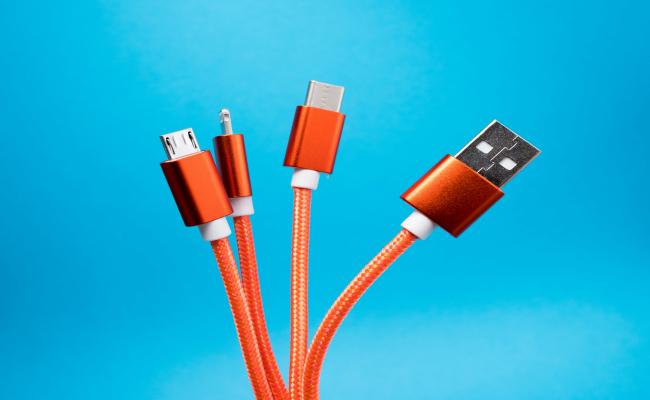
The cable that you are picking up on a daily basis dictates how quickly your phone will charge, how swiftly files transfer, and whether or not your headphones will operate at all. Even in 2026, when the struggle between USB C vs Lightning reaches every new phone, tablet, and pair of earbuds, it has its way.
This guide takes you through all the differences in the real world about Lightning cable vs USB C to ensure you choose the right cable and do not waste money on the wrong one.
Overview of USB-C and Lightning
It can be of use to understand what each of the plugs actually provides before you go out and purchase another cord, as well as finding out what makes the two standards continue to co-exist in parallel.
What is USB C?
USB-C is a small, oval-shaped connector that can be inserted in downward and upward directions. It has power up to 240 watts, data up to 80 gigabits per second in 2026, and full-range audio and video. All Android phones, most Windows laptops, iPad Air, iPad Pro, and MacBook family, and the new iPhone family of 15 all have USB-C. The device capable of charging a tablet and driving a 4K monitor in less than a minute can be charged with only a single cable.
What is Lightning?
The Apple-made Lightning connector is an eight-pin connector released in 2012. It is marginally slimmer than USB-C and again reversible. Over a decade, it existed on all iPhones until the iPhone 14, as well as AirPods, the Magic Mouse, Magic Keyboard, and the initially released AirPods Max. Lightning limits at approximately 30 watts of power and 480 Megabits per second of data, which was relatively good ten years ago but is now surpassed by all the current competitors.
USB C vs. Lightning: What's the Difference?
The plugs appear similar, but the manner in which they handle electricity, data, and accessories is not similar. The following are the parameters of the gap that are critical in everyday use.
Design and compatibility
USB-C is a universal standard. One charger, one cable, and one port now work across phones, tablets, laptops, cameras, Bluetooth speakers, and even electric razors. The oval shape is 2.6 millimeters thick, so it fits every current slim device. Lightning is Apple-only.
The tab-shaped plug is 1.5 millimeters thick, which lets Apple build the iPod touch and iPhone 5 thinner than any rival in 2012, but the narrow opening collects lint, and the tiny locking tabs break more often. If you own AirPods Max Lightning vs USB C models, the older Lightning pair needs a separate cable that cannot charge anything else in your bag.
Charging speed and power delivery (PD)
USB-C hits 240 watts over Extended Power Range in 2026. The same power cord used to charge two pairs of earbuds at 5 watts in the trickle-charge charges a 14-inch gaming laptop in 140 watts. The maximum electrical current is approximately 30 watts, and that is the maximum that can be obtained by the Apple-approved power cords.
iPhone 14 Pro charging takes a maximum of 110 minutes to complete a full charge in iPhone 14 Pro; in iPhone 15 Pro, which has a USB-C connector, it requires 75 minutes to fully complete a charge. When you buy a 70-watt USB-C brick, you will not see that the Apple iPhone 15 Pro will be any faster because the phone will never exceed 27 watts of power (neither does it require two chargers).
Data transfer speed
Lightning continues to utilize the USB 2.0 lane within the cable, and thus actual speed is more than 480 megabits/second or about 60 megabytes/second. Transferring 200GB of 4K video on an iPhone 14 Pro to a Mac almost takes one hour. USB-C on the Apple iPhone 15 Pro operates on USB 3.2 Gen 2 at 10 gigabits per second, meaning that the same 200-gigabyte folder will be on the Mac within the next four minutes.
In 2026, high-end Android devices that use USB-C 4.0 will be capable of 80 gigabits per second, which is sufficiently fast to execute an external SSD as an external drive.
Durability
The connectors are both specified at 10,000 or longer insertions, although the wear parts differ. Lightning makes use of gold pins that are open on the cable side; should soda or salt be put on the plug, the pins become corroded and the cord ceases to operate. The socket inside the phone is mostly empty space, so pocket lint packs in and the cable pops out.
USB-C moves the fragile spring tabs to the cable, so the socket on the device is a solid block of metal. If the tabs wear down, you replace the $9 cord, not the $799 phone. Lab tests show that after 15,000 cycles, 12 percent of Lightning sockets fail, while USB-C sockets stay above 95 percent continuity.
Audio and video output
Lightning is a digital-to-analog converter, that is, it only passes audio via an embedded built-in version of this device within the cable or the dongle. Video does not come in the spec, and iPhones require a Lightning-to-HDMI adapter, which costs $49 and is limited to 1080p.
USB-C Alternate Mode can be piped with native DisplayPort, HDMI, or Thunderbolt signals. A single cable is used to power an 8K monitor at 60 hertz, or two 4K monitors at 120 hertz. USB-C USB dongles can now provide 32-bit 384 kilohertz output at less than 20 dollars, and Lightning sticks at 24-bit 48 kilohertz except at 99 dollars for an external box.
Future-proofing and ecosystem support
The common-charger rule of the European Union was fully put into force in December 2024. All newly sold phones, tablets, cameras, and headphones in the EU have to be in USB-C. Apple introduced the port in the iPhone 15 line in the global market to avoid producing two hardware variants.
The Lightning is currently under maintenance, and Apple continues to offer replacement Lightning cords and components, but there will not be a new line of products available in line with the connector. Accessory vendors have redirected research and production to USB-C, and therefore new docks, automobile devices, and power banks have the oval port and LGBT Lightning as a stranded SKU.
Lightning vs. USB C: Comparison Table
A side-by-side chart makes the numbers easier to scan. The following figures represent the shipping hardware condition in the first half of 2026.
Lightning Port vs. USB C: Pros and Cons
Raw specs never tell the whole story. Here is what each port does well and where it falls short once you live with it every day.
Lightning: pros and cons
Pros:
- Smaller plug leaves more room for speaker or battery inside tiny devices
- Huge installed base of docks, alarm clocks, and car kits still works
- Apple-certified cables provide steady 12 W charging on every iPhone since 2012
- Connector clicks in with a firm snap that many users find satisfying
Cons:
- 480 Mb/s data cap turns one-hour video dumps into multi-hour chores
- 30 W power ceiling means no fast laptop charging
- Replacement cables cost more because Apple controls the chip inside
- Future iPhones will not use the port, so new accessories may skip Lightning entirely
USB C: pros and cons
Pros:
- One cord charges phone, tablet, laptop, headphones, and game console
- The 240 W power range removes the need for proprietary barrel plugs
- 80 Gb/s data path keeps pace with SSDs and 8K capture cards
- Open standard brings dozens of cable makers and low prices
Cons:
- Wide choice creates confusion: not every USB-C cable supports 240 W or video
- A slightly thicker plug can make phone frames taller
- Counterfeit cords exist; buyers must check for the USB-IF logo
- Spring tabs on the cable can snag and bend if yanked sideways
USB C or Lightning: Which Should You Choose?
In 2026, you will be shopping and deciding practically what device to buy. All phones currently using Android, all iPad models but the basic model, and all MacBooks and iPhones already include USB-C. Purchasing Lightning now only makes sense when replacing a lost cord of an older iPhone, AirPods, or Magic Mouse.
Also at that time, choose a braided USB-C to Lightning cable so your next USB-C phone will be able to use the same wall charger. Waiting on new Lightning docks or car adapters, manufacturers are clearing out of them, and, as a result, the support is going to be small. Simply, buy USB-C anything you think you will hold on to for more than half a decade, and accept Lightning as a sustainment cost you pay until you replace the hardware into which it fits.
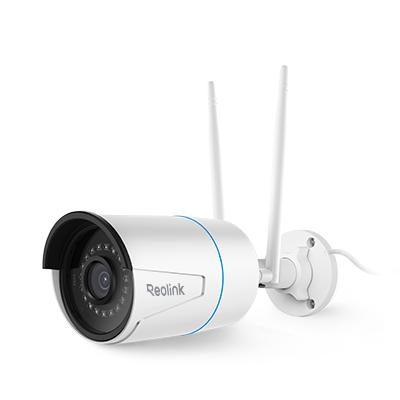
Lightning Cables vs. USB-C: Which Is Better for Security Cameras?
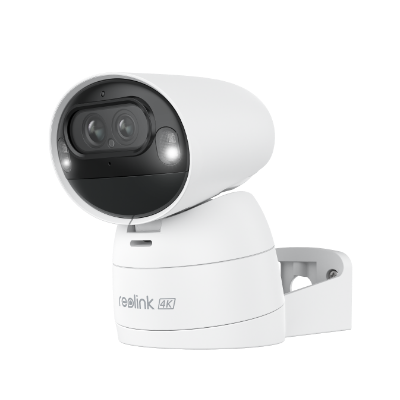
Security cameras that run on cable power need steady wattage and reliable data. USB-C wins on both counts. A PoE-to-USB-C injector can send 30 watts down an Ethernet line and power a 4K turret camera through a single USB-C cord, while the same camera bundled with Lightning would stop at 5 watts and drop frames.
USB-C also lets you plug the camera straight into a laptop for quick setup without hunting for a micro-HDMI adapter. Lightning never entered the professional camera market, so no rack-mount battery backup or solar panel kit offers Lightning output. If you are installing a doorbell cam or an outdoor floodlight cam in 2026, buy a model with USB-C power, and you will trim adapters, cost, and installation time.

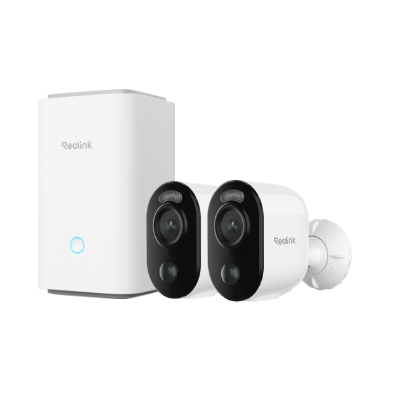
4k 180° Wire-free Color Night Vision Camera
4K UHD 180° Blindspot-free View; Color Vision Day and Night; 30% More Battery Life; Dual-band Wi-Fi 6; Smart detection.
FAQs
Is USB-C actually better than Lightning?
USB-C contains a faster charge, data speed, up to 160 times faster, 8K video, and supports phones, tablets, and laptops. Older iPhones, as well as small accessories, are compatible with Lightning, but there is a lag in all technical spheres.
Why did Apple switch from Lightning to USB-C?
The European Union was to have a common charger by December 2024. As a cost-reduction approach, Apple opted not to keep two regional models, but instead convert all iPhones to USB-C and match iPhones to iPads and Macs.
Can you plug USB-C into a Lightning port?
No. The plugs are of varying shape and size. This will require a certified adapter or a new cable that will use USB-C on one end and Lightning on the other. Even having an adapter, the speed and power remain at Lightning levels.
Conclusion
Prices, the rules, and shelves in all electronic shops are now all facing the same direction: USB-C has become the standard cable to which all new devices are attached, and Lightning exists only in older Apple products. In case you have already purchased Lightning products, do not discard the cords, but store them until you change the gadget.
You will go out to purchase your next phone, tablet, camera, pair of earbuds, and install USB-C, and you will have a single charger that will charge all the screens in your bag. Write about it below: Is the switch saving you more space, or do you still miss the Lightning connector?
Search
Subscribe for the Latest Updates
Security insights & offers right into your inbox