Reolink - Be Prepared, Be Ahead
Blog
News
Buyer's Guide
Home Security FAQs
Compare & Contrast
How-to Guide
Tips & Fixes
Expert Safety Tips
Reolink in Action

Trail Cameras for Home Security: Do They Work or Fail?
Terry8/24/2026
Use a Trail Camera for Home Security

Everyone wants their home to feel secure, but not everyone wants to spend on a full security camera system. If you're weighing your options, you might already own something that can help: a trail camera.

It might be an unusual choice to choose a trail camera for security. But, for the right property, it works better than most people expect.

This guide walks through what a trail camera actually does well for home security, where it falls short compared to a purpose-built security camera, and how to tell which one fits your situation.

Spoiler alert: There's no single right answer here. It all depends on your property, budget, and how fast you need to know when something happens.

What Is a Trail Camera?

Reolink Go Ranger PT with Horse

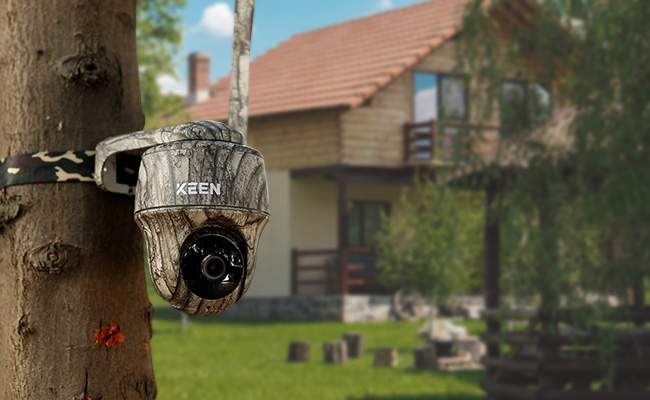
A trail camera is a battery-powered, motion-triggered camera built to sit outdoors for weeks at a time and record whatever walks past it. It's also called a game camera or hunting security camera, and both terms mean the same device. Hunters were the first to rely on them to track deer and other game movement, which is why the "hunting" association still sticks. However, that history doesn't change what the camera does when you point it at your driveway instead of a game trail.

There are two broad types worth knowing before you buy one for security use.

A non-cellular trail camera saves photos and video to a memory card, and you only see the footage once you walk out and pull the card.

A cellular (4G/LTE) trail camera sends that same footage to your phone over a mobile network, which is what turns a wildlife tool into something closer to an actual security device.

That distinction matters for almost everything that follows in this guide.

Can You Use a Trail Camera for Home Security?

A shot of a thief attempting to steal an owners' belongings in a campervan ground in the night captured by the Reolink Go PT Ultra

Yes, a trail camera can work as a home security camera. It won't match a purpose-built security camera feature for feature, but it already comes equipped with everything needed to capture clear footage of a property intrusion when nobody's watching.

Why Trail Cameras Work for Home Security

None of these four built-in features were designed with home break-ins in mind, but all four of them are still useful features that can bolster home security.

Motion-Triggered Recording

The same PIR sensor that flags a deer walking through frame flags a person or vehicle just as reliably. A traditional hunting-brand model detects motion across roughly a 40° cone, plenty for a single doorway or narrow entry point, while Reolink's own wider-angle models like the KEEN Ranger PT reach a 120° PIR range. Either way, if you're expecting one sensor to cover an entire room or long hallway, you'll likely encounter blind spots and may need multiple units for complete coverage.

Night Vision

Whatever a trail camera can see during the day, it can see after dark too, which matters since most break-ins and package thefts happen at night. Some models use infrared instead of color night vision, which trades color detail for working in complete darkness.

Remote Access

Most current trail cameras include a cellular or Wi-Fi radio that pushes photos and video straight to your phone, no wire required. A cellular model connects through its own SIM card, so it doesn't depend on your home network reaching the mount point at all.

Battery Power

Because there's no cable to run, a trail camera can be installed almost anywhere such as a treeline or a fence post at the edge of the property. These are places that could prove challenging for a security camera physically. Battery life varies by model and how much motion it records: under the light, occasional triggers typical of wildlife monitoring, months between charges is common, but a high-traffic security spot triggers far more often and burns through that same battery much faster.

Where Trail Cameras Fall Short

The benefits are real, but a trail camera trades something away in exchange for its low cost and easy setup. Four gaps are worth knowing before you rely on one.

Not Built for Indoor Use

Not every trail camera comes in camo. Plenty ship in plain black or brown housings. But camo or not, the boxy, weatherproof shell built to survive rain and cold doesn't match most indoor decor, and there's no reason to weatherproof a camera that's never going outside. Definitely not the most popular choice for monitoring indoors.

Most Models Have a Fixed Lens

Across traditional hunting-brand trail cameras, a fixed lens with a narrow field of view (roughly 35°-45°) is still the standard, so that's mostly all you get unless you add a second unit to cover another angle. Reolink skips that narrow-FOV tier entirely: its fixed-lens battery cameras already start around a 110° diagonal FOV, and its dedicated trail cameras go pan-tilt on top of that. (A "fixed lens" just means the glass itself doesn't zoom — pan-tilt models still carry one, they just rotate the whole body to point it elsewhere.) The KEEN Ranger PT covers a 95°-115° FOV and can pan an additional 355°, and the Go PT Ultra offers similar coverage.

Battery Life Drops With Heavy Use

The months-long battery life mentioned earlier is a best case scenario. Using a trail camera in a more urban setting will mean more constant motion caused by a busy driveway or even running pets. This means far more triggers than a wildlife trail ever sees in the wilderness. So, plan on checking or swapping batteries more often than the spec sheet implies.

Pro Tip: A solar panel accessory offsets most of this drain if the mount gets decent sun. Consider getting a compatible security panel if battery life is a real concern and if trail cameras are highly ideal for your home security needs.

No Continuous Live View or System Integration

Cellular trail cameras have caught up on individual features. Two-way talk and custom alert zones are already standard on models like Reolink's own. What they still don't do is act as one node in a managed security system: a trail camera captures a clip only when triggered, with no continuous live view and no NVR to pool footage from multiple cameras into one timeline. A dedicated security setup covers both.

Trail Camera vs. Security Camera: What's the Difference?
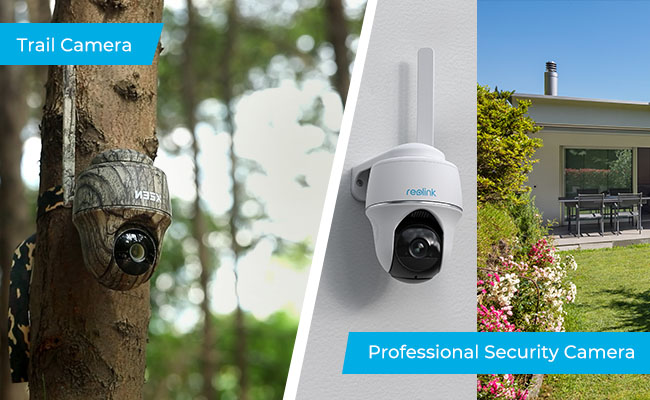
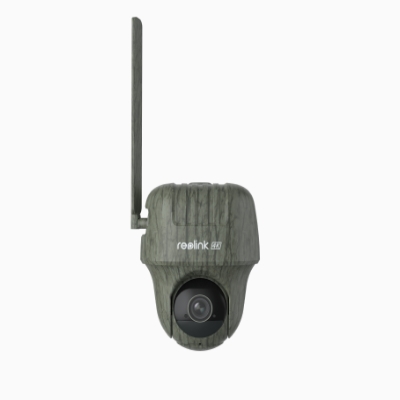
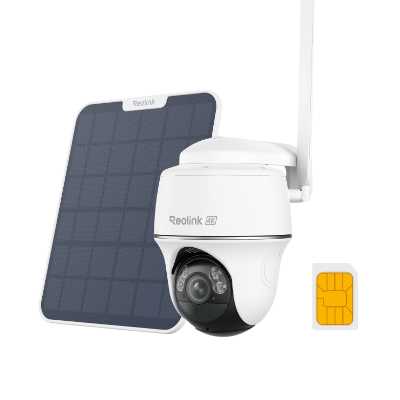
side-by-side comparison of a camouflaged trail camera and a white pan-tilt security camera mounted outdoors

There are a couple of real differences between the two. The obvious one is purpose. Trail cams are built to track wildlife, and security cams are built for surveillance.

The other difference is how they record. A security camera can hold a live, continuous video feed around the clock. A trail camera's main mode is motion-triggered: it wakes up when its sensor detects motion, then takes a photo or a short clip. Most models also offer a time-lapse mode that snaps a still at a fixed interval regardless of motion, but that's a slideshow of stills, not a continuous video stream.

Trail Camera Security Camera
Recording style Motion-triggered clips, or interval stills in time-lapse mode Continuous video, or motion-triggered, your choice
Field of view Narrow (35°-45°) on hunting-brand models, wider on Reolink's own line Pan-tilt models cover a wide area
Typical cost Lower upfront Higher upfront, more features
Best fit Remote spots, backup coverage, budget-first buyers Front doors, driveways, anywhere you want 24/7 coverage

A professional security camera is also usually more visible than a trail camera, which is sometimes the point. A camera someone can see is a deterrent before anything happens. Professional cameras also open up options such as pan-tilt-zoom coverage, power over a single PoE cable instead of batteries, and the ability to tie multiple cameras into one NVR system for centralized recording.

Common Mistakes When Using a Trail Camera for Security

Expecting a Real-Time Alert From a Non-Cellular Model

A standard trail camera is a recording device, not a monitoring device. It won't tell you anything is happening while it's happening. If receiving alerts in real time is a requirement, you can eliminate non-cellular trail cameras from consideration immediately. A camera that cannot connect on its own has no way to notify you when activity occurs. To get real-time alerts, the camera itself must include a cellular or Wi-Fi connection.

Mounting It Wrong and Creating a Blind Spot

For a hunting-brand model with a narrower FOV, aiming a trail camera straight down a driveway can leave the sides uncovered. Even a wide-angle or pan-tilt model can still miss an area if it's aimed wrong. Walk the area you want covered before you mount it, not after.

Skipping a Cellular Model on a Property With No Wi-Fi

A Wi-Fi trail camera is useless past your router's range. A cellular (4G/LTE) model solves that, but it needs a data plan. So, factor that cost in before buying based on price alone.

Ignoring Cold-Weather Battery Drain

Batteries lose capacity in freezing temperatures, and a "months between charges" spec is usually measured in mild conditions. Budget for more frequent battery checks through winter, especially anywhere that regularly drops below freezing.

Generally, yes. If the camera only records your own property. Point one at your driveway or the approach to your front door, and you're on solid legal ground in most places. But, it gets murkier the moment it captures a neighbor's yard or a public sidewalk since pointing a camera at someone else's property raises separate privacy questions regardless of whether the camera itself is hidden.

Audio is a separate issue from video. In the US, a number of states require all parties to consent before a conversation can be recorded, so a trail camera with a built-in microphone picking up conversations near a property line can cross into different legal territory than silent video alone. If your model records audio, it's worth a quick check of your state's rule before you rely on it.

One more thing a camera's own legality doesn't cover is your HOA. HOAs regulate camera appearance in both directions: some require cameras to blend into the home's exterior, others ban concealed or camouflaged ones outright on disclosure grounds. Worth a quick check of your specific CC&Rs before you tuck one into a tree line.

Should You Use a Trail Camera or Get a Real Security Camera?

If you already own a trail camera, there's no real reason not to put it to work for home security. It'll do the job for anywhere you just need a record of who came through.

If you're buying new and security is the only reason, a dedicated security camera is usually the better spend. You get continuous recording instead of motion-only clips, a wider field of view through pan-tilt models, and app features actually built around alerts and monitoring instead of wildlife photography.

There's a middle option worth knowing about too. Several current cellular trail cameras, including the ones we recommend below, are built with both use cases in mind from the start. If a 4G LTE camera with pan-tilt coverage and real-time alerts covers what you need, you don't have to choose one category over the other.

These three cover the range of what a security-minded trail camera buyer typically needs, from all-around coverage to a stealth setup to pure range.

Reolink Go Ranger PT

Spec Details
Resolution 4K (8MP)
Pan/tilt 355° pan, 140° tilt
Night vision No-glow IR, up to 10m (33 ft)
PIR detection Up to 10m (33 ft), 120° horizontal
Power 6000mAh battery, optional 6W solar panel
Connectivity 4G LTE, Nano SIM required
Storage microSD (up to 128GB), Reolink Cloud, FTP

Best cellular trail camera for security

The Reolink Go Ranger PT covers a full 360° through pan-tilt, so one camera can watch a whole yard or driveway instead of just the narrow cone a fixed-lens trail camera gives you, solving the blind-spot problem covered earlier in this guide.

Its AI detection tells people and vehicles apart from animals, so you get an alert about an actual intruder instead of every deer that wanders past. Its two-way also audio lets you speak up through the app if someone's on your property.

Because it runs on battery or solar, it can work in spots with no nearby outlet, rendering it a suitable camera to be installed on fence lines or a tree at the edge of the yard.

Did You Know?: The Reolink Go Ranger PT's design has been recognized outside of Reolink too: the Go Ranger PT won an iF Design Award in 2024 and took Gold at the MUSE Design Awards in 2023, two of the most established international product design competitions.

Go Ranger PT

4K 4G LTE Wildlife Camera with 360° All-Around View

4G LTE Network, 4K 8MP Ultra HD, No-Glow IR LEDs, Person Detection, Animal Detection, Two-Way Audio, Battery/Solar Powered.

https://home-cdn.reolink.us/wp-content/uploads/2026/08/Reolink-Trackmix-LTE-C.jpg

Spec Details
Resolution 4K (8MP), dual lens with 6x hybrid zoom telephoto
Pan/tilt 355° pan, 0°-90° tilt, 32 presets
Night vision No-glow IR up to 30m (100 ft), or color spotlight
Power 5100mAh battery, Solar Panel 2 compatible, USB-C wired option
Connectivity 4G LTE, Nano SIM required
Storage microSD (up to 128GB)

Best no-glow trail camera for home security

The Reolink TrackMix LTE-C is built for discreet monitoring. Its no-glow night vision doesn't emit a visible red flicker the way standard infrared does, so it won't tip off anyone that a camera is running.

Note: The "-C" marks the camouflage-finish version; the same camera is also sold as the plain white Reolink TrackMix LTE if you'd rather it look like an obvious deterrent than blend into a tree line.

For home security use, the real payoff is the dual-lens setup. Its wide-angle view keeps the whole yard in frame while the telephoto lens auto-zooms in on whatever triggers it, on the same screen. That's the difference between knowing someone was at your gate and having a clear enough shot to identify a face or read a license plate.

It also detects people and vehicles separately from animals, includes two-way audio and a built-in siren to respond in the moment, and runs on rechargeable battery or solar.

At 4K (8MP), the telephoto lens is built to hold detail even at a distance, useful for close scrutiny of a face or a vehicle's plate rather than just confirming that someone was there.

Reolink TrackMix LTE-C

4G LTE Dual-Lens PTZ Camera with Motion Tracking

4K 8MP UHD, Wide-Angle & Telephoto Lenses, Pan-Tilt-Zoom, Auto-Tracking, Person/Vehicle/Animal Detection, 4G LTE, Two-Way Audio.

Reolink Go PT Ultra

Spec Details
Resolution 4K (8MP)
Pan/tilt 355° pan, 140° tilt, 32 presets
Night vision IR up to 10m (33 ft), or color spotlight
PIR detection Up to 10m (33 ft), 120° horizontal
Power Battery (21.6Wh), Solar Panel 2 compatible
Connectivity 4G LTE, Nano SIM required
Storage microSD (up to 128GB), Reolink Cloud

Best 4G cellular security camera for wildlife and property monitoring

The Reolink Go PT Ultra leans further toward the security-camera side of the spectrum. Alongside the same 355° pan and 140° tilt coverage as the Go Ranger PT, it adds a color-night-vision spotlight for identifiable footage after dark, a built-in siren and two-way audio to respond to activity in real time, and person/vehicle/animal detection so alerts stay relevant.

Combined with battery and solar power, that makes it a reasonable middle ground for anyone who wants trail-camera flexibility with closer-to-security-camera coverage.

Fstoppers' positive review of the Reolink Go PT Ultra praising the camera's video quality and PTZ performance

Reviewing it for Fstoppers, photographer Darren J. Spoonley wrote that "one of the things that impressed me right away was video quality," and called the pan-tilt-zoom control responsive enough to record, live-view, or grab snapshots remotely.

Reolink Go PT Ultra

4K 8MP Wire-Free 4G LTE PT Battery Camera

4K 8MP; Smart Detection; 355° Pan & 140° Tilt; Battery/Solar Powered; Color Night Vision; Smart Real-Time Alert.

How to Set Up a Trail Camera for Home Security

A few basics make the difference between a trail camera that actually helps and one that just takes pictures of nothing.

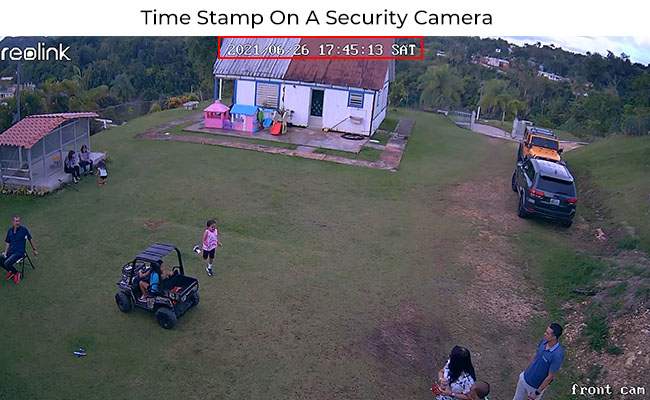
  1. Check for time stamps. Time-stamped footage matters both for tracking when something happened and for holding up as evidence if you ever need it.

trail camera settings menu showing the date and time stamp toggle turned on

  1. Test the detection range before you commit to a mount. Since most units cover roughly a 40° cone, walk the actual area you want covered and confirm the camera catches it before you screw it into a tree or wall.

  2. Decide whether to hide it or make it visible. A visible camera can deter someone before they act. A concealed one, tucked into a tree line or under an eave, keeps recording without tipping anyone off, but check the legal side of hiding a camera first.

  3. Keep a backup plan. Test the camera after setup, and don't wait for an actual incident to discover it wasn't working.

Buyer Decision Table: Which Camera Fits Your Situation?

To help cut through the nitty gritty, here's a decision table to make the trail-camera-or-security-camera call easier.

Your Situation What You Need Recommended
Open yard or backyard, casual monitoring Motion-triggered clips, low cost A standard or cellular trail camera
Remote shed or property line, no Wi-Fi Cellular connectivity, offline durability A cellular (4G LTE) trail camera, or a dedicated 4G security camera if budget allows
Front door or driveway, want 24/7 coverage Continuous recording, wide field of view A dedicated pan-tilt security camera
Renter, no drilling allowed Easy install, fully portable A battery trail camera or a wire-free indoor/outdoor security camera
Privacy-first, no subscriptions Local storage, no cloud dependency A non-cellular trail camera with a memory card, or a security camera with local NVR storage

A quick example: a detached workshop 150 feet from the house, with no outlet and spotty Wi-Fi, is exactly the case where a cellular trail camera makes more sense than either a wired camera (no power run) or a non-cellular one (no way to check it remotely).

FAQs

Do Trail Cameras Need a Subscription for Home Security Use?

Only if you want cellular connectivity. A non-cellular model just needs a memory card, no subscription required. A cellular (4G LTE) model needs a data plan to send photos and video to your phone in real time.

Can a Trail Camera Connect to Home Wi-Fi?

Yes, if it's a Wi-Fi model. It connects to your home network the same way any other smart camera does, sending photos and video to your phone without a cellular data plan. However, the catch is range. Once the camera sits outside your router's signal, a Wi-Fi-only model has no way to reach your phone. For a spot farther from the house, a cellular (4G/LTE) trail camera is the better fit.

Can a Trail Camera Replace a Doorbell Camera?

Not well. A doorbell camera is built for close-range visitor detection and two-way talk at your front door. A trail camera's wider mounting flexibility makes it better suited to yards, driveways, and remote spots than the few feet right at your door.

Do Trail Cameras Still Work Well in Cold Weather?

They keep working, but expect shorter battery life. Cold temperatures reduce battery capacity across the board, so budget for more frequent charging or battery swaps once temperatures drop.

Conclusion

A trail camera isn't a compromise so much as a genuinely different tool that happens to overlap with what a security camera does. If you've already got one sitting in a closet, there's no good reason not to point it at your yard and let it earn its keep. It'll catch what walks through, even if it won't tell you the second it happens.

If you're starting from zero and security is the whole point, put your money into a camera built for that job instead. You'll get real-time alerts, wider coverage, and an app that's actually designed around monitoring your home rather than counting deer.

Not sure which category fits your property? Take a look at Reolink's full lineup of trail and 4G security cameras and match the coverage, power source, and alert style to what your place actually needs.

Search

All Comments Are Welcome

Terry is an editor at Reolink, where he writes blog posts about security topics and technology. He cares about everything from home security and security cameras to smart home gadgets and emerging technologies. When not working, he enjoys keeping up with the latest news in electronics, watches and technology. Film theory and film editing techniques are also his interests. Terry's goal is to make complex topics easy to understand for the average reader. He believes that everyone has a right to stay informed and be empowered to protect themselves and their loved ones.