






















































































































IPv4 vs. IPv6: What’s the Difference and Why It Matters?

The knowledge of the difference between IPv4 and IPv6 will make you design reliable, secure, and scalable networks. A view on the IPv4 vs IPv6 differences can reveal why the internet should have been upgraded and how it impacts the devices, applications, and security in real life. This guide explains the concepts in a clear manner to enable you to make a good choice.
What Is IPv4 and IPv6?
It is easier to establish a baseline and then examine features and tradeoffs. Data on the internet is directed with the help of computer addresses. Using these addresses, devices can discover one another. Two variations of the Internet Protocol are IPv4 and IPv6, which tell the structure of those addresses and the way packets are passed among networks.
What is IPv4?
IPv4 refers to the Internet Protocol 4. It is an older, more or less generally implemented variant of the protocol. IPv4 is the address number that consists of four numbers divided by dots, such as 203.0.113.25. Every number can take 0 to 255. IPv4 introduced the modern internet and has processed the traffic over the past decades. Since IPv4 has a 32-bit address, it can accommodate approximately 43 billion distinct addresses. It felt huge back in the early days, but it is not sufficient in the new world with billions of phones, sensors, and cloud services.
What is IPv6?
IPv6 stands for Internet Protocol version 6. Engineers designed it to replace IPv4 and to solve address scarcity. An IPv6 address uses 128 bits. It appears as eight groups of hexadecimal characters separated by colons, such as 2001:0db8:85a3:0000:0000:8a2e:0370:7334. IPv6 also updates several parts of the protocol. It simplifies packet headers, builds in better support for security, and supports automatic setup at large scale. IPv6 can serve the growth of the internet for a very long time.
IPv4 vs. IPv6: Key Differences
Having known what each version is, it is time to compare the two versions. The difference between IPv4 and IPv6 manifests in the form of address presentation, address size, and the way the routers process packets on the wire. Such shifts percolate into design, security, as well as operations.
Address length
The IPv4 vs IPv6 address length is a major difference. IPv4 uses 32-bit addresses. IPv6 uses 128-bit addresses. More bits mean more combinations and far more unique addresses. In practice, this change removes the need to “share” a single public address through network address translation and makes end-to-end communication easier. The extra bits also allow IPv6 to group addresses by region and provider without running out of space.
Total addresses
IPv4 can represent about 4.3 billion addresses. Many of these sit in reserved blocks for special uses, so the real supply is smaller. IPv6 offers a number so large that it feels unlimited in daily use. It is about 3.4×10^38. That allows every device to have a unique address, with room for growth well beyond the current internet.
Format
IPv4 uses dotted decimal notation. It looks like four numbers, such as 10.0.0.1. IPv6 uses hexadecimal notation with colons. It may look longer, but you can shorten it. You can drop leading zeros in each group and compress one series of all-zero groups to “::”. For example, 2001:0db8:0000:0000:0000:0000:0000:0001 can compress to 2001:db8::1. The format also supports different scopes and types, like global unicast, link-local, and unique local addresses.
Header complexity
IPv4 has a variable-length header that starts at 20 bytes and can include options. Routers often recalculate a header checksum and may fragment packets. IPv6 uses a fixed 40-byte base header with separate extension headers only when needed. It removes the header checksum, which reduces router workload. Routers do not fragment IPv6 packets. Endpoints discover the path’s maximum unit and send packets that fit. This design speeds up forwarding and lowers latency under load.
Security
IPv4 can use IPsec for encryption and integrity, but it is optional. Many networks choose other layers for security, such as TLS. IPv6 integrates IPsec at the protocol level, which makes secure end-to-end models easier to deploy. IPv6 also supports privacy extensions that rotate interface identifiers to reduce tracking risk. While policy and setup still matter, IPv6 gives you a stronger base for secure designs.
IPv6 vs. IPv4: Key Similarities
Even with big changes, both versions share core traits. They both move packets from a source to a destination. They both support the same higher-level transport protocols. They both use naming systems that map easy names to numeric addresses.
Designated naming system
The Domain Name System (DNS) is used when mapping domain names to numeric IP addresses in both IPv4 and IPv6. An A record is a host record, in the context of IPv4. In the case of IPv6, a host record is an AAAA record. Clients enter names, and applications resolve that name to an appropriate type of address according to reachability and policy.
Core protocol
Both of them are Internet Protocol. They work at the network layer. They provide best-effort delivery, that is, the network transports packets with no built-in idea of guarantee. In both, transport protocols like TCP, UDP, and QUIC are overridden. The same logic applies to IPv4 and IPv6 routes being carried over the core routing protocols.
Data transmission
IPv4 and IPv6 transmit data using packets. The header and payload are in each packet. The two versions employ a hop-by-hop lifetime field (which in IPv4 is named Time To Live and in IPv6 Hop Limit) to avoid loops. They both support unicast as well as multicast traffic. Applications may either operate in the same manner on either version when networks do.
IPv4 vs. IPv6: Comparison Table
To make the IPv4 vs IPv6 differences easy to scan, here is a side-by-side view.
Benefits of IPv6 Over IPv4
IPv6 improves scale, automation, and security. It also reduces overhead in routers and fits modern mobile and cloud patterns.
Autoconfiguration
IPv6 supports Stateless Address Autoconfiguration, or SLAAC. A router sends periodic advertisements that tell hosts about the network prefix and default route. Hosts then build their own addresses by combining the prefix with an interface identifier. You can pair SLAAC with DHCPv6 for extra details like DNS servers. This system scales well and needs less manual setup than many IPv4 networks.
Routing
IPv6 reduces router workload by removing the header checksum and by moving optional fields into extension headers. Route tables can aggregate cleanly because address blocks are large and align on clear boundaries. This helps core networks carry fewer entries and speeds up convergence. Content delivery and anycast also work well because providers can announce the same prefix from multiple sites.
Security
IPv6 makes IPsec a core part of the protocol. You still set policies and keys, but the standard expects secure use, not a bolt-on. End-to-end addressing also helps security. You can build clear policies based on real host identities rather than on shared NAT addresses. Privacy extensions rotate interface IDs over time to reduce device tracking on public networks.
Mobile network support
Mobile carriers adopted IPv6 at high rates because it scales and keeps packet processing simple. Features such as neighbor discovery and efficient multicast help. End-to-end addressing also improves voice and video services.
IPv6 or IPv4: Where to Use?
Both versions still matter. Choose based on reach, cost, and device support.
- Public websites and APIs: Use IPv6 alongside IPv4 (dual-stack) so modern clients can connect over either path. This improves reach and future-proofs your service.
- Mobile apps and services: Favor IPv6 because carriers and phones often prefer it. You reduce NAT layers and can see cleaner client addresses.
- Enterprise campus networks: Plan new builds with IPv6 from day one while keeping IPv4 for legacy systems. Dual-stack gives you flexibility during the shift.
- Data centers and clouds: Enable IPv6 to simplify addressing and micro-segmentation. Keep IPv4 where vendor tools or older images need it.
- Small home or office LAN with legacy gear: Keep IPv4 if your router or devices lack IPv6 support. Add IPv6 as you upgrade hardware.
How to Switch from IPv4 to IPv6?
A thoughtful plan avoids outages and surprises. Most networks move in phases and run both versions for a while.
- Assess your environment. List routers, switches, firewalls, servers, apps, and vendor devices. Note which ones support IPv6 and which ones do not.
- Engage your ISP or cloud provider. Confirm IPv6 service, prefixes, routing options, and support contacts. Ask about reverse DNS and any filters.
- Design your addressing plan. Request a prefix of the right size. Map subnets to sites and functions. Keep a simple scheme that is easy to read and maintain.
- Enable IPv6 on edge routers and firewalls. Turn on IPv6 routing and set inbound and outbound policies. Mirror your security intent for both versions.
- Turn on IPv6 in the core and access layers. Enable it on switches and Wi-Fi controllers. Verify neighbor discovery and router advertisements.
- Choose configuration methods. Use SLAAC, DHCPv6, or both. Set DNS servers and domain search settings. Test host assignment on each VLAN or SSID.
- Update DNS. Add AAAA records for public services. Ensure recursive resolvers and authoritative servers handle IPv6 queries.
- Test applications. Check reachability, performance, and logs for your web apps, APIs, voice, and internal tools. Fix any hard-coded IPv4 assumptions.
Are Security Cameras Compatible with IPv4 or IPv6?
Most IP security cameras and NVRs support IPv4. Many newer models also support IPv6. If you need remote access without complex port maps, IPv6 can help because it avoids NAT. Always check the camera’s data sheet.
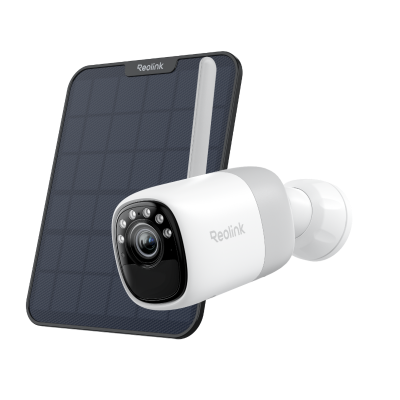
2K Pre-recording Bullet Camera with a Long Lasting Battery
2K 10s Pre-recording ; ColorX Night Vision; 20,000mAh Battery; Dual-band Wi-Fi 6.
FAQs
What is better IPv4 or IPv6?
IPv6 is better for growth, automation, and direct connectivity. It offers a much larger address space and cleaner features. IPv4 still works and remains common, but it limits scale and often needs NAT. The best answer for most networks is to run both during a transition, then reduce IPv4 where you can.
Should I enable both IPv4 and IPv6 on my router?
Yes, in most cases. Dual-stack lets devices use the best available path. Many modern clients prefer IPv6 when both routes exist. Running both also avoids breaking older devices and apps that only understand IPv4.
Why is IPv6 not preferred?
Some teams hesitate because of older hardware, limited training, or vendor gaps. A few tools and embedded devices still lack full IPv6 support. These issues keep IPv4 in place. Over time, upgrades and better defaults remove those blockers.
Should I change from IPv4 to IPv6?
You should add IPv6 if your ISP or cloud supports it. Start with public services and user networks. Keep IPv4 for legacy needs. Over time, move more traffic to IPv6 as devices and apps catch up.
Conclusion
Now you are aware of the distinction between IPv4 and IPv6, and why it matters. This fundamental distinction between IPv4 and IPv6 is the size of addresses, the header format, and security. IPv6 has a scale, speed, and end-to-end reach. IPv4 also has a functional role, but it grows and uses workarounds. Design a dual-stack path design, where possible, enable IPv6, and measure outcomes. Share what you think about the distinction between IPv4 and IPv6 in the comments.
Search
Subscribe for the Latest Updates
Security insights & offers right into your inbox