






















































































































Why Are Alexa Routines Not Working? Here's What You Need to Know
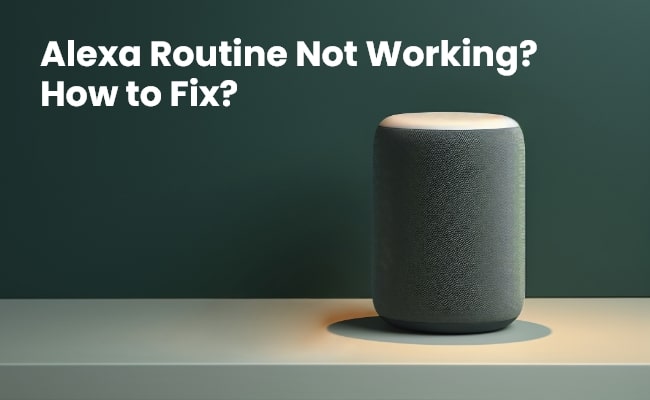
With Amazon Alexa routines, you can automate multiple actions of smart home devices and smart things with custom voice commands. But occasionally, Alexa routine not working for whatever reason. In this article, we will show you how to understand Alexa routines, check why is my Alexa routine not working, and help you troubleshoot your Alexa-related issues step by step to make sure your Alexa-enabled devices work well.
Don't miss out Reolink New Year Sale for exclusive discounts on Alexa-compatible security cameras, video doorbells, and more!

Reolink Spring Sale - Step Into Spring, Step Into Security!
Reolink Spring Sale is here! Grab top deals on security cameras, doorbells, and systems to keep your home safe this season.
Understanding Amazon Alexa Routines
Amazon Alexa routines are a useful feature to control multiple smart devices in your home. An Alexa routine consists of three components:
- Trigger: It is the initiating voice command or schedule that activates the routine. For example, "Alexa, good morning" or a routine set to trigger at 7 AM daily.
- Action: The action consists of the smart home activities that you want Alexa to perform when the routine is triggered. Common actions include playing music, turning on lights, adjusting thermostat temperature, etc.
- Device: The device refers to the Alexa-enabled smart home products that can execute commands within a routine. These may include smart lights, switches, thermostats, locks, sensors and more.
Why Are My Alexa Routines Not Working?
There can be several reasons why your Alexa routines are suddenly not functioning as expected:
- Incorrect routine setup: If you have not configured your routines correctly, it may cause improper functioning of Alexa routines.
- Outdated app or software: It is one of the major causes of Alexa routines not working properly. Update the Amazon Alexa device and application to the latest version.
- Internet connection issues: Make sure you have the reliable internet connection. Check the internet speed and try to reconnect again.
- Alexa app bugs or glitches: Some bugs and glitches can also cause Alexa routines not working. The best way is to update to the latest version.
- Third-party device incompatibility: If you are using third party apps for your Alexa routines they may not be compatible. Check the compatible apps from the official website of Amazon Alexa.
Alexa Routine Not Working? How to Fix?
If your Alexa routines have stopped working, don't worry! You just need to troubleshoot Alexa. Here are some troubleshooting steps to help identify and resolve common issues:
1. Test Alexa Routine
First, open the Alexa app and try running your routine manually. See if Alexa is able to understand and perform the programmed actions. If the routine works fine manually but does not auto-trigger, then your trigger phrase or schedule may need fixing.
2. Check Microphone Status
Routines rely on Alexa hearing your voice command properly to activate. Inspect if the microphone is blocked or damaged. Also see if Alexa can understand and respond to basic voice queries apart from routines.
3. Make Sure Routines Are Enabled
Sometimes, routines may get disabled without you realizing it. Go to settings and confirm if routines are enabled both at the Alexa app level and for individual devices. If not, then re-enable disabled routines.
4. Verify Device Connectivity
For a routine to work, involved devices need to be online and connected to the same Wi-Fi network as your Alexa device. Check if all accessories can be controlled manually via the Alexa app.
5. Speak Right Trigger Sentences
Pay attention to your trigger phrase and sentence structure. Alexa identifies triggers based on your exact voice command. So check the right invocation name and sentence that is being spoken to activate routines.
6. Put Right Device Name
If your routine contains custom device names, check if you are referring to each accessory by that specific name only. Alexa will not be able to recognize devices called by different names.
7. Check Internet Connection
Having a working internet connection is vital for Alexa routines to function correctly. Routines involve cloud processing and controlling online devices. It is better to verify internet access to troubleshoot connectivity issues.
8. Restart or Reboot Devices
Sometimes restarting the Alexa device and other connected smart home gadgets can help resolve software glitches, stopping routines from running automatically.
9. Contact Amazon Support
If routines still don't work after trying the above steps, get in touch with Amazon customer service for further technical troubleshooting and diagnostics.
What to Do If Specific Alexa Routines Not Working?
Apart from overall routines not functioning, you may also face issues with specific components:
1. Routines Not Triggering at Specific Time
Routines failing to trigger at the scheduled time is often a timezone mismatch issue. Edit routine, check timezone, and adjust for daylight savings if needed. Moreover, it is essential to set device time accurately.
2. Alexa Not Performing Desired Actions
If Alexa skips certain actions, edit your routine and ensure all required commands are in proper sequence under the action tab. You can also add any missing activities to see if it is working fine.
3. Devices Not Listening to Commands
Device connectivity problems can prevent accessories from responding. Make sure devices are online, check Wi-Fi strength, position Alexa and devices closer, and remove obstructions.
4. Devices Not Connecting to Alexa App
If newly added smart gadgets are not connecting to the Alexa app, remove and re-add devices. Also, reboot devices and routers to refresh connections.
5. Alexa Light Routine Not Working
Apart from the fixes above, light routines may fail if bulbs reset or lose pairing after a power outage. Redo bulb reset and rediscover devices on the Alexa app to resolve light routine issues.
How to Ensure Alexa Routines Are Working Perfectly?
Some users wonder how to program Alexa to make sure it is working fine. Here are some tips to ensure seamless functioning of Alexa routines in the long run:
- Give clear, unique routine names and trigger phrases
- Enable routine notifications and announcements
- Create a backup internet network to avoid connectivity issues
- Position Alexa device for optimal sound detection
- Update the Alexa app and smart home devices regularly
- Set device time and timezone accurately on the Alexa app
- Check monthly device usage to analyze routine behavior
- Fine-tune trigger location radius for location-based routines
FAQs
How do I enable routines on Alexa?
Go to Menu > Settings > Routines in the Alexa app. Toggle on Enable Routines. Tap + to begin creating new routines and automations.
Why won't Alexa turn on my lights anymore?
Reasons Alexa is unable to turn on lights include connectivity issues, disabled routines, naming mismatch, unauthorized device access, or scenes not functioning. Refer to the troubleshooting fixes above.
How do I check Alexa routines?
You can review created routines under Menu > Routines in the Alexa app. Tap each routine to view details like triggers, actions, notifications, devices, and last run details.
Conclusion
Alexa routines are an amazing way to simplify your smart home control experience. Use the troubleshooting guide outlined here to quickly resolve any problems with Alexa's routine that are not working. With the right setup and optimization methods, Alexa routines can deliver maximum convenience daily through automated voice commands tailored to your lifestyle needs and schedules.
Search
Subscribe for the Latest Updates
Security insights & offers right into your inbox