
Wireless NVR Camera Systems: The Ultimate Guide
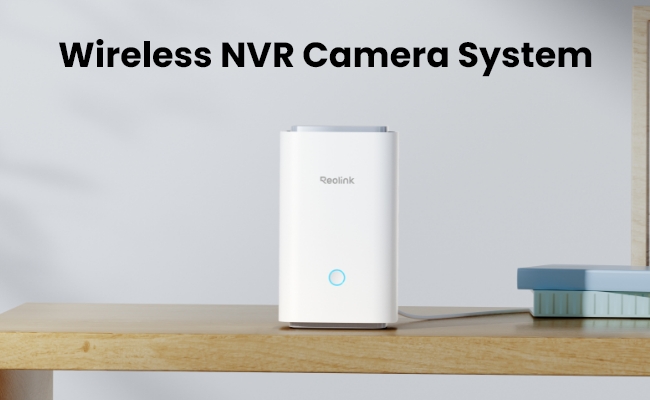
A wireless NVR camera system pairs Wi-Fi cameras with a recorder that saves footage locally, so there's no video cable running from each camera back to a base unit. Which setup actually fits your property depends on how many cameras you need, how far they'll sit from your router, and whether you want battery-free, plug-in power or solar-charged cameras. This guide breaks down how these systems work, what to check before buying, and which type suits a home, a small business, or a larger property with several blind spots.
- What Is a Wireless NVR Camera System?
- What to Look for in a Wireless NVR Camera System
- Why Use a Wireless NVR Camera System?
- Top Uses for Wireless NVR Camera Systems
- Best Reolink Wireless NVR Camera Systems
- Common Mistakes to Avoid When Buying a Wireless NVR System
- Wireless NVR Buyer Decision Table
- FAQs
- Conclusion
What Is a Wireless NVR Camera System?
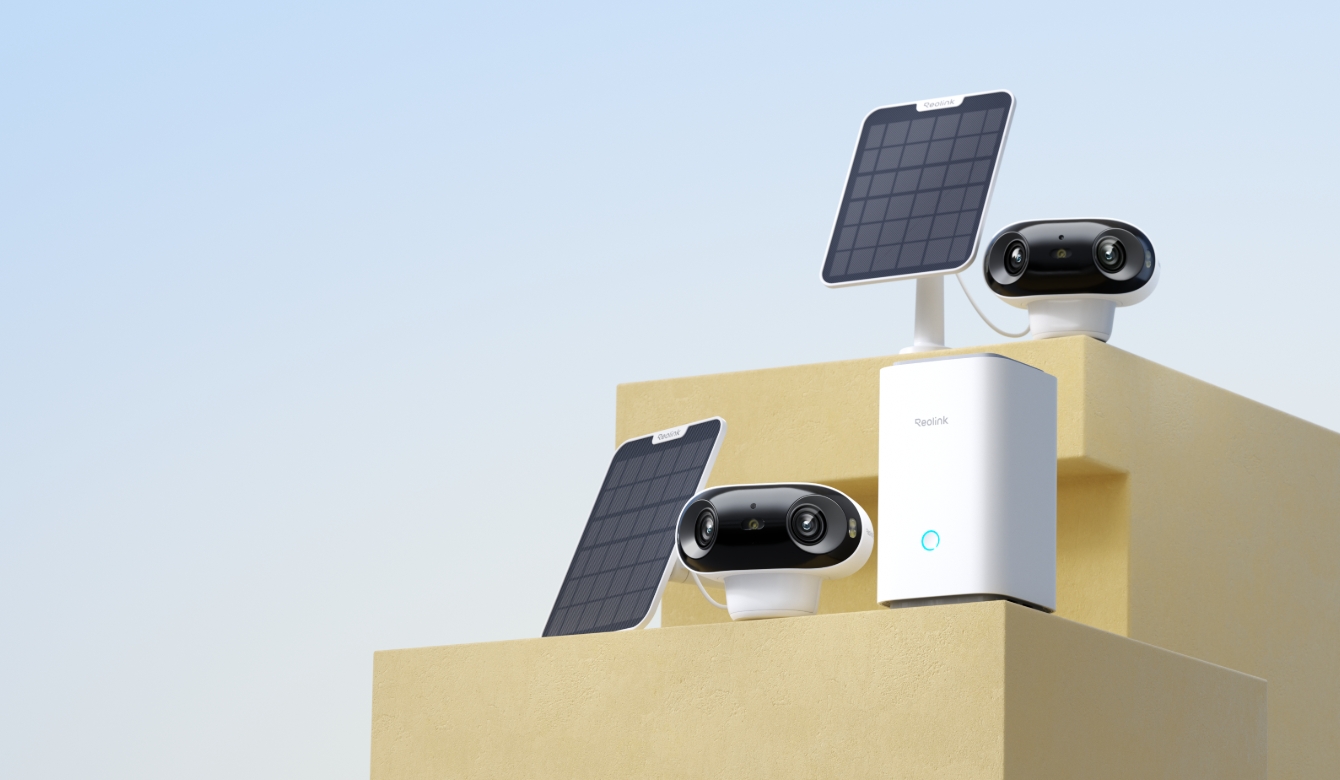
A wireless NVR camera system is a security setup where a central recorder stores footage and manages every camera from one place, but connects to each camera over Wi-Fi instead of an Ethernet run.
Home Hub Kits vs. True Wireless NVR Systems: What's the Difference?
Reolink sells mainly two products under the same "wireless NVR" label: The Home Hub and the true wireless NVR.
A Home Hub creates its own local Wi-Fi network, saves footage to a microSD card, and supports up to 8 cameras. Most of them are either battery or solar-powered.
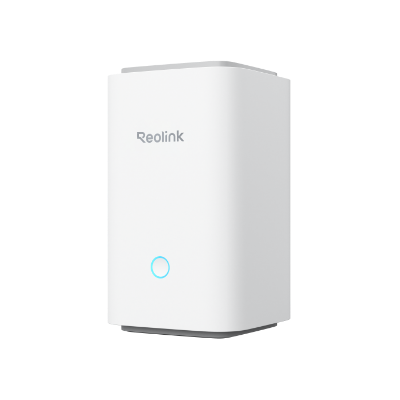
Wireless Security Center with Encrypted Local Storage and Multi-Device Management
64GB microSD Card Included; Exclusive Anti-Theft Algorithms; Expandable System Up to 8 Reolink Cams; No Monthly Fees
A true wireless NVR, such as the RLK12-800WB4, records to a hard drive instead. It supports up to 16 channels and suits a property planning to grow past 8 cameras. Neither is "better" outright as a Home Hub kit fits a home that wants zero drilling, while a hard-drive NVR fits a business or larger property that needs more channels and longer retention.
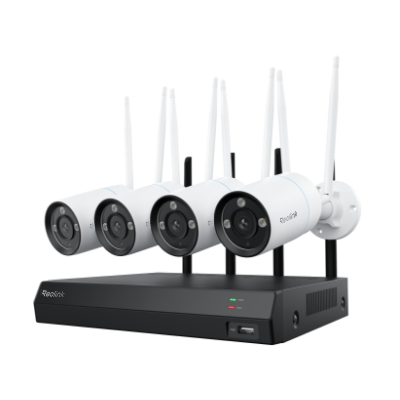
4K Security Kit with Next-Gen WiFi 6
4 pcs 4K Ultra HD Security Cameras; Dual-Band WiFi 6; 2TB HDD 12-Channel NVR for 24/7 Recording; Peron/Vehicle/Animal Detection; IP67 Weatherproof.
Pro Tip: To find out mroe about how Reolink's Home Hub compares with a typical NVR, check out our own Home Hub vs. NVR comparison
Key components in either type of system include:
What to Look for in a Wireless NVR Camera System
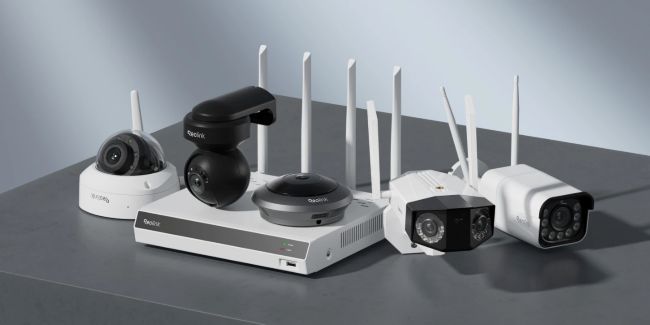
Wireless NVR systems simplify installation while retaining the key functionality of wired setups. Here's what actually affects day-to-day use.
High-definition video recording
Wireless cameras match wired models with crisp 1080p or 4K ultra HD recording. Higher resolution captures details that matter when it counts, like a face or a package label.
Wi-Fi Standard
Every kit's Home Hub runs Wi-Fi 6, but the camera doesn't always match it. The Argus PT Ultra and Argus Eco Ultra cameras still connect over the older 802.11 a/b/g/n standard, while the Argus 4 Pro and RLK12-800WB4 cameras run Wi-Fi 6 themselves. That gap shows up once several cameras stream to the same hub at once.
A Wi-Fi 6 camera holds a cleaner connection under that congestion, which is the difference between a smooth feed and dropped frames when three or four cameras are all sending 4K video at the same time. Starting with one or two cameras, this won't matter much. If you are planning to add more over time, it's worth checking before you buy rather than after.
Camera to NVR Range
Range would mean how far can your cameras be from the NVR and that depends far more on your router or access point than on the camera itself.
The same camera can lose its connection at roughly 40 feet outdoors on a standard router, or hold a stable signal past 400 feet when paired with an outdoor access point and a directional antenna.
Pro tip: Test your Wi-Fi signal strength at the exact mounting spot before buying. Stand there with your phone's Wi-Fi settings open, or use a free analyzer app like NetSpot for an exact reading in dBm, aiming for -67 dBm or stronger. Anything weaker than that, especially past 40 feet from your router, means budgeting for a range extender or outdoor access point.
Motion detection and alerts
Cameras either use PIR sensors and/or smart algorithms to detect people and vehicles.
PIR sensors trigger on heat and movement alone, which is fast but can flag passing cars or a cat crossing the yard.
Smart algorithms analyze the video itself to confirm a person, vehicle, or animal before sending an alert, cutting down on those false notifications. Alerts with footage get sent to your phone when motion events occur.
Night vision
Infrared range varies by camera. Compact battery models typically cover 30–35 feet, while a hard-drive-based system reaches up to 100 feet (30m).
Most models also add color night vision through a built-in spotlight, so you get full color in daylight and a choice of black-and-white infrared or color spotlight after dark.
Weather resistance
Outdoor cameras use waterproof, dust-proof enclosures rated by an IP rating. In practice, IP65 handles steady rain and wind-blown spray, while IP66 holds up against wind-driven, horizontal rain during a storm, which matters if your camera sits fully exposed with no eave or overhang for cover.
Storage
Storage type sets your ceiling on retention. A microSD card (usually 128GB-512GB) fills up fast once you're running two or more 4K cameras on continuous recording, while a hard drive (2TB and up) buys weeks instead of days.
As a reference point, a 2TB drive holds roughly 10 days of 24/7 4K footage from four cameras. If you want more than a week of history or plan to add cameras later, budget for a hard-drive system from the start.
Why Use a Wireless NVR Camera System?
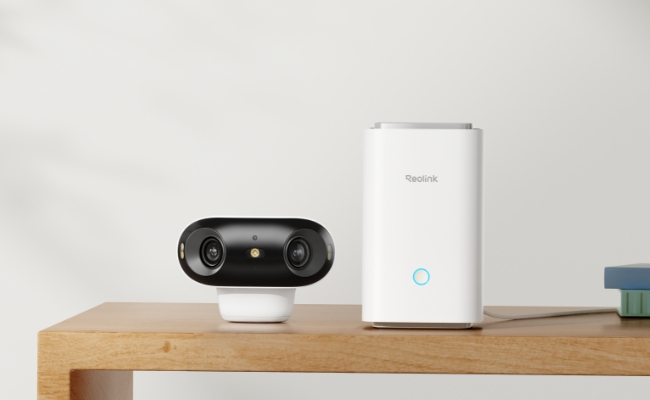
Wireless NVR systems offer real advantages over both wired cameras and standalone Wi-Fi models.
-
No installation hassle as cameras can go up without running cable through walls or ceilings
-
Continuous local video storage, on a microSD card (Home Hub kits) or a hard drive (true NVR kits), with no monthly fee either way
-
DIY-friendly expansion to more cameras as your needs grow
Top Uses for Wireless NVR Camera Systems
Wireless flexibility suits these systems to a range of home, business, and outdoor applications.
Home Security
Homeowners use wireless NVR systems to watch mainly watch entry doors and ground-floor windows. These are the spots burglars target most and with a wireless NVR camera system, a motion alert will trigger on their phone the moment something trips a sensor. This enables catching a crime on the spot possible rather than after. A Home Hub kit with 2–4 battery or solar cameras is generally enough to cover most homes without any drilling.
Pro Tip: Our home security camera buying guide covers how to size a system, and our where to place security cameras guide covers the exact spots to prioritize.
Business & Office Security
Small offices and retail storefronts use wireless NVR systems to improve transparency around employee and customer interactions in sensitive areas like the register and stockroom. Once you're past 8 cameras, a 16-channel wireless NVR kit fits better than a Home Hub.
Pro Tip: If you own a small business, our small business security camera guide breaks down how to size a security system to your location count.
Warehouse & Storage Surveillance
Facility managers secure warehouses, construction sites, and rental storage spaces by covering perimeter access points and valuable assets. That could be quite a bit of ground to cover and might even require a 16-channel NVR kit. This same kit's hard-drive storage can also handle the longer retention these sites usually need.
Convenience Store Security
A small shop might only need a 4-camera Home Hub kit watching the register and stockroom, while a multi-location retailer might also scale up to the 16-channel kit as it adds sites.
Outdoor Area Monitoring
A 180° field of view on a wide-angle kit like the Argus 4 Pro covers a yard, driveway, or patio from a single mount point without wiring.
Best Reolink Wireless NVR Camera Systems
Leading security camera brands now offer wireless NVR kits that simplify system setup. Here are four systems, each suited to a different property size and budget, plus one add-on camera for expanding a Home Hub.
Reolink Home Hub with Argus PT Ultra
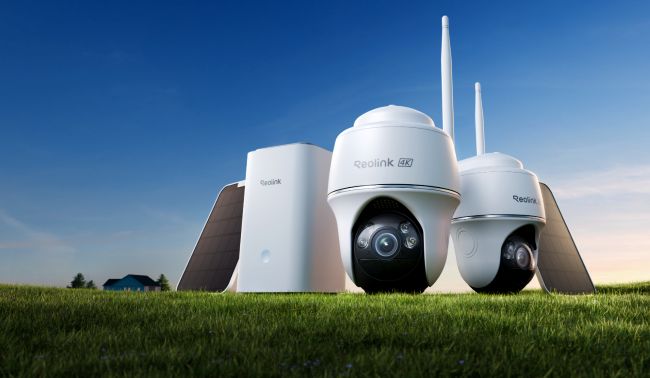
Best Complete Wireless NVR Security Camera System
The Reolink Home Hub with Argus PT Ultra is an expandable wireless 4K camera system with intuitive features for home security. This kit includes 2 solar-powered pan-tilt cameras out of the box, with room to expand to 8 cameras total on the same Home Hub.
The pan-tilt cameras cover a 355° pan range and 140° tilt, wide enough to watch a whole driveway or yard from one mounting spot instead of needing two fixed cameras. Auto-tracking follows a moving person or vehicle across that range on its own, and you can set up to 32 preset positions plus a guard spot the camera returns to when idle.
After dark, the built-in spotlight adds color night vision up to 33 feet, so recordings show actual colors and details instead of black-and-white outlines. The Home Hub also comes with 64GB of built-in storage for keeping footage locally with no monthly cloud fees required.
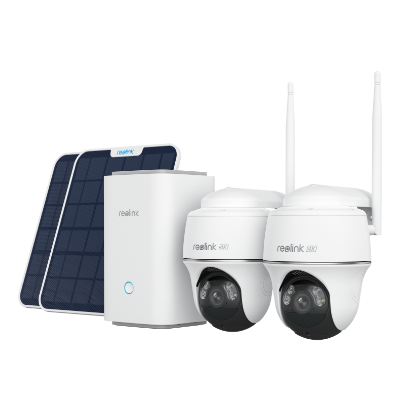
Wireless Security System With 4K PT Standalone Battery/Solar Wi-Fi Cameras
4K Color Footage Day & Night, 1 Year of Local Storage, Exclusive Anti-Theft Algorithms, Expandable System Up to 8 Reolink Cams
Strengths:
- Hassle-free wireless installation
- Crisp 4K video with rich color night vision
- 355° pan range that covers nearly every angle from one mount point
- DIY friendly for home security
Limitations:
- Solar panel output varies by location and season
- Pan-tilt motor draws more battery than a fixed camera, so it runs down faster between charges without the solar panel attached
Home Hub with Argus 4 Pro
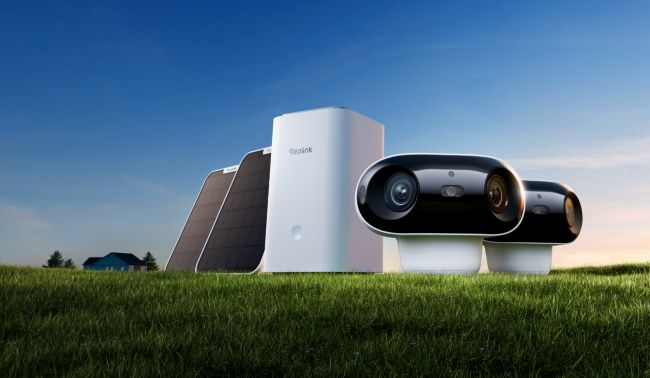
Best Wireless NVR System for Large Properties
For large property coverage, the Home Hub with Argus 4 Pro pairs a dual-lens design with long-range detection. The dual lenses stitch together into one 180° horizontal by 50° vertical view, so a single camera covers what would otherwise need two fixed units to avoid a blind spot down the middle.
The camera's PIR sensor can pick up people, vehicles, and animals up to 33 feet out across a 170° arc, giving you an early warning at the edge of a large yard or lot rather than only when something is already close to the lens. The kit includes 2 cameras out of the box, expandable to 8 on the same hub.
Wi-Fi 6 connectivity enables faster, more stable streaming to the Home Hub, which matters once you're running several cameras on the same network.
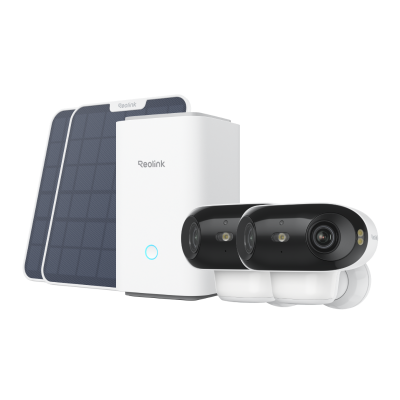
4K UHD Wi-Fi 6 Security System with 180° Blindspot-Free View
ColorX Night Vision, 1 Year of Local Storage, Exclusive Anti-Theft Algorithms, 180° Blindspot-Free Coverage, Expandable System Up to 8 Reolink Cams.
Strengths:
- No electrical or cable wiring needed
- Each camera supports up to a 128GB microSD card, plus up to 2TB total across the Home Hub's two card slots
- 180° field of view with no blind spot down the middle
- Wi-Fi 6 for more stable multi-camera streaming
Limitations:
- Color-only night vision (no infrared fallback), so it relies on the built-in spotlight after dark
- The battery pack is not user-removable
Home Hub with Argus Eco Ultra
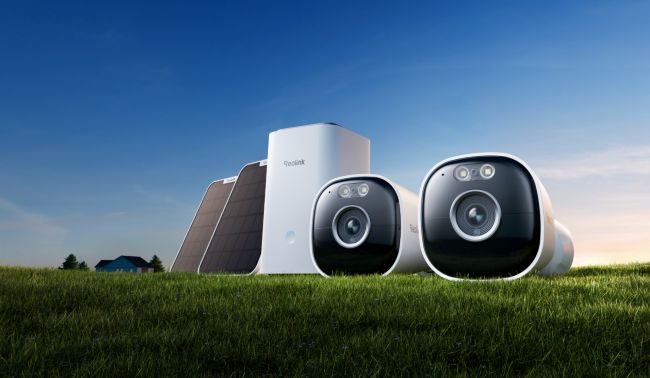
Best Budget Wireless NVR Security System
The Home Hub with Argus Eco Ultra is a solid value-for-money wireless security system built around a fixed 4K (3840×2160) lens with a 105° horizontal field of view, enough for a single doorway, side yard, or driveway without the pan-tilt or dual-lens hardware that pushes the other kits' prices higher.
Night vision runs on 8 infrared LEDs rated to 33 feet, with a pair of 2-watt spotlights that switch in for full-color footage after dark. The PIR sensor covers that same 33-foot range across a 110° arc and flags people, vehicles, and pets before triggering a recording, cutting down on false alerts from tree branches or passing shadows.
Each camera runs on a 21.6Wh rechargeable battery, with an optional solar panel (sold separately) for hands-off charging, and saves footage locally to a microSD card up to 512GB per camera, secured with AES-128 encryption and anti-theft algorithms. An IP66 rating handles rain and dust, and the system expands to support up to 8 Reolink cameras total on one Home Hub.
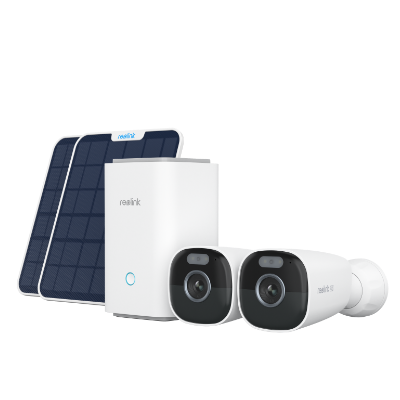
Wireless Security System with 4K Wi-Fi Solar/Battery Standalone Camera Without Monthly Fees
4K Color Footage Day & Night, 1 Year of Local Storage, Exclusive Anti-Theft Algorithms, 360° All-Around Coverage, Expandable System Up to 8 Reolink Cams.
Strengths:
- Expandable system, up to 8 Reolink cameras on one hub
- Flexible solar and battery operation
- Local storage with AES-128 encryption, no monthly fees
- Lower cost than the PT Ultra or Argus 4 Pro kits
Limitations:
- Cameras don't support Wi-Fi 6, only the Home Hub itself does
Reolink OMVI 2i Ultra
Best Dual-View Camera to Add to a Home Hub
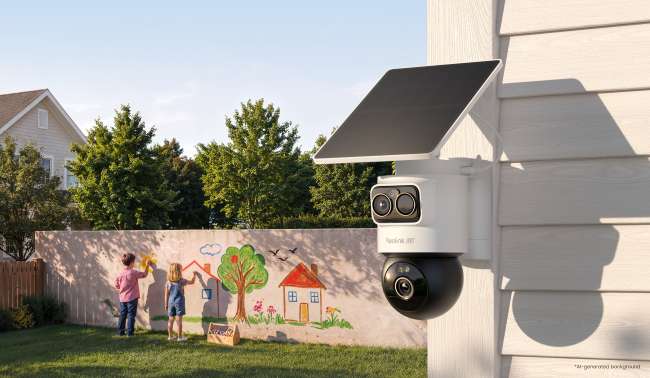
The Reolink OMVI 2i Ultra is a wire-free dual-lens camera that connects to a Reolink Home Hub for centralized camera management, so it can expand an existing kit instead of replacing it. A 4K wide lens watches a 110° view, while a 5MP pan-tilt lens pans 355° and tilts 55°. With SyncTrack, the pan-tilt lens keeps following a moving subject even after it leaves the wide lens's view.
It runs on a detachable 10,000mAh battery, and the 6W solar panel comes in the box. Reolink rates the battery at up to 6 months on one charge. Reolink also says dual-band Wi-Fi 6 gives it faster speeds and more stable performance, and it records to a microSD card of up to 512GB.
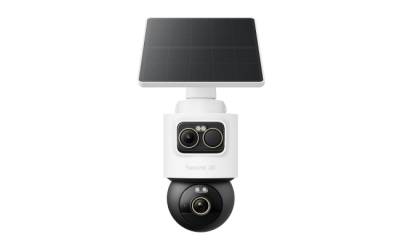
4K + 3K Dual-Lens PT & Bullet Wireless Security Camera
- 4K + 3K Dual-Lens with 360° Full Coverage
- SolarEase Endless Solar Power
- SyncTrack with Auto-Framing & Auto-Tracking
- AI Detection for Person, Vehicle & Animal
- Local Storage Up to 512GB microSD Card
Strengths:
- Two views in one camera: a 4K wide lens plus a 5MP tracking pan-tilt lens
- 6W solar panel included in the box
- Connects to a Reolink Home Hub for centralized management
- Dual-band Wi-Fi 6
Limitations:
- Records on motion triggers only, with no pre-recording
- SyncTrack needs a one-time PTZ calibration after outdoor installation
- Sold as a single camera, not a complete system with a recorder
Reolink RLK12-800WB4
Best Wireless NVR Kit for Business & Multi-Camera Properties
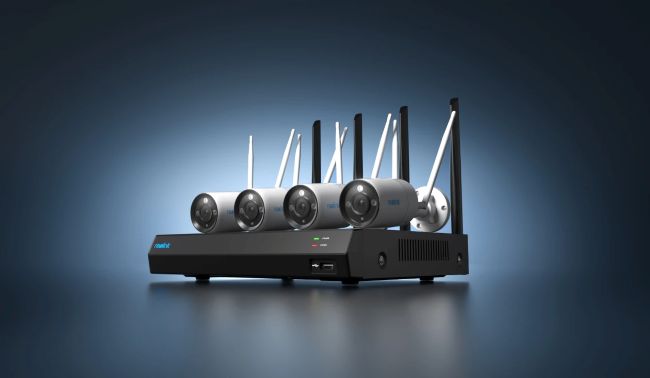
Every pick above tops out at 8 cameras on a Home Hub, which is plenty for most homes but tight for a business, a multi-building property, or anywhere you're planning to grow. The RLK12-800WB4 is a true wireless NVR with a 16-channel recorder, a 2TB hard drive ( expandable to 8TB), and 4 plug-in Wi-Fi 6 cameras shooting 4K (3840×2160) at 20fps.
Because the cameras plug in rather than run on battery, there's no charging cycle to manage across a dozen units, and the hard drive holds far more footage than a microSD-based hub. Night vision reaches up to 100 feet (30m) using two 850nm infrared LEDs with an auto-switching IR-cut filter, so the camera flips to infrared on its own once light drops too low for color. A built-in 6500K spotlight also gives you a full-color mode after dark, useful when you need to make out clothing color or a license plate rather than just a black-and-white silhouette.
Strengths:
- True 16-channel NVR with room to grow well past 8 cameras
- 2TB hard drive included, expandable to 8TB, versus a microSD ceiling on Home Hub kits
- Wi-Fi 6 for stable streaming across many cameras at once
- Plug-in powered cameras mean continuous 24/7 recording with no battery to manage
Limitations:
- Cameras need a nearby power outlet, so it's not fully wire-free like the battery/solar kits above
- No solar-powered option
- The NVR unit itself takes up more physical space than a compact Home Hub
Common Mistakes to Avoid When Buying a Wireless NVR System
Assuming "Wireless" Means Zero Wires Anywhere
A Home Hub still needs one Ethernet cable to your router, and a true NVR kit like the RLK12-800WB4 needs each camera near a power outlet. Confirm exactly which parts are cable-free before buying.
Choosing a Reolink Home Hub When Your Camera Count Will Outgrow It
The Reolink Home Hub's 8-camera cap is plenty for most homes but could be tight for a growing business. If you're likely to add cameras past that number within a year or two, start with a 16-channel NVR instead of migrating later.
Underestimating Storage Retention
A microSD-based Home Hub tops out around 2TB across its two card slots while a hard-drive NVR scales to 8TB. If you want continuous 24/7 recording across many cameras, do the retention math before you buy, not after your footage starts overwriting itself sooner than expected.
Ignoring How Much Maintenance You're Signing Up For
Battery and solar cameras need occasional recharging or reliable sun exposure. Plug-in cameras only need a permanent power source nearby. Match the power source to how much upkeep you actually want to do while considering the trade-offs you have to bear for each type of camera.
Wireless NVR Buyer Decision Table
Comparing four systems full of spec details can be daunting. To help bring further clarity to what's best for you, here's a Buyer Decision Table to make it easier to compare choices with confidence.
FAQs
Can NVR be wireless?
Yes. Wireless NVR camera systems connect IP cameras to the recorder via Wi-Fi instead of video cables. Both the cameras and the recorder need built-in wireless support.
What is the disadvantage of NVR?
Potential downsides of wireless NVR systems include lower video throughput compared to wired setups, plus dependence on Wi-Fi coverage at each camera location. Interference from walls, distance, or other networks can also degrade the signal.
What does wireless NVR mean?
A wireless network video recorder connects IP cameras via Wi-Fi instead of Ethernet cables, which removes the hassle of running video wires through walls and ceilings back to the recorder.
How do you set up a wireless NVR security camera system?
Setup of a wireless NVR security camera typically takes four steps. First, connect the recorder (Home Hub or NVR) to your router with the included Ethernet cable and power it on. Second, download the Reolink App and scan the recorder's QR code to add it, mount each camera within Wi-Fi range and scan its QR code in the app to pair it, then set your motion detection schedule and recording preferences. Most kits finish setup in under 30 minutes, with no video cable to run between the recorder and any camera.
What's the difference between a Home Hub kit and a true wireless NVR kit?
A Home Hub kit saves footage to a microSD card and supports up to 8 cameras over its own local Wi-Fi network. A true wireless NVR, like the RLK12-800WB4, records to a hard drive instead and supports up to 16 channels, which suits larger properties or businesses planning to grow past 8 cameras.
How far can wireless NVR cameras be from the hub, and do they keep recording if Wi-Fi goes down?
Range depends heavily on your router or access point more than the camera itself. As a rough figure, expect a stock router to lose a stable connection somewhere around 40 feet outdoors, while a dedicated outdoor access point with a directional antenna can push that past 400 feet. Home Hub systems create their own local Wi-Fi network and keep recording locally even if your home internet connection drops, since footage saves to the hub itself, not the cloud.
Conclusion
Wireless NVR camera systems provide solid surveillance without the installation headaches of running cable. Their flexible design suits both home use and small business applications, and the right pick comes down to how many cameras you need today versus how many you'll likely add later.
With battery, solar, and plug-in power options across the picks above, you can place cameras anywhere on your property without recurring cloud fees eating into the savings. If you're still weighing camera count against budget, the buyer decision table above is the fastest way to land on the right system for your situation.
Search
Subscribe for the Latest Updates
Security insights & offers right into your inbox