
Reolink OMVI 3i PoE Review: Can One Camera Really Replace Two?
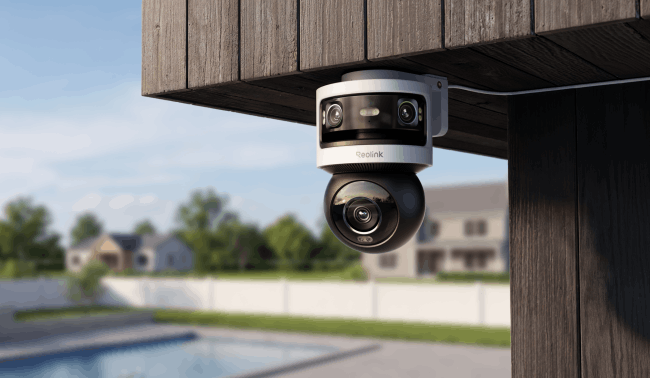
What is the Reolink OMVI 3i PoE
The Reolink OMVI 3i PoE is a powerhouse 18MP (10MP+8MP) triple-lens camera engineered to secure wide-open residential and commercial spaces from a single mounting point.
Key Specifications
Important Compatibility & Firmware Notes:
To properly display the full 10MP resolution from the upper panoramic lens, your Reolink NVR must be upgraded to the latest firmware and feature one of the following hardware builds:
RLN8-410: Hardware version N7MB01 (Firmware: NVR NNT3NA78P)
RLN16-410: Hardware version N6MB01 (Firmware: NVR NNT4NA716P)
RLN36: Hardware version N5MB01
Pros:
- The 180° panoramic lenses and the independently panning, tilting lower lens work as one unit, so a single OMVI 3i PoE holds a wide yard-facing view and a tracked close-up at the same time, without a second camera or a split-screen app.
- The wider 65° vertical field of view captures a great level of detail, making the frame more efficient than narrower panoramic lenses.
- Local AI Video Search lets you type a plain description, like "red vehicle" or "person carrying a package," and pull the matching clip straight from local storage, with no cloud upload and no subscription.
- The pan-tilt motor is quiet and smooth and the metal, captive-screw mounting bracket holds securely without a second pair of hands during install.
- All footage stays local and can be stored in a microSD card (up to 512GB), a compatible Reolink NVR, or an FTP/NAS server
- No monthly fee for detection, tracking, or Local AI Video Search.
Cons (and how to work around them):
- Auto Framing's digital zoom is a live-view feature in the Reolink app: it isn't saved into recordings on the NVR, microSD card, or platforms like Scrypted or HomeKit.
Recommended fix: Mirror detection zones on both lenses rather than assuming one setup covers both, and check the stitch at your specific mounting angle before finalizing placement.
- It costs more upfront than a single fixed-lens camera.
Context: it's replacing two cameras and two mounting points, which narrows the real-world cost gap once a second unit and a second install are factored in.
Best for: Homeowners and small businesses who want one camera to watch a wide open area, like a driveway or backyard, and automatically zoom in on whoever walks through it, without paying a monthly fee.
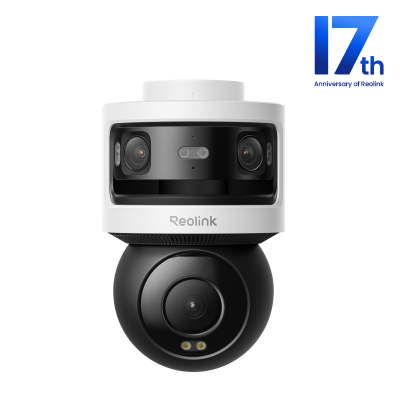
10MP+8MP Triple-Lens 360° Panoramic Pan-Tilt Camera
- 10MP Dual-Lens 180° View & 4K 360° Full Coverage
- PoE Connectivity & Local Storage
Installation and Setup
Setting up the Reolink OMVI 3i PoE is a streamlined process thanks to its Power over Ethernet architecture.
- Mount the Bracket: Choose your location (wall, ceiling, or corner) and secure the heavy-duty mounting bracket. Since the camera offers an ultra-wide panoramic view, higher mounting positions yield the best coverage.
- Run a Single PoE Cable: Run a standard Ethernet cable (Cat5e or Cat6) from your network's PoE Switch or Reolink NVR directly to the camera. This single cable delivers both high-speed data transmission and stable electrical power, no nearby power outlets required.
- App Initialization: Open the Reolink app on your smartphone, scan the QR code located on the camera's body, and follow the prompts to name the device and set a secure password.
Pro Tip: For the best coverage, mount the OMVI 3i PoE between about 7 and 9 feet high and angle it outward across the area you want to watch, rather than mounting it very high and pointing it straight down.
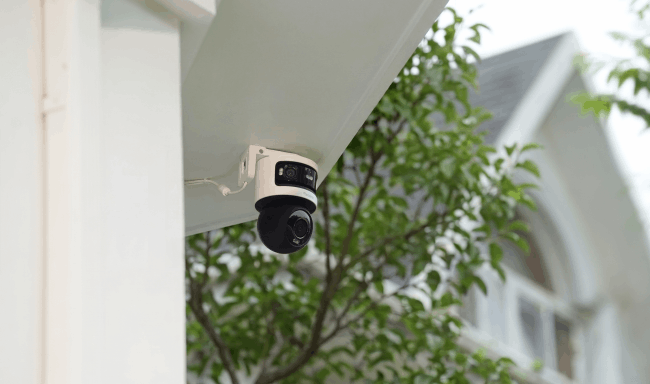
Suitable Camera Placements
Suitable placements include driveways, backyards, and the side of a building, ideally from a ceiling or high wall mount near a roofline to maximize the panoramic view. Corner mounts using the Reolink corner bracket RLA-BKC1 V2.0 give clear sightlines along two walls from a single unit.
What's New About OMVI 3i PoE Panoramic Camera?
The Reolink OMVI 3i PoE moves beyond basic motion alerts with highly intelligent, dual-camera coordination. Instead of operating as separate units, the fixed upper lenses and the moving lower lens work in tandem to deliver unmatched situational awareness
SyncTrack with Auto Framing
When the panoramic lenses spot a person, vehicle, or animal, the pan-tilt lens locks on and follows it, so you get the full wide view and a tracked close-up in the same live session. Even if the subject walks completely out of the upper camera's panoramic field of view, the lower PT camera continues tracking seamlessly. Once Auto Framing is enabled, the camera digitally zooms in on the tracked subject in real time, capturing richer facial or clothing detail without manual adjustment.
Buyer's Note on Firmware: Ensure your Reolink App is updated to v4.60+. Supported on NVR firmware v3.6.4 or later.
Local AI Video Search

The camera's Local AI Video Search function lets you type a plain-language description, like "person in a blue shirt" or "red vehicle," into the Reolink app to search your stored footage and return matching clips in seconds, without uploading anything to the cloud or paying a subscription. It runs on the camera's local AI rather than a cloud service, the same local processing that keeps person, vehicle, and animal detection accurate at no monthly cost.
For a property generating hours of daily footage, this turns what used to be a slow scrub through a timeline into a typed search, a feature Reolink has also built into the OMVI 3i Wi-Fi sibling.
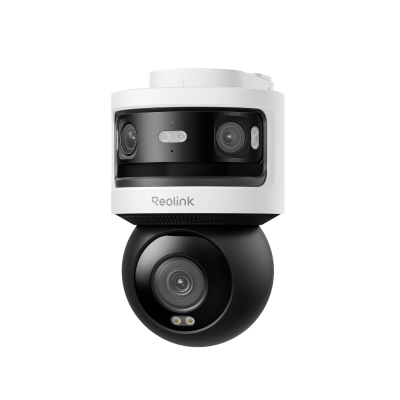
10MP+8MP Triple-Lens 360° Panoramic Pan-Tilt Camera
- 10MP Dual-Lens 180° View & 4K 360° Full Coverage
- Dual-Band WiFi 6 Connectivity & Local Storage
Pinpoint
Instead of fumbling with digital joysticks to move the camera, the Pinpoint feature offers effortless, intuitive control. If you see something suspicious on the edge of your wide-angle panoramic view, you simply tap that exact spot on your smartphone screen. The lower motorized PT camera will instantly snap and focus onto that area, giving you an immediate, high-resolution close-up of critical entry points or gates in seconds.
Customizable Preset Points
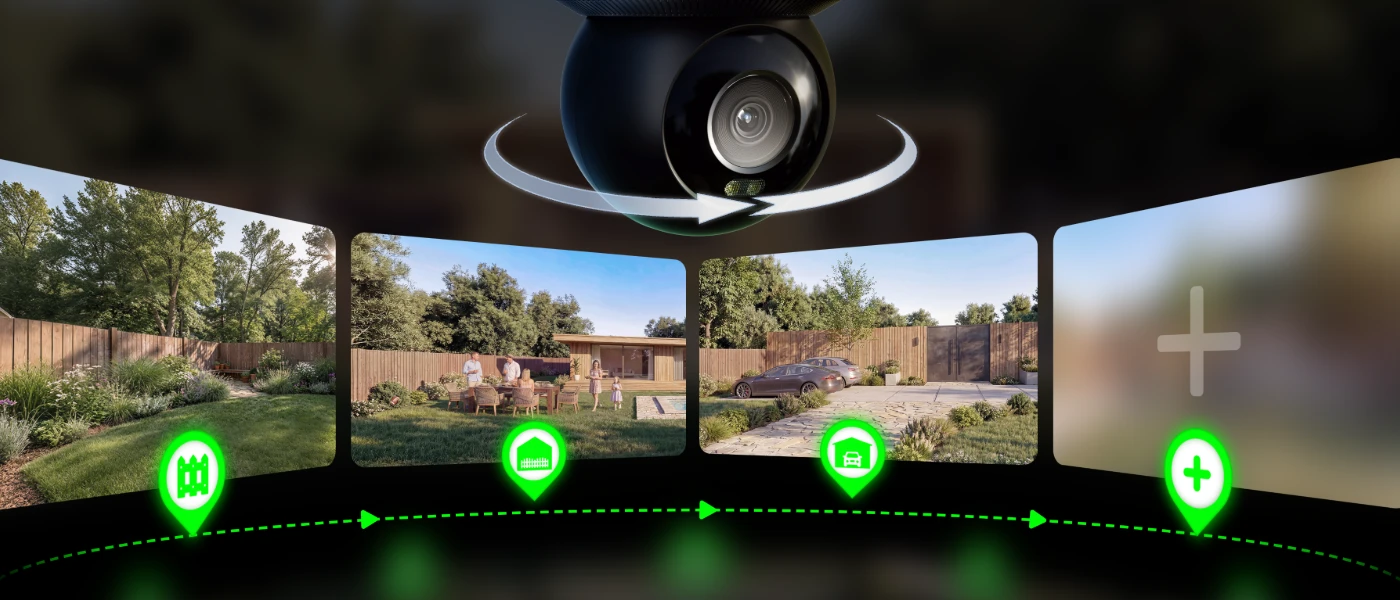
You can set up to 64 customizable preset points on this camera, similar in concept to fine-tuning motion detection zones for specific coverage needs. Each point records a particular angle or zoom level for later use, and the unit returns to a home position you choose after movement. This lets you switch between key areas with one tap, keeping important views ready at all times.
OMVI 3i PoE Real-World Testing
Resolution & Coverage
The resolution and coverage on the Reolink OMVI 3i PoE deliver sharp details now. The 180-degree panoramic section shows clear images of an entire driveway. You combine it with the lower panning for use.
This level avoids gaps that two separate cameras might leave behind. It helps you see license plates or faces from a distance. You get complete records of what happens on your property.
Auto-Tracking & Lens Handoff
SyncTrack hands a detected subject from the panoramic lenses to the pan-tilt lens automatically.

A user on Reddit confirmed in Reolink's Reddit thread that both the panoramic and pan-tilt lenses contribute to AI detection, which in one field test, that combination kept the camera tracking a person out to roughly 100 feet.
Tracking is generally smooth and accurate. Like many auto-tracking systems, it may occasionally need a second to refine its focus or catch up to fast-moving subjects. Even then, the wide camera continues recording the entire scene, ensuring complete coverage of the event.
One simple tip is to enable motion alerts for both the wide and tracking cameras. The two cameras of the OMVI 3i PoE handle alerts independently, so using both helps ensure complete event coverage.
Night Vision Capability
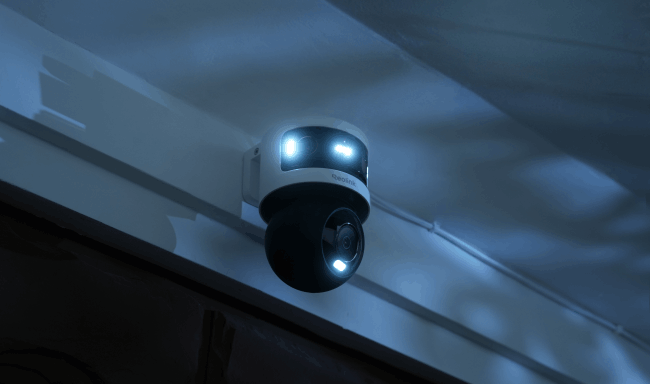
Color night vision uses eight built-in spotlights (7W, 6000K) that switch on with motion detection, and infrared mode extends visibility to roughly 30 meters (100 ft) without the spotlight, useful for more discreet monitoring.
Reolink's ambient-light color night vision technology, ColorX is unavailable in this model. However, its powerful spotlight more than compensates in enabling superior night footage as long as there isn't a need to achieve that in a more discreet environment. In that case, a ColorX-equipped model may be a better fit.
Local Storage Methods
Recordings save to a microSD card up to 512GB, a compatible Reolink NVR, or an FTP/NAS server, with no cloud fees for any of the three options. Pairing it with an NVR also unlocks Local AI Video Search across all connected footage, letting you type a description like "delivery person" instead of scrubbing a timeline.
PoE Connectivity
A single Ethernet cable handles both data and power, which users measured drawing around 6W in normal daytime operation and up to roughly 13W with the infrared or spotlight active. That is lower than expected for a triple-lens setup.
Reolink OMVI 3i PoE vs. Traditional Two-Camera Setups
When choosing between the Reolink OMVI 3i PoE and a traditional two-camera installation, the differences in cost, installation labor, and overall security coverage are substantial. While two separate cameras can monitor a large area, they may introduce logistical headaches that a single multi-lens unit largely eliminates.
Direct Comparison: Head-to-Head
Choosing the OMVI 3i PoE isn't just about saving money on equipment and reducing installation time, it's about consolidating security onto one interface. By unifying the feed into a single view and automating the handoff between wide coverage and close tracking, this camera delivers more continuous monitoring than two uncoordinated devices typically manage.
Where It Fits in the Reolink Lineup
The OMVI 3i PoE builds on the same wide-view-plus-tracking idea as Reolink's earlier Trackmix PoE, and improves on it in a few clear ways.
The panoramic view is wider, the night vision is sharper at a distance, and the pan-tilt motor is quieter and smoother than Reolink's older pan-and-tilt cameras.
If running a cable isn't an option, the OMVI 3i Wi-Fi uses the same triple-lens hardware over a Wi-Fi connection instead of PoE.
Buyer Decision Table
The right choice depends on your mounting height, what you need recorded, and how much coverage you're trying to replace. Here's a quick reference.
FAQs
Is the Reolink OMVI 3i PoE Available Now?
Yes, the Reolink OMVI 3i PoE is available for purchase now, direct from Reolink or through major online retailers.
Does the Reolink OMVI 3i PoE Require a Subscription?
No. Detection, tracking, Local AI Video Search, and recording all run locally with no monthly fee. Footage saves to a microSD card, a compatible NVR, or an FTP/NAS server.
What's the Difference Between the OMVI 3i PoE and the OMVI 3i Wi-Fi?
Both use the same triple-lens hardware and features. The PoE model runs data and power over a single Ethernet cable, while the Wi-Fi model connects wirelessly and powers from a nearby outlet.
How High Should I Mount the Reolink OMVI 3i PoE?
Somewhere between about 7 and 9 feet works best. That height gives the camera a clear view all the way down to the ground in front of it.
Is the Reolink OMVI 3i PoE Worth the Price?
For a property that would otherwise need two separate cameras, most buyers find the combined hardware and no-subscription Local AI Video Search justify the higher upfront cost compared to a single basic camera.
Verdict: Is This the Ultimate Triple-Lens Security Camera?
The Reolink OMVI 3i PoE delivers on its core promise - one mounting point, one cable, and coverage that would otherwise take two cameras. The wide view paired with automatic close-up tracking, Local AI Video Search, and no-subscription local storage make it a strong fit for driveways, backyards, and other wide outdoor areas at a typical mounting height.
One thing worth keeping in mind is that it's worth turning on motion alerts for both cameras rather than just one. For most driveway, backyard, and yard setups, this camera genuinely replaces two cameras rather than just promising to. Check the product page for current pricing and available bundles to find out more.
Search
Subscribe for the Latest Updates
Security insights & offers right into your inbox