
Reolink E1 Pro Review: The Ultimate Indoor Camera Guide
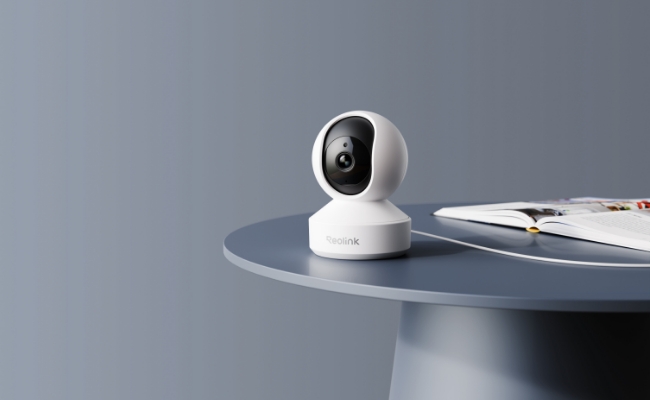
What is the Reolink E1 Pro
The Reolink E1 Pro is a 5MP indoor pan-tilt camera designed to catch what a fixed-angle camera might miss in indoor spaces such as a nursery or living room. This is a job that's mainly covered with its compact and pan-tilt mechanism.
Its base houses a dual-motor mechanism that rotates silently, and its 2880×1616 sensor delivers a defined "3K 5MP" image, captured through an F1.6 lens that pulls in roughly twice the light of a standard F2.0 lens.
Key Specifications
Pros
- 5MP resolution (2880×1616) with an F1.6 aperture that pulls in roughly twice the light of a standard F2.0 lens
- Crying, person, and pet detection built in, with real-time push alerts and no required subscription
- 355° pan / 50° tilt motorized coverage, plus up to 64 saved preset positions
- Dual-band 2.4GHz/5GHz Wi-Fi for a more stable connection than single-band indoor cameras
- Local storage up to 512GB microSD (about 16 days of continuous footage at the default bitrate), plus NVR, Home Hub, and FTP/NAS options
Cons
- Auto-tracking follows left-right (pan) only, not up-down, so placement facing the room's main walking path works better than a corner mount
- Runs on a dedicated DC power adapter rather than PoE, so it suits a room with a nearby outlet rather than a fully cable-free install
Best for: Parents and pet owners looking for one indoor camera to be placed near a power outlet to cover an entire room or nursery. It's also a great camera for anyone looking for functions that can flag crying or motion instantly, and stores footage locally without a monthly fee.
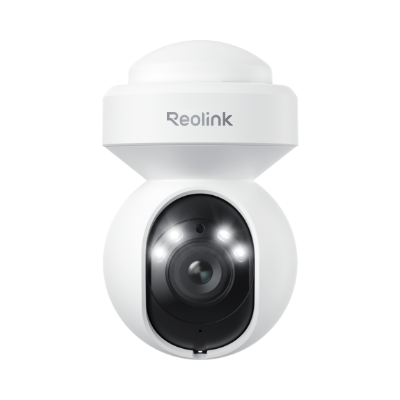
4K WiFi PTZ Camera with Auto-Tracking
4K 8MP Super HD, Smart Person/Vehicle Alerts, 355° Pan & 50° Tilt & 3X Optical Zoom, Auto Tracking, Color Night Vision.
Key Features of Reolink E1 Pro
With wide motorized coverage, fewer false alerts thanks to intelligent detection, and dependable low-light performance, the E1 Pro offers a well-rounded surveillance experience.
Crying Detection for Baby Monitoring

The E1 Pro listens for a baby's cry pattern specifically, not just any noise, and pushes a phone alert the moment it hears one. In independent lab testing, Consumer Reports clocked that alert delivery at 3.4 seconds on average, well ahead of checking a live feed on a schedule.
Crying detection runs alongside the camera's broader Smart Detection system, which also covers person and pet detection with adjustable sensitivity. Because crying detection works from audio pattern recognition rather than volume alone, a monitor placed just outside a heavily insulated nursery door will pick up less than one mounted inside the room.

One verified E1 Pro owner puts it simply: it "would be perfect as a baby monitor... or for any other purpose inside the house."
Pro Tip: If you're still weighing a dedicated baby monitor against a camera like this one, our guide to choosing a video baby monitor walks through the tradeoffs.
355° Pan & 50° Tilt Coverage

Motorized movement gives the E1 Pro a 355° horizontal sweep and 50° of vertical tilt. In practice, that covers nearly the whole room, with only a small blind spot directly behind the mount, and enough tilt range to angle the shot down toward a crib or up toward a doorway without repositioning the camera.
Pro Tip: For the best angle over a crib specifically, see our tips on where to place a baby monitor.
Auto tracking only follows the pan axis, not tilt, so once a subject moves up or down out of frame (a toddler climbing onto furniture, for instance), the camera won't follow. This can be better optimized by setting preset positions for quick recall of key spots in the room.
Smart Detection and Auto Tracking

Reolink's AI detection technology enables the E1 Pro to distinguish between people and pets. It can also lock onto a moving subject's left-right position automatically based on the same motion-sensing principles behind most security cameras. Custom detection zones cut down on false alerts from curtains or ceiling fans, and notifications include a snapshot for a quick check before opening the full feed.
5MP with F1.6 Aperture

With a 2880×1616 sensor, the E1 Pro captures a genuinely sharp '3K 5MP' image, a real step up in clarity from the 3MP sensors still common at this price point. The F1.6 aperture pulls in roughly twice the light of a standard F2.0 lens, which is what actually matters after dark. Together with the 12m, 40ft IR range, it's enough to light an entire standard room or nursery from a single mount.
Pro Tip: F1.6 vs F2.0 is the difference that matters most in a dim nursery before infrared kicks in. A wider aperture means a usable color image later into dusk, not just a brighter IR image at night. For more on how aperture and sensor size affect camera performance under low light conditions, see our full breakdown on low-light camera performance.
How the E1 Pro Compares with Other Reolink Security Cameras
The E1 Pro sits in the middle of Reolink's E1 lineup. It is sharper than the base E1, but features a simpler design than the E1 Zoom.
Reolink E1 Pro vs E1 Zoom
The Reolink E1 Zoom features a 4K 8MP (3840×2160) resolution with 3x optical zoom, which is ahead of the E1 Pro's fixed 5MP (2880×1616) lens. Both share an F1.6 max aperture and a 355° pan/50° tilt range, and both include crying, person, and pet detection today.
Verdict: Choose the E1 Zoom if the room is larger and you'll want to zoom into a specific spot. Choose the E1 Pro if a fixed wide view of a smaller room (like a nursery), is all you need.

PTZ Wireless Smart Home Camera
Smart, Powerful and Affordable All-Round Home Protection. 355° Pan and 50° Tilt; 4K Ultra HD, 3X Optical Zoom, Two-Way Audio, 2.4/5 GHz WiFi, with Google Assistant Integration.
Reolink E1 vs E1 Pro
The base Reolink E1 now ships with 4MP (2560×1440) resolution, an F2.0 aperture, and single-band 2.4GHz Wi-Fi only. The E1 Pro has higher-end features such as a sharper 5MP resolution, larger aperture of F1.6, and dual-band 2.4GHz/5GHz Wi-Fi. Both include crying, person, and pet detection today, so that's no longer the deciding factor between them. Resolution, low-light performance, and Wi-Fi stability are.
Verdict: The E1 Pro is worth the upgrade if you want sharper video and steadier Wi-Fi on a crowded home network. But, the base E1 is the better call if you just need a working baby monitor on a budget.
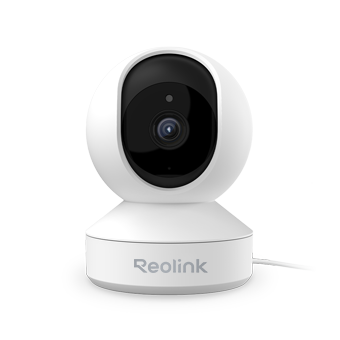
Affordable and Smart Wireless PT Home Camera
Indoor Camera Under $30; 355° Pan and 50° Tilt; 4MP Super HD; Two-Way Audio; Easy Setup with Dual-band WiFi. Crying Detection for Baby Monitoring.
What About The Reolink E1 Outdoor Pro?
The Reolink E1 Outdoor Pro is a separate, weatherproof 4K model built for exterior mounting. If you're comparing the two, you're choosing between an indoor and an outdoor camera, not two versions of the same product.
Which Reolink E1 Camera Should You Buy
Important Note: Nearly 60 verified customer reviews ranked the Reolink E1 Pro at ★★★★☆ (just under 4 out of 5 stars), most citing sharp daytime and nighttime video as the standout.
How to Install and Setup the Reolink E1 Pro
- Choose a spot. Set the E1 Pro on a table, wall-mount it, or mount it to the ceiling. For a wall or ceiling mount, use the included mounting template to mark the screw holes before drilling, then secure the mounting plate and attach the camera.
- Connect the camera. Two setup methods are available, per Reolink's official installation guide: a wired LAN setup using a network (Ethernet) cable, or a wire-free setup through the Reolink app: tap "+," scan the QR code on the back of the camera, and follow the prompts to join your Wi-Fi network.
- Create a device password and name the camera to finish setup.
How to install and setup the Reolink E1 Pro
FAQs
Does Reolink E1 Pro have a PoE version?
No. The E1 Pro needs its included DC power adapter. The PoE version, which is the Reolink E1 Outdoor PoE is a separate type of product designed as an outdoor camera.
Can the Reolink E1 Pro connect via Ethernet?
Yes. The E1 Pro has a LAN port for a wired network connection, an alternative to Wi-Fi setup. The port carries data only, not power, so the camera still plugs into its included DC adapter either way.
Does the Reolink E1 Pro need a subscription?
No. Recording to a microSD card, NVR, Home Hub, or FTP/NAS all work without a Reolink Cloud subscription.
Does the Reolink E1 Pro come with a microSD card?
No. The card is sold separately. When it comes to SD card storage, the camera supports up to 512GB.
Verdict: Is the Reolink E1 Pro Worth it?
The Reolink E1 Pro is an excellent camera to establish security in a nursery or living room. Compared to a fixed camera, its pan-tilt mechanism and tracking capability, the camera can capture moments with greater detail. Its AI detection capabilities can also flag the ones that actually matter (a cry, a person, a pet) without a monthly fee attached. For a single indoor room where crying detection, pan-tilt coverage, and subscription-free storage matter most, it's a clear performer for what it's designed for. If this camera matches your need, go ahead to check current availability on the E1 Pro product page.
Feel free to drop in your questions, if you have any, down in the comments section below. Our team will be there to answer any queries you have about our security cameras.
Search
Subscribe for the Latest Updates
Security insights & offers right into your inbox