
Reolink E1 Zoom Review
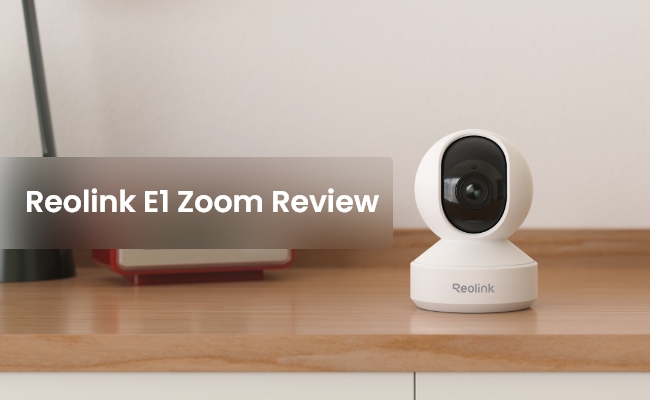
Reolink E1 Zoom is the most powerful camera for the E1 series. Just after its introduction, it caught the attention of users and tech enthusiasts.
In this article, we will give you a detailed Reolink E1 Zoom review. We will take you through its incredible features and share its pros and cons. We will also compare it with E1 Pro and E1 to give you a better idea of these security cameras.
Reolink E1 Zoom Pros and Cons
Pros:
- 4K Ultra HD: The compact camera records everything in 4K Ultra HD resolution. Therefore, you get to see clear videos with fine details. You can monitor everything clearly from any location.
- PTZ Function: The camera is equipped with Pan, Tilt, and Zoom. The pan and tilt ranges are 355⁰and 50⁰, respectively. Therefore, it can cover a wider indoor area. Through the 3X optical zoom, you can focus on objects and see more details. The facial features and other tiny details will be clearly visible.
- Person/Pet/Crying Detection: With intelligent detection for people, pets, and crying sounds, you can stay informed about what truly matters. Receive instant alerts when your baby cries, even if you’re away, so you don’t need to constantly check in. Thanks to local AI processing, all your data remains secure and private.
- Dual Band Wi-Fi: It’s a dual-band Wi-Fi camera, which ensures excellent speed and optimal stability. You can choose either the 2.4GHz or 5GHz band according to your needs. See the smooth live preview from anywhere.
- Smart Home Integration: The camera can be integrated with your smart home hubs. You can control it through your voice and without using your hands. It is compatible with Alexa and Google Assistant.
Cons of Reolink E1 Zoom
- Requires constant power; doesn’t work during power outages.

PTZ Wireless Smart Home Camera
Smart, Powerful and Affordable All-Round Home Protection. 355° Pan and 50° Tilt; 4K Ultra HD, 3X Optical Zoom, Two-Way Audio, 2.4/5 GHz WiFi, with Google Assistant Integration.
Best for
The Reolink E1 Zoom is best for parents, pet owners, and privacy-conscious users who want premium surveillance without monthly subscription fees. Its local AI crying/pet detection and true 3x optical zoom make it an exceptional baby or pet monitor, while its 360-degree pan-and-tilt coverage allows it to easily secure large indoor spaces like open-concept living rooms or home offices.
Overview of Reolink E1 Zoom
Reolink E1 Zoom is a compact and portable DC-powered Wi-Fi camera for indoor use. It is a Pan-Tilt-Zoom camera for optimal surveillance and security. It records continuously, so every moment is captured, including the lovely and cheerful moments you want to remember.
It’s an ideal camera to monitor children and pets. It offers advanced features, such as high resolution, auto-tracking, two-way audio, and real-time alerts to meet all your security and surveillance needs.
Inside the box, you will find the security camera, a power adapter, and a mounting plate to fix it on the wall.
- Easy Installation: The camera is quite easy to set up and install. No expertise is needed. Just plug and play.
- Flexible Placement: Place the camera anywhere you like. Be it your wall, ceiling, or even table/desk, it can be installed anywhere.
- Wide Coverage: It covers a massive area through its pan and tilt motion. You can move the camera manually, set auto-tracking, and see time-lapse.
- Brilliant Night Vision: Records clear videos at night through built-in night vision. Unveils rich details using 10pcs IR LEDs and overs up to 40ft in low light conditions.
- Multiple Storage Options: The camera offers multiple storage options, including microSD card, FTP server, NVR, or cloud. You can choose any one of them.
- Quick Alerts: You receive real-time alerts on your connected devices. No matter where you are. You can talk directly or take quick action if needed.
How to Set Up Reolink E1 Zoom?
Once your camera is installed at a suitable location, follow the steps below to complete the setup.
- Turn on the camera and open the Reolink app on your device.
- Tap the “+” button in the top right corner to start the setup. Scan the QR code at the back of the camera.
- Select the Wi-Fi, enter its password, and complete its setup.
- Scan the QR code on the device through the camera lens. Once it is completed, you can initialize the camera, and it’s ready to use.
E1 Zoom vs E1 vs E1 Pro: Comparison between Them
Real User Review of Reolink E1 Zoom
1. Advanced Features with Zero Monthly Subscription Fees
The single most praised aspect of this camera among smart-home enthusiasts is Reolink's commitment to local storage without aggressive paywalls. Real users highly appreciate that they can enjoy advanced features with zero monthly subscription fees because person, pet, and crying detection are processed entirely on-device, providing instant mobile alerts and total data privacy without requiring an ongoing payment plan to unlock standard recordings.
2. Seamless Integration with Third-Party Smart Home Systems
For tech hobbyists and power users, the E1 Zoom stands out as a premier budget indoor option because it leaves its ecosystem completely open. Owners frequently highlight how easy it is to achieve seamless integration with third-party smart home systems thanks to native RTSP and ONVIF protocol support, allowing them to stream high-quality video directly into private local networks, Home Assistant setups, or Synology NAS systems while entirely bypassing official cloud servers.
3. True Lossless Optical Zoom Clarity
When comparing this model to mainstream indoor competitors from Ring, Nest, or Eufy, owners consistently point out that the hardware zoom lens is a massive game-changer. Users love experiencing true lossless optical zoom clarity because it allows them to place the camera across a large open-concept living room or nursery and physically magnify specific objects, sleeping babies, or pet bowls without encountering the blurry, pixelated mess typical of standard digital cropping.
Buyer Decision Table
FAQs
1. Does Reolink E1 Zoom have motion tracking?
Yes, Reolink E1 Zoom can automatically track the motion of objects. It can record every moment. However, the auto-tracking is limited to horizontal motion only.
2. What is the view angle on Reolink E1 Zoom?
The view angle or field of view of E1 Zoom is 48-98⁰ horizontally and 37-75⁰ vertically. Through its 355⁰ and 50⁰ tilt ranges, the coverage is increased.
3. What size SD card for E1 Zoom?
Reolink E1 Zoom supports a microSD card up to 512GB, which is more than enough.
Conclusion
Reolink E1 Zoom is an incredible indoor camera with advanced features. It is the most powerful camera in the series, offering high resolution, optical zoom, auto-tracking, etc. You can install it without any hassle and place it on the wall or table. It is a perfect option for monitoring children and pets at home and recording every moment.
Search
Subscribe for the Latest Updates
Security insights & offers right into your inbox