
Best Home Security Camera Buying Guide 2026: What Actually Matters
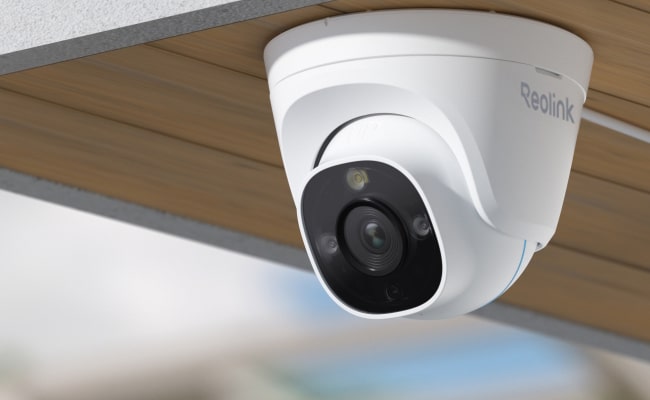
The best home security camera for your home depends on three things.
- How reliable your Wi-Fi is at the camera location
- Whether you want footage stored on your own device or in the cloud
- Which entry points need coverage.
There is no universal ranking that answers those questions for you. What this guide does instead is walk you through the types, the features that actually matter, and which setup fits your specific situation. By the end, you will have a clear framework for evaluating any security camera on the market.
Studies show that homes with homes with visible security cameras experience significantly fewer break-ins but the camera that works best for your property is not always the one with the highest resolution or the most well-known brand name. Power source, recording method, and placement matter more than any single spec.
- How to Choose The Right Home Security Camera: Key Factors to Consider
- Types of Home Security Cameras
- Innovative Features of Best Home Security Cameras
- Cost of Home Security Cameras
- Which Camera Setup Is Right for Your Home?
- Questions to Ask Before Choosing Any Security Camera Brand
- Home Security Camera Placement and Installation
- Mistakes to Avoid When Choosing Security Cameras for Home
- Buyer Decision Table
- FAQs
- Conclusion
How to Choose The Right Home Security Camera: Key Factors to Consider
The sections below cover each key factors so you can make the call without needing to compare dozens of spec sheets.
Number of Security Cameras You Need
Most homes need between four and six cameras to cover their main vulnerabilities: front door, back door, garage, driveway, and at least one interior space. Apartments or smaller properties can start with two. If you need more than four cameras, a security camera system with a central NVR recorder is more cost-effective and reliable than buying standalone cameras individually.
Check the size of your property before purchasing. A common mistake is underbuying, then adding cameras later that do not integrate cleanly with the original setup so think ahead about expansion when you choose a brand.
Video Quality and Resolution
For general room monitoring and most outdoor coverage, 1080p is sufficient. For identifying faces at a distance or reading license plates on a moving vehicle, 2K or 4K is worth the upgrade. Higher-resolution cameras produce sharper images, but they also create larger video files which means your storage fills faster.
It is better to use 4K for your front door, driveway, and any entry point where identification matters. 1080p is fine for monitoring the backyard perimeter or checking on a large open space where you need coverage rather than close-up detail.
Pro Tip: H.265 encoding compresses footage to roughly half the file size of H.264 at the same quality level. For a 4-camera system running 24/7, this means your NVR hard drive lasts approximately twice as long before filling up. Confirm the camera supports H.265 before buying if storage efficiency matters.
Field of View
The field of view (FoV) determines how much a camera captures in a single frame. A wider FoV covers more space, but detail toward the edges degrades quickly. A narrower FoV gives you higher detail in a focused area.
For front doors and narrow driveways, a 90-100 degree lens gives you better facial identification than a wide-angle camera. Wide-angle cameras (120-180 degrees) work well for garages and backyards where general coverage matters more than close-up detail.
Night Vision Capability
A camera that works well in the daytime is not automatically good at night and a higher-resolution camera is not always better in the dark. Cameras with very high megapixel counts pack more pixels onto the same sensor area, meaning each pixel captures less light.
An independent reviewer who tested every Reolink wired camera found that a 16MP model produced no meaningful improvement over an 8MP model at night, and in some cases showed more motion smearing, not less.
What matters more than megapixel count is sensor size and low-light lux rating.
- Infrared (IR) Night Vision: Produces black-and-white footage in complete darkness. IR range tells you how far the camera can see at night - 30m covers a standard two-car driveway. For longer driveways or wider yards, look for 40m or more.
- Color Night Vision: Uses low-light sensors and ambient light to produce color footage without a separate light source. A camera rated at 0.001 lux can produce color footage in near-total darkness; a camera at 0.1 lux needs ambient light (a lit porch or nearby streetlamp) to show color.
- Spotlight Night Vision: Activates a built-in white light when motion is detected. Produces the clearest footage but makes the camera visible to the subject.
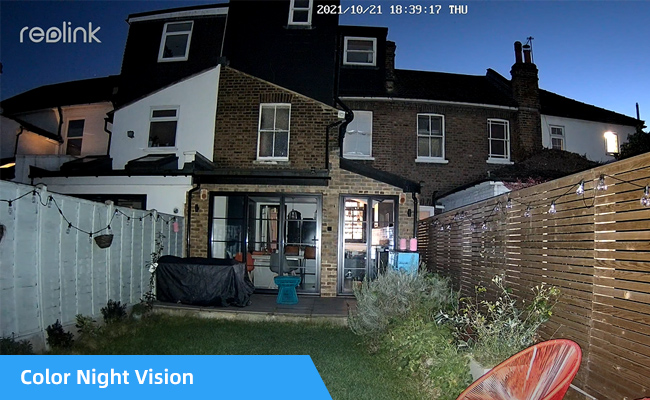
Pro Tip: For unlit driveways or backyards, look for a camera with a lux rating of 0.001, not just 'color night vision.' That marketing term covers a wide performance range.
Recording and Storage Methods
Cloud storage is convenient but has two costs: a monthly subscription fee and third-party access to your footage. Local storage keeps recordings on your own hardware with no subscription and no data leaving your property.
On cost, cloud plans typically run $5-$12 per month per camera. For a 4-camera system over two years, that is $480-$1,152 in ongoing storage fees before any hardware cost.
On privacy: cloud-stored footage resides on servers controlled by the camera manufacturer. Under the CLOUD Act, U.S. law enforcement can compel cloud providers to hand over stored data via warrant or subpoena. Local storage keeps footage on your own device, which will be inaccessible to anyone without physical access to your hardware. If your internet goes down, local cameras keep recording. Cloud-only cameras stop.
Local storage options include SD cards, Network Attached Storage (NAS) devices, external hard drives, and Network Video Recorders (NVR). NVR systems are the best long-term solution for households with four or more cameras. Reolink's NVR-based kits record directly to a local drive with no cloud dependency required.
App
A good app lets you watch live video, review recorded footage, adjust motion detection zones, and receive push alerts on your phone. Before buying any camera, check its app reviews on the App Store and Google Play. A poor app experience makes an otherwise good camera frustrating to use day to day. Look for reviews that mention app stability, notification reliability, and whether the app requires a cloud account just to view local recordings.
Price
Indoor cameras typically cost between $50 and $150. Outdoor cameras run $100 to $250. A 4-camera NVR system ranges from $300 to $600 depending on resolution and channel count. If you opt for cloud storage, budget an additional $5-$12 per camera per month.
Set a total budget that includes both hardware and, if relevant, ongoing storage costs, not just the upfront camera price. Below $50, expect trade-offs in build quality, app support, or firmware longevity.
Placement and Installation
Entry points are the first priority: front door, back door, garage, and driveway. For outdoor cameras, the standard mounting height is 8-10 feet. It is high enough to avoid tampering, low enough to capture facial detail.
Wireless cameras are easier to install and require no cable runs, making them the practical choice for renters or anyone who needs a flexible setup. Wired PoE cameras require running an Ethernet cable to each location, but provide more stable power and connectivity.
Types of Home Security Cameras
Home security cameras come in several types based on connectivity, placement, shape, wiring, and setup. Understanding the differences helps you match the camera to the location.
By Internet Connectivity
- Analog camera (CCTV): Captures and transmits video over coaxial cables to a recording device. Does not require an internet connection. Less common in modern home setups but still used in professional surveillance systems.
- IP camera: Uses digital technology to capture and transmit video over a local network or the internet. Most modern home security cameras are IP cameras. A wireless IP camera works well if you have stable Wi-Fi at the camera location.
By Placement
- Indoor home security camera: Compact and designed to blend into indoor spaces. Used for monitoring rooms, hallways, baby rooms, and interior entry points.

Smart 5MP Wi-Fi PT Indoor Security Camera
Crying Detection for Baby Monitoring; Smart Detection & Auto Tracking; 360° Coverage with Pan & Tilt; 5MP Super HD.
- Outdoor home security camera: Built to withstand weather conditions. Look for IP65 or IP66 rating. IP65 handles rain and normal splash; IP66 survives direct hose spray.
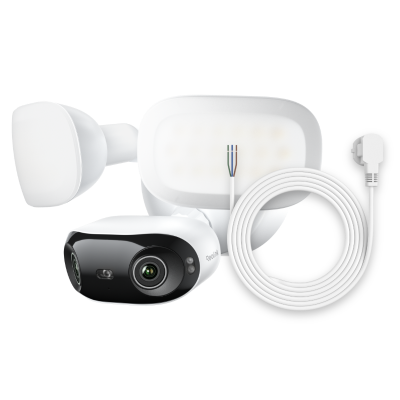
4K 180° Ultra-Wide Wired Floodlight Security Camera
3000-Lumen Dimmable Lighting, Adjustable Color Temperature, Local AI Video Search, Local Storage, Dual-Band Wi-Fi 6.
- Video doorbell: A camera and intercom in one unit. Wired models are best for 24/7 recording. Battery-powered models are easier to install and work well for renters.
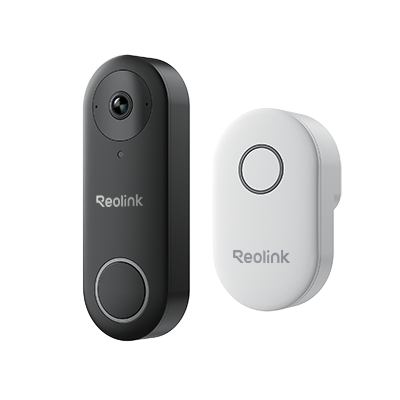
Smart 5MP Video Doorbell with Chime
5MP Super HD Day & Night, Person Detection, 2.4/5 GHz Dual-Band WiFi, 180° Diagonal Viewing Angle, Two-Way Audio, Rich Notification.
By Shape
- Dome camera: Dome-shaped housing that sits flush against ceilings or walls. Discreet and difficult to tamper with.
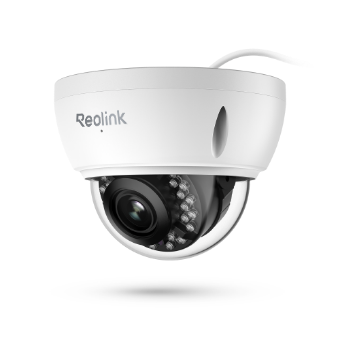
4K PoE IP Camera with Intelligent Detection
4K 8MP Ultra HD, Person/Vehicle Alerts, 5X Optical Zoom, IK10 Vandal Proof, Audio Recording, Live View Anytime, IP66 Certified Weatherproof.
- Bullet camera: Cylindrical shape, typically used outdoors. Known for long-range visibility and visible deterrence.
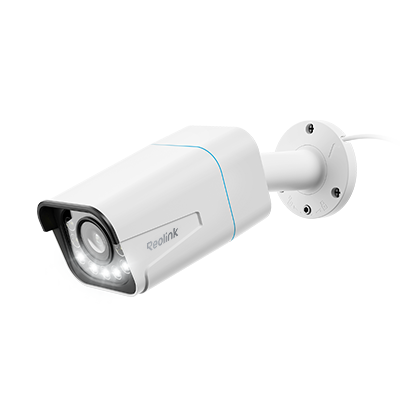
4K Smart PoE Camera with 5 Spotlights
4K 8MP Ultra HD Day & Night, Person/Vehicle Alerts, 5X Optical Zoom, Two-Way Audio, Built-in Siren, Color Night Vision, Live View Anywhere.
- Turret camera: Similar to a dome but with the lens positioned outside the housing. Reduces IR reflection and produces cleaner night footage.

2K 4G LTE 360° PT Battery/Solar Security Camera
2K 10s Pre-recording; ColorX Night Vision; Pan, Tilt & Auto-Tracking; 6-Month Battery Life.
- PTZ camera: Pan-Tilt-Zoom cameras can move left, right, up, and down and zoom in optically. Useful for large properties.
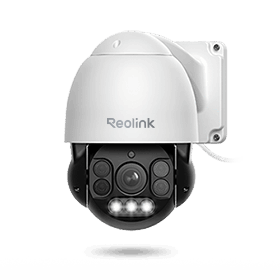
Smart PTZ PoE Camera with Spotlights
4K 8MP Ultra HD, Person/Vehicle Detection, 5X Optical Zoom, Auto Tracking, Manual Pan & Tilt, Two-Way Audio, 190ft Night Vision, Live View.
By Wiring
How a camera gets its power determines where you can put it, how reliable it is, and how much maintenance it requires.
-
Wired PoE camera: Power over Ethernet (PoE) cameras receive both power and internet through a single Ethernet cable. No Wi-Fi dependency, no battery to charge, and continuous 24/7 recording is possible.
-
Wireless home security camera: Operates without a data cable. Most are battery-powered or solar-assisted. The trade-off is maintenance, batteries may need periodic charging, and reliability at locations with weak Wi-Fi signal.
Pro Tip: Run low-voltage PoE cables through an unfinished attic and out through the soffits, then connect them to an attic-safe PoE switch. This avoids the need to open finished walls or hire an electrician for each camera location.
By Number
- Standalone camera: A single camera that records independently. The right choice for monitoring one specific location.
- Home security camera system: Multiple cameras managed through a central NVR or DVR. More stable performance, centralized local storage, and easier management for four or more cameras.
By Lens
-
Single-lens camera: One lens captures all footage. Works well for most home monitoring scenarios.
-
Dual-lens camera: Two lenses that capture different angles simultaneously. Better for large open spaces where you need both a wide overview and a zoomed detail shot from the same mounting point.
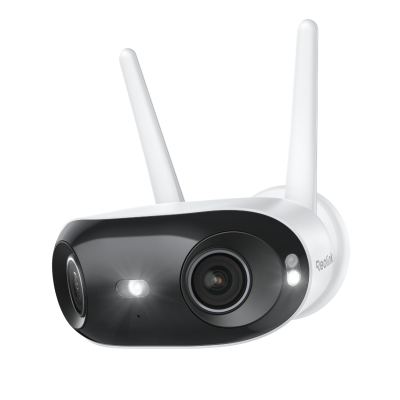
Smart 4K 8MP Dual-Lens Plug-in Security Camera
180° Panoramic Ultra-Wide View, 4K 8MP Color Night Vision, Dual-Band Wi-Fi 6, 24/7 Continuous Recording.
Innovative Features of Best Home Security Cameras
Modern home security cameras go well beyond basic video recording. The features below are worth understanding before you buy. Not every camera includes them, and not every feature is worth paying more for.
High Resolution
For identifying a person's face or reading a license plate, 2K or 4K is worth the cost. For monitoring a wide backyard where you just need to know something is moving, 1080p Full HD is sufficient.
H.265 encoding compresses footage to roughly half the file size of H.264 at the same quality. For a 4-camera system running 24/7, this means your NVR hard drive lasts approximately twice as long before filling up.
Color Night Vision
Color night vision cameras use larger image sensors and ambient light to produce full-color footage in low-light conditions, typically down to 0.001 lux. IR night vision cameras produce black-and-white footage but work in complete darkness with no ambient light required. Many modern outdoor cameras combine both.
Artificial Intelligence
AI-powered security cameras can distinguish between people, vehicles, packages, and animals. Basic motion detection triggers on anything that moves. It could be a passing car, a swaying tree branch, or a neighborhood cat. AI detection filters these out and only sends you an alert when something relevant happens.
AI detection is available on mid-range to higher-end cameras and, in many cases, does not require a paid subscription to use.
Remote Monitoring and Control
Through a companion app, you can watch a live feed, review recorded footage, adjust camera settings, and receive motion alerts from anywhere with an internet connection. PTZ cameras can also be panned, tilted, and zoomed remotely. Look for apps that let you adjust motion detection sensitivity and define custom alert zones.
Smart Home Integration
Many security cameras integrate with Google Assistant, Amazon Alexa, and Apple HomeKit. Integration enables voice commands for live view, arms and disarms during routines, and links cameras to other smart home devices like smart locks and lighting. Before purchasing, confirm that a camera is officially compatible with your specific platform, not just generally 'smart home compatible'.
Cost of Home Security Cameras
Indoor cameras typically cost $50-$150. Outdoor cameras run $100-$250. Security camera systems range from $300 to $800 depending on the number of cameras, NVR storage capacity, and resolution. If you opt for cloud storage, budget an additional $5-$12 per camera per month.
If you hire a professional installer, budget an additional $100-$200 for labor. Most modern cameras are designed for DIY installation.
Which Camera Setup Is Right for Your Home?
The right camera setup depends on your property type, Wi-Fi reliability, and how much ongoing maintenance you are willing to do. The following scenarios match common home situations to the setup that fits best.
Apartment renter or small space: No drilling, portable placement, and easy removal when you move out. A battery-powered indoor camera with an adhesive or magnetic mount covers most rental scenarios. Look for a camera that runs on 2.4GHz Wi-Fi and supports local SD card storage to avoid mandatory subscription fees.
Front door monitoring: 24/7 recording, wide field of view, and visitor alerts are the priority. A wired video doorbell is the most reliable option. It runs on your home's existing doorbell wiring and records continuously without battery maintenance. A PoE outdoor camera pointed at the entrance is a strong alternative if you do not have existing doorbell wiring.
Large property with multiple entry points :A standalone camera per location becomes expensive and harder to manage beyond four cameras. A PoE NVR system is the better choice: one Ethernet cable per camera, continuous 24/7 recording, centralized local storage, and no per-camera cloud fees.
Based on independent testing, a 4-camera Reolink NVR kit like the RLK8-811B4 covers the most common property configurations and is consistently recommended as a best-value entry point for wired home surveillance.
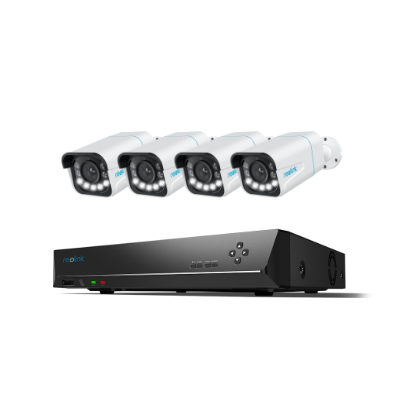
4K 8-Channel PoE Security System
4 pcs 4K Ultral HD Security Cameras; 2TB HDD 8-Channel NVR for 24/7 Recording; Person/Vehicle Detection; Plug & Play; 2 Network Solutions.
One real example: Rob, a Reolink customer, used footage from three cameras to identify a thief who stole his son's bike. The footage was clear enough to share on social media, generate over 20,000 views in 30 minutes, and lead to the thief being identified and the case resolved within 72 hours.
Family monitoring indoors:
Two-way audio, motion zone alerts, and night vision matter more than resolution here. An indoor camera that lets you define specific zones -- such as a baby's crib or a staircase -- reduces false alerts significantly.
Privacy-first, no subscription:
Any camera that stores footage to a local SD card or NVR covers this. Reolink cameras support local storage by default and there's no subscription required. Under the CLOUD Act, U.S. law enforcement can compel cloud providers to hand over stored footage under certain legal conditions. Local storage keeps your recordings offline.
Remote property or no Wi-Fi:
Solar-powered cameras with onboard SD card storage work without a power outlet or an internet connection. For areas with no Wi-Fi at all, a cellular (4G LTE) camera transmits over a mobile network instead.
Questions to Ask Before Choosing Any Security Camera Brand
Features and resolution are easy to compare. These questions are harder to find answers to but they separate a camera that works long-term from one that disappoints.
Does the camera support local storage, or is cloud the only option?
Some cameras require a paid cloud subscription for any footage storage at all. Confirm it is available on the specific model you are buying, not just somewhere in the brand's lineup.
How long does the brand support firmware updates on older models?
A camera that stops receiving updates within two years becomes a security liability. Look for brands with a documented history of updating older hardware, especially for security patches.
Does AI detection require a paid subscription tier?
On some platforms, AI features are locked behind a premium plan. Check whether the capability you are buying the camera for is included in the base product or requires ongoing payment.
What is the warranty, and what does it cover?
One year is the minimum. Two years is better for hardware that runs 24/7. Confirm whether the warranty covers outdoor weatherproofing failures, not just manufacturing defects.
Can you access local footage through the app without a cloud account?
Some cameras require an active account and sometimes an active subscription just to view footage stored on your own SD card or NVR. Check app reviews for mentions of this before buying.
Home Security Camera Placement and Installation
Where to Place Security Cameras
Start with vulnerable entry points. Statistics show that 34% of burglars enter through the front door.
- Entry points: Front door, back door, side doors, and garage doors are the highest priority.
- Windows: Position cameras above off-street windows. Avoid placing cameras behind glass. Reflections and glare degrade image quality and motion detection.
- Driveway and parking area: Cameras covering the driveway serve double duty, which is security and documentation of any vehicle incidents.
- Backyard and garden: Use IP65+ rated outdoor cameras. Pair with a floodlight or spotlight camera for unlit areas.
- Hallways and staircases: Interior cameras in high-traffic indoor paths let you monitor movement through the home.
Installation Tips
- Mount outdoor cameras at 8-10 feet: High enough to avoid easy tampering. Low enough to capture usable facial detail.
- For entry-point cameras, position lower than you might expect: A camera mounted at maximum height with a wide-angle lens often captures the top of a person's head rather than their face. For doors and gates where identification matters, a slightly lower position with a narrower field of view produces significantly more useful footage.
- Adjust the angle slightly downward: A slight downward tilt covers the approach zone most effectively.
- Avoid glare from reflective surfaces: Keep cameras away from windows, glass doors, and polished surfaces that create IR reflection at night.
- Conceal wiring where possible: Use conduit or cable covers for exposed PoE cables to prevent tampering.
- Test Wi-Fi signal strength before committing to a wireless camera location: If the signal is weak at the mounting spot, a PoE wired camera is the more reliable choice for that location.
- Ensure stable power supply: For PoE cameras, confirm the NVR or PoE switch can supply adequate power to all connected cameras simultaneously.
Mistakes to Avoid When Choosing Security Cameras for Home
Choosing the Cheapest Option
Budget cameras often trade off on features, build quality, and software support. A camera that fails to load footage at the moment you need it, or one that stops receiving updates after 18 months, costs more in the long run.
Overlooking Image Quality
Resolution matters for identification. A camera that captures general motion in a wide space is not the same as one that can read a license plate or show a clear face at 8 meters. For entry points where identification is the goal, do not compromise on resolution.
Forgetting About Privacy Laws
Security camera installation must comply with state and local privacy laws. This applies especially to cameras that may capture public areas, neighboring properties, or shared spaces in multi-unit buildings.
Neglecting Connectivity
A wireless camera depends entirely on the quality of the Wi-Fi signal at its mounting location. Before purchasing a wireless camera for an outdoor location, test the signal strength at that exact spot.
Not Planning for Future Expansion
If you start with two cameras and plan to add more later, confirm that your chosen brand and system can accommodate expansion. An NVR-based system with spare channels is significantly easier to expand than a collection of standalone cameras.
Trusting Battery Life Marketing Claims
Most battery-powered cameras are marketed at 3-6 months per charge. Under active monitoring conditions such as frequent motion events, cold weather, or regular app access, real-world battery life is often 1-2 weeks. In freezing temperatures, lithium-ion batteries can lose up to 50% of their rated capacity.
Choosing Wi-Fi Cameras Without Testing Signal at the Mount Location
The most common failure mode reported by wireless camera users is cameras dropping connection exactly when motion is detected but recording nothing. Test Wi-Fi signal strength at the planned mounting spot before buying. If the signal is inconsistent, a wired PoE camera eliminates this problem entirely.
Mounting Cameras Too High for Facial Identification
Mounting outdoor cameras at 8-10 feet is the standard for general coverage. But for entry-point cameras where identifying a person matters, mounting too high with a wide-angle lens produces footage where faces appear as small, indistinct shapes at typical approach distances. For doors and gates, position the camera lower and use a narrower field of view.
Buyer Decision Table
Choosing between camera types comes down to your specific situation and we know there can be a lot to consider. This is why we've summarized a buyer decision table which matches the most common home setups to the camera type that best fits them, helping you to decide better.
Note: There could be great discounts at our Reolink store right now. Check it out to see if there's something for you!
FAQs
How do I know what security camera to buy?
Start by identifying your two or three highest-priority locations, typically the front door, back door, and driveway. Then decide on power source (wired for reliability, battery for flexibility), storage method (local for privacy and no fees, cloud for remote access convenience), and the minimum resolution you need for each location. Use the Buyer Decision Table above to match your situation to the right camera type.
Is a wired or wireless security camera better?
Wired cameras are more reliable; wireless cameras are more flexible. Wired PoE cameras do not drop connections, record continuously, and require no battery maintenance. They are the better choice for permanent outdoor locations or anywhere a missed recording is unacceptable. Wireless cameras are the better choice for renters, temporary setups, or indoor locations where running cable is not practical. For most homeowners, a combination of both works best: wired PoE for the perimeter, wireless for indoor monitoring.
What is the difference between a PoE camera and a regular wired camera?
A regular wired camera requires separate cables for power and data. One to a power outlet and one to a recorder. A PoE (Power over Ethernet) camera uses a single Ethernet cable for both power and data, which simplifies installation significantly. PoE cameras connect directly to a PoE switch or NVR, eliminating the need for a power outlet at each camera location.
Does my camera still record if the internet goes down?
It depends on your storage method. Cameras recording to a local SD card or NVR continue to record regardless of internet status as they do not need an internet connection to save footage locally. Cloud-only cameras stop recording when internet connectivity is lost. If uninterrupted recording is important to your setup, local storage is the more reliable option.
How many security cameras do I need?
It depends on the size and layout of your property. A standard home typically needs four to six cameras to cover the main entry points and high-value zones. Smaller properties and apartments can start with two. If you are covering more than four locations, a security camera system with a central NVR is easier to manage and more cost-effective than buying standalone cameras for each spot.
Can I install security cameras myself?
Yes. Most modern security cameras are designed for DIY installation and include everything needed in the box. Wireless and battery cameras are the simplest as adhesive mounts or a single drill hole is usually enough for most installations. PoE cameras require running an Ethernet cable from each camera location to the NVR, which takes more planning but is achievable for most homeowners without professional help.
Conclusion
Choosing the right home security camera is straightforward once you have answered the three core questions: where do you need coverage, how do you want footage stored, and how reliable is your Wi-Fi at each camera location? The right answers narrow the field quickly.
For most homeowners who want long-term reliability with no ongoing fees, a wired PoE system with local NVR storage is the best investment. For renters or light users who want simple coverage with minimal setup, a battery-powered wireless camera with local SD storage covers the basics without the complexity.
Use the Buyer Decision Table above to match your situation to the right camera type, and check the Scenario section for setup recommendations based on your specific property.
Search
Subscribe for the Latest Updates
Security insights & offers right into your inbox