
AI Detection vs. Motion Detection: Worth The Upgrade?
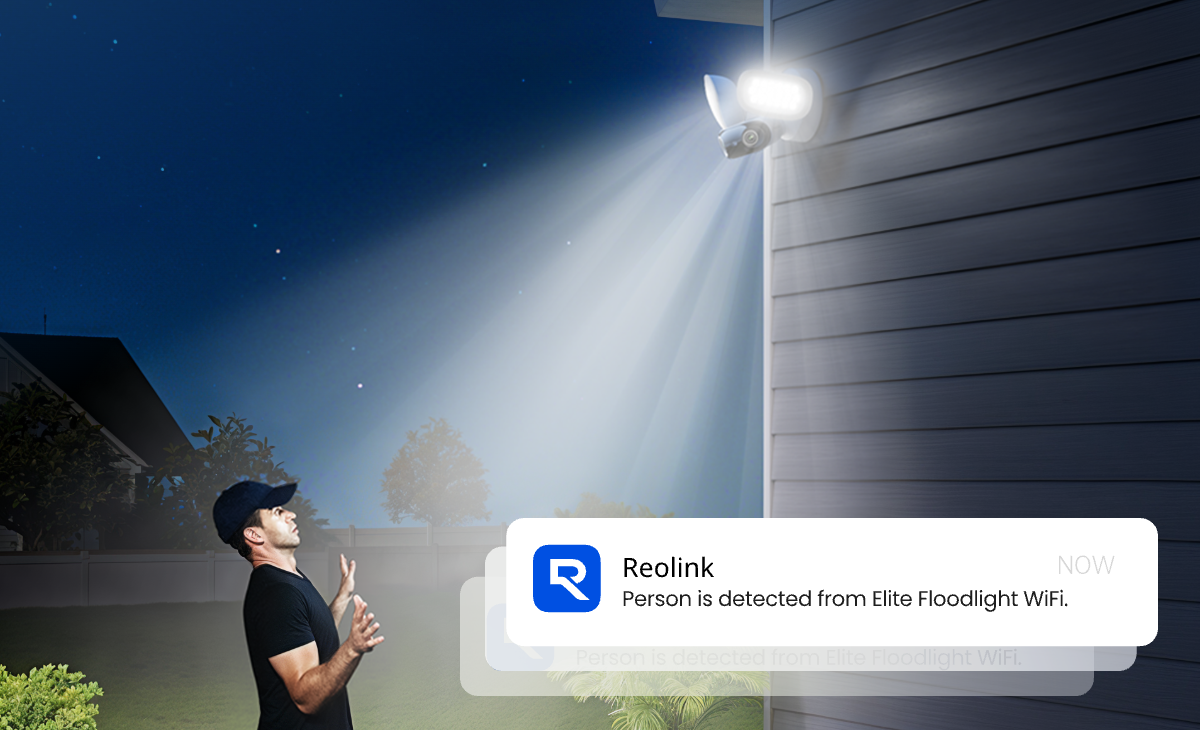
A security camera sends you an alert. You were alarmed and had to check it and... it's a moth on the lens, again.
You must be thinking: "Are you kidding me!?". Well, that's how a plain motion detection security camera could annoy you time and time again.
This is when a security camera with AI-backed detection adds one more layer. It can tell you what actually moved, rather than only that something did. This guide will show you how the two compare, and whether the upgrade is worth paying for.
- What Is Motion Detection, and How Does It Actually Work?
- What Is AI Detection, and How Is It Different From Smart Tracking?
- Motion Detection vs. AI Detection, Side by Side Comparison
- Does AI Detection Actually Cut Down False Alerts?
- Is the Extra Cost Actually Worth It Anymore?
- What About Pets?
- Recommended Reolink Security Cameras with AI Detection
- How to Cut False Alerts Even Further?
- FAQs
- Conclusion
What Is Motion Detection, and How Does It Actually Work?
In essence, a motion detection camera watches for any change in its field of view, not for anything specific. With ANY change, it sends an alert to the owner. That's the root of nearly every false alert you've ever gotten from one.
Battery and solar motion detection cameras typically rely on passive infrared (PIR) sensors. These react to a sudden change in heat signature crossing the camera's field of view.
Wired PoE and Wi-Fi cameras more often use software-based detection instead, comparing consecutive video frames pixel by pixel and flagging anything that shifts.
Neither mechanism knows what caused the change. A PIR sensor firing on a heat shift and a frame-differencing algorithm firing on a pixel shift are reacting to the same blind spot. Both can tell that something happened but neither can tell you what.
That gap is exactly why the trigger list for plain motion detection reads the way it does. Think about wind moving a tree branch, headlights sweeping across a driveway at night, or a squirrel crossing the yard. Technically, every one of these is motion. So, each one registers as a trigger. None of them is the reason you bought a motion detection camera in the first place. That mismatch is the entire reason AI detection exists.
What Is AI Detection, and How Is It Different From Smart Tracking?
AI detection (a.k.a smart detection) is a software layer that sits on top of motion detection. It doesn't replace the trigger. It decides whether the trigger is worth acting on.
Once motion fires, the on-device model takes over. It checks the frame against trained shapes for people, vehicles, and animals. It sends an alert only on a match. Reolink's own support documentation states that Smart Detection is "based on traditional motion detection or PIR detection but with advanced algorithms and technology." It's a filter layered on the trigger, not a separate system entirely.
This is also where "Smart Tracking" gets confused with detection, and the two aren't the same thing. Detection classifies what triggered an alert. Tracking is a motorized camera physically panning and tilting to keep that subject centered in frame. A camera can have either, both, or neither. It's a different feature, with its own set of trade-offs.
Note: If you're specifically after a camera that follows a moving subject around the yard, you can read Reolink's auto-tracking guide as It covers that motorized side in full.
On most current Reolink AI security cameras, this additional software layer runs locally. This means there's no cloud connection required to make the call, and local processing is what keeps the feature free of charge.
Motion Detection vs. AI Detection, Side by Side Comparison
Neither technology replaces the other because they aren't solving the same problem. Motion detection is the trigger and AI detection is the filter that sits downstream of it, deciding which triggers are worth your attention.
How it works in reality is that motion detection has to fire first before AI classification ever gets a frame to look at. Skip that first trigger, and there's nothing left for the AI layer to filter.
Does AI Detection Actually Cut Down False Alerts?
Yes, because AI detection adds a classification step that plain motion detection never has. How much it helps depends on your environment and which false triggers you're dealing with.
Think back to the trigger list from earlier. A swaying branch or a moth on the lens registers as motion. It doesn't match the shape of a person, vehicle, or animal. A camera with AI filtering simply doesn't send an alert for it. Technically, the false trigger still happens. It just never reaches your phone.
With AI detection, what the filtering concentrates on is the noise, not the alerts that actually matter. This is how a real person walking up your driveway can trigger a correct "person detected" alert, because that's the system working as intended.
That said, detection zones and sensitivity settings are crucial in ensuring AI detection is truly effective, and they're worth their own section further down.
Is the Extra Cost Actually Worth It Anymore?
Some AI camera ecosystems on the market keep basic detection free. They gate richer features, like detailed event descriptions or AI-powered search, behind a paid tier. Reolink's baseline detection isn't structured that way. Person, vehicle, and pet classification come with the camera.
Reolink's own subscription cost breakdown states plainly that "smart features come with no monthly fees or subscription costs." Optional cloud storage and 4G data plans exist separately, but neither is required for AI detection to work.
AI processing draws more power than plain motion detection, so on battery and solar cameras, expect a shorter runtime between charges. That's a battery question, not a cost question. Factor it in before you buy.
So yes, it's worth it. You're getting a feature that used to carry a subscription fee on other systems, now standard and free on current Reolink cameras, with only runtime to weigh, not price.
What About Pets?
Pets are one of the biggest sources of false alerts on motion-only cameras. Pet and animal detection are some of the modern developments of AI detection to fix that.
The function uses the same on-device AI model as person and vehicle detection. It just checks the frame against trained animal shapes instead of human or vehicle outlines.
It isn't flawless though. A very small pet, or unusual movement like a cat jumping onto a windowsill, can occasionally still be missed or misclassified. Raising the pet detection sensitivity in the Reolink app helps catch what the default setting sometimes misses.
Note: If you are looking for pet-detection cameras and would want to understand more about it, Reolink's guide to cameras for pet owners covers that ground in more depth.
Recommended Reolink Security Cameras with AI Detection
These three current models prove the point from the cost section across every power type. None of them charge extra for AI person, vehicle, or pet detection.
Lumus Pro: Best entry-level pick
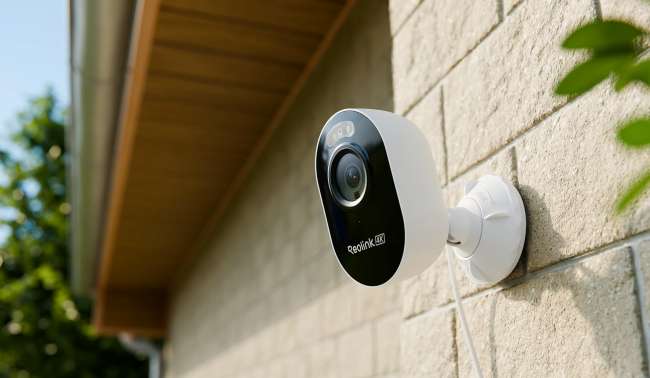
The Lumus Pro is the most affordable way onto this list, and it still gets the full detection stack. It captures 4K video wide enough to cover a front door or one side of a house. Person, vehicle, and animal detection are included by default, running on the same on-device model used across Reolink's pricier cameras. It's a plug-in camera built for outdoor use, so it needs a nearby outlet rather than running on battery.
In Consumer Reports' lab testing, alerts reached the mobile app in about 2.4 seconds on average. That's fast enough that a notification usually beats the person to your front step.
Best for: a first camera on a budget, or a second unit covering a side entrance.
The tradeoff: it needs power within cable reach, which rules out spots without a nearby outlet. For those, the battery-powered Argus 4 Pro below skips the outlet requirement entirely.
RLC-1224A: Best wired PoE pick
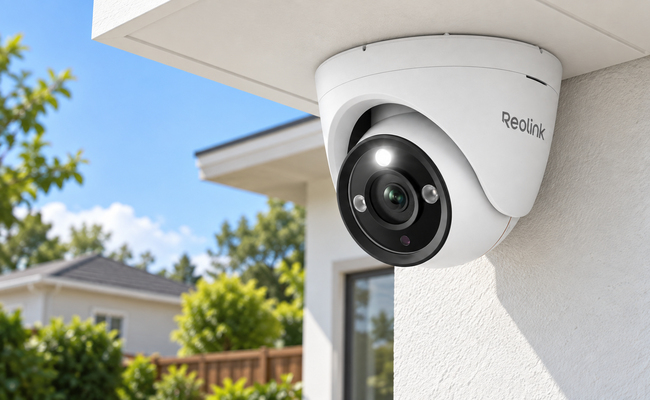
The RLC-1224A is built for a permanent, wired install, and it earns that with sharp daytime detail. It runs over a single Ethernet cable that also powers the camera, with no separate outlet required. Person, vehicle, and pet detection all ship standard with no subscription needed.
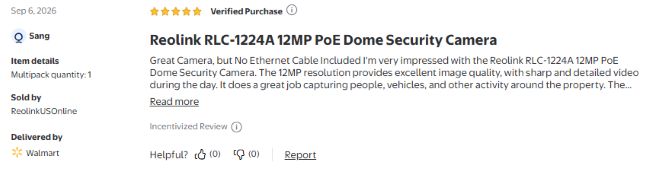
One verified buyer review from Walmart from September 2026 described sharp, detailed daytime footage and consistently accurate capture of people and vehicles moving around the property.
Best for: a fixed mounting point like a garage, driveway, or backyard where a PoE run is already possible or easy to add.
The tradeoff: it needs a PoE switch or injector, not something every home already has. If running a cable isn't practical, the plug-in Lumus Pro above needs only Wi-Fi and a power outlet.
Argus 4 Pro: Best battery and solar pick
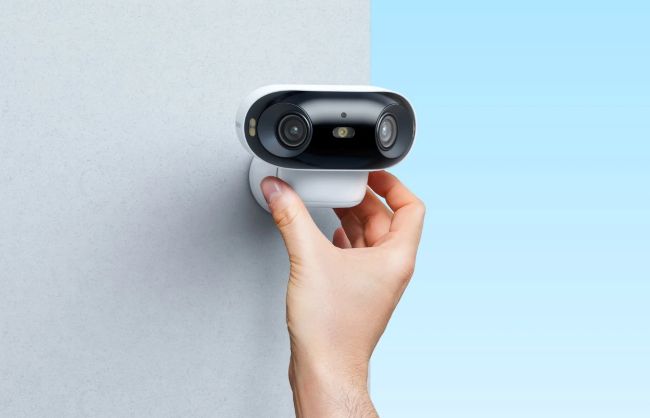
The Argus 4 Pro is the pick for spots with no easy power source at all, like a shed, a detached garage, or a fence line. Its dual-lens design covers a wide field of view from a single mount, with full-color night vision instead of standard infrared. Person, vehicle, and pet detection are standard here too.
In a six-month outdoor test, the paired solar panel kept the camera charged through most conditions. Only heavy snow cover drained the battery enough to need a manual top-up.
Best for: battery or solar placement where running a cable isn't an option.
The tradeoff: AI processing draws more power than plain motion detection, so runtime drops faster than on a wired camera. Pairing it with the compatible Solar Panel 2 largely offsets that, keeping it charged without a cable in most climates.
How to Cut False Alerts Even Further?
The best AI detection functions comes with user friendly settings that can be easily tweaked to reduce false alert chances further. Reolink cameras have developed these features to enable that.
Note: For setup and troubleshooting beyond false alerts, like getting motion detection working at all or picking between PIR and AI-based cameras, see Reolink's full guide to motion sensor security cameras.
1. Set Up Detection Zones
Set up detection zones so the camera only evaluates motion in areas that actually matter. Skip the sidewalk or the street beyond your property line. Lower the sensitivity in any zone with a lot of natural movement, like a tree line or a windy porch.
2. Clean Your Lens Regularly
A dirty lens is a surprisingly common trigger too. Spiderwebs and dust sitting directly on the glass scatter light and register as motion on their own, and it's usually a thirty-second cleaning fix.
3. Ensure Mounting Height and Angle is Optimal
Mounting height and angle matter as well. Reolink's own placement guide recommends 7 to 10 feet (2.1 to 3 meters) off the ground, angled slightly downward toward the area you actually want covered, not wherever's most convenient to reach. Doors and entry points do best around 8 to 9 feet, while driveways, garages, and windows can go up to 10 feet.
Note: Reolink's own troubleshooting guide walks through camera-specific fixes if alerts still aren't behaving the way you'd expect.
FAQs
Is AI detection worth the extra cost over regular motion detection?
On most current Reolink cameras, there's no real extra cost to weigh. Person, vehicle, and pet AI detection ships standard and free. The one genuine trade-off is battery life on battery and solar cameras, since AI processing draws more power than plain motion detection. That's a runtime question, not a price one.
Do I need a subscription for AI detection on a Reolink camera?
No. Person, vehicle, and pet AI detection work locally on current Reolink cameras without any monthly plan. Subscriptions only cover optional cloud video storage and 4G data plans for LTE models like Reolink Go, and neither is required for AI detection itself.
What's the difference between AI detection and AI tracking?
AI detection is software that classifies what triggered an alert as a person, vehicle, or pet. AI tracking is a motorized camera physically panning and tilting to follow that subject. A camera can have either feature, both, or neither. Check the spec sheet for both terms separately, since one doesn't guarantee the other.
Can regular motion detection tell a person apart from an animal or a moving branch?
No. Regular motion detection, whether PIR-based or pixel-based, only detects that something changed within the frame. It doesn't detect what caused that change. A person, a branch, and a passing car all register the same way to a motion-only sensor. That gap is the entire reason AI detection exists as a separate layer.
Conclusion
Motion detection and AI detection get treated like two competing choices, and that's the misconception worth killing here. They're not alternatives. AI sits on top of motion detection, filtering out the branches and moths so only real activity reaches your phone. Even if that filtering carried a real price tag, it would still be worth paying for over losing trust in every alert your camera sends.
On current Reolink cameras, you don't have to weigh that cost at all. Person, vehicle, and pet detection ship standard, so the only real decision left is power type: PoE like the RLC-1224A for a permanent, powered spot, or battery and solar like the Argus 4 Pro for placement freedom. Match that to your mounting spot, then browse the full AI Security Camera Guide for the rest of the current lineup.
Search
Subscribe for the Latest Updates
Security insights & offers right into your inbox