








Light Bulb Security Camera: The Ultimate Guide
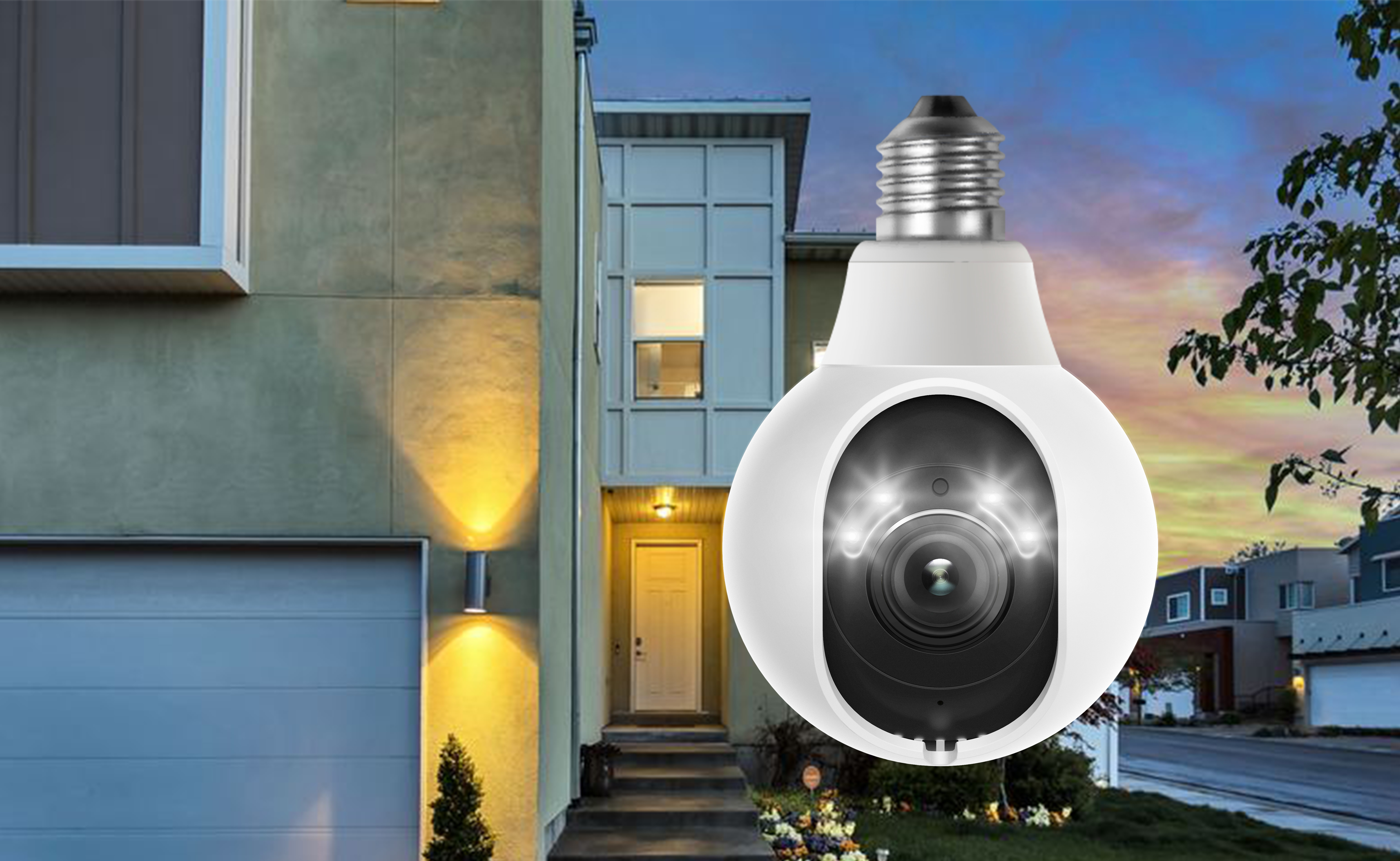
Light bulb security cameras combine lighting and surveillance into one compact device, offering a simple way to add security monitoring without installing a traditional camera system. As more homeowners look for easier security solutions, these cameras have gained attention for their unique design and flexible installation options.
However, choosing the right light bulb security camera requires considering factors such as image quality, outdoor durability, storage options, and overall reliability. In this guide, we’ll explain how light bulb security cameras work, their advantages and limitations, and what features to look for before buying.
- What Is A Light Bulb Security Camera?
- Advantages of Light Bulb Security Cameras
- Potential Problems with Light Bulb Security Cameras
- Best Places to Install Light Bulb Security Cameras
- How To Choose A Light Bulb Security Camera?
- Light Bulb Security Camera Installation Tips
- Best Alternatives to Light Bulb Security Camera
- FAQs
- Conclusion
What Is A Light Bulb Security Camera?
A light bulb security camera is a surveillance device designed in the shape of a standard light bulb, combining home lighting and security monitoring in one device. Unlike traditional security cameras, it can be installed directly into an existing light socket, using the socket as its power source while providing both illumination and video surveillance.
Most light bulb security cameras connect to your home Wi-Fi network, allowing you to monitor footage remotely through a mobile app. As wireless cameras, they do not require complex wiring or battery replacement, and many models can also integrate with smart home systems for more convenient control.
Advantages of Light Bulb Security Cameras
Porch Light bulb security cameras combine a light source and a security camera into one device, making them a convenient option for areas where both lighting and monitoring are needed.
Easy Installation Without Additional Wiring
Installing a light bulb security camera is usually as simple as replacing a regular light bulb. Most models can be screwed into a compatible socket and powered directly from the existing light fixture, without running new cables or hiring an installer.
Lighting And Security In One Device
A light bulb security camera provides illumination and surveillance from the same installation point. The built-in light can brighten dark areas around your home, while the camera records activity in the same field of view.
This is useful for places like front doors, pathways, and yards where extra lighting and security monitoring are both needed.
Wide Coverage With Pan And Tilt
Many light bulb security cameras use a pan-and-tilt design to cover a wider area than fixed cameras. Depending on the model, they can rotate up to 360° horizontally, helping monitor larger spaces and reduce blind spots.
Some models also support auto-tracking, allowing the camera to follow detected movement and keep people or objects within view.
Remote Monitoring And Smart Alerts
Most light bulb security cameras connect to a mobile app, allowing you to view live footage, receive motion notifications, and adjust camera settings remotely.
This allows homeowners to check activity around their property, whether they are at work, traveling, or simply away from the camera location.
Potential Problems with Light Bulb Security Cameras
Although light bulb security cameras offer many advantages, these newly launched products also have some potential issues.
Questionable quality from generic product manufacturers
When you search for light bulb security cameras online or on sites like Amazon or eBay, you’re going to find a lot of choices, but few are from major security camera brands. The quality of these products may not be guaranteed and the cameras may not function as promised.
Privacy issues
Because light bulb security cameras are so discreet, people can’t distinguish them from everyday light bulbs. Unfortunately, their usefulness for surveillance can be taken advantage of by people with ill intent, who use them to spy on people.
The cameras’ 360° rotation makes them very good at capturing movements, and though this is great for security purposes, these cameras may upset neighbors who are concerned about their privacy.
Internet connection
Most light bulb security cameras work on Wi-Fi and don’t support 4G cellular connections, so the strength of your internet connection can be an issue. If the camera is placed too far away from your router, it may not be able to receive stable Wi-Fi signals.
Best Places to Install Light Bulb Security Cameras
As a result of their unique features, light bulb cameras can be used in many different settings, including:
Home entrances
Most people use light bulb security cameras at the entrance of their homes, where both lighting and surveillance are needed. No extra wiring is required, and the camera offers visibility of almost all areas in front of the door.
Front and back yard
Light bulb security cameras can be installed on the front or back of your home to illuminate your yard and help you monitor what’s happening. Just make sure that the spot you choose for installation is within your Wi-Fi network’s range.
Terraces and balconies
Installing a light bulb security camera on your terrace or balcony is also a good idea. It provides enough light, can serve as a decorative element, and warn you of intruders or record possible break-ins.
Indoors
Light bulb security cameras can also be used indoors using existing light sockets in home lighting fixtures. You can take advantage of the stable Internet connection and monitor nurseries, seniors, and even pets without having to install any additional wiring or devices.
How To Choose A Light Bulb Security Camera?
Before choosing a light bulb security camera, consider where you plan to install it, how much area you need to cover, and how you want to store your recordings. The following factors can help you find a camera that fits your security needs.
Check The Light Socket Compatibility
Since light bulb security cameras use existing light sockets for power, check the socket type before purchasing. Most models are designed for standard E26 or E27 sockets, but compatibility can vary by region and product.
For outdoor installation, make sure the socket is suitable for outdoor use and has proper protection against weather exposure. For indoor use, light bulb cameras can be installed in areas such as nurseries, living rooms, or garages where a suitable socket is available.
Choose The Right Resolution For Your Monitoring Needs
Resolution affects how clearly the camera captures details. Choose based on the area you want to monitor.
- 1080p: Suitable for basic monitoring, such as checking activity near a small entrance or indoor area.
- 2K (4MP): Provides clearer details and is a good balance for everyday home security.
- 4K: Better suited for larger areas where you need more detail, such as yards, driveways, or wider outdoor spaces.
Consider The Coverage Range
Most light bulb security cameras use pan-and-tilt designs to provide wider coverage than fixed cameras. Check the camera’s rotation range before buying.
- 180° rotation: Suitable for monitoring a specific area with a wider horizontal view.
- 360° rotation: Better for covering larger spaces and reducing blind spots.
Choose The Right Storage Option
Consider how you want to access and manage recorded footage.
- microSD card: Suitable for users who prefer local storage and direct access to recordings.
- Cloud storage: Provides remote backup and access but may require a subscription depending on the provider.
Check Weather Resistance For Outdoor Use
If you plan to install the camera outdoors, check its weather protection rating. Cameras with IP65 or IP66 ratings are better suited for outdoor environments, as they provide protection against dust and rain.
For outdoor locations such as porches, balconies, and yards, a weather-resistant design helps ensure more reliable performance in changing conditions.
Light Bulb Security Camera Installation Tips
Check The Light Socket Before Installation
Before installing a light bulb security camera, make sure your fixture uses a compatible socket type, such as a standard E26 or E27 medium base, and provides stable power output (typically 110V–240V depending on the region).
Avoid using enclosed light fixtures or sockets connected to dimmer switches, as they may affect power stability or cause overheating.
Turn Off Power Before Installation
Before replacing the existing bulb, turn off power from the wall switch or circuit breaker to reduce the risk of electrical shock. Once the camera is installed securely, restore power and make sure the camera starts correctly.
Keep The Power Supply On
Light bulb security cameras require continuous power to maintain WiFi connection and recording functions. After installation, keep the wall switch in the ON position and use the camera app to control any built-in lighting features.
Connect The Camera To WiFi And App
During initial setup, most light bulb cameras require a 2.4 GHz WiFi connection. After connecting the camera to the network, use the mobile app to complete setup, view live footage, and adjust camera settings.
Reset And Add Local Storage If Needed
If the camera does not start normally or you do not hear the startup sound within around 20 seconds, use the reset button to restart the device.
For users who prefer local storage, insert a microSD card through the protective cover to enable local recording without relying only on cloud storage.
Best Alternatives to Light Bulb Security Camera
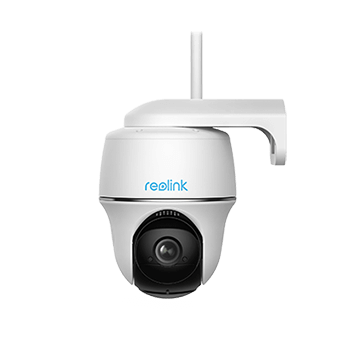
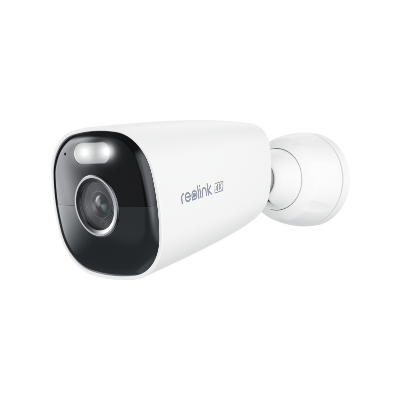
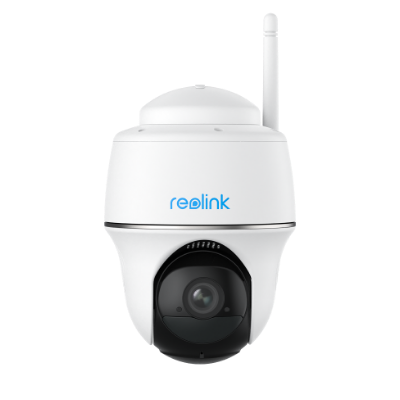
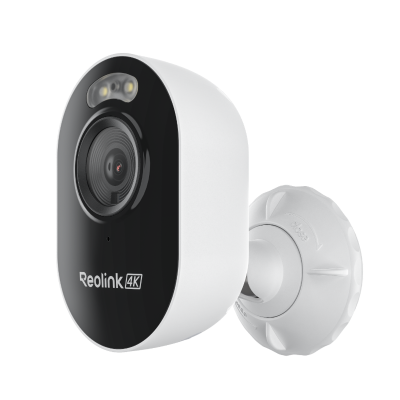
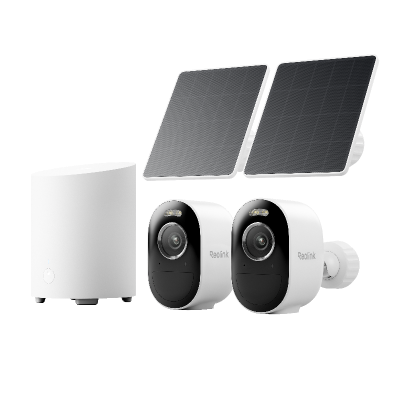
Best Alternative to Light Bulb Security Camera for Outdoor Use: Reolink Argus 4 Pro
The Reolink Argus 4 Pro’s long-lasting rechargeable battery provides a 100% wire-free, hassle-free solution for home surveillance using a Wi-Fi connection. The camera allows you to switch between 2.4GHz and 5GHz bands to optimize network performance in various scenarios.

4k 180° Wire-free Color Night Vision Camera
4K UHD 180° Blindspot-free View; Color Vision Day and Night; 30% More Battery Life; Dual-band Wi-Fi 6; Smart detection.
And you don’t have to worry about the image quality of your footage, as its 4K 8MP resolution and color night vision ensure clear and vivid footage both day and night. Additionally, this wireless security camera features on-device detection technology capable of identifying human movement and vehicles without the need for extra base stations or hub centers.
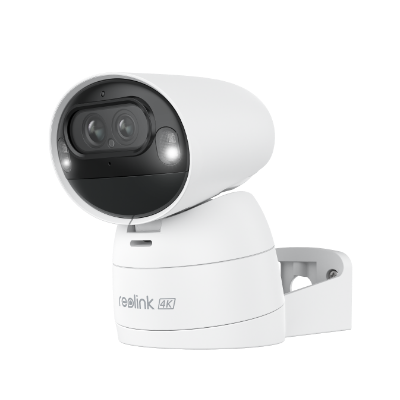
Best Alternative to Light Bulb Security Camera for Indoor Use: Reolink E1 Zoom
The Reolink E1 Zoom has earned its reputation as one of the best rotating indoor security cameras based on its wide viewing angle and sharp image quality. In addition to 355° horizontally & 50° vertically rotation, this rotating IP security camera comes with 3X optical zoom and 8MP sharp images, allowing you to see everything clearly and with great detail, day and night.

PTZ Wireless Smart Home Camera
Smart, Powerful and Affordable All-Round Home Protection. 355° Pan and 50° Tilt; 4K Ultra HD, 3X Optical Zoom, Two-Way Audio, 2.4/5 GHz WiFi, with Google Assistant Integration.
Like light bulb security cameras, E1 Zoom works on dual-band Wi-Fi 6. You can switch between 2.4GHz and 5GHz bands to access a more stable Internet connection, and the added person/animal detection function lets this camera send you real-time notifications when detecting these objects.
FAQs
Can light bulb security cameras be used outdoors?
Light bulb security cameras are suitable for outdoor use. Their pan and tilt function makes it ideal for monitoring a large and wide range. Just make sure that there’s a light socket or power source available outside and choose a product with weatherproof and waterproof ratings (IP66 or above) to ensure it can withstand harsh weather conditions, including heavy rains and extreme temperatures.
Do light bulb security cameras require a subscription?
Some do and some don’t. Most subscription plans for security cameras are related to cloud storage and the use of smartphone applications. If you do not want to pay a subscription, look for a light bulb security camera with an SD card slot and a free app.
How can I differentiate between traditional light bulbs and a light bulb camera?
Just check to see whether the light bulb has a lens or not. Traditional light bulbs only provide illumination, while light bulb cameras have lenses and can rotate in different directions.
Can light bulb cameras work without Wi-Fi?
Most light bulb cams work on Wi-Fi, but there are a few wired light bulb security cameras available on the market. These generally connect to the internet through wires. If you’re concerned about your Wi-Fi signal, look for wired light bulb security cameras.
Do light bulb cameras work when the light is off?
No. Light bulb cameras require continuous power from the light socket, so turning off the physical wall switch will cut power to the camera and stop it from working. However, the built-in light can usually be turned off through the mobile app while keeping the camera powered on, allowing it to continue monitoring and recording at night.
Conclusion
As a newly launched product, light bulb security cameras offer unique features that traditional cameras don’t have, but they also have some potential challenges that need to be solved. When choosing a light bulb security camera, there are a lot of factors to consider, including resolution, night vision and motion detection.
There are many light bulb security cameras available on the market, but the quality of lesser-known manufacturers can’t be guaranteed. If you haven’t found a reliable brand, there are some very good alternatives.
What are your thoughts about light bulb security cameras? Do you think they’re a better security solution than traditional cameras? Leave your ideas and opinions below!
Search
Subscribe for the Latest Updates
Security insights & offers right into your inbox