
How to Tell If Your Security Camera Has Been Hacked?
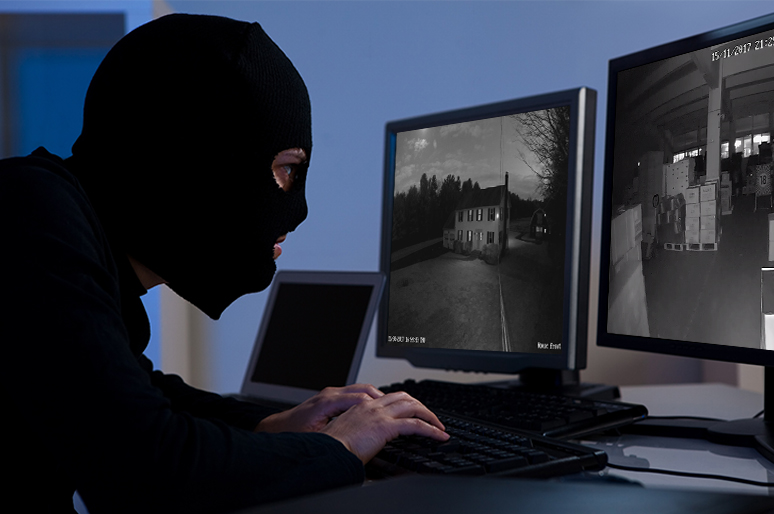
“Can hackers hack your camera?” Maybe few of you have ever considered this. However, a group of hackers have gained access to live feeds of 150,000 surveillance cameras inside companies, hospitals and so on, which sounds the alarm. In order to avoid the threat, here we will guide you how to tell if your security camera has been hacked.We will also share some tips to prevent such things from happening.
- 6 Signs Your Security Camera May Have Been Hacked
- How to Check If Your Security Camera Has Actually Been Hacked?
- What to Do Immediately If Your Security Camera Is Hacked?
- How to Prevent Security Cameras From Being Hacked?
- Can Reolink Cameras Be Hacked?
- Does Local Storage Make Security Cameras More Secure?
- FAQs
- Conclusion
6 Signs Your Security Camera May Have Been Hacked
Your IP cameras can be hacked in several ways. Lack of elementary security features, using default settings and simple passwords, and security camera hack apps all result in cameras and baby monitors, webcams getting hacked.
Pay attention to the 6 telltale signs, and check if your security camera is hacked.
1. Unknown logins/devices
Check your camera account, app, or connected-device list for unfamiliar login activity, unknown devices, or shared users you do not recognize. Unauthorized access may appear as a new device, an unexpected login notification, or an active session from a location or device you have never used.
If you notice suspicious activity, sign out unknown devices immediately and change your account password. Unknown login activity is generally a stronger warning sign of unauthorized access than physical symptoms such as unusual LED behavior.
2. Unexpected audio
Generally speaking, security cameras—such as IP cameras or baby monitors—should remain silent if you are not using the speaker or two-way audio feature. If you suddenly hear unfamiliar voices, conversations, or sounds coming from your camera, it is important to first check whether they are caused by normal functions, such as app notifications or audio settings.
However, if these possibilities can be ruled out, unexpected audio may indicate a potential security issue. In rare cases, unauthorized access could allow someone to use the camera’s microphone or speaker to listen in or transmit audio remotely. Reports and real-world incidents have shown that compromised devices can be misused in this way, including interacting through the camera or eavesdropping on private conversations, which can be concerning for users.
3. Abnormal movement
See if your security camera rotates abnormally. If your camera starts moving or changing direction while it should remain stationary, first check whether it is due to normal factors such as app control, auto tracking settings, or a device malfunction. If there are no obvious triggers—such as pets, scheduled movements, or user input—and the camera continues to pan across the room or follow motion on its own, you should be alert.
In some cases, this may indicate a potential security issue, where unauthorized access allows others to remotely control a pan-tilt camera and change its direction without your knowledge.
4. Changed settings
Check if the security settings have been changed and password has been set to default. The person hacks into your security camera may leave some information on the settings. There are some pride security camera hackers who even change the camera names to something like “Upgrade Firmware”to show off their hacking talents.
5. Unusual network traffic
A sudden or unexplained increase in network traffic can be another sign that your security camera may have been compromised. Security cameras normally use bandwidth for live viewing, cloud uploads, firmware updates, and video transmission, so some data usage is expected.
However, if your router or network-monitoring tool shows unusually high upload traffic when no one is viewing the camera or accessing recordings, investigate further. Unexpected outbound traffic combined with other warning signs, such as unknown logins or changed settings, may indicate unauthorized access.
6. Unexplained LED/activity
Unexpected LED activity can be worth investigating, but it does not necessarily mean your security camera has been hacked. Indicator lights may turn on or flash during normal activities such as recording, reconnecting to WiFi, firmware updates, motion detection, or device setup.
Check your camera's LED status guide and app activity first. If the light continues to behave unusually and you also notice unknown logins, changed settings, unexpected audio, or unauthorized camera movement, there may be a security issue that requires further investigation.
How to Check If Your Security Camera Has Actually Been Hacked?
If you notice suspicious camera behavior, use the following checks to verify whether someone has actually gained unauthorized access.
1. Check Login History in the Camera App
Open your camera app or account security page and review recent login activity. Look for unfamiliar devices, locations, IP addresses, or login times. If the platform allows it, sign out all active sessions and log back in only on trusted devices.
2. Review Shared Users and Authorized Devices
Go to the camera's sharing or device-access settings and check every user with permission to view or control the camera. Remove any account or device you do not recognize, including old phones or users who no longer need access.
3. Compare Current Settings With Your Normal Setup
Check important settings such as the camera name, recording schedule, motion zones, notification preferences, password, and remote-access options. Write down or screenshot any changes you did not make before resetting them.
4. Check the Camera's Network Usage
Use your router dashboard or network-monitoring tool to identify the camera and review its upload and download activity. Compare current traffic with normal usage and investigate sustained data transfers when nobody is live-viewing, downloading recordings, or using cloud services.
5. Inspect Devices Connected to Your Router
Log in to your router and open the connected-device or client list. Identify each device on the network and remove or block unfamiliar ones. If you cannot identify a device, change the WiFi password and reconnect only trusted devices.
6. Review Recordings, Events, and Notifications
Open the camera's event history and review recordings, motion alerts, login notifications, and device-status messages around the time you noticed suspicious activity. Look for camera movement, configuration changes, live-view activity, or events that do not match normal household activity.
7. Check for Recent Security Alerts or Firmware Issues
Visit the manufacturer's official support or security page and check whether your camera model has recent firmware updates, security advisories, or known vulnerabilities. If an update is available, install it only after preserving any evidence you may need.
A camera is more likely to have been compromised when several checks point to unauthorized access, such as an unknown login combined with changed settings or unfamiliar shared users. One isolated symptom is usually not enough to confirm a hack.
What to Do Immediately If Your Security Camera Is Hacked?
If you suspect that someone has gained unauthorized access to your security camera, act quickly to stop the access and secure both the camera and your network. Follow these steps in order:
After securing the camera, review how the unauthorized access may have occurred. Check whether you were using a default or reused password, outdated firmware, an unsecured WiFi network, unknown shared users, or unnecessary remote-access features. Addressing the original entry point can help prevent the same problem from happening again.
How to Prevent Security Cameras From Being Hacked?
Securing IP cameras against digital intrusions protects your privacy and prevents unauthorized access. Follow these operational standards to keep your security system protected:
Use a Strong, Unique Password
Replace all factory default credentials immediately. Create passwords that are at least 12–16 characters long, combining uppercase and lowercase letters, numbers, and symbols. Never reuse passwords across multiple smart home accounts or online services.
The video below shows you how to change the login password for your Reolink camera quickly. Hope it can help you.
Enable Two-Factor Authentication When Available
Turn on 2FA or multi-factor authentication (MFA) within your camera manufacturer’s app or cloud account. This requires a second form of verification—such as an authenticator app, push notification, or SMS code—preventing access even if someone steals your password.
Keep Camera Firmware Updated
Regularly check for and apply firmware updates for both your cameras and their companion mobile apps. Enable automatic updates whenever available to ensure security patches for known vulnerabilities are applied instantly.
Secure Your Wi-Fi With WPA3 or WPA2-AES
Ensure your home Wi-Fi network uses WPA3 or WPA2-AES encryption rather than outdated standards like WEP or basic WPA. Set a long, complex network passphrase to prevent unauthorized devices from connecting to your local network.
Review Shared Users and Connected Devices
Periodically audit the "Shared Access" or "Family Sharing" sections of your camera app to revoke access for former roommates or unused accounts. Regularly check your router's admin portal to verify that no unknown rogue devices are connected to your network.
Disable Unused Remote Access or Network Services
Turn off unnecessary network protocols like P2P direct connect or legacy port-forwarding on your router unless strictly required. If you need remote access to an local NVR or IP camera system, connect through an encrypted VPN instead of exposing open ports to the internet.
Use Local or Encrypted Storage When Appropriate
Choose security camera systems that offer end-to-end encryption (E2EE) for cloud streams and video storage. For maximum privacy, consider cameras that record locally to an encrypted microSD card or on-premises NVR isolated from public cloud servers.
Secure Your Router and IoT Network
Create a dedicated Guest Network or isolated VLAN specifically for smart home items and IP cameras. Keeping your cameras separate from your main computers and smartphones prevents a compromised camera from exposing your personal devices. Keep your main router’s admin password updated and its firewall active.
Can Reolink Cameras Be Hacked?
Reolink cameras are designed to be very difficult for hackers to access. Reolink uses multiple security measures—including encrypted data transmission, password protection, HTTPS, and regular firmware updates—to reduce hacking risks.

Groundbreaking 16MP Dual-Lens PoE Camera
16MP UHD, Dual-Lens, Motion Track, 180° Wide Viewing Angle, Power over Ethernet, Color Night Vision.
How Reolink Protects Camera and Video Data?
Does Local Storage Make Security Cameras More Secure?
Reolink supports Video File Encryption on compatible cameras, NVRs, and Home Hubs. When enabled, saved recordings require the correct decryption password to be accessed, even if the storage media is removed from the device. Previously encrypted recordings also remain protected after a factory reset.
These protections can significantly reduce the risk of unauthorized access, but no internet-connected security camera is completely immune to security threats. Users should still use unique passwords, keep firmware updated, secure their home network, and enable additional account protections when available.
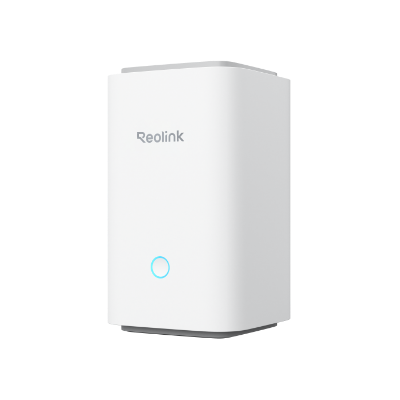
Wireless Security Center with Encrypted Local Storage and Multi-Device Management
64GB microSD Card Included; Exclusive Anti-Theft Algorithms; Expandable System Up to 8 Reolink Cams; No Monthly Fees
FAQs
Can someone access my Wi-Fi camera?
Yes, someone could potentially access a WiFi camera if they obtain your login credentials, compromise your camera account or home network, or exploit an unpatched security vulnerability. To reduce the risk, use a strong unique password, secure your WiFi with WPA3 or WPA2-AES, keep the camera firmware updated, and enable two-factor authentication when available.
Are the signs of a hacked Blink camera different?
Not significantly. Blink cameras can show many of the same warning signs as other WiFi security cameras, such as unfamiliar login activity, settings you did not change, unexpected audio, or unknown devices linked to the account. For Blink-specific troubleshooting, also review your Amazon/Blink account activity and shared device access.
Can someone hack my security camera through Wi-Fi?
Yes. If an attacker gains access to an unsecured or compromised WiFi network, they may be able to target connected security cameras or other smart devices. Using WPA3 or WPA2-AES, a strong router password, updated firmware, and a separate IoT network can help reduce the risk.
Can someone hack a security camera without the password?
Potentially. Attackers may gain access through stolen login sessions, compromised cloud accounts, vulnerable firmware, exposed network services, or an already-compromised router or device. A strong password is important, but it should be combined with updated firmware and secure network settings.
Conclusion
The security of your home and family is of the utmost importance. By following the tips outlined in this article, you can take proactive steps to prevent your security cameras from being hacked. Remember to always use strong passwords, keep your security systems up-to-date, and monitor your cameras regularly for any signs of suspicious activity.
If you have other questions or tips about how to tell if your security camera has been hacked, please share with us.
Search
Subscribe for the Latest Updates
Security insights & offers right into your inbox