
Doorbell Cameras with Local Storage: A Comprehensive Guide
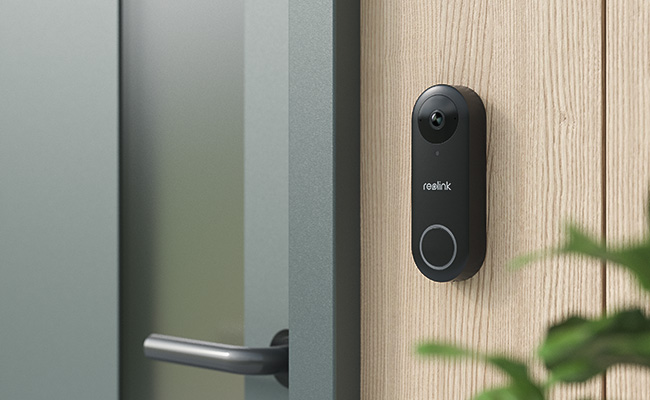
A doorbell camera with local storage records and saves footage directly to an SD card, NVR, or NAS device, with no cloud subscription required. Whether you want to avoid monthly fees, keep your footage off third-party servers, or maintain recordings during an internet outage, local storage gives you full control over what gets saved and who can access it.
This guide covers how local storage works, what to look for when choosing a doorbell, and which Reolink models support it.
- What Is a Doorbell Camera with Local Storage?
- What Are The Key Benefits of Local Storage Doorbell Cameras?
- Where to Use Doorbell Camera with Local Storage?
- Why Choose Local Storage Over Cloud Storage for Video Doorbells?
- Local Storage vs. Cloud Storage: What You Actually Save Over 5 Years
- A User's Experience on Reolink Video Doorbells
- How Much Storage Do Doorbell Cameras Actually Provide?
- What to Look For in a Local Storage Doorbell Camera
- Common Mistakes When Buying a Local Storage Doorbell Camera
- Best Doorbell Camera with Local Storage
- FAQs
- Conclusion
What Is a Doorbell Camera with Local Storage?
A video doorbell that offers an option to store video recordings in local storage is called a local storage doorbell camera. It does not need a cloud storage subscription, so you can save money. You just need to buy the doorbell camera and connect a local storage device to it.
Common Local Storage Options
There are three main local storage options for doorbell cameras.
-
SD Cards: Video doorbell cameras have a built-in microSD card slot. You can insert your card into it, and it will start storing your videos. It is the simplest way of storing doorbell camera videos in local storage, usually supporting up to 256GB. A doorbell camera with SD card storage is the easiest entry point for local storage.
-
Hard Drive Storage (via NVR): If you want to save continuous recordings or use multiple cameras, an NVR is a better option. You need an NVR to connect a hard drive, which can offer 2TB to 16TB of storage. It is ideal for long-term use and future scalability. It is also the best wired doorbell camera with local storage option for users who want 24/7 recording.
-
Network Attached Storage (NAS): For a fully self-hosted doorbell camera setup, NAS storage paired with an RTSP-compatible doorbell lets you keep footage entirely within your own network with no third-party servers involved. NAS offers advanced features like encryption and high performance. It is scalable but requires compatibility with your doorbell camera and is generally more expensive than other options.
What Are The Key Benefits of Local Storage Doorbell Cameras?

- Money-saving: The obvious benefit of a local storage doorbell camera is money-saving. You don't need to pay a recurring fee.
- Complete control and privacy: When storing data on local storage, you have complete control over it. You can save as many videos as you want and delete recordings whenever needed. You can implement security measures to protect data and you are also sure about your privacy.
- Works without internet: The recordings are directly stored in the local storage. It does not need internet. Even if your Wi-Fi is not working, the videos will be there. You can see them later.
- Scalable storage: You can scale the size of the storage according to your needs. If there are multiple cameras, you can use HDDs.
Where to Use Doorbell Camera with Local Storage?
- Homes and Apartments – Monitor entrances while avoiding monthly fees
- Rental Properties – Manage access without relying on shared cloud accounts
- Offices and Small Businesses – Secure entry points with full control over footage
- Areas with Unstable Internet – Ensure recording continues even without Wi-Fi
- Privacy-Sensitive Locations – Keep data stored locally for better security and control
Why Choose Local Storage Over Cloud Storage for Video Doorbells?
Both storage options have their own pros and cons, and it depends on your preferences which one to choose.
If you don't want to pay a recurring fee and have complete control over your data, you should go with local storage. You can either install a microSD card or store videos on NVR or server. It does not need the internet to store videos and offers more privacy. However, it stores data on a physical storage device, which can malfunction or fail.
If you can't bear the loss of videos due to the failure of physical storage, you should go with cloud storage. It instantly stores videos in the cloud, and even if the doorbell is tampered with or stolen, you still have videos at instant access. You can view videos from any location. For these special features, you need to pay a monthly fee, and there are concerns related to privacy. A stable internet connection is mandatory for cloud storage.
Local Storage vs. Cloud Storage: What You Actually Save Over 5 Years

Local storage and cloud storage each suit different households. The choice comes down to three things:
- How much you are willing to pay long-term
- How important data privacy is to
you - and how reliable your internet connection is at the install point.
A no-subscription doorbell camera just costs what you pay for it. Cloud subscription plans for doorbell cameras typically range from $5–10 per month, adding $300–600 to the total cost over five years.
Cloud storage has real advantages worth acknowledging: if a doorbell is stolen or damaged, cloud-stored footage is still accessible. Subscription plans also tend to include more advanced AI features on some tiers. For users who want off-site backup or professional monitoring, a hybrid approach (local storage as primary, cloud as backup) may be worth considering.
A User's Experience on Reolink Video Doorbells

Video doorbell cameras are an important tool to establishing home security and Reolink understands that fully. In the screenshot above, a user shares their experience transitioning to the Reolink Wi-Fi Doorbell after four years of using a subscription video doorbell camera. While acknowledging that the subscription video doorbell delivers some of the best video quality available, the user was driven to switch in order to eliminate a $16/month 24/7 cloud recording subscription and fully utilize their local NAS and Blue Iris NVR setup instead. Ultimately, they found that for anyone specifically seeking a smart video doorbell equipped with RTSP/RTMP support and seamless Home Assistant integration, the Reolink video doorbell offers unmatched image quality. They conclude that it is an excellent hardware option that could reach near-perfection with just a few additional video control settings and firmware updates.
How Much Storage Do Doorbell Cameras Actually Provide?
A 256GB microSD card holds roughly 6-10 weeks of motion-triggered clips at 2K resolution for a typical front door. At 4K continuous recording, that same card fills in around 8–12 hours, so resolution and recording mode matter as much as card size.
Most doorbell cameras default to motion-triggered recording, which is far more storage-efficient than continuous recording. Here is a quick guide on how common card sizes compare:
For longer-term storage, an NVR (2TB to 16TB) is the practical solution. It is particularly
useful if you are running multiple cameras alongside the doorbell.
What happens when storage space fills up for doorbell cameras?
Most doorbell cameras automatically overwrite the oldest footage when the storage device is full. This means you always have recent recordings, but footage older than the capacity window is not retained. If preserving footage long-term matters, an NVR with a large hard drive is the better choice.
What to Look For in a Local Storage Doorbell Camera
The most important factors are resolution (2K minimum for front-door face recognition), night vision type, motion detection accuracy, power source, and which storage formats the doorbell supports. A doorbell that only supports SD cards limits your future options; look for models that also support NVR or a home hub.
Video Resolution
Higher resolution means more detail but it also means larger file sizes and faster storage consumption.
- 1080p: Adequate for general monitoring but limited for identifying faces or license plates at a front door.
- 2K (2560×1440): The practical standard for doorbell cameras. Clear enough to identify visitors, with manageable file sizes for SD card storage.
- 4K (3840×2160): Maximum detail, but consumes storage roughly four times faster than 1080p. Best suited for NVR-based setups.
Pro Tip: Higher resolution requires more storage capacity. For SD card setups, 2K
offers the best balance of image quality and storage efficiency.
Night Vision
The type of night vision determines how useful your camera is after dark and whether it tips off a visitor that they are being recorded.
- Infrared (IR) night vision: Works in complete darkness. Footage is black and white. IR light is invisible, so the camera operates discreetly.
- Color night vision: Uses ambient light sensors to produce full-color footage in low-light conditions. Requires some ambient light (streetlights, porch lights) to work effectively.
- Spotlight night vision: Activates a built-in light when motion is detected. Clearest color footage, but alerts visitors that the camera is active.
Motion Detection and AI Alerts
Basic motion detection can trigger dozens of false alerts per day from passing cars, animals, or shifting light. AI-powered detection filters these by identifying specific object types.
- Basic PIR (passive infrared) detection: Triggers on heat and movement but can be prone to high false-alert rate in busy environments.
- AI person/vehicle detection: Only alerts you when there is something specific detected, which significantly reduces false positives.
- Customizable detection zones: Define which areas trigger alerts. Useful for excluding a busy road or a neighbour’s property from motion events.
Power Source: Wired vs. Battery
How the doorbell is powered determines where it can be installed and how much ongoing maintenance it needs.
- Battery-powered: No wiring required. Mounts anywhere. Requires periodic charging, typically every 3–6 months under normal use, though cold climates and high-activity locations reduce this significantly.
- Wired (PoE): Connects only via Ethernet which is ideal for 24/7 continuous recording. Draws both power and data through a single PoE cable.
- Wired (existing doorbell wiring): Uses your home’s existing low-voltage wiring for power.
Storage Compatibility
Not all doorbells support all storage types. Confirm which formats are supported before purchasing.
- MicroSD slot: Check the maximum supported card size (commonly 128GB or 256GB) and required card speed class (Class 10 / U3 for reliable continuous-write performance).
- NVR compatibility: If you plan to expand to multiple cameras or want continuous 24/7 recording, NVR compatibility is important. Not all doorbell cameras can connect to an NVR.
- Home Hub / centralized storage: Some systems use a home hub as a local storage hub, supporting multiple cameras without dedicated NVR hardware.
Common Mistakes When Buying a Local Storage Doorbell Camera
Based on our extensive experience in the consumer surveillance industry, here are five common mistakes consumers often make and simple ways to prevent them from happening.
Misjudging storage capacity at high resolution.
Many buyers assume a high-capacity card is “more than enough” without considering how quickly their camera actually uses storage. With continuous 4K recording, that space can be eaten up in hours.
Solution: Check your doorbell camera’s default recording mode. Most models record only in motion-triggered clips, which is far more storage‑efficient, so you can size your storage more accurately.
Using the wrong SD card speed class
SD cards have different classes which are designed to serve different purposes. Buyers buying SD cards below Class 10 / U3 write speed tend to feedback corrupted footage or dropped recordings under continuous write conditions.
Solution: Look specifically for ‘Endurance’ series cards. They are designed for constant overwrite cycles, unlike standard cards optimized for occasional photo storage.
Installing in a Wi-Fi dead zone without testing first
Many household members mount their doorbell cameras far from a router, or through multiple walls. This might cause weak signals that lead to recording gaps or delayed motion alerts.
Solution: Test the signal strength at the exact mounting location with your phone before drilling.
Skipping the wiring compatibility check for hardwired models.
Wired doorbell cameras require a transformer rated at 16–24V AC and might not work by default for homes built before 1990 as they often have lower-voltage or incompatible wiring.
Solution: This is an easy fix, which is to upgrade the transformer transformer upgrade. It is can be inexpensive but only if you catch the problem before installation.
Assuming 'no subscription' means all features are included
Some doorbells marketed as subscription-free still lock person detection, package alerts, or AI recognition behind a paid cloud plan.
Solution: Make sure to read the free-tier feature matrix specifically to see if there are any important feature hidden behind a paywall.
Best Doorbell Camera with Local Storage
Reolink Video Doorbell (Battery)

If you are looking for a wireless video doorbell with local storage, consider the Reolink Battery Doorbell. This wire-free model features a 7000mAh rechargeable battery, providing long-lasting power. It captures a full head-to-toe view for comprehensive front-door surveillance. It also supports local storage via a MicroSD card of up to 256GB and can connect to the Reolink Home Hub for encrypted storage with up to two 512GB MicroSD cards. This has opened doors to central management and expanded storage capacity for many of our users.
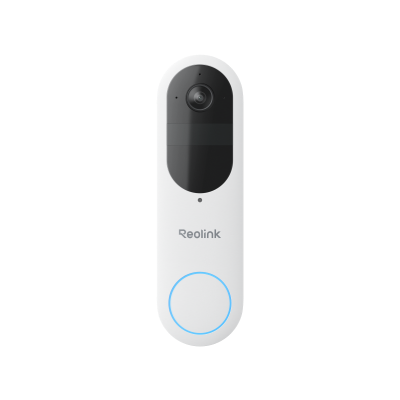
Smart 2K Dual-Band Wi-Fi Battery Doorbell
2K 4MP Head-to-Toe View; Person/Vehicle/Package Detection; Works with Reolink Home Hub & Wi-Fi NVR; 5/2.4GHz Dual-Band Wi-Fi.
Reolink Video Doorbell (PoE)

The PoE Doorbell is the strongest choice for users who want uninterrupted 24/7 recording. It draws power and data through a single Ethernet cable, so there are no batteries to charge and no Wi-Fi dead zones to worry about, making it the most reliable wired doorbell camera with local storage in Reolink’s lineup.
It supports three local storage options: a microSD card for standalone use, an FTP server for self-hosted setups, and a Reolink NVR for centralized storage across multiple cameras. The NVR connection is particularly useful if you are running additional outdoor cameras alongside the doorbell. It captures 2K+ resolution and uses IR LEDs for clear night footage.
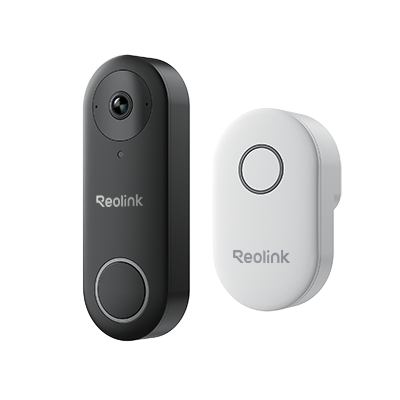
Smart 5MP Video Doorbell with Chime
5MP Super HD, Person Detection, Power over Ethernet, 180° Diagonal Viewing Angle, Two-Way Audio, High-Quality Night Vision.
Reolink Video Doorbell (Wi-Fi)

The Wi-Fi Doorbell uses your home’s existing doorbell wiring for power but connects wirelessly. No need for an ethernet cable. It uses dual-band Wi-Fi to maintain a stable connection and stores footage on a microSD card, FTP server, or Reolink NVR.
It also captures 2K+ resolution video with built-in two-way audio for direct communication with visitors. At night, it switches to black-and-white IR footage. Motion detection is paired with person/vehicle AI detection to reduce false positives.
Smart 5MP Video Doorbell with Chime
5MP Super HD Day & Night, Person Detection, 2.4/5 GHz Dual-Band WiFi, 180° Diagonal Viewing Angle, Two-Way Audio, Rich Notification.
Which Reolink Doorbell Fits Your Setup?
The right model depends on your home’s wiring and how you plan to store footage. Here are a few simple ways to tell:
All three support microSD card storage and are compatible with Reolink NVR for expanded
capacity.
Pro Tip: If you're planning to run two or more Reolink security camera products, the Reolink Home Hub centralizes storage across multiple devices using up to two 512GB microSD cards with no NVR hardware required.
FAQs
How much storage do doorbell cameras provide?
A 256GB microSD card holds roughly 6-10 weeks of motion-triggered clips at 2K resolution for a typical front door. At 4K continuous recording, the same card fills in around 4 days. Most doorbell cameras default to motion-triggered recording, which is far more storage-efficient. For long-term storage, connecting to an NVR with a 2TB+ hard drive removes the capacity constraint entirely.
Do video doorbells store footage locally?
Yes. Many video doorbells support local storage via a microSD card, NVR, or NAS device. Not all models include this so do confirm local storage is listed in the specs before purchasing. All Reolink video doorbells support local storage across the full lineup, with microSD card slots and NVR compatibility on all three doorbell models.
Does a local storage doorbell camera work without internet?
Yes. Local storage doorbell cameras write footage directly to the storage device, independent of internet connectivity. A Wi-Fi outage will not create a gap in recordings. Note that remote viewing via the app and push notifications do require an internet connection. Only the recording function is offline-capable.
Is local storage more private than cloud storage?
Yes, in practice. Footage stored locally never leaves your property and is not processed on any third-party server. Cloud-stored footage is uploaded to and held on the provider’s infrastructure. For users who want no third-party access to their footage, local storage is the only option that fully delivers this.
Which video doorbell has free local storage?
Reolink video doorbells offer free local storage with microSD cards and are compatible with Reolink NVR and Home Hub. There is no subscription required for any local storage functionality.
Conclusion
A local storage doorbell camera is the practical choice for homeowners who want zero monthly fees, full data privacy, and recordings that survive an internet outage.
The right model depends on your setup: the Battery Doorbell for wire-free flexibility, the PoE Doorbell for continuous 24/7 recording, or the Wi-Fi Doorbell if you have existing wiring and prefer a wireless connection. If you are still deciding between storage options, the quick guide on storage above narrows it down by use case.
Still have questions? Feel free to ask below on the comments section.
Search
Subscribe for the Latest Updates
Security insights & offers right into your inbox