
Cat6 vs. Cat7: Which Ethernet Cable Should You Choose?
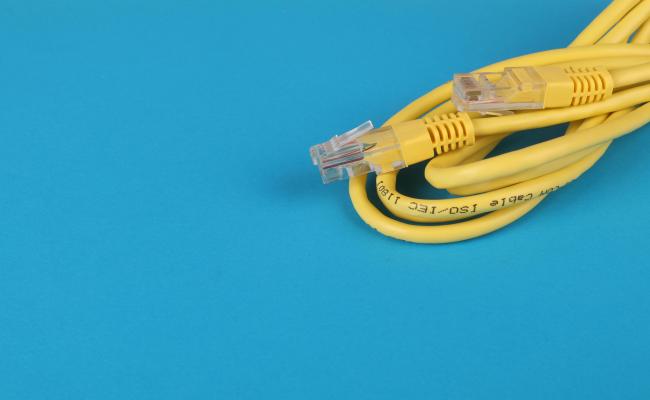
Choosing the correct Ethernet cable is not a matter of making a fast choice. The cable that links your computer to the router, the walls that keep the signal neater, and the connectors that rest on rack shelves are all factors that make your network feel fast and reliable.
With the numerous types available that carry the name Cat6 vs Cat7, each of them has its advantages and disadvantages. Knowing the difference between Cat 6 and Cat 7 can help you select the most appropriate cable, whether it be a basic home network or a crowded data-center floor.
Cat6 vs. Cat7: Understanding the Basics
Before jumping into numbers, it helps to know what the labels mean. Cat stands for Category, a naming practice by the TIA‑EIA and ANSI/TIA societies that dictates how many copper conductors a cable has.
What is Cat6?
The term Cat 6 was introduced in the 2002 TIA-568-B standard, and is a short name for Category 6. The typical cable has four copper wire pairs. Each two-strand twist is in a closer pattern than older varieties. The closer twisting minimizes crosstalk, a type of interference capable of corrupting a signal on one pair with that on another.
The majority of Cat 6 cables are UTP (unshielded twisted pair), although some products include an additional thin shield around the outer jacket. Due to these characteristics, the cable is able to drive 1 Gbps the entire 100 feet (30 meters) and 10 Gbps approximately 55 feet (17 meters).
What is Cat7?
Cat 7, expressed as Category 7, was defined at the same time as Cat 6, but goes a step further. Almost all Cat 7 cables are FTP (foil‑tied pair) or S/FTP (shielded and foil‑tied). In a Cat 7 cable, each twisted pair sits inside its own thin copper foil shield. The whole cable has another blanket shield around all four pairs. Because of these layers of shielding, the cable can deliver 10 Gbps over the full 100 feet and even reach 40 Gbps over 30 feet if the right connectors are used. The construction makes the cable less susceptible to oven‑like noise inside the walls.
Cat7 vs. Cat6: What’s the Difference?
The choice between the two isn’t a simple question of “faster or slower.” Each cable addresses multiple criteria, from speed to budget, that a network designer must weigh. The following is the difference between Cat6 and Cat7:
Speed and bandwidth
Cat6 speed can handle 10 Gbps, but only until the cable reaches about 55 feet. Past that distance, the cable slips back into 1 Gbps territory. Cat7 speed keeps the high speed intact over the entire 100 feet. For most home routers and office switches that already sit well below 10 Gbps, Cat 6’s speed is enough. For servers that might move past 55 feet or future‑proof gear, Cat 7 stands out.
Frequency
The frequency of a cable tells you how many signal waves it can carry. Cat 6 works up to 250 MHz; Cat 7 pushes that to 600 MHz or more. A higher frequency allows the cable to keep signal integrity when many packets race together at high speed.
Shielding
Cat 6’s UTP design leaves each pair exposed; EMI from nearby power cables or other network wires can leak into the data. Cat 7’s double shield blocks most of that noise. In places where many machines sit together, such as a server rack, or where big motors run, the extra shielding keeps packets from garbling.
Material and durability
Creating the extra foil around each pair and the outer shield makes Cat 7 and heavier. The extra insulation also raises the cost and makes the cable a bit less flexible. Complicated construction means installation tools and connectors must match.
Cost
If you price the cable per foot, Cat 6 usually costs about $0.50 to $1.00. A Cat 7 cable can cost $2.00 to $3.50 per foot. That difference is visible on a long cable. Installation also costs more for Cat 7 because the connectors are larger, and more precise termination tools are required.
Cat5 vs. Cat6 vs. Cat7 vs. Cat8: Comparison Table
To see how the different categories stack up side by side, the table below lists the key factors that affect most people’s decisions.
Cat 6 vs. Cat 7: Where to Use?
Knowing the application helps narrow down which cable is worth buying. A cable that looks great in the showroom may still feel too awkward in a cramped office closet.
Where to use Cat 6?
- Home networks with a set of PCs, a smart TV, a gaming console, several security cameras, and a Wi‑Fi router. Most of those devices do not push more than the 1 Gbps ceiling that Cat 6 can deliver over 100 feet.
- Small‑business offices that run a 1 Gbps switch or duplicate the home setup. The cable is cheap enough for a room full of desks.
- Short cable runs that stay well within the 55‑foot sweet‑spot. An Ethernet cable that bypasses a wall, from a wall plate to a floor‑standing router, typically stays under 30 feet.

4K Dual-Lens PTZ Camera with Dual Tracking
4K 8MP Ultra HD, Wide & Telephoto Lenses, Pan & Tilt, Auto-Tracking, Person/Vehicle Detection, Power over Ethernet, Two-Way Audio.
Where to use Cat 7?
- Data centers or server rooms that house thick racks of servers, switches, and storage panels.
- Industrial buildings that host heavy equipment such as compressors, generators, or CNC machines.
- High‑performance workstations that process large video files or run real‑time simulations.
Cat7 vs. Cat6: Pros and Cons
When deciding, it pays to write the benefits and drawbacks side by side. The list below uses simple bullet markers for quick reference.
Cat7 cables: pros and cons
Pros:
- 10 Gbps over 100 feet keeps speed constant, no matter the distance.
- Thick double shielding cuts down on interference from power lines and neighboring cables.
- Future‑proof: as new standards push toward 20 Gbps or more, Cat 7 still offers a solid foundation.
- Reliable when installed in cable ducts next to heavy metal machinery or large transformers.
Cons:
- The price rises sharply, about $2–$3 for every foot you buy.
- The cable is stiffer, making it difficult to pull through tight corners or old conduits.
- Requires special connectors (often RJ45 but with additional metal inserts) and tools to terminate correctly..
- Overkill for networks that stay below 1 Gbps for most of the equipment, leading to wasted money for no real gain.
Cat6 cables: pros and cons
Pros:
- Lower cost, making it feasible for large installations in homes or long‑running office walls.
- Standard RJ45 connectors meet most consumer routers, switches, and wall plates.
- Sufficient for 1 Gbps speed that covers streaming, office applications, and online gaming.
- Easy to handle, thin, and flexible in cramped spaces or older wiring systems.
Cons:
- Drops to 1 Gbps when the distance goes beyond 55 feet, and the cable must carry 10 Gbps.
- Without shielding, it is more vulnerable to crosstalk in dense cable bundles or noisy environments.
- Future‑proofing is limited if the network will grow to 10 Gbps in a decade; a second upgrade may be necessary.
- In a data center, many Cat 6 cables bump into each other and risk interference that the shielding of Cat 7 was meant to solve.
Cat6 or Cat7: Which to Choose?
Choosing depends on a mix of present needs and future hopes. Use the steps below to decide:
- Ask yourself what devices you already own. If every router, switch, and PC supports 1 Gbps, a Cat 6 cable is no problem.
- Measure the planned distance between devices. If the longest run you foresee is under 55 ft, both Cat 6 and Cat 7 will keep 10 Gbps. If you plan to install a room‑to‑room switch beyond 55 ft, consider Cat 7 or Cat 6a.
- Consider the environment. In a house, noise and power lines are minimal. In an industrial plant, high EMI is common.
- Plan for the future. Knowing how many switches or servers you might add in five to ten years helps. The cheaper route might swing to Cat 6 now, but require a costly second upgrade later.
- Budget all of it. Add the cost of cabling, connectors, patch panels, and labor. Cat 6 often saves a few dollars per foot, but a badly installed Cat 7 can waste ten times that.
FAQs
Is Cat7 overkill for home use?
When a typical home setup uses a router that delivers 1 Gbps and a few PCs that only need that speed, Cat 7 looks more expensive than it is. Cat 7 brings 10 Gbps capability, which far surpasses what a home network can handle.
Should I use Cat6 or Cat7?
If your network is fixed at 1 Gbps and you want an inexpensive cable that is easy to pull through walls, go with Cat 6. If you already have a 10 Gbps switch, anticipate adding a second or third server, or operate in a high‑noise area, Cat 7 is more reliable.
What are the disadvantages of Cat7?
The biggest drawback of Cat 7 is its cost. Each foot can be twice as expensive as Cat 6, and that price adds up in the long run. The cable is thicker and less flexible, making installers spend extra time pulling it through tight spaces.
Is Cat7 overkill for gaming?
Online gaming rarely uses more than a couple of megabits per second for packet transmission. Even when you stream voice or use a multi‑screen gaming machine, 1 Gbps is usually enough.
Conclusion
The Cat6 vs Cat7 issue is reduced to the amount of data you require to transfer, the distance over which the data will travel, the level of noise in the wiring environment, and how much you can afford to spend.
In the comments below, tell us which type of cable, Cat 6 or Cat 7, you found worked best, or suggest alternatives that you have seen that suit specific applications.
Search
Subscribe for the Latest Updates
Security insights & offers right into your inbox