
Cat5e vs. Cat6 : What's the Difference and Which Should You Choose?
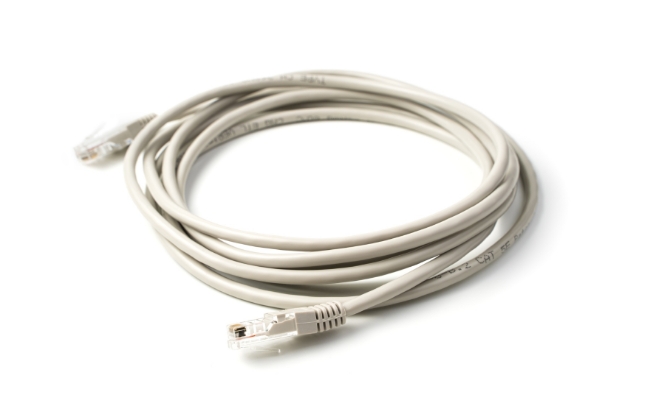
Ethernet cable choice shapes the real‑world speed, reliability, and future readiness of every wired network. Two names dominate most purchase decisions — Cat5e and Cat6. This article explains the difference between Cat5e and Cat6, describes how they work, compares their strengths and limits, and helps you decide which standard meets your needs. By the end, you will know the main difference between Cat5e vs Cat6 speed and when each makes sense.
Cat5e vs. Cat6 : What Are They?
A brief note before we dive in: Ethernet categories form a ladder of performance. Each rung raises the allowed bandwidth and lowers the noise. Cat5e and Cat6 sit on two close rungs that now power a vast share of offices, factories, homes, and data centers.
What is Cat5e?
Cat5e or Category 5 enhanced is an upgraded version of the Cat5 standard that emerged at the end of the 90s. It employs four twists pairs of copper conductors, which are 24AWG (typically), and has a maximum bandwidth of 100 MHz.
When installed to specification, Cat5e supports Ethernet (Gigabit Ethernet) up to 1 Gbps out to 100 m (328 ft). The e in the name indicates that the cable has to pass more restrictive levels of crosstalk than simple Cat5, further constituting fewer retransmissions and clean data signals. Cat5e continues to prevail over most of the installed networks due to its low cost, simple termination, and compatibility with lower speed equipment.
What is Cat6?
Cat6, or Category 6, follows the same four‑pair copper structure but raises the performance bar. It doubles usable bandwidth to 250 MHz, uses tighter twists, and often adds a central plastic spline or separator that keeps pairs apart. These upgrades cut down alien crosstalk and allow higher signal‑to‑noise ratios.
Under standard conditions, Cat6 carries 10 Gbps Ethernet up to 55 m (180 ft), and 1 Gbps up to the full 100 m. Many installers choose Cat6 in new builds to give headroom for future speed bumps and newer Power over Ethernet (PoE) loads that draw more current.
Cat6 vs. Cat5e : Key Differences
Cat 5e vs Cat 6 look alike and even share RJ‑45 plugs, yet deep differences matter when performance and resilience count.
Bandwidth
Bandwidth is the range of frequencies the cable passes without high loss. Cat5e handles signals up to 100 MHz. Cat6 lifts that ceiling to 250 MHz. The extra headroom lets Cat6 support advanced encoding methods and higher data rates at the same error margin.
Speed
Cat5e vs Cat6 speed often dominates buying debates. Cat5e tops out at 1 Gbps through the full 100 m channel. Cat6 reaches 10 Gbps, though only to 55 m before attenuation and crosstalk break the standard. If the run is short, Cat6 can unlock ten times more throughput. On long runs, both reach the same gigabit speed.
Crosstalk
Crosstalk is an unwanted signal bleed from one wire pair into another. Cat5e tightens pair twists compared with Cat5 and meets near‑end crosstalk (NEXT) and equal level far-end crosstalk (ELFEXT) limits that keep gigabit links solid. Cat6 goes further: pair twists are tighter still, spacing is better, and the cable often contains a longitudinal separator. These elements cut crosstalk across a wider frequency band, which is why Cat6 can run at 250 MHz without heavy errors.
Maximum Length
For gigabit, both standards allow 90 m of horizontal cable plus 10 m of patch cords. For 10 Gbps, Cat5e is not certified. Cat6 covers 10 Gbps to 55 m. If you need full 100 m at 10 Gbps, you must step up to Cat6A (augmented) or higher.
Visual Colors
No rule forces a color, but stock practice exists. Many suppliers ship Cat5e in blue, gray, or yellow jackets, while Cat6 often comes in green, orange, or white. Yet color alone never proves a category. Always check the printed legend on the jacket, which lists “Cat5e” or “Cat6” plus performance ratings.
Cat5e vs. Cat6 vs. Cat7 : Comparison Table
Before we weigh pros and cons, the table below places Cat5e and Cat6 next to Cat7, a higher grade that some planners consider for high‑density or noise‑sensitive installs.
*Cost index uses Cat5e as baseline; actual prices shift by market and volume.
Cat6 vs. Cat5e : Pros and Cons
Translating numbers into real‑world gains calls for a clear look at strengths and trade‑offs.
Cat6 : pros and cons
Pros:
- Higher bandwidth and lower noise allow 10 Gbps on short runs.
- Better crosstalk control supports high‑power PoE with less heat rise.
- Extra headroom means fewer retransmissions even on gigabit equipment.
- Adds marginal cost to new builds but protects wiring for future upgrades.
Cons:
- Cable is thicker and less flexible, which raises fill ratios in cable trays and makes tight bends harder.
- Connectors and patch panels must also be Cat6‑rated, adding cost.
- The 10 Gbps distance limit of 55 m is easy to exceed in large floors without extra switches.
- For pure gigabit needs, performance gain may not justify the price jump.
Cat5e : pros and cons
Pros:
- Lower cost per foot than Cat6 in most regions.
- Thinner jacket eases installation in crowded conduits and makes patch cords more flexible.
- Fully supports gigabit up to 100 m, which meets many small‑business and home demands.
- Works with nearly all existing RJ‑45 hardware without issue.
Cons:
- Cannot support 10 Gbps under current standards, limiting future upgrades.
- Higher crosstalk margin leads to slower error recovery on noisy runs.
- Provides less power headroom for upcoming PoE++ devices such as pan‑tilt‑zoom (PTZ) cameras or LED lighting.
- Vendors may phase out Cat5e parts as the market shifts to Cat6 and Cat6A, leading to supply gaps.

4K Dual-Lens PTZ Camera with Dual Tracking
4K 8MP Ultra HD, Wide & Telephoto Lenses, Pan & Tilt, Auto-Tracking, Person/Vehicle Detection, Power over Ethernet, Two-Way Audio.
Cat5e or Cat6 : Which Should You Choose?
No single answer fits every case. Evaluate run length, desired throughput, device power needs, budget, and time horizon.
Where to use Cat5e?
Say you’re wiring a house for internet and Netflix. Cat5e handles it all without breaking the bank. It’s practical for casual use. Cat5e fits these situations:
- Legacy buildings where conduits are narrow and cannot accept thicker Cat6 jackets without costly rework.
- Short‑term rentals or tenant improvements are scheduled for new cabling within five years.
- Low‑bandwidth endpoints such as badge readers, simple VoIP handsets, or 100 Mbps printers.
- Basic security cameras that record at 1080p and draw less than 15 W of PoE power.
Where to use Cat6?
For security cameras, Cat5e is usually enough. But if you have high-quality cameras—like 4K ones sending tons of data—Cat6 keeps it smooth. In a large building with heavy traffic, Cat6 stays strong. Cat6 works better here:
- New construction where pulling cable once saves future labor. Installing Cat6 today avoids ceiling cuts later when 10 Gbps becomes the norm.
- Wi‑Fi 6 and Wi‑Fi 7 access points. Many units ship with 2.5 Gbps or 5 Gbps uplinks that need a Cat6 bandwidth margin to sustain top speed.
- Creative studios and small data centers that pass large files between servers and workstations located in the same room.
- Security cameras that stream 4K or use advanced analytics, and thus need higher PoE classes or multi‑gig uplinks. Cat6 supplies both power and bandwidth with a comfortable margin.
- High‑current PoE loads like smart TVs, PoE lighting grids, or pan‑tilt‑zoom cameras that approach 60 W draw.
FAQs
Is Cat5e better than Cat6?
Better depends on the metric. Cat5e costs less and flexes more, but Cat6 moves data faster, fights noise harder, and prepares the network for 10 Gbps over moderate distances. For performance per dollar on future‑proof jobs, Cat6 often wins.
Is it worth replacing Cat5e with Cat6?
If the existing Cat5e plant meets gigabit needs and shows no errors, replacement brings limited near‑term gain. Yet if upcoming upgrades include Wi‑Fi 6, multi‑gig switches, high‑power PoE lighting, or 4K IP cameras, swapping to Cat6 during remodeling prevents repeat labor later.
Is Cat5e good enough for 4K?
Streaming a single 4K video feed at 25–30 Mbps sits well below 1 Gbps, so Cat5e handles it. The real limit rises when many 4K streams or high‑bit‑rate RAW footage share the same pipe. Studios that pull uncompressed 4K or multi‑gig NDI streams benefit from Cat6.
Do I need Cat6 at home?
Homes that only surf the web or stream standard 4K media over Wi‑Fi can stay on Cat5e. But if you run a home lab, use 2.5 Gbps‑capable routers, back up large files to a NAS, or wire Wi‑Fi 6E access points, Cat6 gives long‑term value at minimal added cost per drop.
Conclusion
Choosing between Cat5e and Cat6 calls for clear eyes on present and future demands. Cat5e vs Cat6 boils down to a cost‑versus‑headroom trade‑off. Cat5e delivers reliable 1 Gbps over 100 m at the lowest price and simplest installation. Cat6 brings wider bandwidth, cuts noise, and opens the door to 10 Gbps on short runs while powering more demanding PoE devices.
Now that you understand the main difference between Cat5e and Cat6, share your own experiences below.
Search
Subscribe for the Latest Updates
Security insights & offers right into your inbox