
8K Security Camera: 2026 Full Guide
An 8K security camera sits at the very top of the resolution ladder, with a price and storage bill to match. It's also easy to confuse with an "8MP" camera, a term that shows up constantly in product listings but describes something closer to 4K-class resolution, not true 8K.
The best 8K security camera for a stadium or airport is rarely the right answer for a home or small business, and the price tag tells you why fast. This guide covers what 8K actually is, where it earns its cost, why the industry hasn't built dedicated 8K cameras for households and small offices, and which real, buyable alternatives get you close to that detail without the storage bill.
- What is an 8K Security Camera
- Where 8K Security Cameras Are Actually Used Today
- 8K vs. 4K vs. 1080p: What the Resolution Actually Buys You
- Why 8K Is Too Much for Homes and Small Businesses
- Best Reolink Cameras Closest to 8K Without The 8K Price Tag
- Common Mistakes When Chasing Higher Resolution
- Which Alternative Camera Fits Your Situation
- FAQs
- Conclusion
What is an 8K Security Camera
8K security camera is a kind of security camera that records videos in very high quality with a resolution of 7680 pixels by 4320 pixels, the same 8K UHD resolution formally defined by the ITU-R BT.2020 broadcast standard. It is four times the resolution of 4K and sixteen times that of Full HD, giving unbelievable sharpness.
8K security cameras can capture the finer details even when the target is zoomed in and are, therefore, useful in covering large spaces such as airports, parking lots, and stadiums. Nevertheless, 8K security cameras are costly, require ample storage space, and incur a higher processing load.
Therefore, they are not popular in the home market segment. They are more commonly used in Business and Industry uses and services.
Where 8K Security Cameras Are Actually Used Today
8K security cameras show up almost exclusively in large-scale institutional surveillance. Common places that use 8K surveillance cameras include airports, stadiums, parking structures, and public squares. These are usually places managed by large enterprises where the enormous file size and cost are worth it for a security team covering wide areas at long distances.
Airports
Airports move thousands of people through the same terminal every day, and security staff often need to make out one face or one unattended bag from cameras mounted well back from check-in counters, security lines, and boarding gates. That's exactly where 8K thrives as there's enough resolution left after zooming in to tell what you're looking at, which is harder to guarantee at the scale of a busy terminal.
Parking Lots
Commercial parking lots spread out over a lot of ground, and the cameras covering them usually sit far from any single vehicle. This is exactly where theft, vandalism, and accidents tend to happen. The extra resolution can ensure that license plates and vehicle details stay legible even from a camera mounted well away from the car, which matters for post-incident review and reports to law enforcement.
Public Squares
Public squares draw large, shifting crowds all the time, and a security team usually only has a handful of camera positions to cover the whole space. 8K makes those few cameras count for more, since one camera can cover more ground without losing usable detail on any single person in the crowd.
Stadiums
Stadiums tend to have massive crowds and can be incredibly spacious, which makes distance monitoring a challenging matter. With an 8K security camera, security staff can distinguish individuals even in the upper rows of seating, which is a genuine, specific advantage at that scale.
8K vs. 4K vs. 1080p: What the Resolution Actually Buys You
Here's the tradeoff in real numbers, not adjectives.
As mentioned, the jump from 4K to 8K is a four-times increase in raw pixel data, which is why the storage and bandwidth columns grow so much faster than the resolution number alone suggests. For most home and small-business setups, that jump buys detail nobody actually needs to see.
Why 8K Is Too Much for Homes and Small Businesses
8K stays rare outside large institutional deployments for one plain reason. The resolution outpaces what most storage, bandwidth, and viewing setups can actually handle.
High Cost
8K cameras cost significantly more than lower-resolution options. It's a hard sell when 4K cameras already cover what most homeowners need to identify a face or read a license plate.
Storage Requirements
Even with modern H.265 compression, a single 4K camera needs roughly 7 to 10 Mbps to stream at good quality. 8K carries about four times the pixel data of 4K, so a realistic estimate puts a single 8K stream well above 25 to 30 Mbps, before accounting for high-motion scenes. Multiply that across even a small number of cameras and most home NVRs and internet plans fall short fast.
Bandwidth Limitations
Streaming or reviewing 8K footage remotely needs upload speeds that cable, DSL, and satellite home internet plans typically aren't built for. Fiber has pushed the 2026 US median upload speed past 55 Mbps, but a large share of households are still on connections well below that figure, where an 8K stream shows up as lag or dropped frames right when you need the footage clearest.
Processing Power
Encoding, decoding, and playing back 8K video takes real computing power. Most consumer-grade video recorders and home computers aren't built to manage that load without a hardware upgrade.
Overkill for Most Situations
For nearly all home and small-business use cases, 4K already covers what matters: reading a license plate, recognizing a face at the door, catching a package thief. The extra resolution of 8K rarely changes the outcome in a typical setup.
Limited Viewing Devices
Few consumers own an 8K display, so even footage captured at full resolution often gets viewed at a fraction of its actual detail, which undercuts the whole reason to pay for it.
Pro tip: If you're comparing spec sheets and see "8MP," that's roughly 4K-class resolution, not 8K. The two get confused constantly in product listings, and it's worth double-checking before you assume you're looking at the higher tier.
Best Reolink Cameras Closest to 8K Without The 8K Price Tag
If true 8K isn't practical for your situation, here's what actually is, and where each option makes the most sense.
4K Dual-Lens Wireless Security Camera: Argus 4 Pro
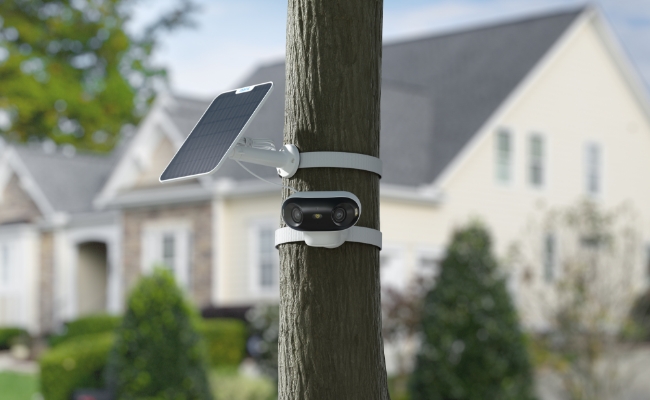
For anyone who wants strong detail without running a single cable, the Argus 4 Pro pairs dual 4K lenses with a 180-degree field of view and intelligent motion detection that tells a person apart from a passing car or a pet. Its ColorX night vision produces color footage after dark instead of switching to black-and-white infrared, and an IP66 rating means outdoor rain isn't a concern. It runs on a 5000mAh battery, or skips the recharge cycle entirely with an optional 6W solar panel, at the cost of needing some form of charging rather than constant power.

4k 180° Wire-free Color Night Vision Camera
4K UHD 180° Blindspot-free View; Color Vision Day and Night; 30% More Battery Life; Dual-band Wi-Fi 6; Smart detection.
16MP Dual-Lens PoE Security Camera: Duo 3 PoE
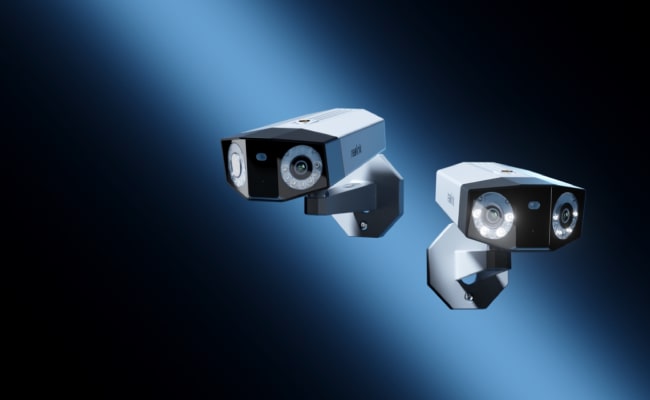
If a wired connection isn't a dealbreaker, the Duo 3 PoE is the closest most buyers will get to 8K-class detail. Its two 4K lenses stitch into a single 7680 x 2160 image, matching true 8K's 7680-pixel width, at a fraction of true 8K's 33-megapixel file size and cost, while still covering a full 180 degrees in one shot. Power over Ethernet means one cable carries both data and power, so installation stays simple even with two lenses onboard.

Groundbreaking 16MP Dual-Lens PoE Camera
16MP UHD, Dual-Lens, Motion Track, 180° Wide Viewing Angle, Power over Ethernet, Color Night Vision.
18MP Triple-Lens WiFi Security Camera: OMVI 3i WiFi
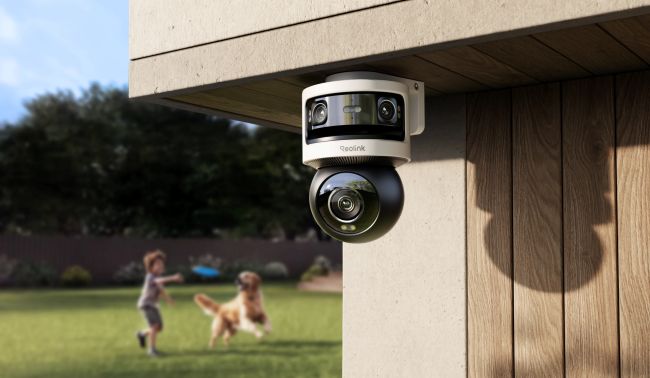
If you need more total resolution than any other camera on this list, without running an ethernet cable, the OMVI 3i WiFi stacks three lenses into one housing: two 5MP lenses on top that combine into a single 10MP, 180-degree panoramic view, plus an 8MP pan-tilt lens below that swivels a full 360 degrees for close-up tracking. Combined, that's 18MP, more raw pixels than the Duo 3 PoE. The panoramic pair and the pan-tilt lens output two separate simultaneous feeds rather than stitching into one continuous frame, so it doesn't carry Duo 3 PoE's specific 8K-width match.
What it does deliver is auto-tracking that follows a moving subject in close detail while the wide lens keeps the full 180-degree scene in view, connected over dual-band WiFi 6 for a steadier signal than older WiFi standards. There's also local AI that tells a person, vehicle, or animal apart on-device, with no subscription required. It still needs a nearby power outlet rather than running on battery. That's the same tradeoff as any plug-in WiFi camera, in exchange for the highest combined resolution and the most coverage per camera in this lineup.
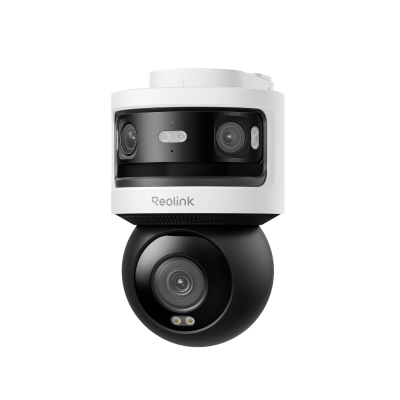
10MP+8MP Triple-Lens 360° Panoramic Pan-Tilt Camera
- 10MP Dual-Lens 180° View & 4K 360° Full Coverage
- Dual-Band WiFi 6 Connectivity & Local Storage
12MP PoE Security Camera System: RLK8-1200B4-A
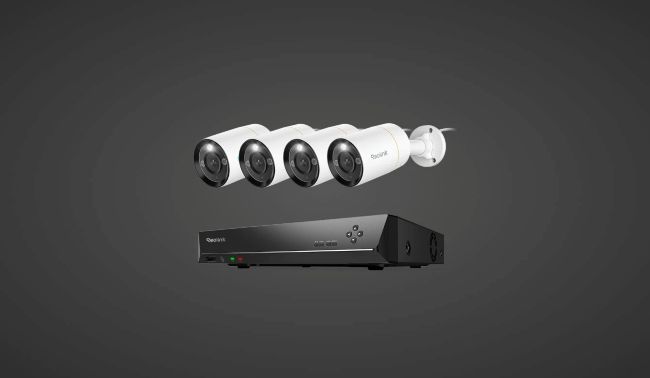
For a full property setup rather than a single camera, the RLK8-1200B4-A pairs 12MP PoE cameras with a network video recorder built around 8 physical PoE ports, giving centralized local storage across multiple wired cameras instead of juggling separate feeds. The kit ships with four cameras included, and the NVR's channel capacity extends to 12 total once you add compatible WiFi or plug-in Reolink cameras alongside the 8 PoE ones, so it grows with the property instead of needing a whole new system later. Built-in spotlights add color night vision on top of the smart person and vehicle detection, and the heavy-duty PoE connection keeps both power and data steady across every wired camera in the kit, which matters more as the camera count goes up.
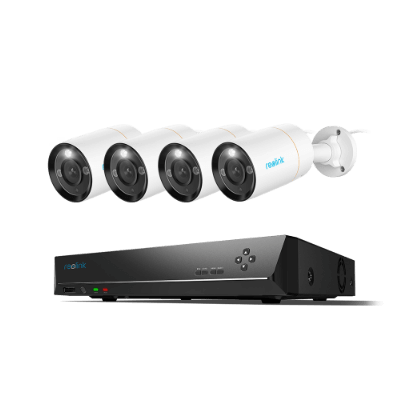
12MP 8-Channel PoE Surveillance Kit with Spotlights
4 pcs 12MP Ultra HD Security Cameras; 2TB HDD 8-Channel NVR for 24/7 Recording; Person/Vehicle Detection; Color Night Vision.
Common Mistakes When Chasing Higher Resolution
Buying Resolution Before Checking Storage
A jump from 1080p to 4K or 8K multiplies file size fast. Confirm your NVR, cloud plan, or microSD card can actually hold what the camera records before you buy, or run the numbers yourself with Reolink's NVR storage calculator.
Confusing "8MP" With "8K"
These aren't close. An 8MP camera sits in roughly the same resolution class as 4K, not anywhere near true 8K's 33 megapixels. Read the actual pixel dimensions on the spec sheet, not just the marketing label.
Assuming Resolution Always Beats Sensor Quality
In low light, a camera with a larger sensor or better night vision tech can outperform a higher-resolution camera with a weaker sensor. Megapixel count is only part of the picture.
Buying More Resolution Than Your Setup Can Display
Few home monitors, NVRs, or phone apps are built to show true 8K footage at full detail. Paying for resolution you can't actually view defeats the purpose.
Which Alternative Camera Fits Your Situation
Four solid options is still a decision to make. To help bring further clarity to what's best for you, here's a quick way to match your situation to the right pick.
FAQs
Which is better, a 4K or an 8K camera?
8K captures more detail than 4K, which matters for large-scale surveillance where you need to zoom in from a distance. For most homes and small offices, 4K already covers what you need to identify a face or read a plate, at a fraction of the cost and storage.
What is the highest resolution security camera?
True 8K, at 7680 by 4320 pixels, is the highest resolution tier used in surveillance today. A handful of true 8K cameras exist on the market, priced in the thousands of dollars and built for large institutional deployments rather than home or small-business use.
Is there an 8K CCTV camera?
Yes. A small number of true 8K CCTV cameras exist, built and priced for large institutional deployments like stadiums and airports rather than as mainstream consumer products, which matches the pattern across this entire resolution tier.
How much storage does an 8K security camera actually need?
A single 8K camera recording continuously needs significantly more storage than 4K, since 8K carries roughly four times the pixel data. Based on Reolink's own H.265 bitrate figures for 4K (7 to 10 Mbps), a realistic 8K estimate runs well past 25 to 30 Mbps per camera, which adds up to multiple terabytes a week of continuous recording. Most home NVRs and cloud plans aren't sized for that.
Does Reolink make a true 8K security camera?
No single Reolink camera captures true 7680 by 4320 resolution today. The closest option, the Duo 3 PoE, combines two 4K lenses into a 7680 x 2160 image, matching 8K's pixel width at a fraction of the storage and cost.
Conclusion
8K is a real technology, just not one built for your driveway or storefront. It solves a problem most homes and small businesses don't have. What actually protects a house or a shop is a camera that captures a clear face, a readable plate, or a package thief in the act, without drowning your NVR in footage you'll never need to zoom into that far.
Understand how 8K could be too much for your needs? Check out Reolink's 4K and multi-lens lineup that'll establish the security you need, without the price tag or storage bill that comes with resolution you'll never actually use.
Search
Subscribe for the Latest Updates
Security insights & offers right into your inbox