
YI Camera Alternatives: What the Paywall Costs You
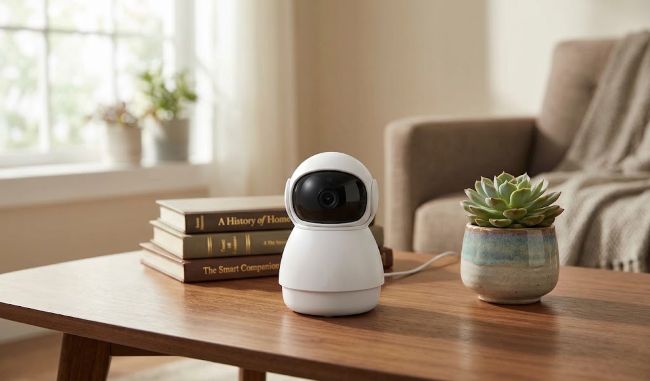
If you own a YI or Kami camera and you're now hunting for YI camera alternatives, you're probably doing it because you need a better option.
This guide lays out why so many YI and Kami owners are looking elsewhere. It also covers what to check before buying any replacement, plus direct spec comparisons against similarly equipped Reolink cameras to highlight what's truly worth it when it comes to establishing reliable home security.
- TL:DR - Which Reolink Camera Should You Buy?
- Why YI Camera Owners Are Looking Elsewhere?
- Are YI and Kami the Same Company?
- Where YI Cameras Still Hold Up?
- What to Check Before You Buy YI Camera Alternatives?
- YI vs Reolink: Four Head-to-Head Comparisons
- Switching from YI to Reolink: What Actually Changes?
- FAQs
- Conclusion
TL:DR - Which Reolink Camera Should You Buy?
Want the full spec breakdown of each product? Jump down to our detailed head-to-head comparisons.
Why YI Camera Owners Are Looking Elsewhere?
There have been reviews that describe a familiar problem. Ads of 30 seconds or longer now appear every time you open the YI Home app or view a live feed, according to SafeWise.
According to the same SafeWise report, motion-triggered clips that used to play for free now cost $5 to $15.42 a month. The cameras still have a microSD card slot, and remote access to that local footage varies by model — YI's own documentation confirms free remote microSD playback on some cameras, though several user reports cited by SafeWise describe losing that access on others unless they upgrade to a cloud plan.
Support has thinned out too. SafeWise called both of YI's listed phone numbers directly and found them disconnected, and customers report waiting days for an email reply, if they hear back at all. One user said canceling a subscription dragged on for nearly a month.
This also marks a reversal from how the camera was first sold. An early review of the original YI 1080P Home Camera described it as an affordable, subscription-free security camera. It was built around free local microSD recording, with cloud plans positioned as optional. Several of the features now sitting behind a paid plan used to be the entire pitch for buying one.
SafeHome.org's independent review adds more context. Most YI-branded models top out at 1080p, though a 2K Dome Camera U Pro exists, and YI cameras do support Alexa and Google Assistant, despite reviewers flagging account-linking friction. Person detection held up well in SafeHome's testing: it reliably identified people but wouldn't alert on pet motion, even when set to detect any object.
Are YI and Kami the Same Company?
Yes. YI Technology and Kami Vision are sister brands selling overlapping camera models under two different names. That's why researching one usually surfaces the other's problems too. Switching from a YI-branded camera to a Kami-branded one, or the other way around, isn't a real fix for the issues above. SafeWise and SafeHome.org's own model lists show clear overlap between the two brands. The overlap includes indoor domes, outdoor wired cameras, a wire-free outdoor bullet and a doorbell. All of them are sold under both names. It's the same company, the same app ecosystem and the same policies.
Where YI Cameras Still Hold Up?
YI built its early reputation on cheap, subscription-free entry points into home security, and that value still holds for buyers on a tight budget. SafeHome's own testing found YI's person detection more reliable than at least one well-known competitor's, correctly skipping false alerts from pets. The Dome Camera's physical privacy shutter is also a hardware-level touch not every camera at this price offers.
What to Check Before You Buy YI Camera Alternatives?
Four things separate a real upgrade from a repeat of the same problems. Check this list against any brand you're considering.
Local storage that actually works without a subscription - Does a microSD card or NVR give full remote access on its own, or does the app gate that behind a paid plan? A genuine security camera without subscription lets you pull up local footage any time, beyond simply storing it for later. That distinction is exactly where several YI and Kami owners say they got tripped up.
Published, checkable specs - Look for a real resolution number instead of just "HD," plus a real night vision distance instead of vague marketing language. Marketing copy that avoids real numbers is usually hiding something unremarkable.
AI detection with real detail - Does the listing name exactly what it detects, like a person, vehicle or pet? Or does it just say "smart detection" with nothing behind it?
Live support channels - A phone number or live chat that's actually staffed beats a contact form nobody answers. If a brand's listed phone lines don't connect, find that out before you buy, not after.
YI vs Reolink: Four Head-to-Head Comparisons
This lines up four Reolink cameras against the YI and Kami cameras people are typically replacing. Each Reolink model here comes from Reolink's entry-level, subscription-free lineup. One of the four, the MagiCam, actually costs less than the Kami camera it replaces. Another lands within about $22 of its YI counterpart. The other two cost noticeably more than the YI or Kami cameras they replace, and each of those sections below explains why the extra cost is worth it. All four work with local storage and no subscription is required.
Disclaimer: YI and Kami's own product pages don't list pricing, and as of this writing, their "Shop Now" links redirected to a storefront that wasn't loading. Where YI/Kami's own tech-specs pages cover a given spec, that's what's reflected below. On the models that support it, local microSD recording and playback through the YI Home/Kami app works without a subscription; a separate system, Kami Shield, confirmed via YI's own store to cover the entire Kami Home, YI Home, and Dome camera series, governs cloud-based features instead — its free tier is limited to live view, alerts, and motion/person detection, while cloud recording history, animal/vehicle/face detection, multi-camera view, 24/7 emergency response, and premium support all require a paid Kami Shield plan. Where the official pages are silent on a spec, or where third-party sources conflict with each other, it's marked "Not confirmed" rather than guessed at. Prices and any remaining details are drawn from third-party reviews (SafeWise, SafeHome.org, and others) rather than the brands' own sites, and listed prices can vary from time to time.
Reolink E1 Pro: Best for Replacing an Indoor YI Dome Camera
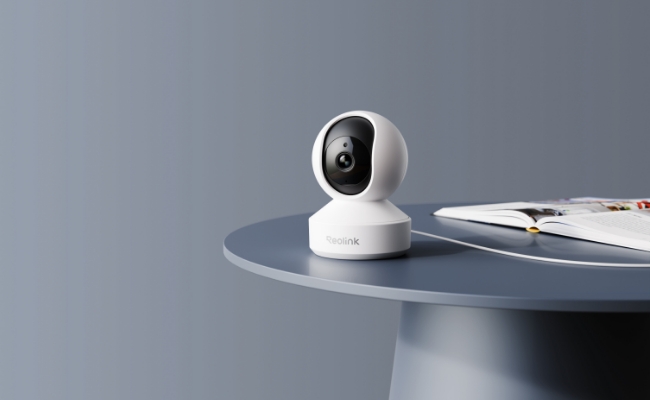
The Reolink E1 Pro is a plug-in indoor camera with 355° pan and 50° tilt coverage, built around AI detection specific enough to separate a person, a pet, and a crying baby.
The E1 Pro carries a $69.99 price tag, a modest step up from the Dome Camera's $47.99. The YI Dome Camera already flags motion and abnormal sounds like a baby crying, but pet detection specifically sits behind a Kami Shield subscription on YI's own published plans. The E1 Pro's person, pet, and baby-crying detection all work without a subscription. That gap also buys no thirty-second ad standing between you and your own camera feed.
This camera is best used for a nursery, living room or entryway camera you want to check without friction. Like the YI Dome camera, it's built for indoor use only. For anything covering a doorway or yard, the Reolink E1 Outdoor below is built for that instead.
Reolink E1 Outdoor: Best for Replacing a Wired YI Outdoor Camera
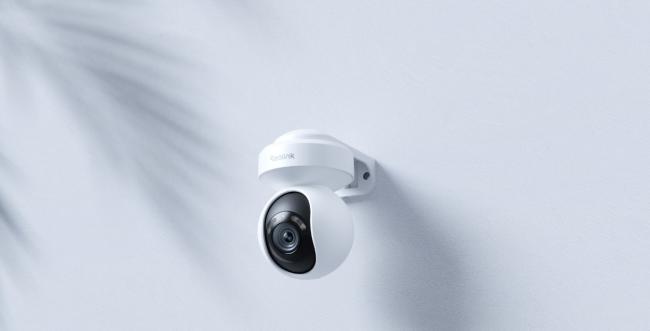
The Reolink E1 Outdoor is a wired outdoor camera with 3x optical zoom and color night vision, paired with AI detection that separates people, vehicles, and animals in real time.
This is the widest price gap of the four comparisons here. The E1 Outdoor runs about three times what the YI Outdoor Security Camera costs. But for a camera guarding your front door or driveway, that difference matters. Here's why.
The E1 Outdoor buys detection that separates a person from a passing car or a raccoon, with no subscription required for any of those categories — on the YI side, vehicle and animal detection specifically require a Kami Shield plan. It also means color night vision instead of grainy black-and-white footage. A false alarm or a missed one carries more weight at an entry point than it does indoors. That's where the extra cost earns its keep. You wouldn't want to be haunted by countless false alarms every time and when it comes to identifying a vehicle or person, color night vision footage can save you the trouble when it comes to evidence reliability.
It's best to be installed on a driveway, front door or side entrance with a nearby power outlet, since this exact model has no battery version. If running a cable isn't practical, the Reolink MagiCam below runs on battery instead.
Reolink Argus MagiCam: Best for Replacing a Wire-Free Kami Outdoor Camera
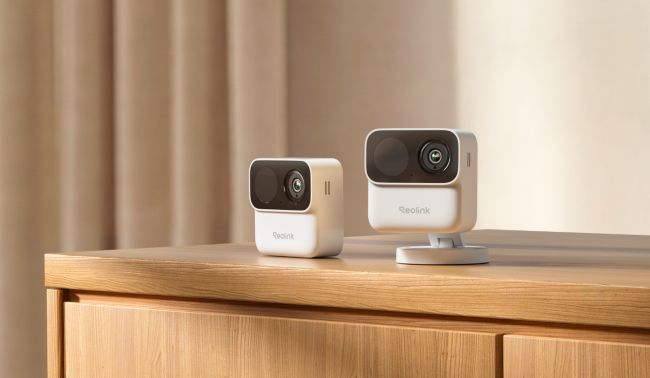
The Reolink Argus MagiCam is a compact, magnetic-mount wire-free camera powered by swappable AA lithium batteries, with AI detection for people, vehicles, and animals.
The Argus MagiCam actually costs less than the Kami Wire-Free Outdoor it replaces, not more. For less money, it trades plain motion alerts for person, vehicle, and animal detection with no subscription required for any of it — on the Kami side, vehicle and animal detection alone require a Kami Shield plan.
It's best deployed at a backyard, shed, or another spot where a magnetic mount beats a fixed bracket, especially if you might want to reposition it later. It's still a battery camera, but the AA lithium cells are rated for up to 9 months, so keeping it running is a matter of swapping batteries rather than managing a rechargeable pack or a solar panel.
Reolink Battery Video Doorbell (2nd Gen): Best for Replacing the Kami Doorbell Camera
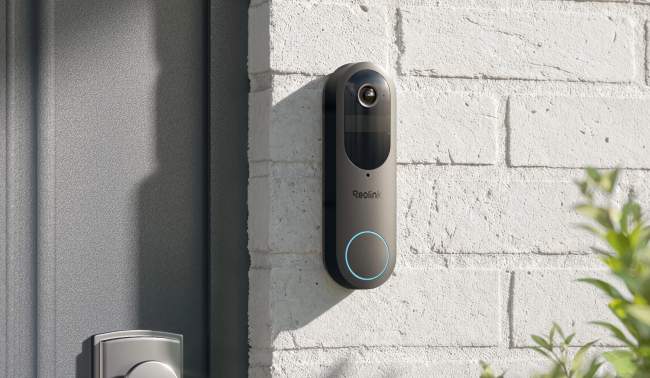
The Reolink Battery Video Doorbell (2nd Gen) is a battery-powered or hardwired doorbell camera with a 150°x150° head-to-toe field of view, built to flag people, vehicles, animals, and packages at the door.
The jump over the Kami Doorbell Camera buys vehicle, animal, and package detection with no subscription required — on the Kami side, animal, vehicle, and face detection all sit behind a Kami Shield plan, while its free tier covers only motion and person detection. That matters if missed deliveries or wandering animals are the actual reason you want a doorbell camera in the first place. It also buys Google Assistant, Alexa, and IFTTT support out of the box.
This video doorbell camera is best for anyone replacing a doorbell where unclear visitor alerts or missed packages have been the real complaint. Like the MagiCam, it's also a battery-powered device, though here the battery is rechargeable rather than swappable AA cells, and its Qualcomm-based efficiency stretches that out to up to 300 days (roughly 10 months) between charges under typical use. Wiring it to existing 8 to 24V doorbell wiring instead skips battery swaps entirely, or you can opt for the PoE hardwired version of the Reolink Video Doorbell instead.
Switching from YI to Reolink: What Actually Changes?
Switching is mostly a straightforward physical swap. Whether the replacement is another plug-in camera or a battery model like the MagiCam, it isn't a full rebuild of your home setup.
Footage stored only in YI's cloud won't transfer over, so download anything worth keeping before you make the switch. Local microSD footage is simpler as it's just a card swap.
Setting up the Reolink app takes only a few minutes, and it runs independently of anything tied to your old YI or Kami account. There's also no ad to sit through before you reach your camera feed, unlike the YI Home app. One thing to start early is canceling a YI or Kami subscription. That may take longer than expected, given the support issues covered above, so begin the process before assuming it's done.
FAQs
Does a YI camera require a subscription?
Not for basic local recording, at least on paper. The cameras still have a microSD card slot, and YI's original pitch centered on free local storage with cloud plans as an option. In practice, several features have moved behind a paywall. Motion-triggered clips that used to play for free now run $5 to $15.42 a month. Remote access to local SD footage varies by model — YI's own documentation confirms free remote microSD playback on some cameras, though several user reports cited by SafeWise's research describe it being restricted on others unless you upgrade to a cloud plan. Either way, animal, vehicle, and face detection, extended cloud history, and 24/7 monitoring all require a paid Kami Shield plan across the lineup.
Is there a good security camera without a subscription?
Yes. A camera that saves footage locally through a microSD card, NVR, or Home Hub does not need a monthly plan to work. The four Reolink models compared above all fit that description, and each is suited to a different spot around the home. The E1 Pro covers an indoor room. The E1 Outdoor and MagiCam cover a wired or wire-free exterior spot, and the Battery Video Doorbell (2nd Gen) covers the front door.
What is Reolink known for?
Reolink is known for security cameras and NVR systems built around local storage. That means a microSD card, NVR, or Home Hub can store footage with no forced subscription. The lineup spans wired, battery and solar-powered options. AI detection identifies people, vehicles and animals, rather than just flagging generic motion.
Conclusion
YI's (and Kami's) hardware still has its place, but the specific problems driving people away right now have a fix that doesn't cost much more to reach. Think ads, paywalled clips and a support line nobody answers.
If you're replacing an indoor Dome Camera, start with the Reolink E1 Pro. A wired outdoor camera points to the E1 Outdoor, a battery-powered one to the MagiCam, and a doorbell to the Battery Video Doorbell (2nd Gen). Check the product page for whichever one matches what's already on your wall before you decide.
Search
Subscribe for the Latest Updates
Security insights & offers right into your inbox