
What Is a Triple Lens Camera? How It Works and Why It Matters
There is now more than one optic used in smartphones, action cameras, and up-to-date security systems. The uniqueness of the triple lens camera is the fact that it joins three separate lenses in a single body. This arrangement allows one device to record wide, medium, and close-up shots simultaneously. The outcome is better detail, nicer zoom, and greater performance in low light without additional equipment.
What Is a Triple Lens Camera?
A triple lens camera holds three separate imaging modules. Makers often pair an ultra-wide lens, a wide or “standard” lens, and a telephoto lens in the same frame. Each lens sends light to its own sensor, so every shot stores three sets of data. Software in the camera then blends or selects the best frame for the scene. That design gives the user more detail and a broader field of view than single or dual setups.
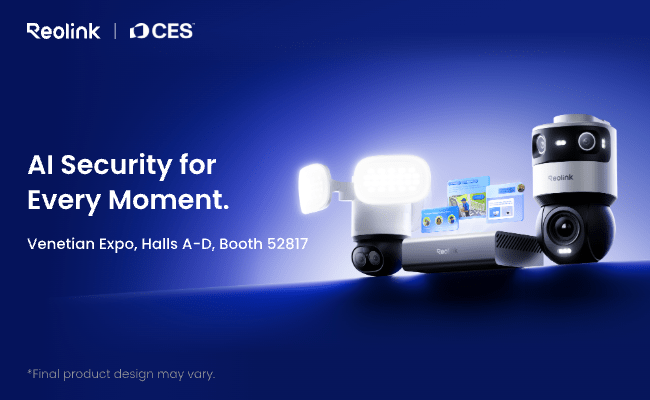
Reolink will soon launch a triple-lens camera series in 2026. Visit us at CES 2026 for an exclusive preview of our three-lens cameras.
How Does a 3 Lens Camera Work?
Upon pressing the shutter, the camera will measure the scene using a combination of all three optics simultaneously. The ultra-wide lens is used to capture the context, the main lens to balance the frame, and the telephoto lens to zoom without the loss of quality. One of the custom processors aligns the three pictures in real time and selects data in each pixel on each image.
When the system is zoomed, the system switches the control to the telephoto module and fills the gaps with the same pixels (as in the other lenses). The camera combines the cleansing elements of each frame to chop noise during low light. The ever-changing combination in a security unit provides a 180° view to a 360° panorama with no blind spots.
Why Choose a Triple Lens Security Camera?
The market now offers many lens counts, yet a triple lens layout suits homes and offices that want broad coverage and clear detail together.
Before listing the strong points, note that a 360° triple-lens WiFi security camera covers wide areas while keeping clarity at longer ranges. That mix sets it apart from single or dual models that must trade reach for width or vice versa.
-
Wider coverage in one unit: Three lenses stitched side by side create a full wrap-around view. You can monitor a lobby, yard, or parking lot with no dead angles and skip installing extra cameras.
-
Optical zoom without moving parts: The telephoto module supplies real magnification. Digital zoom often blurs, but optical zoom keeps sharp lines because the lens brings the subject closer before the sensor records it.
-
Smoother evidence capture: During an event, the camera records tight and wide frames at once. You gain a broad context shot plus clear faces or license plates. That dual record helps investigators build a timeline.
-
Better night vision: Some triple systems give the telephoto lens a larger aperture. More light reaches the sensor, so the night image looks brighter and sharper than a single-lens view set to the same exposure.
-
Streamlined installation: You hook up one cable and assign one network address. Fewer mounts and wires shorten labor time and reduce points of failure.
Triple Lens Camera vs Dual Lens vs Single Lens
Many buyers ask whether three lenses offer real gains over one or two. The point is not just “more lenses” but how the system uses them.
Single and dual cameras work well in tight budgets or narrow rooms, yet they cannot match the all-in-one range and detail of a triple unit. The table sums up the main contrasts.
What to Look for When Buying Triple Lens Cameras?
Choosing a 360° triple‑lens WiFi security camera means more than counting optics. Think about real-world needs, match them to specs, and check how the 3-lens camera handles them.
Resolution and Sensor Size
Aim for at least 4K across the stitched image. A larger sensor in each module gathers more light and keeps detail when you crop footage later.
Field of View and Stitching Quality
Check whether the maker offers edge-to-edge stitching without visible seams. For full perimeter cover, confirm the unit produces a continuous 360° panorama with smooth horizons.
Night Vision and Low-Light Performance
Look for infrared LEDs or low-light color sensors. Compare rated lux levels. A clear night image prevents false alarms and helps you read fine points after dark.
Connectivity and Storage
A 360° triple-lens WiFi security camera should support dual-band Wi-Fi with strong encryption. Onboard microSD slots add local backup. Cloud options ease remote access, but confirm the fee plan and retention period.
FAQs
What are the disadvantages of triple cameras?
Triple cameras cost more, draw extra power, and take up more space. Firmware must juggle three data streams, so updates matter. If one module fails, repair may require full unit replacement. Some budget models market three lenses yet use small sensors, so image quality still drops.
What film camera takes 3 photos at once?
The classic Nimslo 3D film camera places four small lenses in one body, and users often mask one lens to shoot a triple image strip. It records three slightly different views on a single 35 mm frame, which labs once printed as lenticular photos to show depth.
What is the difference between dual lens and triple lens?
Dual lens systems merge a main lens and either a wide or tele lens. They offer reasonable flexibility but still trade reach for width. Triple lens cameras add a third dedicated optic, so you gain wide, standard, and zoom coverage in one shot. That extra module widens the field while keeping detail.
Conclusion
A triple lens camera joins three lenses, three sensors, and fast software to deliver broad coverage and crisp detail in one device. It captures wide context, mid-frame clarity, and optical zoom all at once. When you shop, weigh resolution, stitching, night vision, and network features. If you use a 360° triple-lens WiFi security camera, you can cut blind spots and cables in one step. Share your thoughts or field notes below so other readers can learn from your experience.
Search
Subscribe for the Latest Updates
Security insights & offers right into your inbox