
SIM Card Security Camera: 4G Buying & Setup Guide 2026
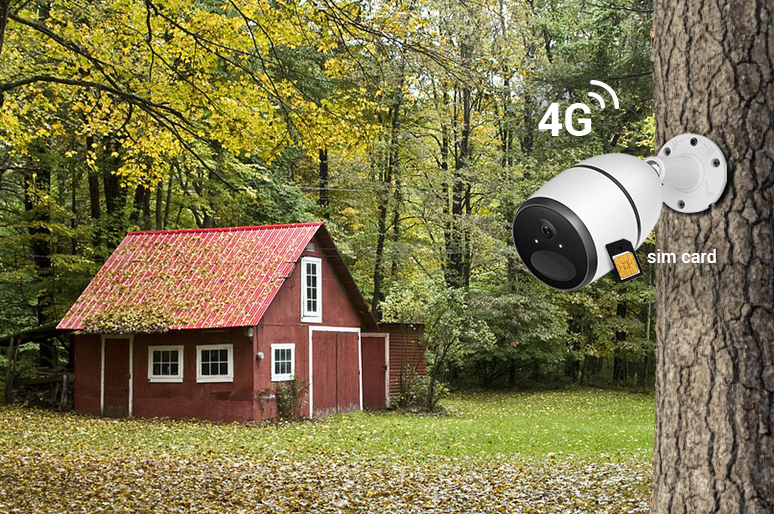
A SIM card security camera uses a 4G cellular network instead of Wi-Fi to provide remote video monitoring, alerts, and live viewing. Most models run on rechargeable batteries or solar power, making them ideal for farms, construction sites, vacation properties, and other locations without fixed internet or power.
To use one, you need compatible cellular coverage and an active data plan. This guide explains how SIM card security cameras work, how to choose the right SIM card and data plan, how much data they use, and which features matter most when choosing a camera.
- What Is a SIM Card Security Camera?
- 7 Key Features to Consider When Choosing the Best SIM Card Security Camera
- When Should You Use a SIM Card Security Camera?
- Best SIM Card Security Cameras for Different Setups
- How to Set Up a Security Camera with a SIM Card?
- What SIM Card and Data Plan Do Security Cameras Need?
- How Much Data Does a SIM Card Security Camera Use?
- How to Reduce SIM Card Data Usage for Your Security Camera?
- SIM Card Camera vs. Wi-Fi Camera vs. PoE Camera
- Which SIM Card Camera Setup Fits Your Situation?
- FAQs
- Conclusion
What Is a SIM Card Security Camera?
A SIM card security camera (also known as a cellular camera) is a wireless surveillance device that uses 4G or 5G cellular networks instead of local Wi-Fi to stream video, send real-time motion alerts, and record footage.
Equipped with either a pre-installed SIM card or a slot for a user-provided cellular plan, these cameras operate off-grid—making them ideal for remote or internet-scarce locations like farms, construction sites, and outdoor properties.
How Does a SIM Card Security Camera Work?
A SIM card security camera works by combining a built-in cellular module, flexible power hardware, and local or cloud-based processing to deliver footage without standard internet connections.
Here is how the system operates from end to end:
-
Signal Transmission: When motion triggers the camera, it uses an active 4G or 5G SIM card to connect to the nearest cell tower, transmitting live feeds and motion alerts straight to your phone app.
-
Power Source: Most models run on rechargeable lithium-ion batteries paired with small solar panels. To conserve energy off-grid, the camera remains in a low-power sleep mode until its passive infrared (PIR) sensor detects movement.
-
Data Processing & Storage: Once triggered, the camera captures video and simultaneously saves a high-resolution file to a local microSD card while sending a compressed stream or thumbnail image to the cloud over cellular data.
7 Key Features to Consider When Choosing the Best SIM Card Security Camera
4G/5G Carrier Compatibility
Verify that the camera supports the specific frequency bands of carriers active at your site. Unsupported network bands will prevent the device from connecting, regardless of plan status.
Cellular Signal Strength
Test the mobile signal with your phone at the exact installation spot prior to mounting. Low signal strength causes live-stream buffering, delayed push notifications, and rapid battery drain as the cellular module works harder to maintain connection.
Battery & Solar Power
Opt for a rechargeable lithium-ion battery paired with a weather-resistant solar panel. A few hours of daily sunlight keeps the camera continuously powered, removing the need for manual recharging.
Local Storage
Ensure the unit features a microSD card slot (supporting 64 GB to 128 GB+). Local recording preserves footage during cellular outages and eliminates forced monthly cloud subscription fees.
Data Consumption Management
Look for cameras that offer dual-stream options (a low-resolution substream for quick app previews and a high-resolution mainstream for clip downloads). This feature helps control your monthly cellular data usage.
Video Resolution (2K vs. 4K)
Choose 2K (4MP) for general entryways or small yards. Upgrade to 4K (8MP) for wide-open spaces like fields or construction lots where digital zoom is necessary to read vehicle plates or identify distant faces.
Smart Motion Detection
Select models with built-in AI algorithm detection (person, vehicle, or animal recognition) over basic heat-based PIR sensors. Smart filtering drastically reduces false alerts from blowing trees or rain, conserving both battery power and cellular data.
When Should You Use a SIM Card Security Camera?
SIM card security cameras are built for off-grid applications where traditional internet infrastructure and electrical wiring are absent or unreliable. Match these common setups to your specific location requirements to determine if a cellular security camera is the right fit:
Remote Farms, Barns, & Livestock Outposts**
Large agricultural properties often lack Wi-Fi signal coverage across fields, stables, and detached barns.
SIM card security cameras operate anywhere with a mobile tower signal. Combined with solar panels and smart motion alerts, they allow farmers to monitor livestock, track equipment, and check remote gates without running hundreds of feet of wiring.
Recommended Setup: Fixed or pan-tilt solar cellular cameras with smart detection (person/vehicle/animal) to track animals and prevent false triggers.
Construction Sites & Temporary Project Outposts
Job sites usually have no active broadband connection and are highly vulnerable to tool theft, vandalism, and trespassing after hours.
Battery and solar 4G SIM security cameras can be mounted directly onto temporary posts, trailers, or scaffolding without electrical hookups. When project phases end, the cameras can easily be unmounted and relocated to a new job site.
Recommended Setup: High-resolution (4K) or pan-tilt cellular models that cover large work yards and provide instant night-vision push alerts to site managers.

Vacation Homes, Cabins, & Rental Properties
Maintaining paid broadband subscriptions at seasonal properties year-round is costly and inefficient.
A SIM card camera with a low-cost, pay-as-you-go data plan allows you to monitor vacant property perimeters, driveway entrances, and weather conditions during offseason months without paying for home internet.
Recommended Setup: Compact battery/solar 2K outdoor cameras paired with local microSD card storage to eliminate subscription fees.
Boats, Marinas, RVs, & Mobile Off-Grid Living
Watercraft moored at slips or RVs parked in remote locations often sit out of range from public or marina Wi-Fi networks.
SIM card 4G cameras provide direct remote viewing to your smartphone from anywhere, alerting you immediately to unwanted intruders, dock movement, or water leaks while away.
Recommended Setup: Weatherproof (IP65/IP66 rated) battery-powered cellular cameras mounted with adjustable brackets.
Wildlife Observation, Camping Grounds, & Forestry
Deep forest trails, hunting sites, and research plots lack both internet and power, making traditional security hardware useless.
Cellular trail cameras use camouflage designs and non-intrusive infrared night vision to photograph and film animals in their natural habitats. Instead of traveling on-site to retrieve memory cards, footage is sent directly to your phone off-grid.
Recommended Setup: Dedicated 4G/5G SIM vard security cameras with no-glow IR night vision and camouflage housings.
Best SIM Card Security Cameras for Different Setups
Best for Fixed Remote Properties (Barns, Off-Grid Cabins, Construction Outposts) — Reolink Go Plus
Reolink Go Plus is one of the best wireless SIM card security cameras released by the reputable brand Reolink. This 4G cellular camera has got a roaring reputation due to its outstanding performance and decent price.
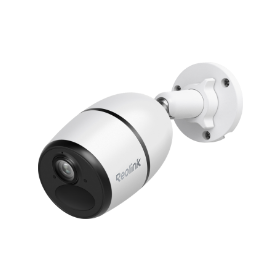
Smart Wireless 4G Battery Camera
Rechargeable Battery/Solar Powered, Person/Vehicle Detection, 2K 4MP Super HD, Two-Way Audio, High-Quality Night Vision, Live View Anytime.
Reolink Go Plus is a 4G cellular camera that has a rechargeable battery and solar-powered. This makes it cost-effective and eco-friendly. It also has a 2K 4MP Super HD resolution that captures clear images and videos, even in low light or at night.
This camera also has the easy remote access which allows you to watch live viewing anytime and anywhere on your smartphone. This is great as it means that you can monitor your barns or farms remotely on your smartphone even without WiFi or Internet. This allows you to keep tabs on the activities of sick horses or pregnant cows.
Best for Wide-Area Coverage (Construction Sites, Large Fields, Equipment Yards) — Go PT Ultra
If you want to use an outdoor CCTV camera with sim card to monitor a large area or enjoy a wide view, Reolink Go PT Ultra is your best choice. This wire-free SIM card surveillance camera can cover a larger area with 355 pan ° and 140° tilt.
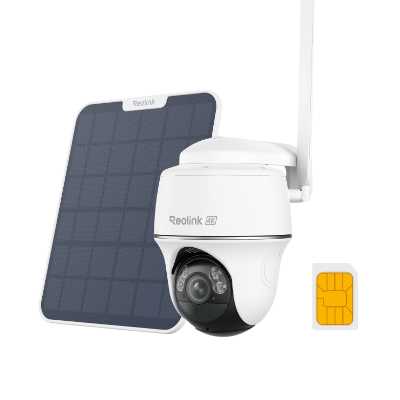
4K 8MP Wire-Free 4G LTE PT Battery Camera
4K 8MP; Smart Detection; 355° Pan & 140° Tilt; Battery/Solar Powered; Color Night Vision; Smart Real-Time Alert.
Similarly, Reolink Go PT Ultra can capture 4K 8MP crisp-clear images in the wild and allow you to view live remotely. The extraordinary pan-and-tilt function helps you see as much as possible. You can also control its angle on Reolink App and check everything around it.
Best for Wildlife Tracking & Off-Grid Nature Monitoring (Researchers, Large Acreage) — Go Ranger PT
The Reolink Go Ranger PT is a cellular trail camera built for off-grid wildlife monitoring. Its camouflage housing helps it blend into outdoor environments, while non-intrusive night vision supports nighttime observation without drawing attention. Pan-and-tilt control also makes it easier to monitor a wider area around trails, water sources, and wooded locations.
It is designed for situations where Wi-Fi is unavailable and frequent site visits are impractical. When wildlife passes through the monitored area, the camera can capture activity and send media over a cellular connection, reducing the need to repeatedly retrieve an SD card in person.
For landowners and wildlife researchers, a purpose-built cellular trail camera like the Reolink Go Ranger PT can make it easier to track game, observe animal behavior, and monitor remote habitats from a distance.
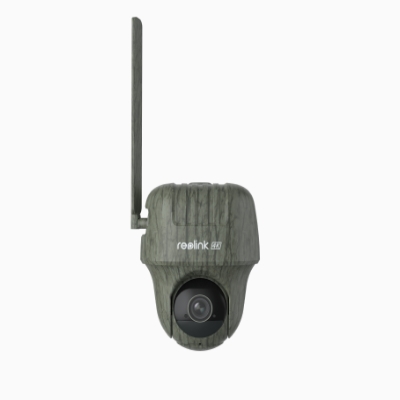
4K 4G LTE Wildlife Camera with 360° All-Around View
4G LTE Network, 4K 8MP Ultra HD, No-Glow IR LEDs, Person Detection, Animal Detection, Two-Way Audio, Battery/Solar Powered.
How to Set Up a Security Camera with a SIM Card?
Many worry that professional installation is required for CCTV with SIM card, leading to increased costs and trouble.
However, this is not the case - SIM card security cameras are easy to install, even for those without experience. The following steps will guide you through the process, as well as some factors to consider when making your purchase.
Step 1: Check for a Pre-Installed SIM Card
First, inspect your camera's packaging and specification sheet to determine if a SIM card is already included.
-
If a SIM card is pre-installed: Check if it comes pre-activated. Many cellular cameras automatically activate the card during initial setup via the companion app. If it does not connect automatically, contact the camera manufacturer's support team to complete activation.
-
If no SIM card is included: You must purchase a compatible SIM card and cellular data plan separately from a supported mobile network provider.
Before finalizing your plan, verify that your installation site has a strong, reliable cell signal from your chosen carrier.
Step 2: Insert the SIM Card and Set Up Power
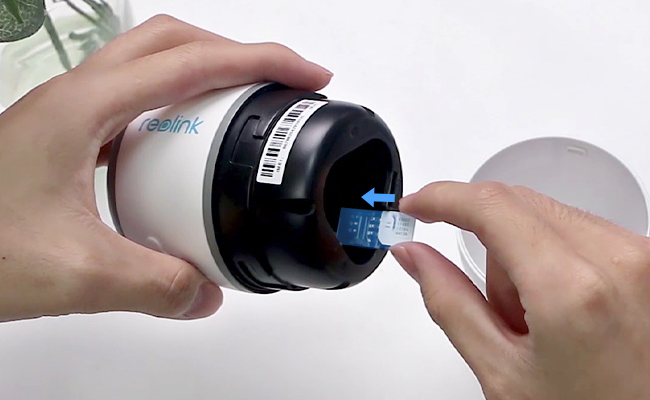
Insert the SIM card into your camera's designated slot, making sure to follow the directional diagram in the user manual. An incorrectly oriented SIM card will prevent the camera from connecting to the network.
Step 3: Choose Your Storage Method
A microSD card provides secure local storage that continues recording even during cellular signal outages.
Local storage is also significantly more cost-effective over time—a 128 GB microSD card is a one-time purchase of roughly $18, compared to recurring cloud storage subscriptions that average around $40 per year. Verify that your camera features a card slot before purchasing.
Step 4: Configure and Install the Camera
Complete initial software setup before mounting the camera in its final location.
-
App Configuration: Power on the camera, verify its network connection, and sync it to the manufacturer's mobile app (such as the Reolink App) to customize settings.
-
Physical Mounting: Secure the mounting bracket to a solid surface like an exterior wall or tree, attach the camera, and adjust the lens angle for optimal coverage.
If you want a step-by-step guide, you can watch the following video for more details. Get it done within only a few minutes!
Step 5: Verify Signal Strength and Complete Setup
You are free to place the outdoor and indoor CCTV with SIM card anywhere you desire, as long as they are within the cellular data coverage.
To make sure your CCTV cameras have good cellular reception, it is best to choose a reliable carrier in your location, and place the camera in areas with good cellular signals.
When everything is done, you can receive instant alerts when motion is detected and view the live feed of your security cameras remotely anytime and anywhere.
So basically, setting up the SIM card CCTV camera and get it running is quite straightforward. Let’s see how the outdoor YouTuber set the Reolink Go Plus up in just a few minutes.
What SIM Card and Data Plan Do Security Cameras Need?
To run a SIM card security camera, you need a compatible cellular network connection and a data plan tailored to your recording habits.
Recommended Data Plans
-
Light Use (2–3 GB/month): Ideal for motion-triggered alerts, brief live checks (1–2 minutes per day), and low-resolution video clips.
-
Moderate Use (5–10 GB/month): Best for frequent live viewing, high-definition (2K) video streaming, and busy areas with high foot traffic.
-
Heavy Use (20+ GB/month or Unlimited): Required for continuous recording or 4K live streaming.
Tip: Look for prepaid IoT (Internet of Things) SIM cards or manufacturer-provided multi-carrier SIMs. Multi-carrier SIMs automatically switch to the strongest local tower signal, ensuring reliable connection in rural locations.
How Much Data Does a SIM Card Security Camera Use?
Data usage for a SIM card security camera varies widely—ranging from 0.5 GB to 50 GB+ per month depending on video resolution, storage method, and live viewing frequency. The table below breaks down typical data consumption for a 2K cellular camera across common usage scenarios:
Key Takeaways
-
Sleep Mode: Consumes negligible data (~5 MB/day) while remaining idle and monitoring for motion.
-
Substream vs. Mainstream: Streaming in a lower resolution (substream) uses about seven times less data than high-definition (mainstream) live viewing.
-
Cloud Uploads: Backup services use roughly 0.5 GB of data for every hour of footage uploaded to off-site servers.
How to Reduce SIM Card Data Usage for Your Security Camera?
General Tips to Reduce SIM Card Data Usage
-
Store Video Locally on MicroSD Cards: Record motion events directly to a local microSD card instead of uploading full clips to cloud storage. The camera will only consume cellular data when you manually view live streams or review clips via your phone.
-
Stream in Substream (Low-Res) Mode: Use the low-resolution preview mode (substream) when checking live video for quick updates. Substream viewing consumes roughly 0.2 GB per hour, compared to up to 1.4 GB per hour for high-definition mainstream viewing.
-
Fine-Tune Smart Detection & PIR Sensitivity: Adjust motion detection zones and sensitivity settings to avoid triggering on irrelevant movement like swaying trees or passing vehicles. Fewer false triggers mean fewer push notifications, thumbnail uploads, and recording events.
-
Shorten Auto-Record Durations: Set motion-triggered recording clips to shorter lengths (e.g., 8–10 seconds instead of 30–60 seconds). This keeps cloud backups small and limits cellular transmission time.
-
Limit Live Viewing Duration: Restrict daily live viewing to brief check-ins rather than keeping the live feed open continuously.
How Reolink Cameras Help Minimize Data Usage
Reolink's Go camera line (such as the Reolink Go Plus, Go PT Ultra, and Go Ranger PT) includes specific software hardware features designed to keep data consumption low:
-
Dual-Streaming Options in the Reolink App: The Reolink App allows you to default your live feed view to "Fluent" mode (substream resolution) to conserve data. You can switch to "Clear" mode (2K or 4K resolution) only when you need to inspect finer details.
-
Built-in Onboard MicroSD Storage: Reolink cameras feature onboard microSD card slots, allowing complete off-grid, subscription-free local recording without relying on continuous cloud data uploads.
-
On-Device Smart AI Filtering: Reolink's onboard AI distinguishes between people, vehicles, and animals directly on the camera hardware. Because processing happens locally before any data is transmitted, the camera filters out up to 90% of false motion events without wasting cellular data to send non-essential alerts.
-
Customizable Detection Zones & Schedule: Through the Reolink App, you can block out high-traffic public roads or blowing foliage and set custom monitoring schedules (e.g., active only during night hours) to prevent unnecessary background triggers.
-
Flexible Reolink SIM plans: Cameras supplied with a Reolink SIM can be linked to your Reolink account and paired with a cellular data plan that fits your expected usage. Plans can also be renewed manually or with auto-renewal to maintain service.
SIM Card Camera vs. Wi-Fi Camera vs. PoE Camera
Choosing between a cellular, Wi-Fi, or Power over Ethernet (PoE) security camera comes down to three main factors: location, internet access, and power availability.
-
Choose a SIM Card Camera if: You need to monitor off-grid locations like farms, construction sites, or vacant properties where Wi-Fi and electrical wiring do not exist.
-
Choose a Wi-Fi Camera if: You are setting up security around a standard home or apartment with reliable internet and accessible power outlets.
-
Choose a PoE Camera if: You want a permanent, high-reliability system with 24/7 continuous recording to a local NVR and have the ability to run cables.
Which SIM Card Camera Setup Fits Your Situation?
FAQs
Can you put any SIM card in a security camera?
No. A security camera only works with SIM cards and mobile carriers that are compatible with its supported cellular bands and network requirements. Always check the camera specifications and supported carriers before choosing a SIM card.
What kind of SIM card for security camera?
Most SIM card security cameras use a nano-SIM, micro-SIM, or pre-installed SIM, depending on the model. The SIM should support the camera’s 4G/LTE network and include an active cellular data plan.
Is there a security camera that works with a SIM card?
Yes. A SIM card security camera, also called a 4G cellular security camera, connects to a mobile network instead of Wi-Fi. These cameras are well suited for farms, construction sites, cabins, and other locations without fixed internet access.
Conclusion
SIM card cameras are widely used in home security, wildlife observation, and many other aspects. The wireless feature brings great convenience to our life than other traditional security cameras.
If you have other opinions on SIM card CCTV cameras, just share your experience or any other ideas with us in the comment below!
Search
Subscribe for the Latest Updates
Security insights & offers right into your inbox