
Reolink OMVI 2i vs OMVI 3i: Which Series is For You?
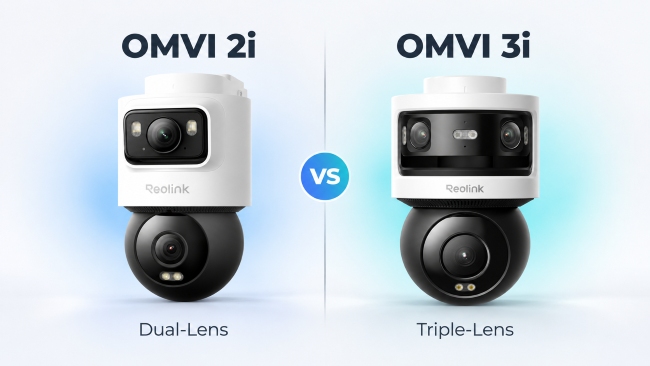
The OMVI series is Reolink's best-in-class multi-lens security camera line, pairing a fixed wide-view lens with a pan-tilt (PT) lens that zooms in on movement. The OMVI 2i and OMVI 3i share that design and look nearly identical on a spec sheet, yet the differences between them are stark.
This OMVI 2i vs OMVI 3i guide splits those differences and shows which series fits your property. We start with all four cameras side by side.
OMVI 2i vs OMVI 3i at a Glance
Every camera in the OMVI 2i and OMVI 3i lines works as a team. The fixed lens watches the whole scene, and the PT lens swings and tilts to zoom in on whatever moves, so one camera gives you the overview and the close-up.
Where the two lines part ways is in what they're built to watch. The 3i line sees a wider scene, at higher resolution and farther into the dark, which generally makes it the one for a large area. The 2i line is built for a smaller, defined spot. On top of that, each line has its own power choices, and those decide where a camera can be mounted.
Each line has two models. The OMVI 2i PoE and the OMVI 2i Ultra in the 2i line, and the OMVI 3i PoE and the OMVI 3i WiFi in the 3i line.
PoE (power over Ethernet) means one network cable carries both power and data. The table below is a digestible summary of how the cameras of the OMVI 2i series compares with the ones in the OMVI 3i series. It gives each lens's field of view (how much of a scene it sees) in degrees, with H for horizontal (side to side) and V for vertical (up and down).
The lens, resolution and night vision rows show what each camera sees. For where each one can be mounted, look at the power and connectivity rows.
Where Every OMVI Camera Is Alike
Smart tracking and subscription-free recording come standard on all four cameras, so neither should sway your choice.
SyncTrack and Pinpoint come on the OMVI 2i PoE, OMVI 2i Ultra, OMVI 3i PoE and OMVI 3i WiFi alike.
With SyncTrack, the PT lens follows whatever the fixed lens detects, even after the subject leaves the wide view.
So when someone walks up the path, you get a close-up of them instead of a small figure in a wide shot. Pinpoint puts you in control. You can simply tap a spot in the live view, such as the back gate, and the PT lens turns to take a look.
Note: SyncTrack needs the latest camera firmware and the latest Reolink App, so be sure to check that the latest firmware is updated after purchase.
All four also detect people, vehicles and animals, so your alerts can tell a visitor from a passing car or a stray cat. A built-in microphone and speaker on each camera lets you talk to anyone, like a delivery driver or visitor through the Reolink App. For warranty, all four models feature a 2-year limited warranty.
Storage is just as consistent. Every camera takes a microSD card up to 512GB, which keeps recordings inside the camera. There's also no monthly fee for recording. The OMVI 2i PoE, OMVI 3i PoE and OMVI 3i WiFi can also record to a compatible Reolink NVR (a recorder box at home that keeps footage from several cameras in one place), and they support FTP and NAS (network drive) storage too.
If you already have a Reolink Home Hub, the OMVI 2i Ultra and the OMVI 3i WiFi can pair up with it seamlessly. Either way, wired models can lean on an NVR and wireless ones on the Home Hub, so your footage stays at home instead of behind a paid cloud plan.
Where OMVI 2i and OMVI 3i Really Differ
The main difference between the OMVI 2i and the OMVI 3i series comes down to how much of a scene the lenses cover, how sharp the picture is, and how far the camera can see in the dark.
It's easy to assume the 3i is just a newer 2i, but it isn't. Reolink launched the 3i in June 2026 and has since added the 2i line to the same OMVI series. They're more like two series of cameras built for different jobs.
Lens Configuration and Field of View
A wider view means fewer blind spots and fewer cameras to mount, and that's where the OMVI 3i series pulls ahead. It covers a far wider scene from one mount than the OMVI 2i series does.
The OMVI 2i PoE pairs one wide-angle lens (105° horizontal) with its PT lens, which is plenty for a doorway, side path or garage door. A whole house frontage may leave you needing a second camera. The OMVI 2i Ultra stretches that fixed lens slightly to 110°, so its view is close to the 2i PoE's and the main choice between those two is how they're powered.
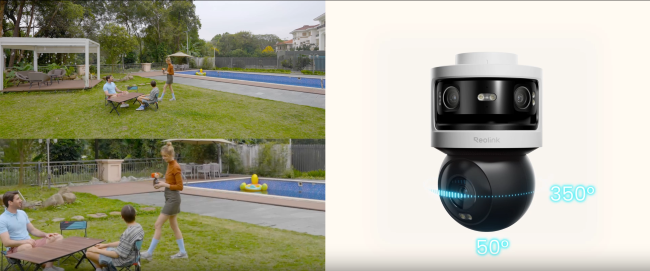
Both 3i cameras swap the single fixed lens for two lenses stitched into one 180° panoramic view. Try picturing a half circle with you standing at where the camera is. You'd see from your far left to your far right at once. A PT lens on top zooms in on whatever moves, so one 3i can stand in for more than one camera along a driveway or yard.
On either 3i camera, the Reolink App shows the panorama and the PT lens as two separate live views at the same time. They don't merge into one continuous 360° image, but the PT lens can still turn 350° to follow movement outside the wide view.
Resolution
Resolution comes down to megapixels (MP). The more you have, the sharper the picture, which matters most when you zoom into a recording to make out a face or a parcel on the doorstep.
Each OMVI camera has two views, so Reolink adds the two lenses together for a combined figure. The OMVI 2i PoE totals 10MP (a 5MP wide lens plus a 5MP PT lens), and the OMVI 2i Ultra reaches 13MP (an 8MP (4K) wide lens plus a 5MP (3K) PT lens).
That step up comes from the wide lens, so the Ultra's overview is sharper than the 2i PoE's even though the view is about the same width. Both 3i cameras reach 18MP, pairing a 10MP panoramic view with an 8MP (4K) PT lens.
Two gaps stand out though. First, the 3i panorama alone has more pixels than the whole fixed-lens image on any 2i camera, even though it covers a much wider scene. Second, the 3i's PT lens, which handles the close-ups, is 8MP against 5MP on both 2i cameras, so a zoomed-in view of a visitor carries more detail. Take note that the totals add two separate lenses together, so they don't merge into a single 18MP image.
Night Vision
In the dark, infrared (IR) night vision does the seeing, though the picture it gives is black and white. Spotlights then add full-color footage, which helps you pick out the color of a car or a jacket.
This is where the 3i cameras have a clear edge. Both reach about 30 m (100 ft) with infrared, double the 2i PoE's 15 m (about 49 ft) and triple the 2i Ultra's 10 m (33 ft), so a 3i can see much farther across a dark driveway or yard. They also carry more spotlights, 8 on each camera against 2 on the 2i PoE and 2 per lens on the 2i Ultra, which gives the color footage more light to work with.
The lenses themselves aren't the reason for the gap. Every lens on all four cameras has the same f/1.6 aperture (the opening that lets light in), so the difference in the dark comes from infrared range and spotlights. At home, a front door or short side path sits well inside 10 m (33 ft), so any OMVI camera can cover it, even the 2i Ultra. A long driveway or open lot may reach past 15 m (about 49 ft), and that's where the 3i's longer range earns its keep.
Choosing Your Power Option: PoE, Ultra, or WiFi
How a camera gets its power decides where you can mount it, so this choice matters as much as the lens. If a network cable already runs to the install spot, a PoE model in either line is the natural fit. If there's no power or Ethernet nearby but you do have a Wi-Fi signal, the OMVI 2i Ultra is your answer, as the only battery and solar model across both lines.
And if you have an outlet but no Ethernet and want the wide 3i view, the OMVI 3i WiFi fits. Because only the 2i line offers a battery, it's the only place to look for a camera with no wiring at all. Our PoE vs WiFi camera guide covers the wired versus wireless trade-off in more depth.
OMVI 2i PoE or OMVI 2i Ultra
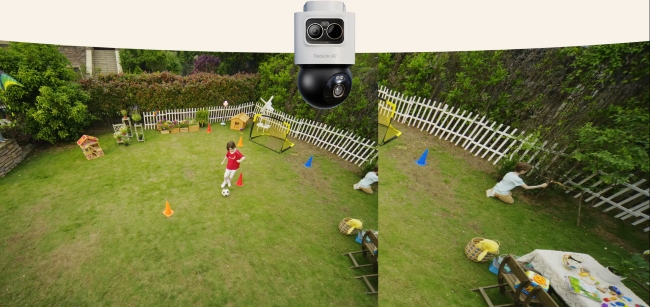
The OMVI 2i PoE needs a network cable run to the install spot, but that one cable carries both power and video. The spot needs no outlet, and the wired link doesn't depend on Wi-Fi signal strength. It runs on standard PoE (802.3af), so a basic PoE switch or injector (a small box that adds power to a network cable) is enough. It can also run on a 12V/1A adapter, which is not included.
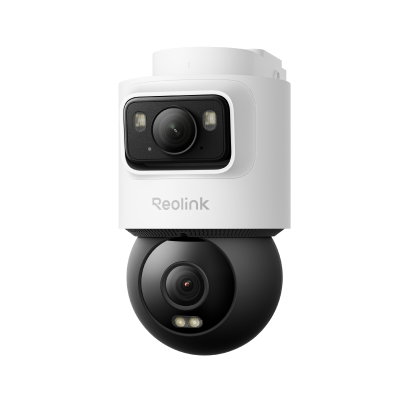
Intelligente 5MP+5MP Dual-Objektiv PoE-Kamera für lückenlose Überwachung
👍 Vollständige 10MP Dual-Objektiv-Ansicht (5MP + 5MP)
👍 165°-Ultraweitwinkelabdeckung
👍 SyncTrack, Auto-Tracking & Pinpoint
👍 KI-Erkennung für proaktiven Schutz
The OMVI 2i Ultra drops the cable completely, which makes it the pick for a shed, gate or fence line with no wiring nearby. Reolink rates its removable 10,000mAh battery at up to 6 months on one charge, based on about 5 minutes of recording a day, so a busy spot with constant movement will need charging sooner. The 6W solar panel keeps the camera topped up on about 30 minutes of direct sunlight a day, and USB-C charging covers dull winter stretches.
The camera connects over dual-band Wi-Fi 6, so the install spot still needs a Wi-Fi signal. Going wire-free comes with small trade-offs too: infrared reaches 10 m against the 2i PoE's 15 m, and the weatherproof rating is IP65 against IP66, which still copes with rain, though IP66 is rated for stronger water jets.
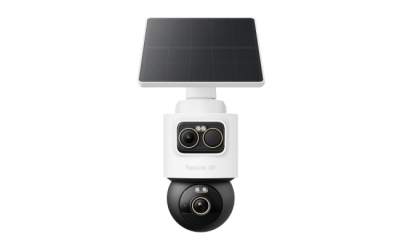
Kabellose 4K- und 3K-Dual-Objektiv-Überwachungskamera mit PT- und Bullet-Objektiv
👍 4K- und 3K-Dual-Objektiv mit vollständiger 360°-Abdeckung
👍 Kontinuierliche Solarenergie mit SolarEase
👍 SyncTrack mit automatischer Bildanpassung und Verfolgung
👍 KI-Erkennung von Personen, Fahrzeugen und Tieren
👍 Lokale Speicherung auf einer microSD-Karte mit bis zu 512 GB
OMVI 3i PoE or OMVI 3i WiFi
The two 3i cameras have the same lenses, resolution and night vision, so choosing between them is really about how you connect and power the camera.
The OMVI 3i PoE needs PoE+ (802.3at), a stronger version of PoE, because it draws more power: it's rated under 24W, against under 12W for the 2i PoE. PoE+ supplies up to 30W per port against 15.4W for standard PoE, so a standard PoE port won't be enough. Check that your switch or injector delivers 30W or more per port before you buy.
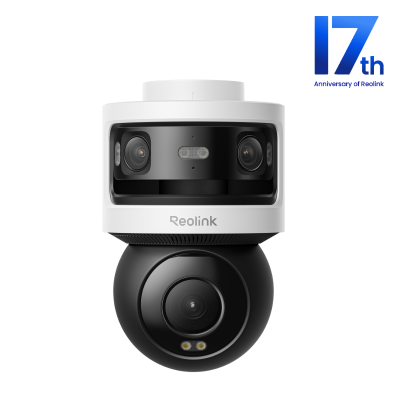
All-in-one 180°-Panorama-PT-Überwachungskamera mit drei Objektiven
180°-Panorama, 4K 360°-Abdeckung, SyncTrack, lokale Speicherung ohne Abo und KI-Videosuche.
The OMVI 3i WiFi drops the Ethernet cable but not the power cord. Wi-Fi carries the video, so the spot needs a good Wi-Fi signal, but the camera has no battery and is mains-powered only, so its 12V/2A adapter has to plug into a nearby outlet. That suits a spot under the eaves or beside a garage with an outdoor socket, and the 15 ft (4.5 m) extension cable in the box helps you reach it.
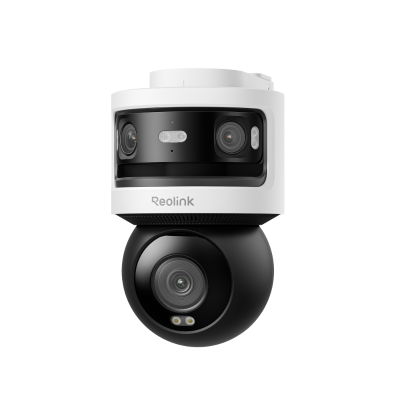
10MP + 8MP Pan-Tilt-Kamera mit drei Objektiven und 360°-Abdeckung
- 10MP-Dualobjektiv mit 180°-Sichtfeld und 4K-Kamera für vollständige 360°-Abdeckung
- Dualband Wi-Fi 6 und lokale Speicherung
Which One Should You Buy?
Pick the line by how wide a view you need, then pick the power version by what the install spot offers.
The OMVI 2i suits a defined area such as a side path or garage door, where its narrower view already covers what matters and the PT lens can follow movement. The OMVI 3i is the better match for a wide frontage, driveway or open lot, where its panorama keeps the whole scene in one view instead of splitting it across several cameras.
Most of the decision comes down to how much area one camera needs to cover. The catch is a spot with no power or Ethernet, such as a shed or gate. If Wi-Fi reaches it, the OMVI 2i Ultra is the only camera that works there, because it runs on a battery. Its view is narrower than either OMVI 3i camera's, though, which matters if the spot looks onto a wide area. To get the wider 180° view there, you'd need to run an Ethernet cable to the spot for the OMVI 3i PoE, or add an outlet nearby for the OMVI 3i WiFi.
FAQs
What's the real difference between the OMVI 2i and OMVI 3i?
Lens setup, resolution and night vision range separate the OMVI 2i from the OMVI 3i. The 2i has one 105° or 110° wide lens, while the 3i has a 180° panorama built from two lenses, so it sees a much wider area from one spot. Resolution is 10MP to 13MP on the 2i and 18MP on the 3i, which gives the 3i more detail, especially in close-ups. Infrared night vision reaches 10 to 15 m (33 to about 49 ft) on the 2i and about 30 m (100 ft) on the 3i, so the 3i sees farther across a dark driveway or yard. In short, the 3i is built for a wide area and the 2i for a smaller, defined spot.
Does the OMVI 3i have SyncTrack and the OMVI 2i doesn't?
No. The OMVI 2i PoE, OMVI 2i Ultra, OMVI 3i PoE and OMVI 3i WiFi all have SyncTrack and Pinpoint. SyncTrack lets the PT lens follow what the fixed lens detects, and Pinpoint lets you tap a spot so the PT lens turns toward it. Tracking shouldn't decide which line you pick.
Is the OMVI 3i WiFi battery-powered?
No. The OMVI 3i WiFi connects over dual-band Wi-Fi 6 but still needs its 12V/2A adapter plugged into an outlet. Of the four cameras compared here, only the OMVI 2i Ultra runs on a battery, and it comes with a 6W solar panel. The 3i WiFi box includes a 15 ft (4.5 m) extension cable to help reach an outlet. If you want a camera with no wiring at all, look at the 2i Ultra.
Does the OMVI 3i show three separate camera images?
No. The OMVI 3i has three lenses but shows two live views. Two of the lenses combine into one 180° panoramic view, and the third is the PT lens with its own view. Both views show at once in the Reolink App, and the camera takes up one channel on a Reolink NVR.
Can I mix a 2i and a 3i on the same property?
Yes, and it can work well. A 2i can watch a tight entry point while a 3i covers the wide frontage, and every OMVI 2i and OMVI 3i camera works in the same Reolink App. The OMVI 2i PoE and both 3i models also record to compatible Reolink NVRs, which need current firmware. The OMVI 2i Ultra works with the Reolink Home Hub, as does the OMVI 3i WiFi, so a mixed setup can pair wired models with an NVR and wireless ones with the Home Hub.
Conclusion
Rather than determining which series is better, we'd prefer to ask which one better suits your installation. The OMVI 2i and OMVI 3i series of cameras target different surveillance requirements, so the best choice depends on the location you want to monitor and the features that matter most to you.
Check out the comparison table above to quickly skim out the key differences at a glance and consider the important factors against your needs. Feel free to leave down comments below if you have any questions and our team will assist you by answering them.
Search
Subscribe for the Latest Updates
Security insights & offers right into your inbox