
Mbps vs Gbps: Which Internet Speed Is Right for You?
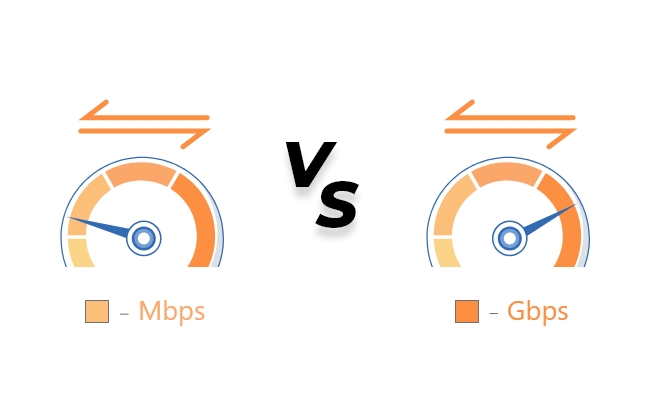
While installing an internet connection, users often get confused after looking at the speed units. It's essential to understand what Gbps and Mbps mean to select the right one according to the applications.
In this article, we will explain what Mbps and Gbps are and compare their speed. We will discuss their applications and how to convert them without any hassle.
Mbps vs Gbps: Basics Of Thems Gbps: Basics Of Them
What Is Mbps?
Mbps is often written as Mb/s on your phones or laptops. It stands for Megabits per second, which measures millions of data bits transferred per second.
Mbps is usually used in homes as offered by the service providers for moderate applications. For example, your service provider offers a 50 Mbps package, which means that it can transfer the data 50 million bits per second. Mbps is popularly used for high-definition video streaming, gaming, downloading files, and attending meetings seamlessly.
What Is Gbps?
Gbps is a greater unit than Mbps, which are commonly used for high computing. It has far higher internet speeds and is typically used in large data centers and commercial usage for multiple device support.
1 Gbps transfers 1,000,000,000 bits per second and 1000x faster than Mbps. It allows users to get extremely high uploading and downloading speeds.
Moreover, you can enjoy watching movies and shows in ultra-high definition. Gbps is considered ideal to meet high-tech and multiple-user requirements. It is also becoming common, and people are adapting globally to enjoy lag-free internet.
Mbps vs Gbps: What's The Difference?
The primary difference between Mbps and Gbps is that Gbps is 1000 times greater than Mbps. It means that 1 Gbps is equal to 1000 Mbps, which shows how fast it can transfer data.
Suppose you are downloading a file with 10 Mbps, it may take 5-10 minutes to download. However, with 10 Gbps, you can download it within seconds. Mbps is widely used around the world, but it might not outperform in heavy load requirements, where Gbps can withstand massive usage.
You will also experience a noticeable change while streaming high-quality videos with Gbps and Mbps. Additionally, there is also a huge difference in dealing with multiple user requirements. Mbps might lag when its capacity is reached, while a Gbps network sustains high bandwidth and multiple user requirements.
Mbps vs Gbps: Which Is Better? How To Choose?
If you compare Mbps and Gbps, the clear answer is that Gbps is far better than Mbps because of the enormous speed. Gbps wins in all aspects, but choosing one of them entirely depends on your requirements.
Basic Usage: For general email, web browsing, and social media, 5-20 Mbps is more than enough according to your needs. Gbps will be an overkill.
Casual Streaming: HD/SD streaming of games or security camera, a 25-100 Mbps network is perfect. It ensures incredible performance for up to two users.
Heavy Streaming: It requires a bit higher speed, such as 100+ Mbps. But still, there is no need for Gbps.
Content Creation: For normal use, 25 Mbps is enough. But for high-demand households and bigger YouTube channels/social media accounts, 1 Gbps would be the perfect option.
Offices and Commercial Places: For these locations, it is better to go with 1 Gbps or higher as there are many users.
How Many Mbps Is 1 Gig? How To Convert?
For conversion between the units, you must understand the conversion factor. The conversion factor is 1 Gbps = 1000 Mbps, which you must remember to calculate.
For example, if you want to calculate how many Mbps in 2 Gbps, simply multiply 2 by 1000 to get 2000 Mbps as a result. Similarly, if you want to convert 1500 Mbps to Gbps, simply divide 1500 by 1000. You will get 1.5 Gbps.
The conversion factor is useful for you to evaluate the load requirements to install a reliable high-speed internet connection.
Proper Speed Rate For Security Camera
A proper speed rate is highly essential for security cameras, which can only be obtained after maintaining several factors. The key factors include compression formats, the number of cameras, storage, and their resolution.
For using one security camera, a 15-20 Mbps network speed is more than enough. If there are multiple security cameras, you can go with 50 Mbps or higher, depending on the number of cameras. For a critical operation in large areas like hospitals and public places requiring 24/7 surveillance, you should go with Gbps to meet the needs.
If you want lag-free live feeds, you can install Reolink Duo 3V PoE. It's a PoE camera with 4K Ultra HD resolution, H.265 compression, real-time alerts, night vision, and other incredible features.

16MP Dual-Lens IK10 Vandal-Proof PoE Camera
16MP Ultra HD, 180° Panorama, Motion Track, IK10 Vandal-Proof, color night vision.
FAQs
1. Is 100 Mbps the same as 1 Gbps?
No, they are not the same because of the conversion factor. 1 Gbps equals 1000 Mbps. It would require 900 Mbps more to get it equal to 1 Gbps.
2. Do I need 1 Gig or 500 Mbps?
It depends on your requirements. 500 Mbps is more than enough for dozens of cameras, frequent gaming (dozens of users), and most applications. It is overkill for homes. If you own an office or data center or require heavy data transfer, then 1 Gig is recommended.
3. Do I really need 1 Gbps internet?
You must first determine your requirements before installing the internet. If you are installing the internet for moderate requirements (email, streaming, web browsing, etc.) or individual use, 1 Gbps is not needed.
Conclusion
For a smooth internet experience, speed is crucial. When you need to select a network connection, you need to go with Gbps or Mbps. Both of these are internet speed units but they differ in speed and are suitable for distinct applications. We have shared the difference and conversion factors to help you select the right speed for your needs.
Search
Subscribe for the Latest Updates
Security insights & offers right into your inbox