
Kbps vs Mbps: Internet Speed Explained
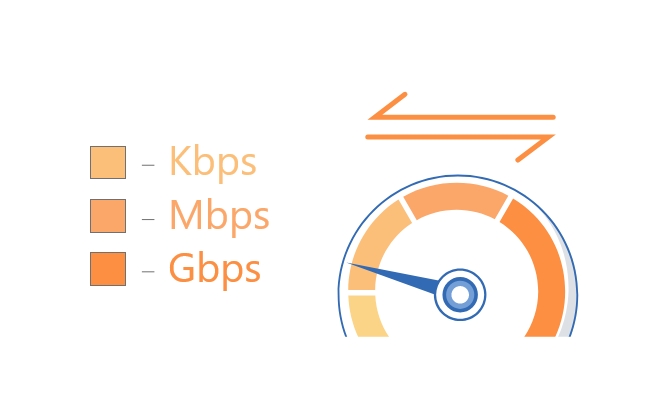
Internet speed plays a vital role whether you are studying or relaxing. You might have heard about Kbps and Mbps from the internet service provider or friends. Both units help to measure the data transfer, but choosing the right one is important.
There is a significant difference between Kbps and Mbps, which we will be discussing in detail. We will simplify the basics and help you choose the best option for your needs.
Kbps vs Mbps: Basics Of Them
What Is Kbps?
Kbps stands for Kilobits per second and is a smaller unit to measure data transfer. 1 Kbps equals 1000 bits, and it often indicates a slower internet connection speed.
In modern mobile phones, the internet speed is displayed at the top, which helps you to figure out the real-time uploading and downloading speeds. A 400 Kbps connection speed means it can transfer 400,000 bits per second.
The speed in Kbps is considered enough for smaller applications such as emailing and browsing websites. Kbps is becoming uncommon but still exists for smaller applications.
What Is Mbps?
Mbps stands for Megabits per second and is a larger unit. 1 Mbps is equal to 1,000,000 bits, which clearly shows it is faster than Kbps.
You might have commonly observed a speed in Mbps for various applications. People prefer to measure internet speed in Mbps while installing the internet at home.
Mbps is ideal when you are dealing with high internet speed requirements, such as watching HD movies, downloading, or uploading high-quality media.
Kbps vs Mbps: Which Is Faster?
What’s The Main Difference Between Them?
There is a huge difference between Kbps and Mbps, similar to the difference between meters and centimeters.
The key difference is the data transfer speed per second. Kilobits are 1,000 times smaller than Megabits, indicating that Mbps transfers data at higher speeds. A higher value in Mbps shows faster data transfer.
Mbps is required when meeting heavy load requirements, such as streaming and data processing, while Kbps is suitable for basic operations. For instance, a file downloading at 400 Kbps takes approximately 15 minutes, while with a 10Mbps connection, it takes only a few seconds.
Which Speed Is Faster?
Mbps is 1000 times faster than Kbps because it transfers 1,000,000 bits per second, while Kbps can only transfer 1,000 bits per second. The Internet plans for homes, offices, and studios generally consider Mbps as a standard to provide seamless and buffer-free access.
The speed is highly capable of providing high quality while watching movies on Netflix or streaming other high-definition videos. A Mbps speed will allow you to use multiple devices without a significant speed reduction, as with Kbps.
Kbps vs Mbps: How To Choose? Which Is Better?
Choosing between Mbps and Kbps solely depends on your requirements.
Web Browsing: For basic web browsing, speed in Kbps can still work. However, there are images, videos, and other graphical content. For that purpose, 5-10 Mbps is a better option.
Email: Simple text emails can be sent even if the speed is in Kbps. But if there are attachments, images, and other data, speed in Mbps is required.
Messaging App: Messaging apps can send short text messages at a low speed, Kbps. For sending images, videos, GIFs, files, and other content, Mbps offers seamless uploading.
Video Streaming: It requires excellent speed for a lag-free experience. For standard definition, you need 3-5 Mbps, and for 4K streaming, 25 Mbps per stream ensures a smooth experience.
Gaming: Online gaming needs heavy network bandwidth. It can work seamlessly on a 20-50 Mbps download speed.
Video Conferencing: For basic video quality, 1-5 Mbps is enough. But for HD videos, go with 5-10 Mbps.
Downloading/Uploading: For downloading and uploading files, especially large files, the speed should be 25 Mbps or higher. Otherwise, the speed will be slow.
A Mbps speed is considered better and more reliable. For an individual, an internet plan of 12-15 Mbps is enough. However, for multiple users, a 50+ Mbps internet plan should be considered. Choosing Mbps would be a better option as it provides an optimal and long-lasting experience from every aspect.
Proper Speed Rate For Security Camera
The proper speed rate for a security camera depends on its key features, such as resolution and compression formats. Moreover, it also depends on the cloud or local storage.
You must have a high-speed network, as security cameras are highly critical and require 24/7 surveillance. For a lag-free experience, it is recommended to install an internet connection with good download and upload speeds. An efficient camera with 2K support requires at least 3-5 Mbps of network bandwidth for high-quality and delay-free streaming.
If you are installing multiple cameras, such as 3 or 4, you will require at least 5-10 Mbps for seamless remote streaming. A 4K camera requires up to 15+ Mbps for a smooth streaming experience. If you are looking for a camera that can work at normal internet speed, go with Reolink Altas. It is an incredible 2K security camera for a lag-free experience. It works on dual-band Wi-Fi 6 to ensure a seamless live video experience.
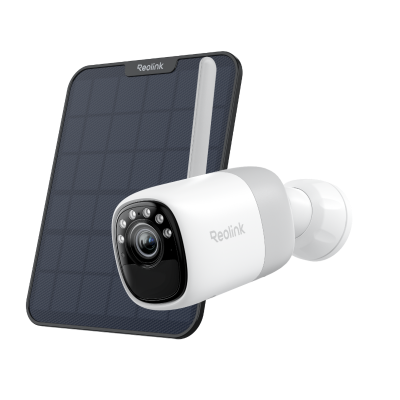
2K Pre-recording Bullet Camera with a Long Lasting Battery
2K 10s Pre-recording ; ColorX Night Vision; 20,000mAh Battery; Dual-band Wi-Fi 6.
FAQs
1. Is 128 Kbps fast or slow?
128 Kbps is an extremely low internet speed, which may irritate you while downloading a file or even browsing a website.
2. Can I watch Netflix with 512 Kbps?
512 Kbps is considerable, but it provides low-quality streaming. You will get 480p quality at this speed, and it might get dropped automatically or start buffering continuously.
3. Is 800 Kbps a good internet speed?
Yes, 800 Kbps might be a good internet speed, but only for an individual. If it is getting shared by multiple users, no one can browse or even send a WhatsApp text message.
Conclusion
A good internet connection speed is necessary to access everything smoothly. Both Mbps and Kbps measure internet speed, but there is a big difference between them. Now, you might have a clear idea of the internet speed you need after comparing both units and understanding the requirements for a better experience.
Search
Subscribe for the Latest Updates
Security insights & offers right into your inbox