
Is 300 DPI High Resolution? Everything You Need to Know
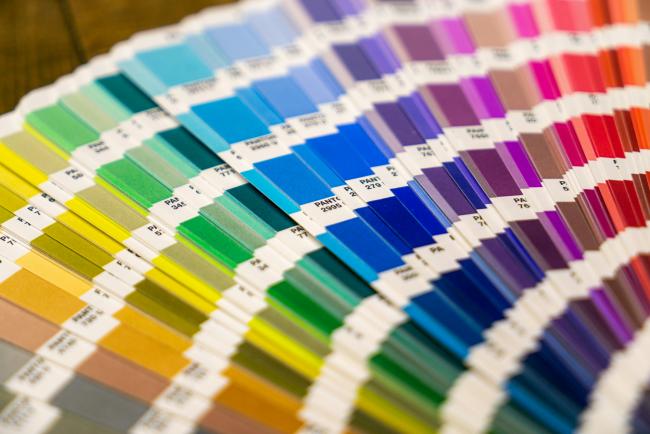
Yes, 300 DPI serves as high resolution for most standard printing needs today. This resolution level produces clear and detailed prints that meet all professional standards. Many projects use 300 DPI to ensure images look very sharp on paper.
- What Does 300 DPI Mean?
- Is 300 DPI High Resolution?
- Is 300 DPI High Resolution for Printing?
- 300 DPI vs Other Resolutions
- How Many DPI Is High Resolution?
- Use Cases for 300 DPI
- How to Check If an Image Is 300 DPI?
- How to Convert or Increase Image to 300 DPI?
- Is 300 DPI Good Enough for Security Camera Images?
- FAQs
- Conclusion
What Does 300 DPI Mean?
300 DPI means there are exactly 300 dots per inch in printed materials. This figure shows how many individual ink dots a printer can place in one inch. Higher numbers create smaller dots that are packed closer together for greater detail.
Printers build images from tiny dots of colored ink during the printing process. These dots are placed in a grid pattern across the entire page area.
At 300 DPI, the printer creates:
- 300 dot positions horizontally per inch
- 300 dot positions vertically per inch
This setup results in 90,000 dots per square inch.
The dense arrangement allows smooth color transitions and crisp edges in the final print. The resolution affects how accurately the print reproduces the original image in great detail.
Is 300 DPI High Resolution?
300 DPI serves as high resolution in the majority of printing cases. It delivers the quality that professionals expect from printed materials. The suitability depends on factors such as print size and viewing distance.
Why 300 DPI Became the Standard?
Printers and publishers adopted 300 DPI as the industry standard many years ago because it delivers reliable print quality for most reading and viewing situations.
Matches Human Visual Perception:
At typical reading distances:
- 300 DPI closely matches the limit of what the human eye can resolve
- Additional dots above this level provide little noticeable improvement in most printed materials
Provides Consistent Print Quality:
The printing industry standardized 300 DPI because it:
- Produces clear and detailed images
- Delivers consistent results across books, magazines, and other printed materials
- Maintains reliable print performance for commercial production
Balances Quality and File Size:
Using 300 DPI offers a practical balance between:
- High image quality
- Manageable file sizes
- Efficient storage and processing requirements
Supports Commercial Printing Efficiency:
Companies widely adopted 300 DPI because it:
- Works effectively with commercial printing equipment
- Helps maintain stable production workflows
- Keeps printing and production costs reasonable for different types of projects
When 300 DPI Is Truly "High Resolution" vs Unnecessary?
300 DPI is truly high resolution for prints that people examine closely. Examples include photo albums product catalogs and personal documents. The detail level ensures text and images appear clean and professional.
300 DPI becomes unnecessary for very large displays that viewers see from a distance. Signs and banners often look fine at lower resolutions in those situations. The extra resolution would add cost and processing time without noticeable benefits to the viewer.
Is 300 DPI High Resolution for Printing?
Yes, 300 DPI is high resolution for printing in most situations. It stands as the best DPI for printing high-quality photos and graphics. Designers and print shops recommend this setting for results that satisfy customers.
300 DPI vs Other Resolutions
Different DPI values suit different purposes in image work. Designers select the resolution based on the final use of the image. Comparisons help them understand the trade-offs in quality and file size.
72 DPI vs 300 DPI
72 DPI works for screen displays such as websites and online content. The lower number keeps files small so pages load quickly on devices. When you print them 72 DPI images appear blurry and lack detail.
The dots spread out too far on paper in prints. 300 DPI maintains sharpness and prevents the pixelated look that lower resolutions cause in prints.
150 DPI vs 300 DPI
150 DPI provides acceptable quality for some draft prints or large items. It uses fewer dots than 300 DPI and creates smaller files. Prints at 300 DPI show clearer lines and better color accuracy.
The higher density reduces any grainy appearance and makes the output look more polished.
600 DPI vs 300 DPI
600 DPI exceeds 300 DPI in the level of detail provided. It benefits projects with tiny text or intricate designs that need close inspection. The additional dots create even smoother gradients in the print.
The difference from 300 DPI may not justify the larger files and longer print times for everyday uses. Many stick with 300 DPI to save resources while achieving excellent results.
How Many DPI Is High Resolution?
High resolution for printing generally begins at 300 DPI. Some consider 200 DPI or above good for many situations. 300 DPI and higher ensure top results for close viewing.
The exact requirement varies with the physical size of the print. It also depends on the distance from which people view the material.
Use Cases for 300 DPI
300 DPI fits well in many printing situations. It meets quality expectations for a broad range of materials.
When Do You Need 300 DPI?
Use 300 DPI in situations where close examination matters most:
-
You need 300 DPI for professional photographs book pages and marketing brochures.
-
It also suits business cards posters of standard sizes and any material meant for close examination.
-
In these applications 300 DPI keeps images free from fuzziness and maintains fine details.
-
It handles facial features in photos and small text in layouts well.
When 300 DPI Is NOT Necessary?
Lower resolutions work fine in these situations:
-
300 DPI is not necessary for images used only on the web or in digital presentations.
-
It exceeds requirements for large outdoor banners or billboards where viewers stand far away.
-
Lower DPI in those cases produces adequate appearance and reduces the storage space and processing power required.
How to Check If an Image Is 300 DPI?
You can check the resolution of any image by following these steps:
-
You launch an image editing program such as Photoshop or a free alternative.
-
You open the specific image file you want to examine closely.
-
You access the image size or properties menu in the software.
-
You locate the resolution value listed in dots per inch.
-
You confirm whether the number shows 300 or higher for print ready status.
-
You note the pixel dimensions along with the DPI to calculate suitable print sizes.
How to Convert or Increase Image to 300 DPI?
You can increase your image resolution to 300 DPI by following these steps:
-
You start the editing program and open your image file.
-
You find the menu option for image size or canvas size.
-
You input 300 into the resolution field and select inches as the unit.
-
You choose whether to resample the pixels or adjust only the document size.
-
You review the preview to see how the change affects sharpness and file size.
-
You save the updated file in a high quality format suitable for printing.
Is 300 DPI Good Enough for Security Camera Images?
300 DPI is considered high resolution for printed security camera images. It provides enough detail for most documentation, reports, and photo printing needs.
How DPI Relates to Security Cameras
Security cameras capture images in pixels, while DPI mainly affects how those images appear when printed. A higher DPI allows the printed image to show finer details more clearly.
When 300 DPI Works Well
Printing security camera images at 300 DPI is suitable for:
- Incident reports
- Evidence documentation
- Facial detail visibility
- License plate snapshots
- Home and business security records
Image Quality Still Depends on Camera Resolution
Even with 300 DPI printing, the final quality also depends on:
- Camera megapixel count
- Lighting conditions
- Motion blur
- Distance from the subject
- Video compression quality
For example, a high-resolution security camera image printed at 300 DPI will usually appear much sharper than a low-resolution image printed at the same DPI.
Best Resolution for Security Camera Printing
For the best print results:
- Use high-resolution images from 4MP, 8MP, or higher security cameras
- Export original footage whenever possible
- Avoid excessive digital zoom before printing
Many modern systems from Reolink support high-resolution image capture that works well for 300 DPI printing and detailed image review.
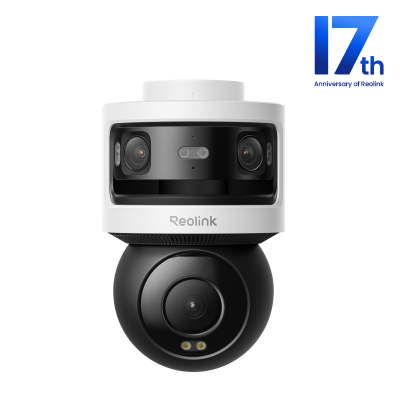
All-in-one Triple-Lens 180° Panoramic Pan-Tilt Security Camera
10MP Dual-Lens 180° View, 4K 360° Full Coverage, SyncTrack with auto framing & auto tracking, Local Storage (No Monthly Fees), Local AI Video Search.
FAQs
What Is Higher Quality, 300 DPI or 600 DPI?
600 DPI produces higher quality than 300 DPI in printed output. The greater number of dots allows for more precise details and finer color blends. The improvement shows best in specialized prints but 300 DPI suffices for most standard printing jobs.
Is 300 DPI Low Quality?
No 300 DPI does not count as low quality for printing. This resolution level represents the industry standard for high quality prints. Print shops use it regularly to create attractive and clear materials.
How to Tell if a Photo Is 300dpi?
You can tell if a photo reaches 300 DPI by examining its file properties. You open the photo and check the resolution information in editing software. A reading of 300 confirms the setting for the photo.
Conclusion
300 DPI offers high resolution suitable for many printing applications. It balances detail with practicality in most projects. Consider the specific needs of your print job to select the right resolution. People can share their opinions on the article after they finish reading it.
Search
Subscribe for the Latest Updates
Security insights & offers right into your inbox