
How Long Do Security Cameras Last? Lifespan Guide 2026
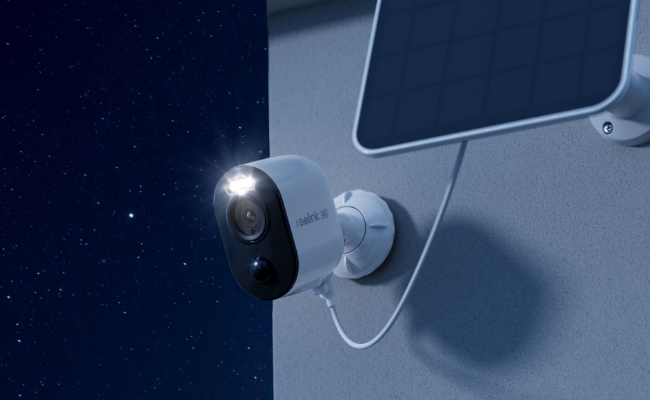
Security cameras are a long-term investment, and durability is one of the most important factors buyers evaluate. Knowing how long a security camera lasts helps ensure you get reliable protection without unexpected replacement costs or technical issues down the road. Here is a breakdown of average security camera lifespans, what causes them to fail, and how to extend their usable life.
Key Takeaways:
- Security cameras can last for years, depending on quality, weather, and maintenance.
- Outdoor cameras usually face more wear from heat, rain, UV, and moisture.
- A camera can still work but become outdated due to poor image quality or limited support.
- Good installation and regular care can extend camera life.
- Replace a camera when it becomes unreliable, damaged, or no longer meets your needs.
How Long Do Security Cameras Last?
Security cameras can remain usable for many years, but there is no universal lifespan. How long a camera lasts depends on factors such as build quality, weather exposure, power supply, operating temperature, maintenance, and the condition of components such as batteries or storage drives.
Outdoor cameras and devices with moving parts may experience different types of wear than indoor or fixed cameras, so lifespan should be evaluated based on the actual installation environment and usage.
What Determines a Security Camera’s Lifespan?
A security camera's operational lifespan depends on several factors working individually or together. Understanding these factors can help reduce premature wear and keep the camera reliable for longer.
Component Build Quality
A camera’s lifespan starts with its construction. Durable housings help protect internal electronics, while the quality of sensors, lenses, seals, and other components can affect long-term reliability.
Environmental Conditions
Exposure to heat, cold, UV radiation, rain, moisture, dust, and corrosion can accelerate wear. Outdoor cameras should be selected and installed according to the environment, while indoor cameras may be more affected by dust, humidity, or heat buildup.
Duty Cycle and Recording Mode
Recording mode can affect how different parts of the system are used. Continuous recording places a steady workload on storage and related hardware, while motion-triggered recording changes how frequently footage is written and reviewed.
However, recording mode alone does not determine the lifespan of the camera.
Routine Maintenance
Regular maintenance can help prevent avoidable issues. Cleaning the lens and housing, checking cable connections, securing mounts, and looking for signs of moisture or corrosion can help keep the camera working reliably.
Technology Cycles and Software Support
A camera may become less useful even while the hardware still works. Changes in video quality expectations, network standards, smart features, and cybersecurity support can affect how long a camera remains practical to use.
How Long Do Different Security Camera Components Last?
Different parts of a security system age in different ways. Rechargeable batteries, PTZ motors, storage drives, seals, connectors, and other components may experience wear at different rates.
Actual service life depends on operating temperature, environmental exposure, workload, maintenance, and product design.
Fixed Security Cameras
Fixed security cameras have fewer moving mechanical parts than PTZ cameras, but they are still affected by environmental and electronic wear.
- Indoor Fixed Cameras: Common factors include heat, dust, power quality, and component aging.
- Outdoor Fixed Cameras: Additional factors include UV exposure, moisture, temperature changes, corrosion, and weather sealing.
Fixed cameras may also reach the end of their useful life because of software support, compatibility, or changing monitoring requirements before the hardware physically fails.
Battery-Powered Cameras
For battery-powered cameras, it is important to distinguish between battery runtime and battery lifespan.
- Battery Runtime: How long the camera operates between charges depends on motion frequency, live viewing, night vision, signal quality, temperature, and other settings.
- Battery Lifespan: Rechargeable batteries gradually lose capacity over repeated use and charging.
- Solar Panel Usage: A compatible solar panel can reduce how often manual charging is needed, but it does not prevent normal battery aging.

4k 180° Wire-free Color Night Vision Camera
4K UHD 180° Blindspot-free View; Color Vision Day and Night; 30% More Battery Life; Dual-band Wi-Fi 6; Smart detection.
PTZ (Pan-Tilt-Zoom) Cameras
PTZ cameras use motors and moving components for pan, tilt, zoom, and tracking. Their long-term reliability can be influenced by how frequently these mechanisms are used and by the installation environment.
Signs that a PTZ camera may need attention include:
- Irregular pan or tilt movement
- Unusual motor noise
- Failure to return to preset positions
- Slow response
- Tracking or positioning errors
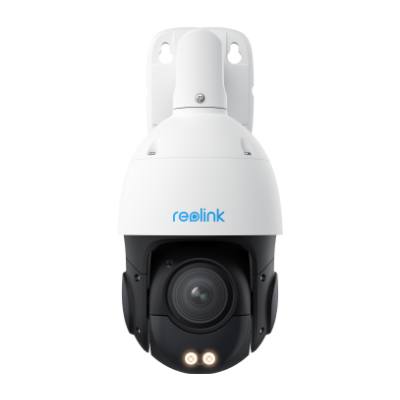
Smart 4K PTZ PoE Security Camera with 16X Optical Zoom
16X Optical Zoom, 360° Coverage in 4K UHD, Auto Tracking, Color Night Vision.
NVR/DVR and Hard Drives
NVRs and DVRs should be considered separately from the hard drives installed inside them. The recorder manages video processing and storage, while the hard drive handles repeated video writes.
Long-term reliability can be affected by workload, heat, ventilation, drive health, power quality, and maintenance. Storage drives should be monitored for recording errors, health warnings, or other signs of failure.
Physical Lifespan vs. Useful Lifespan
Physical Lifespan (Hardware Longevity)
Physical lifespan refers to how long the camera’s electronic and mechanical hardware continues to operate.
A physically functioning camera may still:
- Power on normally
- Transmit video
- Record footage
- Connect to the network
- Respond to basic controls
However, working hardware does not always mean the camera still provides reliable or suitable security performance.
Useful Lifespan (Functional & Security Viability)
Useful lifespan refers to how long a camera remains practical, secure, compatible, and suitable for its intended monitoring purpose.
A camera may reach the end of its useful lifespan because of:
- Firmware or security support: Older devices may eventually receive fewer updates.
- Image quality requirements: Older resolution or imaging performance may no longer meet current monitoring needs.
- Ecosystem compatibility: Older devices may become less compatible with newer apps, recorders, hubs, or network standards.
- Feature limitations: Newer detection, night vision, or monitoring features may make older hardware less suitable.
- Component wear: Lenses, seals, motors, batteries, or other parts may gradually affect performance.
In short, a security camera does not need to stop working completely before it is worth replacing. A camera may still function physically while no longer meeting your security, compatibility, or performance needs.
How to Make Security Cameras Last Longer?
Proper installation, regular maintenance, and stable power can help extend a security camera’s lifespan.
Choose the Right Camera for the Environment
Use a camera rated for the installation environment. Outdoor models should have suitable weather resistance and operating temperature limits.
Install It Correctly
Mount the camera securely, protect outdoor connections from water, and follow the manufacturer’s installation guidance.
Keep the Lens and Housing Clean
Remove dust, spider webs, water spots, and debris regularly to maintain image quality and prevent buildup around the housing.
Protect Power and Network Connections
Keep Ethernet and power connectors dry and secure. Inspect cables for corrosion, loose connections, or physical damage.
Keep Firmware Updated
Firmware updates can improve security, stability, and compatibility, helping extend the camera’s useful lifespan.
Inspect Cameras Regularly
Check for condensation, cracks, corrosion, damaged cables, recording issues, or declining image quality so problems can be fixed early.
5 Signs It’s Time to Replace Your Security Camera
There are some key factors to consider before replacing your old security cameras. It is because most of the time your previous cameras will be good to go for another year or two. Here are the factors that will help you decide if you need new security cameras yet or not.
1. Degradation in Image Quality
When you notice significant degradation in the image quality of your camera that contains grainy, unclear, and distorted images then you should replace it. It is because those problems can reduce its effectiveness in surveillance.
2. Malfunctioning or Unreliable Performance
A security camera may start malfunctioning and perform unreliably which includes connectivity issues and recording failures. When this gets frequent, you must replace your camera.
3. Physical Wear and Tear
No matter how old or new your camera is, if it has signs of physical wear and tear then it must be replaced immediately. It is because a worn-out camera may stop working unexpectedly and that’s not something acceptable for security cameras.
4. Compatibility Issues with New Updates
If the older technology gets outdated and completely replaced with new technology, then your old cameras may stop working. That’s where it becomes essential to replace the security cameras, so you stay compatible with modern technology features.
5. Excessive Downtime and Repairs
If your security camera is facing excessive and long downtimes and it requires repairs frequently then keeping it will not be a good idea. So, it would be better to replace such a security camera for convenience and cost benefits.
FAQs
How Long Should an Outdoor Security Cameras Last?
A well-maintained outdoor security camera can often remain useful for years, but there is no fixed lifespan. Heat, freezing temperatures, moisture, UV exposure, corrosion, power quality, and installation conditions can all affect how long it lasts.
How Long Does a Security Camera Battery Last Per Charge?
Depends on model and usage. Motion frequency, live viewing, night vision, temperature, signal strength, and recording settings all affect how long a charge lasts. Some battery cameras may run for weeks or months between charges under light use.
Do Wired Security Cameras Last Longer Than Wireless Cameras?
Not necessarily. Wired cameras may avoid battery wear, but their lifespan still depends on hardware quality, weather exposure, power stability, and maintenance. Wireless cameras can also last for years if they are properly installed and maintained.
Do Security Cameras Lose Image Quality Over Time?
They can, but aging sensors are not always the cause. Dirty lenses, condensation, scratched covers, focus issues, lighting changes, or hardware faults can all reduce image quality over time.
How Often Should Security Cameras Be Replaced?
There is no fixed replacement schedule. Replace a camera when it becomes unreliable, suffers physical damage, no longer receives needed security updates, or can no longer provide the image quality and features required for your monitoring needs.
Conclusion
Different types of security cameras have different lifespans. Understanding how long do cameras last depending on their type and other features will help you make an efficient decision regarding your investment. Regardless of the security camera you get, remember that if you follow the right care and maintenance practices, you can make your security cameras last much longer with reliable performance.
Search
Subscribe for the Latest Updates
Security insights & offers right into your inbox