
Chime Not Working? Here’s How to Fix Common Problems
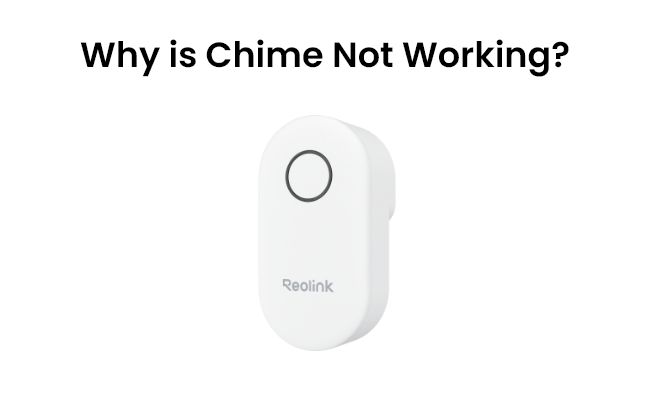
Do you have an issue with the chime not working on your doorbell? Pressing your video doorbell and expecting the chime to ring can be frustrating when it doesn’t work. If your chime isn’t working, this article will provide some troubleshooting tips for doorbell chime not working.
Learn why chimes don’t work, how to fix problems with popular doorbell brands and pick the best chime and the best doorbell cameras with built-in chimes.
Check out Reolink Holiday Sales for exclusive discounts on security cameras, video doorbells, and more!

Reolink Spring Sale - Step Into Spring, Step Into Security!
Reolink Spring Sale is here! Grab top deals on security cameras, doorbells, and systems to keep your home safe this season.
Why is Chime Not Working?
There are a few common reasons why your doorbell chime may not be working:
Loose Wiring
With time, the connection between the wiring and your chime box wears and becomes loose. They block the flow of power so that the chime does not ring. Oftentimes, the wiring and plugging together of loose cables are easy fixes.
Dead Batteries
Dead or missing batteries could be the cause if your wireless chime runs on batteries. All you can do is try replacing the batteries to get the power back.
Out of Range
Wireless chimes, like other wireless devices, can have connectivity issues when out of range from the video doorbell. Move your chime near your doorbell and see if that works.
Faulty Device
In certain cases, the chime is defective and will require replacement. In fact, this could be the problem if other troubleshooting tips do not succeed.
Wi-Fi Connectivity
Smart chimes that connect via Wi-Fi can have problems with network connectivity, which may stop them from functioning properly. You can fix it by resetting your Wi-Fi device.
What to Do If Your Doorbell Chime Isn't Working?
Here are some steps to troubleshoot a doorbell chime that won't ring:
Inspect Wiring
Open your chimebox and ensure connections to all wiring are still intact. Loose cable or corrosion should be searched for and, if so, reconnected or replaced accordingly.
Change Batteries
Suppose you have a battery-powered wireless chime; check the batteries. Batteries can also lose charge over time and fail to run the chime.
Test with Existing Doorbell
Turn off your video doorbell and turn on a regular wired doorbell (even just press the cables together). If the chime is ringing, your video doorbell is the culprit. If it still doesn’t ring, your chime probably didn’t work.
Move the Chime Closer to the Doorbell
Try temporarily moving the chime right next to your video doorbell to see if range is the issue for wireless chimes. If you see it start working, you know something with connectivity is the issue.
Factory Reset the Chime
If your Wi-Fi-enabled chimes are having problems, you can reset them to factory settings if you can. Steps to reset your chime will come from the user manual of your specific chime model.
Replace Chime Box
If none of the above suggestions resolves your chime, then the chime is likely faulty and needs to be replaced. Replace a new chime designed for use with video doorbell systems.
How to Fix Ring Chime Not Working?
For Ring Chime and Chime Pro models that aren’t working, follow these troubleshooting steps if Ring doorbell chime not working:
- Open the Ring app and tap your Chime or Chime Pro device.
- Go into Settings > Device Health and select the Wi-Fi connectivity option. You’ll then go through connecting the chime to your Wi-Fi network again.
- Enter your network name and password when prompted.
- This resets the Wi-Fi connection, which often resolves connectivity issues that prevent Ring chimes from working properly.
- If resetting Wi-Fi doesn’t fix the problem, you may need to factory reset your Ring Chime. This will erase any custom settings and restore factory defaults.
- Go into the Ring app, open Device Settings, and select Factory Reset from advanced options. Confirm the reset when asked. After completing the setup again, test your Ring Chime to see if the sound is restored.
If your chime is still having issues, contact Ring Support for warranty service or replacement.
How to Choose the Best Chime for Video Doorbells
Here are key factors to consider when selecting a compatible chime for your video doorbell system:
Indoor vs. Outdoor
The best place to mount indoor chimes is close to your doorbell wires. Outdoor chimes are weatherproof and can be installed right next to your doorbell.
Wireless Connectivity
Choose a wireless chime that doesn’t need to connect wires for easy installation. Just be sure to put it within range of your doorbell.
Volume Adjustability
Pick a chime that has an adjustable volume so you can place the loudness to your demands.
Design Style
Choose a chime style and finish that is coordinated with your home, from modern brushed steel to decorative classic models.
Smart Features
You can easily connect many newer chimes by Wi-Fi or Bluetooth for smart features such as remote alerts, custom tones, and mobile connectivity.
Power Source
Battery-powered chimes require little installation, but they will need to be replaced over time. The wired chimes draw power from your doorbell wiring continuously.
Best Doorbell Camera with Chime
The Reolink Video Doorbell (Battery) is a great smart doorbell that comes with a chime. It captures crystal clear footage when someone approaches your door with 2K video quality, head-to-toe person detection and dual-band Wi-Fi.
It comes with a separate chime, which can be placed inside your house. Since it is battery-powered, no additional wiring or troubleshooting required. The doorbell will work as long as it is connected to Wi-Fi and has enough battery.
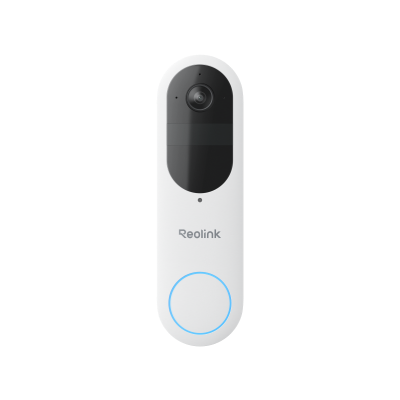
Smart 2K Dual-Band Wi-Fi Battery Doorbell
2K 4MP Head-to-Toe View; Person/Vehicle/Package Detection; Works with Reolink Home Hub & Wi-Fi NVR; 5/2.4GHz Dual-Band Wi-Fi.
FAQs
Why is Ring Chime offline?
If your Ring Chime is showing as offline in the Ring app, the usual cause is Wi-Fi connectivity issues. Resetting the connection via the Ring app troubleshooting menus often resolves this. Failing that, a manual factory reset typically gets the Ring Chime functioning on Wi-Fi again.
How do I get my Ring Chime back online?
To get your Ring Chime back online, first try resetting Wi-Fi connectivity in the Device Health section of the Ring app settings. If that doesn’t work, perform a factory reset on your Chime, which will erase any settings and restore factory defaults. After resetting, set up your Chime on Wi-Fi again by following the in-app setup prompts. This should get your Ring Chime back online and visible in the Ring app.
Conclusion
With wired and wireless options to suit a range of installation scenarios, there’s a compatible doorbell chime for every video doorbell system. If your chime stops ringing suddenly, inspecting wires and connections, changing batteries, and resetting Wi-Fi can often resolve common issues..
We hope these troubleshooting tips help you get your doorbell chime ringing again. Let us know in the comments if you have any other questions!
Search
Subscribe for the Latest Updates
Security insights & offers right into your inbox