
Understanding Cellular Security Systems: A Comprehensive Guide
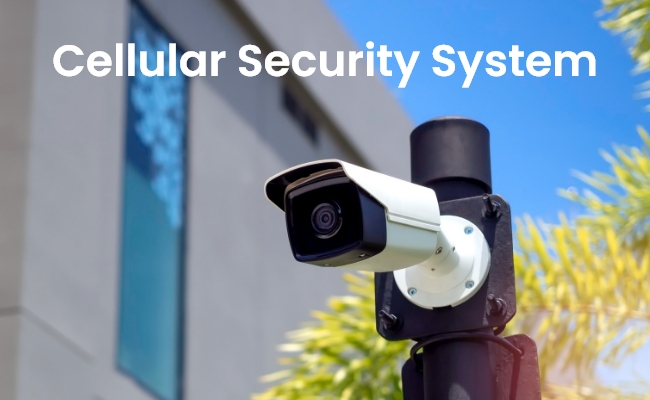
Cellular security systems are ideal for those who do not have a stable internet connection and want reliable performance even if their Wi-Fi or internet is not working. It works as an independent security system that you can install anywhere.
In this article, we will talk about cellular security systems. We will explain its benefits, important things to consider, and some recommendations to save you time.
What is a Cellular Security System?
A cellular security camera system does not need a separate internet connection. It can work without Wi-Fi or an Ethernet connection. Because it has a dedicated slot for a SIM card, and it can use the data plan of the network for the internet. It’s an ideal choice for remote location and reliable performance.
The components of a cellular security system are security cameras, motion detectors, alarms, door/window sensors, etc. There is also a control unit that connects all these components and offers features like real-time monitoring, remote access, instant alerts, etc.
Benefits of Cellular Security System
No Need for Landline or Internet
There is no need to get a landline phone connection for these security systems to work. They can also work without your home Wi-Fi or Ethernet connection. They have their own internet through the SIM card, which is a more reliable option.
Wireless Setup
The whole setup is wireless as there is no need for an Ethernet. In most cases, the devices are battery-powered and connected to a solar panel. But they can also be DC-powered. There is almost no wiring mess.
Reliability
Cellular security systems are extremely reliable. If your home's internet Wi-Fi is not working or there is an issue with the service provider, it still works. It can even work in the case of power outages. Therefore, it is more reliable than other systems.
Scalability
It is easy to scale a cellular security system. They are completely wireless, and you can easily install new devices anywhere you want. You just need to upgrade the data plan on your SIM according to the connected devices.
Considerations Before Choosing a Cellular Security System
Assessing the Coverage Area and Range of the Cellular Network
Before selecting a cellular security system, consider the area you want to cover. You have to select the number of devices accordingly. Moreover, you also need to ensure the cellular network in the area is stable and choose a compatible and reliable network.
Evaluating Your Security Needs
For indoor and outdoor security, you need to select different devices. For instance, there can be motion sensors outdoors to detect the motion of people and vehicles. Similarly, pay special attention to the resolution of security cameras. As a rule of thumb, the outdoor security camera should have a very high resolution to capture rich details. While the indoor camera resolution can be a bit lower.
Network Compatibility
You also need to consider the compatibility of the camera with the network. Check whether it supports 3G, 4G LTE, or 5G. It is better to avoid 3G at this stage. You can go with 4G LTE and 5G for incredible results.
How Much Does It Cost to Run a Cellular Security Camera?
First, you need to buy a cellular security camera. It costs anywhere between $100 to $300, depending on the features and quality.
After buying the security camera, you need to install it. If you can’t do it on your own, you have to consider the installation cost, which could be anywhere between $100 to $500 or more, depending on the size of the system and devices.
Last but not least is the recurring cost, which is the monthly data plan for the internet. You need to buy a suitable plan according to your needs. It could cost $10 to $50 per month, depending on the number of cameras, resolution, etc.
Best Cellular Security System
SimpliSafe
SimpliSafe offers DIY cellular security camera systems that use 2G and 4G LTE. It includes sensors, security cameras, an alarm, and a control unit. It works with Verizon and T-Mobile networks.
Vivint
Vivint Home Security Systems can work with cellular networks as a backup. You have to purchase a monthly monitoring plan for devices to work. It’s compatible with smart home systems.
ADT
ADT offers a comprehensive cellular security system. It requires professional installation and a contract for the service. Professional monitoring is excellent but expensive.
Frontpoint
Frontpoint cellular security systems are DIY. They also require professional monitoring, which is a bit expensive. It offers security cameras, sensors, door locks, etc.
Cove
Cove is known for its affordable monitoring plans. You can go with the DIY or professional installation. It offers different devices, but the compatibility with third-party ones is limited.
Alternatives of Cellular Security System: Wireless Security System
Cellular security cameras have a recurring cost of the data plan. For many people, they are a bit expensive, especially if the system is covering a wider area. In that case, you can consider the following alternatives.
Home Hub with Argus PT Ultra
Home Hub with Argus PT Ultra is a standalone wireless security camera system. It has a built-in rechargeable battery that can be charged using a solar panel, and it works on your Wi-Fi network. It can be installed anywhere without any hassle.
The kit comes with two Argus PT Ultra security cameras, two solar panels, and one Home Hub. The cameras record in 4K resolution, offering incredible details and optimal clarity. They can cover a wider area with pan and tilt motion. The Home Hub comes with a 64GB microSD card, which is enough for storing data for one year. It protects your data through encryption and anti-theft algorithms.
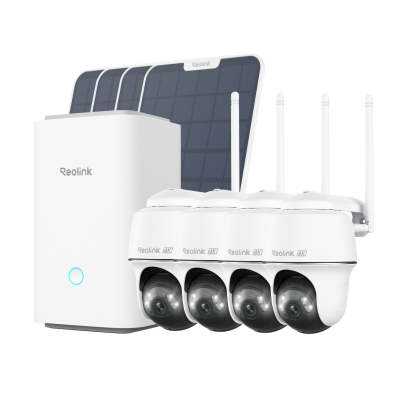
Wireless Security System With 4K PT Standalone Battery/Solar Wi-Fi Cameras
4K Color Footage Day & Night, 1 Year of Local Storage, Exclusive Anti-Theft Algorithms, 360° All-Around Coverage, Expandable System Up to 8 Reolink Cams.
Home Hub with E1 Zoom
Home Hub with E1 Zoom is an indoor security camera system. It is a 5MP Wi-Fi system that can be installed without any hassle. There are two cameras and a Home Hub in the kit. The cameras cover 360⁰ with decent video quality. You can also zoom into objects using the 3X optical zoom. They can detect objects and track their motion.
The Home Hub comes with a 256GB microSD card, which is more than enough. You get encrypted storage without any fee. It allows you to connect up to eight security cameras to cover more areas. It also works as an Alarm Center to keep users updated about any activity.

5MP Wi-Fi Surveillance System with Auto-Tracking & 3× Optical Zoom
5MP Super HD with 3× Optical Zoom, 360° Coverage with Auto Tracking, Encrypted Storage Without Monthly Fees, Up to 8 Reolink IP Cameras Supported.
FAQs
1. Is there cellular home security system no monthly fee?
Yes, Reolink cellular home security systems do not have a monthly fee. You can enjoy all the advanced features without paying any charges.
2. Can you convert a landline security system to cellular security system?
It is possible to convert your landline security system to a cellular security system. You will have to purchase a cellular communicator. writeHowever, switching to an advanced or latest setup is better for more features and better performance.
3. What’s the disadvantage of cellular home security system?
The disadvantage of cellular home security systems is the recurring cost. You have to renew the data plan every month to keep it working. It is a bit costly, and cellular networks can have issues in some areas.
Conclusion
Cellular security systems work on the cellular network. They can even work if your home Wi-Fi or internet has some issues. It is a reliable option for people, and they prefer it because of the hassle-free installation and wire-free setup. While buying a cellular security system, consider the factors we have shared. You can also look at the recommendations to get the best system for your needs.
Search
Subscribe for the Latest Updates
Security insights & offers right into your inbox