
Cat5e vs. Cat6 : What's the Difference and Which Should You Choose?
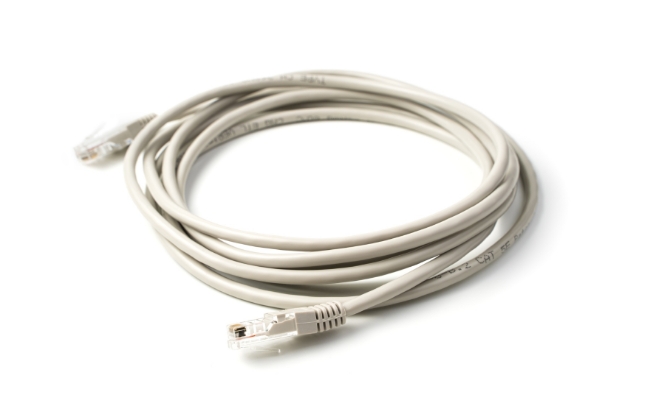
Ethernet cable choice shapes the real‑world speed, reliability, and future readiness of every wired network. Two names dominate most purchase decisions — Cat5e and Cat6. This article explains the difference between Cat5e and Cat6, describes how they work, compares their strengths and limits, and helps you decide which standard meets your needs. By the end, you will know the main difference between Cat5e vs Cat6 speed and when each makes sense.
Cat5 vs Cat6: Brief Overview
What Is Cat5?
Category 5 (Cat5) is a legacy networking standard introduced in 1995 designed to support early Ethernet speeds. It consists of four twisted pairs of copper wire wrapped in a single unshielded jacket, supporting a maximum bandwidth of 100 MHz.
Under optimal conditions, standard Cat5 caps out at speeds of 100 Mbps (Fast Ethernet) up to a maximum distance of 100 meters (328 feet). Because it lacks the manufacturing tolerances required to mitigate interference and cannot natively handle modern Gigabit speeds, standard Cat5 is considered obsolete and has been entirely phased out of modern security camera and network installations.
What Is Cat5e?
Cat5e (Category 5 Enhanced) is a heavily upgraded, optimized iteration of the original Cat5 standard that emerged in the late 1990s. While it maintains the same physical structure—utilizing four twisted pairs of copper conductors (typically 24AWG) and a maximum bandwidth of 100 MHz—it features vastly superior internal performance metrics.
The "e" stands for enhanced, meaning the cable is manufactured under strict regulations to minimize crosstalk (the electrical bleeding of signals between internal wires). When installed properly, Cat5e reliably supports Gigabit Ethernet (1 Gbps) up to 100 meters (328 feet). It remains highly popular in budget-friendly consumer camera setups due to its flexibility, ease of manual termination, and low cost.
What Is Cat6?
Category 6 (Cat6) takes network architecture a massive step forward. It retains the foundational four-pair copper layout but doubles the usable bandwidth to 250 MHz. To handle this higher frequency without signal degradation, Cat6 cables feature much tighter internal wire twists and typically integrate a central plastic spline (or separator) that physically isolates the wire pairs from one another.
These physical enhancements drastically cut down on "alien crosstalk" and external electromagnetic interference. Under standard conditions, Cat6 can handle blazing-fast 10 Gbps Ethernet speeds up to 55 meters (180 feet), and standard 1 Gbps speeds out to the full 100 meters.
Cat5 vs. Cat5e vs. Cat6: What's the Difference?
At a casual glance, Cat5, Cat5e, and Cat6 cables look virtually identical. They all use the same layout of eight internal copper wires and terminate into identical plastic RJ-45 modular plugs. However, beneath the outer protective plastic jacket lies a massive architectural generation gap that impacts speed, transmission range, and signal reliability.
1. Bandwidth and Carrier Frequency
Bandwidth represents the physical range of frequencies a copper cable can cleanly pass without experiencing devastating signal attenuation (the weakening of an electric signal over distance).
-
Cat5: Caps out at a maximum frequency ceiling of 100 MHz. This narrow pipe severely limits the amount of complex data encoding algorithms the cable can support.
-
Cat5e: Maintains that same 100 MHz frequency ceiling but introduces much stricter manufacturing tolerances. This extra structural headroom allows Cat5e to support advanced encoding methods at the same frequency with a significantly lower error margin.
-
Cat6: Raises the performance bar entirely, doubling the ceiling to a massive 250 MHz. This expanded highway allows the cable to handle much denser, faster electrical pulses across the exact same distance without risking signal dropouts.
2. Transmission Speed
Data throughput is usually the deciding factor when planning network infrastructure.
-
Cat5: Tops out at a maximum throughput of 100 Mbps (Fast Ethernet) over a full 100-meter (328-foot) run. Attempting to push modern network traffic through standard Cat5 causes network hardware to automatically throttle itself down to legacy speeds.
-
Cat5e: Achieves a massive 10x performance leap over Cat5, topping out at 1 Gbps (1,000 Mbps / Gigabit Ethernet) through the full 100-meter channel.
-
Cat6: Unlocks blistering speeds of up to 10 Gbps (10,000 Mbps). Because higher speeds are highly vulnerable to distance limitations, Cat6 can maintain full 10 Gbps speeds out to 55 meters (180 feet). Once the distance crosses that line, the connection safely falls back to a highly stable 1 Gbps across the remaining full 100 meters.
3. Crosstalk and Interference Mitigation
Crosstalk is a destructive technical phenomenon where the electromagnetic field generated by one wire pair bleeds into the wire pair right next to it, causing data corruption and packet loss.
-
Cat5: Utilizes loose, basic internal wire twists. It was designed in an era before high-density electrical environments, leaving it highly vulnerable to Near-End Crosstalk (NEXT).
-
Cat5e: Tightens the internal pair twists compared with legacy Cat5. It meets strict regulatory limits for both near-end crosstalk and Equal Level Far-End Crosstalk (ELFEXT), keeping gigabit links solid and reducing data retransmissions.
-
Cat6: Goes much further to isolate signal noise. The internal pair twists are wound even tighter, spacing is improved, and the cable typically integrates an internal longitudinal plastic separator (called a spline). This cross-shaped core physically locks each wire pair into its own isolated quadrant, cutting crosstalk across a wider frequency band.
4. Maximum Certified Lengths
Understanding distance limits prevents network drops during physical deployment:
-
For 100 Mbps Speeds: All three standards allow a maximum channel distance of 100 meters (consisting of 90 meters of solid-core horizontal cable run and 10 meters of combined stranded patch cables).
-
For 1 Gbps (Gigabit) Speeds: Cat5 is uncertified. Both Cat5e and Cat6 cover the full 100-meter distance.
-
For 10 Gbps Speeds: Cat5e is not certified. Cat6 covers 10 Gbps up to 55 meters.
Note: If your project demands a full 100-meter run at a continuous 10 Gbps speed, you must jump up to Cat6A (Augmented) cabling.
5. Jacket Markings and Visual Legends
While network technicians occasionally use specific cable colors for data organization (e.g., blue for standard data drops and yellow for IP security cameras), outer jacket color is never an official standard.
Stock practice varies wildly among suppliers—many ship Cat5e in blue or gray jackets, while Cat6 often comes in white, green, or orange. Color alone never proves a category. To accurately verify your cable type, you must inspect the text legend printed along the outer edge of the jacket wrapper. It will clearly display the exact architectural string: "CAT5", "CAT5e", or "CAT6", along with verified performance and flame-retardant ratings.
Cat5 vs. Cat5e vs. Cat6: Comparison Table
Cat5 vs. Cat5e vs. Cat6: Real-World Usage Scenarios
There is no single "best" cable for every network installation. Choosing between Cat5, Cat5e, and Cat6 requires balancing structural limitations, data throughput goals, Power over Ethernet (PoE) demands, and your long-term budget.
To help you make the right choice, let’s break down the exact deployment scenarios where each category belongs.
Scenario 1: When to Use Standard Cat5?
Never. Standard Cat5 belongs strictly in historical network archives. If you are retrofitting an older building and discover existing Cat5 cabling inside the walls, it should be stripped out and replaced.
- Why? Running modern applications over legacy Cat5 will result in constant packet loss, dropped security camera feeds, and network speeds throttling down to a frustrating 100 Mbps. It lacks the internal physical engineering required to safely handle the electrical currents of modern PoE hardware.
Scenario 2: When to Use Cat5e?
Cat5e remains the global baseline for standard consumer connectivity. If your network needs are straightforward and budget efficiency is your primary driver, Cat5e is highly practical in the following scenarios:
-
Standard Residential Wiring: Perfect for typical home networking environments where the primary data loads consist of standard web browsing, smart home sensors, and 4K Netflix streaming.
-
Legacy Structural Constraints: Ideal for older buildings with narrow, tightly packed cable conduits. Because Cat5e lacks an internal plastic spline, the cable is noticeably thinner and more flexible than Cat6, making it much easier to pull through tight bends without costly structural rework.
-
Low-Bandwidth Office Endpoints: Perfect for powering hardware that physically cannot utilize multi-gigabit speeds, such as VoIP office handsets, digital badge readers, automated gate triggers, and standard office printers.
-
Entry-Level Security Surveillance: Highly sufficient for standard home security setups utilizing 1080p or 2K IP cameras that draw less than 15 Watts of standard PoE power.
Scenario 3: When to Use Cat6?
Cat6 is the modern standard for professional enterprise installations, high-density residential properties, and advanced surveillance loops. You should strictly mandate Cat6 in these scenarios:
-
New Commercial & Residential Construction: If the drywall is open, always pull Cat6. The raw material cost difference between Cat5e and Cat6 is minimal compared to the massive future labor costs of cutting open ceilings to upgrade wires when 10 Gbps speeds become the baseline network requirement.
-
Next-Generation Wireless Access Points: Mandatory for provisioning Wi-Fi 6E and Wi-Fi 7 access points. Modern enterprise wireless routers feature 2.5 Gbps or 5 Gbps uplink ports; running them over Cat5e will immediately bottleneck your wireless network throughput.
-
High-Resolution 4K & AI Surveillance Systems: Crucial for security networks utilizing 4K ultra-HD cameras, multi-sensor panoramas, or advanced edge-AI analytics. These cameras flood the network with dense data streams that require the clean 250 MHz bandwidth of Cat6 to avoid frame drops.
-
High-Wattage PoE Infrastructure: Essential for handling high-current PoE loads. If your network includes pan-tilt-zoom (PTZ) speed domes, smart TV displays, automated access control locks, or PoE LED lighting grids drawing up to 60W or 90W (PoE+ and PoE++), Cat6's thicker 23 AWG copper wire prevents destructive heat buildup inside your walls.
-
Local Creative Studios & Data Centers: The definitive choice for video production environments, architectural firms, and local server rooms where multimedia editors constantly transfer massive, multi-gigabyte files between local storage servers and workstations.
Cat5 vs. Cat5e vs. Cat6: Pros and Cons
Translating numbers into real‑world gains calls for a clear look at strengths and trade‑offs.
Cat6 : pros and cons
Pros:
- Higher bandwidth and lower noise allow 10 Gbps on short runs.
- Better crosstalk control supports high‑power PoE with less heat rise.
- Extra headroom means fewer retransmissions even on gigabit equipment.
- Adds marginal cost to new builds but protects wiring for future upgrades.
Cons:
- Cable is thicker and less flexible, which raises fill ratios in cable trays and makes tight bends harder.
- Connectors and patch panels must also be Cat6‑rated, adding cost.
- The 10 Gbps distance limit of 55 m is easy to exceed in large floors without extra switches.
- For pure gigabit needs, performance gain may not justify the price jump.
Cat5e : pros and cons
Pros:
- Lower cost per foot than Cat6 in most regions.
- Thinner jacket eases installation in crowded conduits and makes patch cords more flexible.
- Fully supports gigabit up to 100 m, which meets many small‑business and home demands.
- Works with nearly all existing RJ‑45 hardware without issue.
Cons:
- Cannot support 10 Gbps under current standards, limiting future upgrades.
- Higher crosstalk margin leads to slower error recovery on noisy runs.
- Provides less power headroom for upcoming PoE++ devices or LED lighting.
- Vendors may phase out Cat5e parts as the market shifts to Cat6 and Cat6a, leading to supply gaps.
Cat5 vs Cat6: How to Choose Between Them?
When deciding between Cat5, Cat5e, and Cat6, you shouldn't just look at theoretical speed numbers on a spec sheet. In the field, your choice impacts installation physical labor, total hardware system costs, and structural longevity.
Here is a practical, field-tested decision guide based on real-world installation experience to help you choose the right cable for your project.
1. Are the Walls Open or Finished?
- Open walls (new build or renovation): Choose Cat6. The cable costs only slightly more than Cat5e, but upgrading later can be expensive and require opening walls again.
- Finished walls (retrofit projects): Cat5e may be easier to install because it is thinner and more flexible, making it easier to pull through tight spaces and existing conduits.
2. Are You Using Power over Ethernet (PoE)?
- For devices like PoE security cameras, Wi-Fi access points, and smart home devices, Cat6 is usually the better choice.
- Cat6 uses thicker copper wires, which:
- Generate less heat
- Reduce voltage loss over long distances
- Better support high-power PoE devices
3. Are You Installing the Cable Yourself?
- Cat5e is more beginner-friendly. It's thinner, more flexible, and easier to terminate with RJ-45 connectors.
- Cat6 is stiffer and often includes an internal separator, making installation and connector termination more time-consuming.
Cat5 or Cat6 for PoE Security Cameras?
When installing an IP surveillance system, your Ethernet cabling does two jobs simultaneously: it carries high-definition video data back to your Network Video Recorder (NVR) and pumps raw electrical power out to the camera.
While legacy, unenhanced Cat5 should never be used due to its inability to cleanly support high bandwidth or safe power loads, choosing between Cat5e and Cat6 requires looking at data bandwidth margins and thermal dynamics.
1. Resolving the PoE "Voltage Drop" and Thermal Trap
The single biggest differentiator between Cat5e and Cat6 in a surveillance environment is wire gauge (thickness).
-
Cat5e typically utilizes 24 AWG (American Wire Gauge) copper strands.
-
Cat6 utilizes thicker 23 AWG copper strands and includes a central plastic spline to separate the pairs.
When you push electrical current down a thin copper wire over a long distance, the wire resists that current, causing a phenomenon known as voltage drop. This resistance generates physical heat. If you bundle multiple Cat5e cables tightly together inside a warm attic or conduit run, the heat rises, which further degrades data speeds and drops the voltage arriving at the camera.
Because Cat6 features thicker copper cores, it exhibits substantially less electrical resistance. It carries power over long distances much more efficiently, runs significantly cooler in tight bundles, and prevents the camera from experiencing brownouts.
2. Matching Cable Bandwidth to Camera Resolution
Your choice of cable must match the data payload generated by your camera lenses. A network cable that is forced to run near its maximum bandwidth capacity will suffer from high packet error rates, resulting in pixelated live feeds, stuttering playback, or dropped frames during a security incident.
-
1080p to 2K Cameras: A standard 2MP or 4MP camera typically compresses its video down to a bit rate of 2Mbps - 8Mbps. For a standard residential loop of four to eight cameras, Cat5e’s 100MHz bandwidth provides plenty of headroom.
-
4K Ultra-HD & Multi-Lens Systems: Modern high-end surveillance gear captures incredible detail but floods the network with data. For example, a system deploying 16MP multi-lens panoramas or continuous 12MP 4K streams pushes dense data arrays that require the clean, interference-isolated 250MHz frequency space of Cat6 to guarantee latency-free streaming.
Practical Hardware Application: Choosing Your Cable Type
To visualize how these electrical realities dictate real-world deployments, consider how different classes of PoE security hardware interact with your cabling infrastructure:
Case A: The Standard Residential Perimeter Setup
If you are installing fixed, wide-angle 4K cameras around a home—such as the Reolink RLK16-1200D8-A 12MP PoE system—the power demands are relatively modest (typically under 15 Watts per camera, falling under standard IEEE 802.3af PoE Class 3).

12MP PoE Security System with Color Night Vision
12MP Ultra HD, Person/Vehicle Detection, Power over Ethernet, 16-Channel NVR.
Cat5e is perfectly adequate here for standard runs up to 100 meters. The 12MP data stream will pass cleanly, and the power draw is low enough that thermal heating inside the walls will not pose an electrical risk.
Case B: The Advanced Heavy-Duty Surveillance Setup
If your security layout includes heavy-duty commercial hardware—such as motorized Pan-Tilt-Zoom (PTZ) speed domes equipped with high-intensity night-vision spotlights or built-in floodlights—the technical demands shift dramatically. Motorized tracking matrices can push power requirements up to 30 Watts or even 60 Watts (IEEE 802.3at PoE+ or 802.3bt PoE++).
Cat6 is mandatory. Attempting to run high-wattage motorized cameras over long stretches of thin Cat5e wire can lead to severe voltage drops. This often manifests as a camera that works perfectly during the day but randomly reboots or freezes at night the exact moment the motorized lens spins or the infrared spotlights draw maximum power. Cat6 ensures clean, uninterrupted voltage and maximum data throughput under peak operational loads.
FAQs
Is Cat5e better than Cat6?
Better depends on the metric. Cat5e costs less and flexes more, but Cat6 moves data faster, fights noise harder, and prepares the network for 10 Gbps over moderate distances. For performance per dollar on future‑proof jobs, Cat6 often wins.
Is it worth replacing Cat5e with Cat6?
If the existing Cat5e plant meets gigabit needs and shows no errors, replacement brings limited near‑term gain. Yet if upcoming upgrades include Wi‑Fi 6, multi‑gig switches, high‑power PoE lighting, or 4K IP cameras, swapping to Cat6 during remodeling prevents repeat labor later.
Is Cat5e good enough for 4K?
Streaming a single 4K video feed at 25–30 Mbps sits well below 1 Gbps, so Cat5e handles it. The real limit rises when many 4K streams or high‑bit‑rate RAW footage share the same pipe. Studios that pull uncompressed 4K or multi‑gig NDI streams benefit from Cat6.
Do I need Cat6 at home?
Homes that only surf the web or stream standard 4K media over Wi‑Fi can stay on Cat5e. But if you run a home lab, use 2.5 Gbps‑capable routers, back up large files to a NAS, or wire Wi‑Fi 6E access points, Cat6 gives long‑term value at minimal added cost per drop.
Conclusion
Choosing between Cat5e and Cat6 calls for clear eyes on present and future demands. Cat5e vs Cat6 boils down to a cost‑versus‑headroom trade‑off. Cat5e delivers reliable 1 Gbps over 100 m at the lowest price and simplest installation. Cat6 brings wider bandwidth, cuts noise, and opens the door to 10 Gbps on short runs while powering more demanding PoE devices.
Now that you understand the main difference between Cat5e and Cat6, share your own experiences below.
Search
Subscribe for the Latest Updates
Security insights & offers right into your inbox