
Can an iPhone Be Hacked? What You Need to Know to Stay Safe
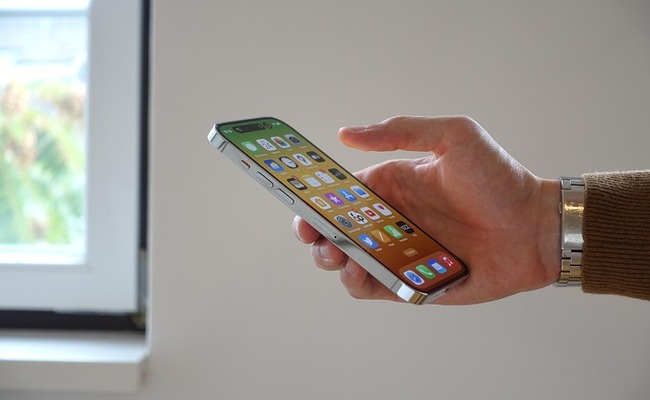
As an iPhone user, you might have wondered whether your iPhone can be hacked. If so, how do you know if your device is hacked, and how can you protect yourself?
In this article, we will discuss everything about iPhone hacking. We will share the signs to know if an iPhone is hacked and what to do next. We will also explain how you can prevent hacking and ensure optimal security.
Can an iPhone Be Hacked?
Yes, an iPhone can be hacked, but only under specific conditions and with significant effort. iPhone's highly advanced security features make hacking difficult but not impossible. Despite the high-end security, there are still minor security gaps, making it crucial for users to understand basic safety measures to protect their data and personal information.
In many cases, security problems are linked to user behaviour rather than to technical or software flaws. Many users unknowingly perform actions like ignoring iOS updates or installing untrusted apps, which pose security risks and vulnerabilities.
How to Know If an iPhone Is Hacked?
Unusual Data Usage: A sudden and unexpected data consumption shows that some hidden apps or activities are using your data in the background. It can be a silent data transfer, like sending or receiving information secretly.
Unknown Apps Installation: An unusual or unfamiliar app appearing on your iPhone that you never installed suggests unauthorized access. It shows that someone could have installed malicious apps on your device, which puts your privacy at risk.
Changed Settings Without Permission: If you do not change Wi-Fi, Privacy, or Bluetooth settings but find them changed, it's time to be alert. It can be a sign that someone is manipulating your iPhone's settings and system functions secretly.
Random Pop-ups or Messages: Random pop-ups, fake warnings, and strange messages show malware or hacking attacks. Such attempts are designed to force users to click unsafe links and reveal personal information.
Login Alerts & Unusual Emails: It happens when someone connects to your iPhone or connected devices without permission and tries to access your personal data. So, never ignore unusual login alerts or login messages.
What to Do If an iPhone Is Hacked?
Update iOS Version: Never ignore iOS updates and keep checking for them on a regular basis. Each update carries essential changes for security features and improves protection against safety threats.
Change Your Apple ID Password: If you notice the signs of hacking, never wait and immediately change your Apple ID password. Set a new password with a strong alphanumeric and symbolic combination.
Check Suspicious Apps: Always keep checking your mobile's overall settings and applications. If you notice any unfamiliar apps that you did not install, uninstall them instantly to protect your iPhone.
Scan for Spyware: Use a trusted security app or service to run and scan for malware in your device. Such a security app will detect suspicious activity or sources and block them, so your iPhone remains safe.
Sign Out of All Devices: Go to your Apple ID settings and immediately remove all the connected devices. This will ensure the termination of any unauthorized access and control over personal data.
Alert Your Credit Bureaus and Banks: If you find any sign of being hacked, inform your bank accounts and credit bureaus about it. This will help to avoid unauthorized transactions, financial fraud, and potential identity theft.
What Are the Risks Of An iPhone Being Hacked?
Spyware & Tracking: Spyware allows hackers to get full access to your iPhone. They can interrupt communication and capture geolocation data on your mobile.
Financial Loss: Hackers can also steal your saved cards and banking information. This way, someone can spend your money without your permission.
Personal Data Leakage: Your pictures, videos, and contacts are all at risk if your iPhone gets hacked. Hackers can also access your sensitive information.
Account Access: After hacking, hackers can gain access to your email, business, social media, and internet-related accounts.
Ransom Attacks: Hackers can hijack your mobile and lock you out completely. They will put your data at serious risk and demand money for restoration.
Device Malfunction: Malware interrupts and interferes with the iPhone's performance. It will consume battery, make the app unresponsive, and slow down the mobile.
Identity Theft: Hacking your personal account and information can reveal your identity for illegal tasks. A hacker can send, receive, or post messages without your permission.
How to Secure Your iPhone From Hackers?
Enable Touch ID or Face ID: Use Face ID or Touch ID beyond security passwords. This will give the user specific access control, especially for sensitive information.
Avoid Public Wi-Fi: Public Wi-Fi is an insecure network, and hackers can intercept your data through it. So always use a secure network for banking or personal tasks.
Use Strong Passcode: Use a robust and complex passcode containing special letters, numbers, and alphabets. Complex passcodes are much harder for hackers to access.
Two-Factor Authentication: Enable 2FA on your account. It increases security by asking for verification in 2 steps while logging in.
Turn Off Unnecessary Permissions: This will help to limit the application's access to sensitive data like camera, phone storage, location, and contacts.
Install Trusted Apps Only: Always download apps from the App Store. Apps from the sources can carry spyware and mess up your phone.
Backup Your Data Regularly: Never forget to back up your data on a regular basis. This will help to get your important data back if your phone is lost, hacked, or stolen.
FAQs
1: Can You Tell If Someone Is Remotely Accessing Your iPhone?
Yes, you might notice different signs. It could be changes in the device's settings, sudden restarts, low battery timing, low device performance, unusual alerts, or unwanted applications installed on their own.
2: How Do I Run A Security Scan on My iPhone?
An iPhone does not support traditional security scans. If you want to run a security scan, you will have to use a third-party virus scanner for it.
Conclusion
Hacking an iPhone is difficult but possible. However, its hacking often depends on how a user uses it. If you do not allow unusual app permissions, do not install untrusted apps, keep your iOS updates, and keep an eye on suspicious activities, then you will not allow any hacker to intrude on your iPhone. All you need to do is understand the root causes of being hacked, avoid them, and take immediate action.
Search
Subscribe for the Latest Updates
Security insights & offers right into your inbox