






















































































































What Is RTMP? The Streaming Protocol for Live Video
Live video has changed the way we learn, share news, and build communities. Every time a creator presses Go Live, data races across the internet in real time. Behind many of these broadcasts sits one technology: RTMP. If you have searched “what is RTMP” or wondered about its RTMP meaning, this guide explains everything in plain language and clear steps.
What Is RTMP?
RTMP stands for Real-Time Messaging Protocol. Macromedia (now Adobe) introduced it in the early 2000s to move audio, video, and text between a media server and a player with very low delay. RTMP keeps a constant connection open so the server and the viewer exchange small packets of data many times each second. The steady flow helps streams play smoothly and keeps audio in sync with video.
How Does RTMP Streaming Work?
Before you set up a broadcast, it helps to see the path each frame follows. RTMP moves data through three simple stages:
-
Capture: Your camera or screen-capture tool records raw video and sends it to an encoder. Hardware boxes such as Atem Mini or software like OBS Studio can act as the encoder.
-
Encode: The encoder compresses the raw file into a smaller stream with codecs such as H.264 for video and AAC for audio. It then wraps these coded chunks in RTMP packets.
-
Transmit: The encoder opens a persistent TCP connection to an RTMP server. Each packet carries a small time stamp, so the server can rebuild the exact order later.
-
Parse and package: The server receives packets, checks the time stamps, and can pass them straight to viewers or convert them into other protocols.
-
Deliver: Viewers connect to a content delivery network (CDN) or direct RTMP endpoint. Because the connection stays open, the viewer receives each new frame in milliseconds, creating an end-to-end delay as low as two seconds.
Why Use RTMP Protocol for Video Streaming?
RTMP may be over twenty years old, yet many producers still rely on it. Here is why:
-
Low latency: Streams reach viewers in near real time, which helps with live chats, auctions, sports, and games where every second counts.
-
Stable connection: RTMP keeps one TCP session alive, so lost packets trigger immediate re-tries. Viewers see fewer stalls when network quality changes.
-
Widespread support: Free tools like OBS, Wirecast, XSplit, vMix, and most hardware encoders offer RTMP as a first option. You rarely need extra plug-ins.
-
Flexible ingest: Large services like YouTube Live, Facebook Live, Twitch still accept RTMP at the input even if they switch to HLS or DASH for playback.
-
Secure transport: RTMPS (RTMP over TLS) adds encryption, which protects credentials such as your stream key.
Where to Use RTMP Streaming?
Many workflows still start with an RTMP ingest. You can find it in several fields. A short note before we explore each one: In most cases, RTMP serves as the contribution or first-mile protocol. The CDN often converts it to HLS or DASH for the viewers’ devices. Even so, choosing RTMP at the source remains common because of its speed and support.
Live streaming platforms
Creators on YouTube Live, Twitch, and Facebook Live open their encoder, paste the RTMP address plus stream key, and press Start Streaming. From that point, RTMP pushes video to the provider. The platform then transcodes the feed into many bit rates and sends an adaptive HLS stream to phones, laptops, and smart TVs. The entire chain begins with the familiar rtmp:// link.
Video conferencing and webinars
Tools like vMix Call, Zoom’s custom live ingest, and Webex Events let hosts send a high-quality RTMP feed to a hub that mixes presenters, slides, and remote guests. The hub then returns a single composite video to all attendees. This structure keeps bandwidth usage low on each guest machine while maintaining picture clarity.
Surveillance cameras and remote viewing
Some IP cameras and network video recorders (NVRs) expose an RTMP endpoint. An operator can pull that address into a control room or a mobile app and see footage with minimal delay. This setup helps security staff act fast when they detect unusual activity.
How to Find RTMP URL and Set Up Streaming?
Follow these steps to locate your RTMP link and start the broadcast:
- Check your streaming service: Log in to the dashboard of YouTube, Facebook, Twitch, or your private CDN. Look for Live Control Room or Stream Setup. The page will show a Server URL (example: rtmp://a.rtmp.youtube.com/live2) and a Stream key (a long string of numbers and letters).
- Copy the URL and key: Keep them private. Anyone with the key can stream to your channel.
- Open your encoder: In OBS Studio, go to Settings > Stream. Choose the service or select Custom if you have a private server. Paste the URL in the Server field and paste the key in the Stream Key field.
- Press Start: Streaming OBS will open a TCP connection to the RTMP server. A status bar shows green when the stream stays steady.
- Monitor the dashboard: The platform should show data received and preview the feed. Verify frame rate, bit rate, and audio levels.
- Go live: Click Go Live on the platform when you are ready. Ending the stream inside OBS breaks the RTMP connection, so always stop the encoder first.
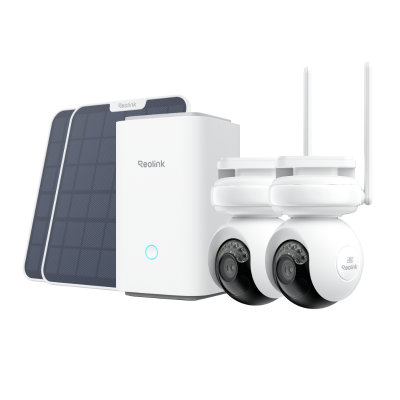
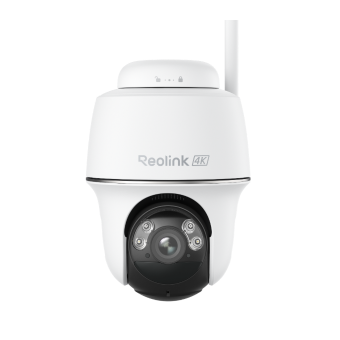
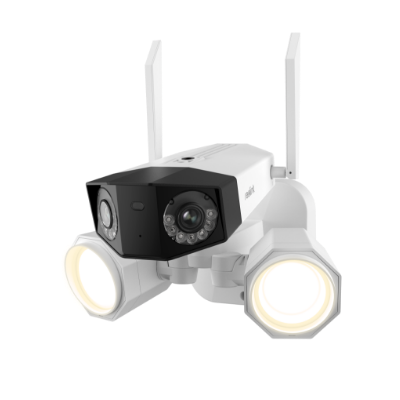
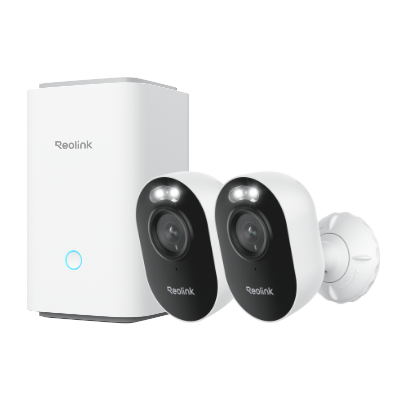
RTMP makes it possible to stream your IP camera’s live feed directly online. Many Reolink cameras are compatible with the RTMP standard.

4k 180° Wire-free Color Night Vision Camera
4K UHD 180° Blindspot-free View; Color Vision Day and Night; 30% More Battery Life; Dual-band Wi-Fi 6; Smart detection.
RTMP or HLS for YouTube: Which Is Better?
YouTube gives you two input options: RTMP and HLS (HTTP Live Streaming) push. To choose, weigh these factors:
Pick RTMP if you need low delay and your encoder supports it. It remains the easier path for most creators.
Pick HLS push if your broadcast runs longer than 12 hours, if you need strict firewall rules that favor port 443, or if your encoder offers reliable chunked HLS output.
Remember: whichever input you choose, YouTube still converts the stream to adaptive HLS for viewers. The difference affects only the first hop between you and the YouTube ingest server.
FAQs
What is RTMP and how does it work?
RTMP means Real-Time Messaging Protocol. It opens a steady TCP link between an encoder and a server, then sends small time-stamped packets of audio and video. The constant flow keeps the delay low and avoids buffering.
How do I find my RTMP URL and stream key?
Log in to the live-stream section of your platform. Look under Stream Settings or Encoder Setup. Copy the Server URL and Stream Key. Paste both into your encoder’s stream settings.
Is RTMP obsolete?
No. RTMP still powers the “first mile” for many broadcasts because of its low delay and broad encoder support. For playback, platforms usually switch to HLS or DASH, but RTMP remains vital at the ingest stage.
Conclusion
RTMP may date back to the Flash era, yet it continues to push live video to the world with speed and stability. We covered what RTMP is, explained its packet workflow, mapped its benefits, and showed where you can apply it, from big platforms to private cameras. We also compared RTMP with HLS for YouTube and walked through the steps to grab an RTMP URL and key. Have you used RTMP in your own broadcasts? Share your experience and any tips in the comments below.
Search
Subscribe for the Latest Updates
Security insights & offers right into your inbox