
SIM Card PIN Explained: What You Need to Know
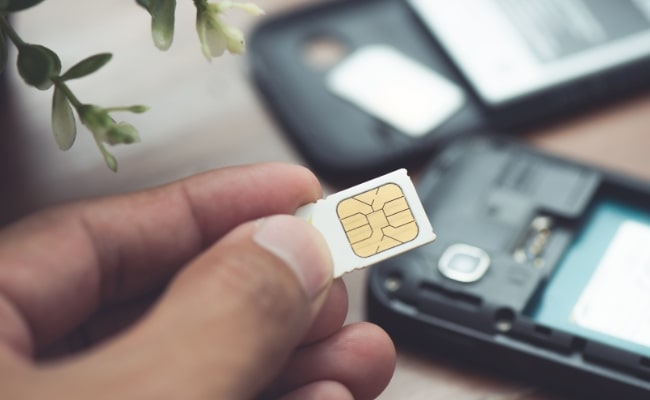
A smartphone stores your most private data, and your SIM card links that data to your mobile network account. A SIM card PIN—often shortened to SIM PIN—adds a simple extra layer of defense.
Set the one and only you can make calls, send texts, or use mobile data on that card. Ignore it, and anyone who gains physical access to your phone can pop the SIM into another device and take control of your number.
What Is a SIM Card PIN?
A SIM card personal identification number is a short numeric code—usually four to eight digits—that you enter when you restart a phone or move the SIM to another device.
The network verifies the code before it attaches the card to a tower. If the code is wrong, the phone blocks network activity. Many carriers ship SIMs with a default code such as “0000” or “1234,” but you should replace that default with a new code as soon as possible.
Why Need a SIM PIN?
Setting a SIM PIN seems like an extra chore, yet it shields you from several risks.
- Stops unauthorized calls and texts: With a SIM card PIN in place, the network refuses to connect. This keeps the thief from running up charges or tricking your contacts.
- Protects two-factor codes: Many banking apps and email services send one-time passwords by SMS. If attackers route those messages to their own phone, they can break into your accounts. A PIN blocks that reroute.
- Prevents SIM swap fraud at scale: Criminals sometimes bribe retail workers to swap numbers onto fresh SIMs. If your record shows a PIN, the carrier must ask for that code.
- Shields international roaming credit: Travelers often buy local prepaid SIMs. When they lose a phone abroad, high per-minute fees can pile up fast. A SIM PIN locks the card, no matter which country you visit.
- Keeps embedded devices secure: Security cameras, alarm systems, and vehicle trackers run on cellular modules. A PIN stops a trespasser from removing the module and using the data allowance for free.
How to Set Up a SIM Card PIN?
Most phones hide the option inside network settings. The exact screens vary, but the flow always includes three tasks: turn on SIM lock, enter the current PIN (default or custom), and supply a new PIN. Write the new code down in a safe place.
How to Set Up a SIM PIN on an iPhone?
Apple places the control in the Cellular menu. Follow these steps to use the SIM PIN iPhone feature:
- Open Settings › Cellular.
- Tap SIM PIN.
- Toggle SIM PIN to On.
- Enter the current PIN. If you have never set one, try the carrier default (often “0000” or “1234”).
- Tap Done.
- Tap Change PIN.
- Enter a new four- to eight-digit code. Avoid repeating numbers like “1111.”
- Tap Done again to save.
How to Set Up a SIM PIN on Android?
Menus differ by brand, but the path looks similar on all modern builds:
- Open Settings and choose Security & Privacy or Lock Screen and Security.
- Tap SIM card lock.
- Slide the Lock SIM card to the On position.
- Type the current PIN. Use the carrier's default if you never changed it.
- Select Change SIM PIN.
- Enter a new code twice to confirm.
- Back out of the menu. The lock activates at the next restart.
How to Unlock a SIM Card?
You may forget the code, or someone may enter it wrong several times. The card then locks and demands a personal unblocking key (PUK). Each carrier prints the PUK on the SIM packaging or stores it in your online account profile. You must enter the PUK correctly before the card allows a new PIN. The steps are device-specific for how to unlock SIM iPhone.
iPhone
A brief notice appears after three wrong PIN attempts. You will see “SIM Locked” with a field for the PUK.
- Locate the eight-digit PUK in your carrier paperwork or by logging into your account.
- Tap PUK Required on the pop-up.
- Enter the PUK.
- Choose a new SIM PIN iPhone code when prompted.
- Press OK. The phone reconnects to the network.
Android phones
Most Android handsets follow the same pattern:
- Wake the locked phone. A message says, “SIM card locked. Enter PUK code.”
- Retrieve the PUK.
- Enter the PUK carefully. You usually get ten tries; after that, the SIM becomes unusable.
- Create a new PIN on the next screen.
- Save and reboot. The device should register on the mobile network.
Tablets with cellular capability
Tablets show the same PUK screen, but some lack a dialer. Look for the prompt under Settings › Cellular. Enter the PUK there, set a new PIN, and restart the tablet.
4G security cameras
Many 4G battery-powered cameras have a small LCD or connect through a setup app. When locked, the app will ask for the PUK. Open the camera’s companion app, enter the PUK, set a fresh PIN, then reboot the unit.
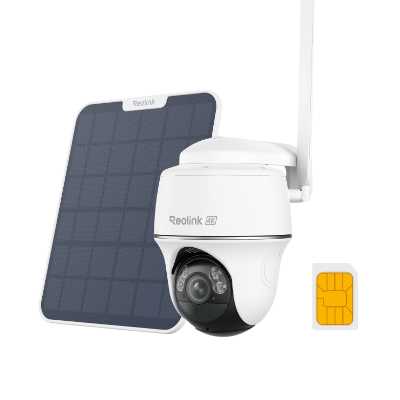
4K 8MP Wire-Free 4G LTE PT Battery Camera
4K 8MP; Smart Detection; 355° Pan & 140° Tilt; Battery/Solar Powered; Color Night Vision; Smart Real-Time Alert.
What Happens If You Enter the Wrong SIM PIN?
After three wrong tries, the phone triggers a SIM lock iPhone or Android lock. Network features stop, although Wi-Fi and offline apps still work. A locked card cannot place emergency calls either, so resolve the error quickly.
Ten wrong PUK entries burn the SIM forever. At that point, you lose the phone number and must request a replacement from the carrier.
How to Open a SIM Card Slot without PIN?
Sometimes you need physical access to the card but lack the tiny metal ejector that came with the phone. Use one of these household tools, and be gentle to avoid bent pins or scratched trays. These tricks answer the common question of how to take out SIM card without PIN.
- Paperclip: Straighten one end of a small paperclip. Insert it into the eject hole at a right angle until the tray pops out.
- Sewing needle: Pick a needle with a blunt tip. Press slowly to avoid piercing your finger.
- Earring post: An earring stud matches the width of many ejection holes. Remove the backing and use the post as a lever.
- Staple: Unfold a staple into an L-shape. The short leg can reach the eject spring.
- Toothpick: Wood works if metal is unavailable, but choose a firm toothpick and push with care.
FAQs
How do I find my SIM PIN?
Check the original SIM card holder, carrier welcome letter, or the account dashboard on the carrier’s website. Most carriers list both the current PIN and the PUK online. If you set a custom code and forgot it, you must unlock with the PUK and then create a new PIN.
What is the PIN digit for a SIM card?
A PIN includes four to eight digits. Carriers often choose “0000” or “1234” as the starter code, but you should replace that starter code at once.
What is the default PIN code for a SIM card?
Defaults vary. Many global carriers pick “0000.” Some U.S. carriers use “1111.” Check the packaging or call customer service before guessing.
Conclusion
A SIM card PIN secures voice, text, and data traffic at the source. It stops thieves from hijacking two-factor texts, blocks costly overseas fraud, and protects embedded devices.
Set the code in the settings menu, memorize it, and store the PUK in a safe place. Use the guides above to change the code, fix a lockout, or pop the tray in a pinch. Share your views or extra tips below, and help others keep their SIMs safe.
Search
Subscribe for the Latest Updates
Security insights & offers right into your inbox