
SD Card for Security Camera: How to Pick The Right One
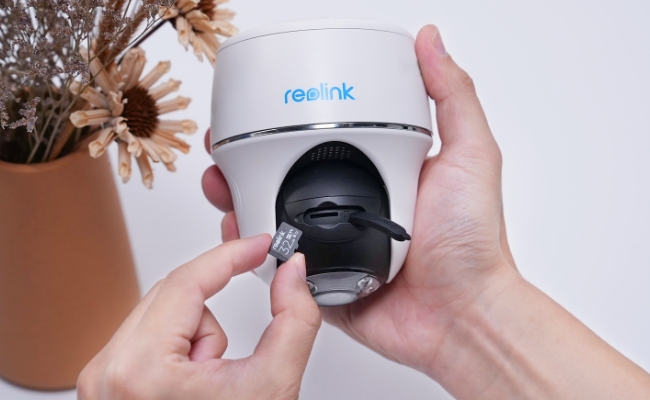
Not all SD cards are built the same and the differences matter more in security cameras than in almost any other device. Standard cards are designed for occasional data bursts like shooting holiday photos. Security cameras write data constantly. A high-endurance microSD card built for this type of workload is essential.
This guide covers everything you need to choose the right SD card for your security camera: how to read the labels, what size to buy for your resolution, which brands hold up under continuous recording, and the mistakes that cause most early card failures.
- Why Your Security Camera Needs the Right SD Card
- What Do SD Card Labels Actually Mean? (Types & Speed Classes Explained)
- How to Choose an SD Card for a Security Camera
- Best SD Cards for Security Cameras
- Common Mistakes When Buying an SD Card for a Security Camera
- Which SD Card Is Right for You?
- FAQs
- Conclusion
Why Your Security Camera Needs the Right SD Card

Most security cameras offer cloud storage (which requires a monthly subscription and a reliable internet connection) or local storage via a microSD card.
In situations where connectivity fails, such as a poor internet connection, a faulty router, or a lapsed cloud subscription, an SD card provides reliable local, on-device storage that continues to function without requiring network access.
Here is why choosing the right card matters beyond just picking one that fits.
Reliability and Independence
A microSD card keeps recording during power outages (on battery-powered cameras), Wi-Fi dropouts, and internet interruptions. Cloud-dependent cameras stop saving footage the moment connectivity is lost. An SD card has no such dependency as the footage stays on the device.
Local Storage Without Monthly Fees
Cloud storage typically costs between $3 and $10 per camera per month depending on the plan and resolution. A 256GB high-endurance microSD card is a one-time purchase that stores weeks of footage locally, with no recurring cost and no data leaving your premises.
Privacy and Control
Unlike cloud storage, footage on an SD card is only accessible to someone with physical access to the camera. There is no server-side data breach risk, no third-party access, and no dependency on a company's storage infrastructure staying online.
Flexibility
MicroSD cards are swappable. If you want to archive footage, pull the card, copy the files to a computer, and reinsert. No app access required, no download limits.
Pro Tip: If you want a wired camera built for 24/7 continuous recording with local SD card storage and no subscription, the Reolink OMVI 3i PoE supports up to 512GB microSD and records in high definition over a single PoE cable.
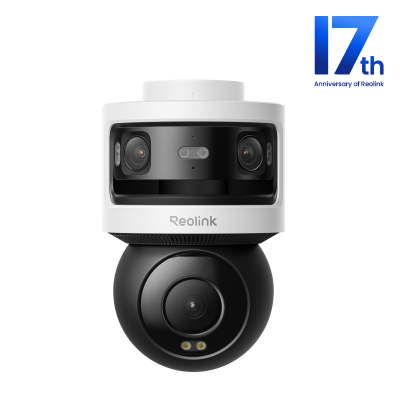 Reolink OMVI 3i PoE
All-in-one Triple-Lens 180° Panoramic Pan-Tilt Security Camera
10MP Dual-Lens 180° View, 4K 360° Full Coverage, SyncTrack with auto framing & auto tracking, Local Storage (No Monthly Fees), Local AI Video Search.
What Do SD Card Labels Actually Mean? (Types & Speed Classes Explained)
The labels on a microSD card (Think SDXC, UHS-3, V30, A1) are not marketing. Each one describes a specific technical capability that determines whether the card can handle your camera's recording requirements. Understanding three of them will tell you everything you need to know before buying.
SDHC vs SDXC and Why Compatibility Matters
SDHC (Secure Digital High Capacity) cards cover storage up to 32GB. SDXC (Secure Digital Extended Capacity) cards cover 32GB up to 2TB. Most security cameras available today support SDXC but some older or entry-level models only support SDHC. This means a 64GB or larger card physically will not be recognised regardless of brand or speed.
Check your camera's manual or manufacturer page before buying anything larger than 32GB. As Kingston Technology notes in their SD card guide, hardware devices that support newer standards are backward compatible with older cards, but newer standard cards cannot be used in devices that only support older standards.
Note: If your camera only officially supports SDHC, its maximum certified card size is 32GB. Buying a 128GB SDXC card will not work out of the box because it uses a different file system (exFAT) that the camera cannot read. To avoid data corruption or recording failures, always stick to your camera's specified limits.
Speed Classes: What V10, V30, UHS-1, and UHS-3 Mean
Speed class ratings tell you the card's minimum sustained write speed, which is also the relevant number for continuous video recording. Here is what each rating means in practice, per Reolink's microSD Card Support Guide:
For a 4K security camera, V30 is the minimum rating you should accept. A V10 card at 10 MB/s write speed will struggle with 4K bitrates above 40 Mbps, leading to dropped frames or corrupted footage segments.
Standard vs High Endurance Cards - The Most Important Difference
This is the decision most buyers get wrong. Standard microSD cards are designed for photo bursts and occasional video clips, not for writing data continuously through days and years.
Security cameras do exactly the opposite. A camera recording 8 hours per day writes data more in one month than a smartphone camera does in several years. High-endurance cards like the SanDisk MAX Endurance, Samsung PRO Endurance, and Kingston High-Endurance are specifically engineered for this workload, rated for up to 120,000 hours of continuous recording.

Based on patterns reported in communities like r/reolinkcam, users who install standard cards in continuous-recording cameras commonly report failures within 3 to 6 months. Regular reformatting and backups help minimize the risk of corrupted footage or unintended data loss.
How to Choose an SD Card for a Security Camera

There are three attributes to consider when it comes to selecting the correct SD card. They are namely capacity, speed class, and endurance. With the types of SD cards covered above, this section talks about how to apply them to your specific setup.
Capacity
Select capacity based on your camera's resolution and recording mode. A 4K camera recording continuously fills storage much faster than a 1080p camera in motion-triggered mode. As a general rule, 128GB to 256GB covers most 4K continuous setups while 64GB to 128GB is sufficient for 1080p or motion-triggered cameras.
Pro Tip: Buy within your camera's supported maximum. Installing a 512GB card in a camera capped at 256GB means the extra capacity is unusable.
For most home security setups, 128GB is the sweet spot. This is enough for several days of continuous 1080p footage or weeks of motion-triggered recording. If you are running a 4K camera in continuous mode, it's best to step up to 256GB. The table below matches camera resolution to recommended card size for a quick starting point.
Note: These are estimates based on typical bitrate ranges. Actual recording time depends on your camera's bitrate setting, compression type, and scene complexity (more motion = larger file sizes). For a more precise estimate, use Reolink's dedicated guide: How Long Can the microSD Card in Reolink Cameras Record.
Calculate Storage by Bitrate
If your camera app shows a custom bitrate setting, the tables below give exact recording hours per card size.
Bitrate range guide by camera type (based on Reolink camera testing data*):
* Actual times vary depending on scene complexity and camera compression settings.
- 1080p cameras typically run 1024-2048 kbps
- 2K cameras typically run 3072-4096 kbps
- 4K cameras typically run 5120-10240 kbps
Continuous Recording (Hours)
Motion-Triggered Recording (hours/day, assuming 15 min of activity per day)
Pro Tip: The Reolink Altas PT Ultra supports up to 128GB microSD cards. At 4K (8192 kbps), a 128GB V30 high-endurance card gives approximately 36 hours of continuous recording, or well over a month of motion-triggered footage at 15 minutes of activity per day.
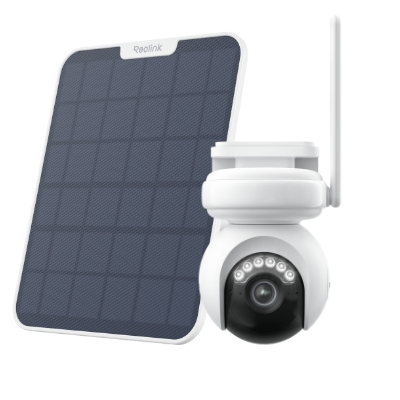 Reolink Altas PT Ultra
🎉 17th Anniversary Highlight: Industry-Leading 4K Continuous Recording Battery Camera
- True 4K UHD continuous recording
- ColorX night vision with 360° pan & tilt coverage
Best SD Cards for Security Cameras
Not every SD card marketed for cameras is suitable for security cameras. The key distinction is endurance. Standard cards are rated for photo bursts while high-endurance cards are rated for continuous video recording, which is a fundamentally different type of workload. The three brands below all make dedicated high-endurance cards with published endurance ratings, which is critical for any security camera installation.
SanDisk MAX Endurance
Engineered for continuous loop-recording, the SanDisk MAX Endurance is rated for up to 120,000 hours of recording ( roughly 13 years at 24/7 operation). It handles temperature extremes and physical shock well, making it a strong choice for outdoor cameras exposed to heat, cold, and vibration.
Samsung PRO Endurance
The Samsung PRO Endurance is rated with a wear-out warranty of 5 years (32GB-128GB) or 14 years (256GB-512GB) under continuous use. It is waterproof, temperature-proof, and magnet-proof. These are relevant attributes for cameras in exposed outdoor positions. A strong choice when longevity and warranty coverage matter.
Kingston High-Endurance
The Kingston High-Endurance offers a lower price point without sacrificing the endurance rating most home security cameras need. Rated for up to 20,000 hours of recording, it is suited to motion-triggered setups and 1080p or 2K cameras that are not running continuous recording. For 4K continuous setups, step up to SanDisk or Samsung.
Note: Reolink also offers a branded microSD card pre-formatted for Reolink cameras, available through the Reolink accessories page. It is a convenient option if you want a card confirmed compatible with your Reolink camera out of the box.
Common Mistakes When Buying an SD Card for a Security Camera
Most SD card failures in security cameras are avoidable. They come from the same five decisions made at the point of purchase.
Using a standard SD card instead of a high-endurance one.
This is the most common mistake. Standard cards (including popular options like the SanDisk Ultra) are not rated for continuous recording. They are designed for photo bursts. Always check for "high endurance" or "endurance" in the card name, not just the brand.
Buying a card your camera cannot support.
Cameras that only support SDHC (typically older or budget models) have a 32GB maximum. Inserting a 64GB or larger SDXC card will result in the camera not recognising it at all. Check your camera's specifications for supported card type and maximum capacity before buying.
Formatting the card on a computer instead of inside the camera.
Formatting on a PC uses the computer's file system (usually exFAT or NTFS), which may be incompatible with your camera's recording firmware. Always format the card through the camera's own settings. For Reolink cameras, the process is done through the Reolink app: Settings → Storage → Format.
Choosing the wrong speed class for 4K recording.
A V10 card writing at 10 MB/s cannot keep pace with a 4K camera's bitrate. The result is dropped frames and corrupted video segments. It's a common mistake often only realised when the footage is needed. For any camera recording in 2K or 4K, V30 is the minimum.
Ignoring the camera's maximum supported capacity.
If your camera supports a maximum of 128GB, buying a 256GB card means you are paying for storage your camera will never use. Confirm the maximum in your camera's manual or product page first.
Which SD Card Is Right for You?
Choosing an SD card gets complicated when you are weighing resolution, recording mode, camera count, and budget at the same time. The table below is designed to cut through that. Find your setup in the left column and read across for the right card specification.
FAQs
1. Do MicroSD Cards Work in Security Cameras?
Yes, as long as the camera has a microSD card slot and the card meets the camera's supported standards. Check the camera's specifications for the maximum supported capacity and whether it requires SDHC or SDXC. Most current security cameras accept SDXC cards up to 128GB, 256GB, or 512GB. But, this varies by model.
2. What Happens When an SD Card Is Full on a Security Camera?
Most security cameras use loop recording: when the card is full, the camera automatically overwrites the oldest footage with new recordings. This means continuous recording is maintained without any manual intervention. Some cameras also allow you to set a recording schedule so only specific hours are saved, which extends how far back your footage goes.
3. Can You Use Any SD Card for a Security Camera?
Not safely. While most cameras accept any microSD card that fits physically, only high-endurance cards are built for the continuous write cycles that security cameras produce. Standard cards will wear out significantly faster when used in a camera running 24/7.
4. What Is the Difference Between a High Endurance and a Standard SD Card for Security Cameras?
A standard SD card is built for occasional data writes worth hundreds of hours over its lifetime. A high-endurance card is rated for tens of thousands to over 100,000 hours of continuous video recording.
5. Do I Need to Format the SD Card Before Using It in My Security Camera?
Yes. But, format it inside the camera, not on a computer. Formatting on a PC creates a file system that may be incompatible with your camera's firmware, causing errors or failed recordings. Full formatting instructions are in the Reolink SD card format guide.
Conclusion
Choosing the right micro SD card for a security camera is not complicated once you know what the labels mean. Match your card's speed class to your camera's resolution (V30 for 4K, V10 minimum for 1080p), choose a high-endurance card over a standard one, and stay within your camera's maximum supported capacity.
SanDisk, Samsung, and Kingston all make high-endurance cards purpose-built for this use case. Any of the three will hold up under continuous recording where a standard card will not.
Before buying, check your camera's manual for its supported card type (SDHC or SDXC) and maximum capacity. Then use the Buyer Decision Table above to confirm your spec. If you are setting up a Reolink camera and want a card confirmed compatible out of the box, the Reolink accessories page lists options pre-formatted for Reolink devices.
Search
Subscribe for the Latest Updates
Security insights & offers right into your inbox