
The Ultimate Guide to Outdoor 5GHz Wi-Fi Security Cameras
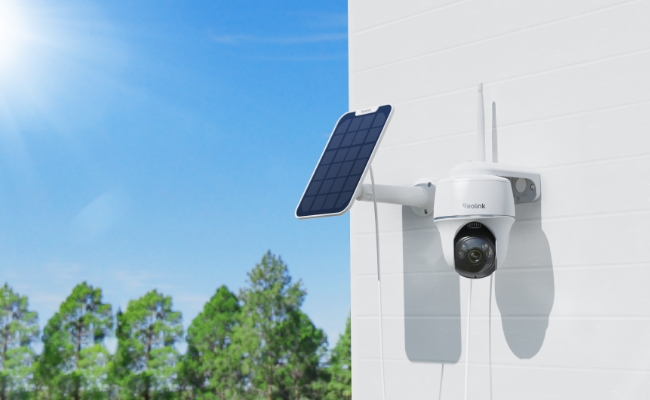
Not every camera marketed as a "5G security camera" works the same way. Some connect to the 5GHz Wi-Fi band on your home router. Others run on 5G cellular networks, the same technology behind your phone's mobile data plan. If you're shopping for an outdoor camera that connects to your home Wi-Fi, the 5GHz Wi-Fi type is what you need.
These cameras use the 5GHz frequency band for faster data transfer, less wireless congestion, and smoother HD video streaming than the older 2.4GHz band. The right choice still depends on your home layout, router placement, and how far the camera needs to sit from your network. That is what this guide walks through.
- What Is a Outdoor 5GHz Wi-Fi Security Camera?
- Does Your Home Router Support 5GHz? (Check Before You Buy)
- What to Look For in an Outdoor 5GHz Wi-Fi Camera
- The Best Outdoor 5GHz Wi-Fi Security Cameras: Top 5 Picks
- Common Mistakes When Buying an Outdoor 5GHz Security Camera
- 5GHz Outdoor Camera: Buyer Decision Table
- FAQs
- Conclusion
What Is a Outdoor 5GHz Wi-Fi Security Camera?
A Outdoor 5GHz Wi-Fi security camera is a type of security camera that is designed to withstand harsh weather conditions and connects to the 5GHz band on your home router. These cameras require routers to be within range and need no SIM card or mobile data plan.
5GHz vs 2.4GHz: Quick Comparison
Speed figures sourced from Wi-Fi Alliance specifications.
Note: If you need a camera for a remote property, construction site, or any location without home Wi-Fi, a 4G LTE cellular camera such as the Reolink Go PT Ultra is the better fit as it runs on a SIM card with no router required.
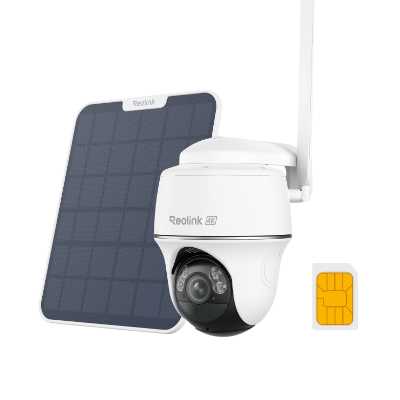 Reolink Go PT Ultra
4K 8MP Wire-Free 4G LTE PT Battery Camera
4K 8MP; Smart Detection; 355° Pan & 140° Tilt; Battery/Solar Powered; Color Night Vision; Smart Real-Time Alert.
Does Your Home Router Support 5GHz? (Check Before You Buy)

If you got your Wi-Fi router anytime in the last decade, it is likely a "dual-band" router. That simply means it broadcasts two separate Wi-Fi signals at the same time: 2.4GHz (slower, but reaches further) and 5GHz (faster, but shorter range).
How to Check if You Have 5GHz Wi-Fi
You don't need to be a tech expert to figure this out. Just try these easy steps:
- Check your phone's Wi-Fi menu
- Open your Wi-Fi settings and look at the list of available networks.
- If you see your home Wi-Fi name listed twice and one has "5G" or "5GHz" at the end of it, you have a dual-band router.
- Check the sticker on your router. Look at the label on the back or bottom of your Wi-Fi router. If you see the letters AC or AX (for example, "AC1200" or "AX3000"), that is the Wi-Fi Alliance's official code for a router that supports both bands.
A Quick Note on "Wi-Fi 6" (For Heavy Users)
If your router has that AX label mentioned above, you have Wi-Fi 6! This is just a newer version of Wi-Fi that is exceptionally good at handling lots of devices at once. If you plan on running four or more cameras simultaneously, a Wi-Fi 6 router will keep things running smoothly.
The "Mesh Router" Setup Trap
If you use a modern "mesh" Wi-Fi system like Eero, Google Nest, or Orbi, you need to know about one common setup hiccup.
These modern routers try to be helpful by combining your 2.4GHz and 5GHz bands into one single Wi-Fi name. While this is great for your phone, it confuses smart cameras during the initial setup process, often causing the setup to fail.
How to fix it:
- Open your mesh router's mobile app (like the Eero or Google Home app).
- Look for an option to "Temporarily pause 5GHz" or "Troubleshoot Smart Home Devices."
- Turn this on to force your phone and camera onto the 2.4GHz band just long enough to complete the pairing process. Once setup is done, your router will go back to normal and the camera will stay connected happily!
How the 5GHz WiFi Security Cameras Actually Connect
During setup, the Reolink app will ask you to type in your Wi-Fi password. The camera will permanently lock onto whatever Wi-Fi network you give it.
If you type in the password for your "Home_5GHz" network, the camera will stay on 5GHz.
If you type in the password for your "Home_2.4GHz" network, it stays there.
You might be asking what if you only have an older router that only has 2.4GHz? Don't worry! Every camera in this guide is fully compatible with older 2.4GHz-only routers. It will connect perfectly fine, and you can always upgrade your router to get those 5GHz speed benefits later.
Tip: Not sure which band your router is broadcasting? Check the sticker on the back of your router. "AC1200" or "AX3000" both confirm dual-band support. "N300" typically means 2.4GHz only.
What to Look For in an Outdoor 5GHz Wi-Fi Camera

The right outdoor 5GHz camera depends on more than just Wi-Fi band. Resolution, night vision type, detection quality, and power source each affect whether the camera is actually useful at your mounting location, not just on a spec sheet.
Video Resolution
Higher resolution means more detail, but the benefit depends on how far the camera is from what you need to see clearly. For general monitoring of a yard or parking area, 4K 8MP captures enough detail to identify faces at up to 30 feet in daylight. At 2K or 4K, fine details like license plates can still become unclear past 20 feet, a known limitation of consumer outdoor cameras regardless of resolution spec.
- 4K (8MP): Best for driveways, large yards, or anywhere you need to zoom in without losing image quality. All cameras in this guide record at 4K.
- 2K (4MP): Sufficient for general outdoor coverage and face recognition at close range.
- 1080p: Adequate for small outdoor spaces with consistent, close-range monitoring needs.
Night Vision
The type of night vision determines whether footage is usable after dark, not just whether the camera records at all.
- Infrared (IR) night vision: Works in complete darkness but produces black-and-white footage.
- Color night vision: Uses ambient light sensors or low-light processing to show color footage in dim conditions.
- Spotlight + Color night vision: Activates a built-in light on motion detection, producing the clearest and most useful color footage. It also serves as a deterrent.
Motion Detection and AI Alerts
Basic PIR detection triggers on any combination of heat and movement, meaning wind-blown leaves, passing vehicles, and animals can all generate alerts. Modern security cameras however, can now enable AI-powered detection to distinguish between specific object types such as people, vehicles, packages, and pets. The practical benefit is fewer irrelevant notifications and more alerts that actually warrant your attention.
Note: Security cameras with zone-based AI detection let you define exactly which areas trigger alerts, which is useful for excluding a busy road from a camera covering your driveway entrance.
Local Storage vs Cloud Storage
Cloud storage requires a recurring subscription. Local storage saves footage to a microSD card or an NVR with no ongoing fees. Local storage cannot be accessed remotely if the camera itself is stolen or destroyed, which is a real limitation for high-crime installs. Cloud storage is accessible from anywhere but adds to total ownership cost.
Power Source
Power determines where the camera can go and how much maintenance it requires.
- Solar-powered: Self-charging using a built-in or attached solar panel. Best for areas with consistent sunlight and no wiring access. The Solar Floodlight Cam uses this.
- Battery-powered: Flexible placement, no wiring needed. Requires periodic recharging. The frequency depends on motion trigger volume and temperature.
- Wired (plug-in or PoE): Continuous power, no battery maintenance. Requires a power cable run to the mounting point.
Weatherproofing
Not all outdoor cameras handle weather equally. In general, the better the Ingress Protection (IP) rating of the camera, the better the camera is able to withstand harsh weather. Here are some of the most trusted IP ratings developed by IEC that classifies a security camera as truly outdoor-ready:
- IP65: Protected against sustained low-pressure water jets and dust ingress. Handles most rain conditions.
- IP66: Protected against high-pressure water jets from any direction and complete dust ingress. The standard for cameras exposed to driven rain, garden hoses, or pressure washing nearby.
Security and Privacy
Look for cameras with WPA3 Wi-Fi encryption, the current Wi-Fi security standard, and two-factor authentication (2FA) on the associated app. 2FA is available on the Reolink app and is recommended regardless of camera model.
The Best Outdoor 5GHz Wi-Fi Security Cameras: Top 5 Picks
Every camera below supports dual-band Wi-Fi (2.4GHz + 5GHz), so they will connect on whichever band your router provides the stronger signal at the mounting point. All support local storage with no mandatory subscription.
Reolink Solar Floodlight Cam

The Reolink Solar Floodlight Cam is an award-winning security camera designed for outdoor areas that need both surveillance and active deterrence. Its dual-band (2.4GHz and 5GHz) connectivity and SolarEase solar charging make it a strong choice for driveways, yards, and building perimeters where running power cables is impractical.
Key specs
- 2K 4MP resolution
- 150° ultra-wide field of view
- Dual-band Wi-Fi (2.4GHz + 5GHz)
- SolarEase solar charging
- AI adaptive floodlight
- IP65 weather rating
Best for driveways, yards, and open perimeter areas where running power cables is not practical and a wide fixed-angle view covers the full space without needing remote pan-and-tilt.
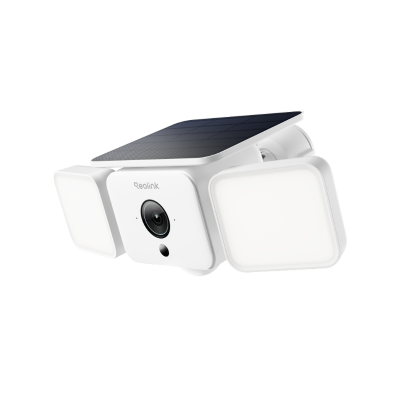
Smart 2K Solar Floodlight Security Camera
150° Ultra-Wide View, 2K 4MP HD Resolution, AI-Based Adaptive Floodlight, Endless Power with Reolink SolarEase™.
Reolink Duo 3 Wi-Fi

The Reolink Duo 3 Wi-Fi is built around its dual-lens 180° panoramic view, useful for wide open areas like parking lots, large backyards, or building frontages that a single-lens camera would require two units to cover. Its Wi-Fi 6 reduces bandwidth strain in homes with multiple connected devices.
Key specs
- 4K dual-lens with 180° panoramic field of view
- Dual-band Wi-Fi 6 (802.11ax)
- Multiple spotlights with color night vision
- Light and audio deterrence on motion
- Weatherproof outdoor construction
Best for large open areas like parking lots, wide backyards, and building frontages where one camera needs to cover what would otherwise take two.

Groundbreaking 16MP Dual-Lens WiFi Camera
16MP UHD, Dual-Lens, Motion Track, 180° Wide Viewing Angle, Plug-In WiFi, Color Night Vision.
Reolink E1 Outdoor Pro

The Reolink E1 Outdoor Pro is a PTZ (pan-tilt-zoom) camera with 355° horizontal pan and 50° vertical tilt, wide enough for a single unit to monitor an entire driveway, side yard, and entrance without repositioning the mount. It uses dual-band Wi-Fi 6 (5GHz/2.4GHz) and captures 4K 8MP footage with 3x optical zoom for detailed close-up monitoring. (Verify product URL before publishing.)
Key specs
- 4K 8MP resolution with 3x optical zoom
- 355° horizontal pan and 50° vertical tilt
- Dual-band Wi-Fi 6 (802.11ax)
- Dual night vision (infrared + color spotlight)
- Two-way audio
- Google Assistant and Alexa compatible
- Wired power required
Best for homeowners who need detailed zone tracking across a driveway, side yard, or entrance from a single wired camera with remote zoom capability.

4K WiFi PTZ Camera with Auto-Tracking
4K 8MP Super HD, Smart Person/Vehicle Alerts, 355° Pan & 50° Tilt & 3X Optical Zoom, Auto Tracking, Color Night Vision.
Reolink Argus 4 Pro

The Reolink Argus 4 Pro is a battery-powered wire-free camera that prioritizes extended run time and color night vision quality. Its 30% larger battery compared to its predecessor delivers up to 12 days of standby time under typical motion-trigger conditions, enough to run through a two-week trip without recharging. ColorX night vision produces full-color footage in near-darkness without a permanent spotlight.
Key specs
- 4K 8MP resolution
- ColorX color night vision
- Up to 12 days standby battery life
- Dual-band Wi-Fi (2.4GHz + 5GHz)
- IP66 weather rating
- AI person, pet, and vehicle detection
- Wire-free, battery-powered
Best for wire-free installs where true color night vision is a priority and the camera needs to run unattended for extended periods without manual recharging.

4k 180° Wire-free Color Night Vision Camera
4K UHD 180° Blindspot-free View; Color Vision Day and Night; 30% More Battery Life; Dual-band Wi-Fi 6; Smart detection.
Reolink Argus PT Ultra

The Reolink Argus PT Ultra combines pan-and-tilt coverage with battery-powered flexibility and optional solar charging, making it a strong choice for homeowners who need wide-area monitoring without running power cables. Its dual-band Wi-Fi (2.4GHz and 5GHz) delivers stable 4K streaming, and the pan-and-tilt function means a single camera can track across driveways, backyards, gardens, and large outdoor spaces without creating blind spots.
Key specs
- 4K UHD resolution
- Pan-and-tilt with full horizontal rotation
- Dual-band Wi-Fi (2.4GHz + 5GHz)
- Battery-powered with optional solar panel
- AI person, vehicle, and animal detection
- Color and infrared night vision
- Local storage, no subscription required
Best for large yards and open spaces where a single wire-free camera needs to track movement across multiple zones without blind spots.
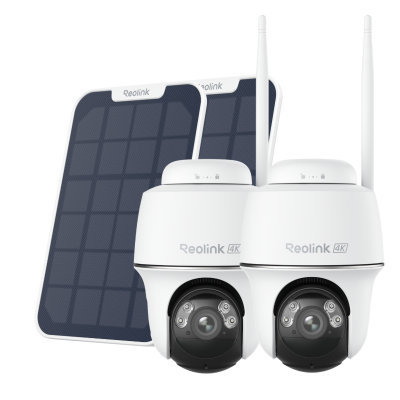
🎉 2026 Prime Day Sales Highlight: 4K 8MP Wire-Free Dual-band WiFi Solar Security Camera
- 4K 8MP resolution; 360° automatic tracking
- Dual-Band Wi-Fi 6 — faster, more reliable connectivity
Common Mistakes When Buying an Outdoor 5GHz Security Camera
Most issues with outdoor 5GHz cameras are avoidable at the buying stage. These are the mistakes that show up most frequently after purchase.
Confusing "5G compatible" with cellular connectivity, including 5G home internet.
A camera spec sheet that says "supports 5G Wi-Fi" means it connects to the 5GHz band on your router, not to a 5G mobile network. This confusion is even more common among users with 5G home internet from providers like T-Mobile or Verizon. Their service delivers broadband via 5G cellular, but the router still broadcasts standard 2.4GHz and 5GHz Wi-Fi.
Assuming 5GHz always means better performance outdoors
Many users force their cameras onto the 5GHz band expecting faster video and clearer streaming, then discover the video becomes choppy or the camera disconnects entirely once mounted outside.
The reason is wall penetration. 5GHz signals degrade significantly through brick, stucco, and wood siding. 2.4GHz is often the more stable choice for cameras mounted any distance from the router through exterior walls.
Important Note: All cameras in this guide are dual-band. You can select whichever band gives a stronger signal at your specific mounting point.
Skipping AI detection and relying on basic motion sensors
Basic PIR detection triggers on any heat and movement: wind, passing cars, animals, and shifting shadows all count. AI-powered detection distinguishes between a person, a vehicle, and a false trigger. The difference in alert volume is significant for outdoor cameras in active environments.
Not accounting for total cost of ownership before purchase
Check whether your preferred camera supports local storage (microSD or NVR) before buying. Cameras that require a paid cloud subscription to access recorded footage add a recurring cost that varies by plan. Every camera in this guide supports local storage, but not every camera on the market does.
Ignoring the IP rating for harsh outdoor conditions.
IP65 handles most rain. IP66 handles sustained, high-pressure exposure, relevant for cameras mounted near sprinkler systems, in coastal environments, or anywhere that sees driven rain. Check the rating and consider your climate conditions before to determine which security camera can truly suit your circumstance.
5GHz Outdoor Camera: Buyer Decision Table
Choosing between five cameras with similar specs can create decision paralysis. This table helps you match each camera to the situation where it performs best.
FAQs
What is the difference between a 5G security camera and a 5GHz security camera?
The terms are often used interchangeably in product listings, but they refer to different technologies. A 5GHz security camera connects to the 5GHz Wi-Fi band on your home router. It is a Wi-Fi device. A 5G cellular security camera uses a mobile network SIM card and does not need a router at all. If you are buying a camera for home use with a home router, the 5GHz Wi-Fi type is the standard choice.
Should I use 2.4GHz or 5GHz for my outdoor camera?
It depends on where the camera will be mounted relative to your router. 5GHz delivers faster streaming. But, it's only ideal if the camera is within reasonable range of your router and your neighborhood has dense Wi-Fi traffic. 2.4GHz provides better range and wall penetration, making it the better choice for cameras mounted far from the router or through multiple exterior walls.
Do I need a special router for a 5GHz security camera?
No special router is required. Most routers sold since 2012 support both 2.4GHz and 5GHz. Look for "AC" or "AX" on your router's label; both confirm dual-band capability. Wi-Fi 6 (AX) routers improve performance in homes with many simultaneously connected devices, but any dual-band router supports 5GHz cameras.
Can a 2.4GHz camera connect to a 5GHz Wi-Fi network?
A camera that only supports 2.4GHz cannot connect to a 5GHz-only network. However, most routers broadcast both bands simultaneously. A 2.4GHz-only camera will connect to the 2.4GHz band on a dual-band router without any configuration changes. Dual-band cameras connect to whichever band provides the stronger signal at the mounting location.
I have 5G home internet (T-Mobile or Verizon). Do I need a special "5G compatible" camera?
No. 5G home internet from carriers like T-Mobile and Verizon delivers broadband via the 5G mobile network, but the router they provide still broadcasts a standard 2.4GHz and 5GHz Wi-Fi signal, just like any cable or fiber router. A regular dual-band Wi-Fi camera connects to it the same way. You do not need any camera that specifically says "5G compatible."
Do Reolink 5GHz cameras require a subscription?
No subscription is required for basic recording and local storage. All cameras in this guide support local storage via microSD card, Home Hub, or NVR. Cloud storage plans are available as optional upgrades but are not required to access recorded footage.
Conclusion
Now that you've learned the key differences between outdoor Wi-Fi cameras, you're already ahead of most buyers. The next step is simply matching those features to your home and budget. Use the Buyer Decision Table above to narrow your choices, or take a look through Reolink's full outdoor camera range to find the one that feels like the right fit. Feel free to drop any questions on the comment boxes below!
Search
Subscribe for the Latest Updates
Security insights & offers right into your inbox