
How to Charge Your Apple Watch: A Complete Guide
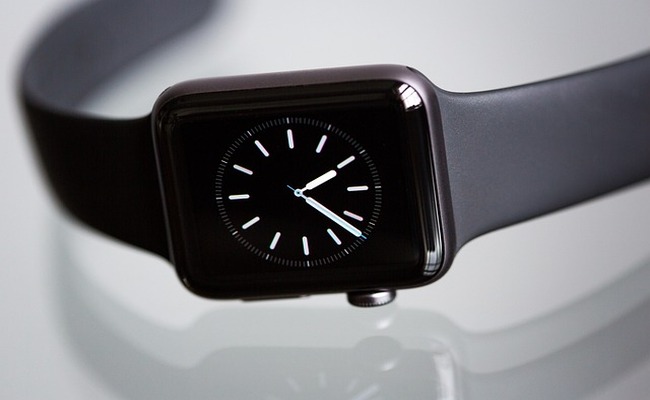
For an Apple Watch user, nothing can be more frustrating than a dying battery in the middle of the day. It's quite common, but if you know how to charge an Apple Watch without a charger, it would save your day.
In this article, we will discuss how you can charge an Apple Watch the right way. We will also share some options for charging the watch without a charger.
How to Charge Apple Watch?
Step 1: Connect the Charger
Plug the Apple Watch magnetic charging cable into the wall adapter and connect it to any power source. Make sure the charger is connected properly, then turn on the power source.
Step 2: Set the Watch on the Charger
Turn the Apple Watch over and place it on the magnetic charger from the back. The magnet in the charger will automatically align the watch.
Step 3: Check the Charging Icon
Once the charger and watch are properly aligned and connected, a green charging icon will appear on the watch's screen. It ensures that the charging has started successfully.
Step 4: Let the Watch Charge
Now leave the watch without moving and let it charge. The charging time can vary each time, depending on the battery level, so give it enough time for a full charge.
Step 5: Remove the Watch Gently
Once charged, the Apple Watch will show a full green battery icon or 100% charged sign. Now, carefully remove the watch from the charger, and your watch is ready to use.
How to Charge Apple Watch Without Charger?
Portable Magnetic Charger Pads
Portable magnetic charger pads are among the most convenient ways to charge an Apple Watch anywhere. This small device comes with a built-in magnetic puck, so you can set your watch directly on it without any wall adaptor. These pads can be powered by a USB port or a power bank, and are very lightweight, small, compact, and travel-friendly.
Power Banks
A power bank is another handy alternative to an Apple Watch Charger. Keep a fully charged power bank and connect the magnetic charging wire to its USB port wherever needed. You can easily charge your Apple Watch at any location where wall outlets or power are unavailable, such as camping, outdoor trips, or travelling.
Desktop Computer or Laptop
Desktop computers or laptops can also be used to charge an Apple Watch without a charger, especially at offices or universities where a computer is always available. To use this method, plug the USB end of the Apple Watch cable into the open USB port of the computer, and charge your watch by placing it over the magnetic puck. It is accessible, but charging via a computer can be slower than with a wall adapter.
Car USB Port
During travel or long drives, nothing can be more beneficial than using a car USB port to charge an Apple Watch without a charger. To maintain the battery life on the move, simply plug your magnetic charging wire into the car's USB port and charge your watch. Make sure that the car is in accessory mode or ON, because some ports require ignition.
iPhone as a Power Source
You can use an iPhone as a temporary power source, but only iPhone 15 or the latest models. Simply connect the USB-C Apple Watch cable to your iPhone and set the watch on the magnetic charger to start charging. This method is useful for emergency conditions only because it will charge your Apple Watch but drain your iPhone's battery.
How Long to Charge Apple Watch?
Apple Watch charging time depends on the charger type and the model of the watch. Generally, most watches take 30 minutes to 1.5 hours to be fully charged. For the new watch models (Series 7+), 80% charging completes within 45 minutes, while the older model takes a long time to reach the full charging level.
Apple Watches from Series 7+ or ultra models can charge 0-80% within 30-45 minutes, 0-100% within 75-90 minutes. The overall charging and efficiency depend upon various factors, including usage, battery health, watch model, and charger type. If you want to fast charge in minimal time, always opt for the right devices or compatible alternatives while keeping your watch reliable for a long time.
Optimized Charging on Apple Watch
- Smart Charging Habits: Apple Watch has an on-device intelligence system that tracks users' daily charging habits and trains itself. It usually learns when a user puts the charger on the magnet and then takes it off. Based on this observation, it calculates the best time for charging and ensures that the battery is fully charged according to that time.
- Battery Health Protection: Optimized Charging also extends the lifespan of an Apple Watch by regulating the voltage and charging cycles. It avoids the battery from being fully charged over 100% constantly.
- Delayed Charging Beyond 80%: Optimized Charging allows the Apple Watch to pause charging near 80% and finish the last 20% charging as per the user's casual usage time. This feature also prevents the battery from being under stress or heating up, and supports its long-term health.
- Consistent Charging Locations: An Apple Watch delivers optimal performance with Optimal Charging if it is charged in familiar locations. If you practice repeat charging at home or the office, the system understands your routine, designs a consistent charging pattern for your watch, and keeps it reliable for a long time.
- Manual Charging Control: Optimized Charging is a built-in feature, but the user can still control it manually according to need. Users can manually override the feature if they want their watch to be fully charged immediately. This option gives you the flexibility to charge your watch as per your requirement without compromising battery health.
FAQs
1: Can I Charge My Apple Watch With My iPhone Charger?
No, it is not possible, as the Apple Watch requires a magnetic puck or charger to charge. It is not designed to be charged directly with a standard iPhone charger.
2: Where is the Hidden Port on an Apple Watch?
The Apple Watch series 0, 1, 2, and 3 contain a small six-pin diagnostic port hidden under the band slot. Remove the band, and you will see a small cover near the model number. Remove the cover gently with the help of a needle, and the port will be uncovered. Remember, this port is not for charging purposes but for services or diagnostics only.
3: Do Apple Watch Come With a Charger?
New Apple Watches do not come with a wall power adapter. Instead, they come with a USB-C magnetic charging cable. This cable is more useful because it is not limited to its own adapter but can be plugged into USB-C ports of iPhones, computers, or power banks.
4: Can You Charge Apple Watch with iPhone?
You can charge your Apple Watch with an iPhone by connecting an Apple Watch Magnetic charger to a USB-C cable. Connect your magnetic charging cable to your iPhone through the USB-C port and start charging your watch.
Conclusion
An Apple Watch is perfectly designed for modern convenience, making charging simple and accessible anytime. All you need to know are its advanced features and updates. The USB-C charging cable can be attached to different devices or power sources, which has resolved the issue of how to charge the Apple Watch without a charger.
Search
Subscribe for the Latest Updates
Security insights & offers right into your inbox