
How to Answer Doorbell from Phone?
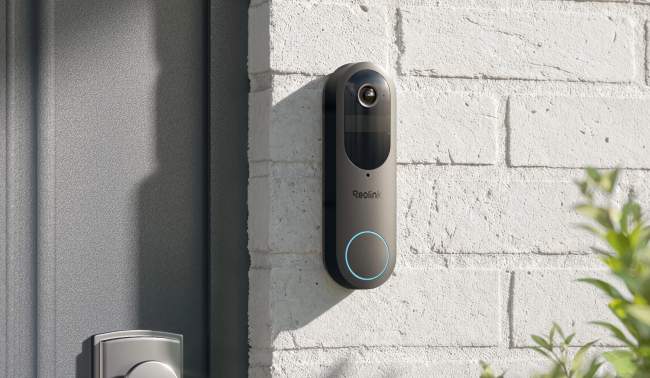
Answering a doorbell from your phone is pretty straightforward. However, if you have just got a video doorbell and are using it for the first time, you might face some issues.
Let’s see how you can answer a doorbell from your phone step by step. We will explain what you actually need to answer. We will also help you choose the right video doorbell and share some common reasons that restrict the remote two-way conversation.
Can You Answer a Doorbell From Your Phone?
Yes, you can answer a doorbell from your phone. Whenever someone rings the bell, you receive a notification on your phone. You can see the live video and speak with the person.
However, it does not work with every kind of doorbell on the market, and there are a few requirements.
Basic Requirements:
Compatible Video Doorbell: You need a doorbell that can facilitate two-way communication along with a live feed. It has a built-in camera, microphone, and speaker.
Mobile App: The companion mobile application connects your phone with the doorbell camera. In case there is someone at the door, you receive a push notification or call on the app.
Internet Connection: The doorbell requires an active internet connection to connect to the mobile app remotely. Without it, it can’t stream the video or facilitate two-way audio.
Push Notifications vs. Incoming Doorbell Calls
Most smart doorbells work through push notifications. When the doorbell button is pressed, an alert is received in the app. The user has to tap on it or open the app to speak to the visitor.
However, some doorbells can make calls. Instead of sending an alert, the doorbell calls on your phone through the app like a normal video call. You can accept or decline.
How to Answer a Video Doorbell From Your Phone?
You receive a push notification on your phone when someone is at the door. Tap the pop-up, and you will see the person who has pressed the button. Now, you can use the audio controls to engage in a two-way audio talk.
Here is an example of a Reolink Video Doorbell.
Tap on the Notification: When someone presses the doorbell button, you receive a real-time alert on the connected device. Tap on the pop-up to open the doorbell app.
Tap Answer/End: You will see a video of the person in front of the doorbell. You can either answer the call or end it. Tap the button.
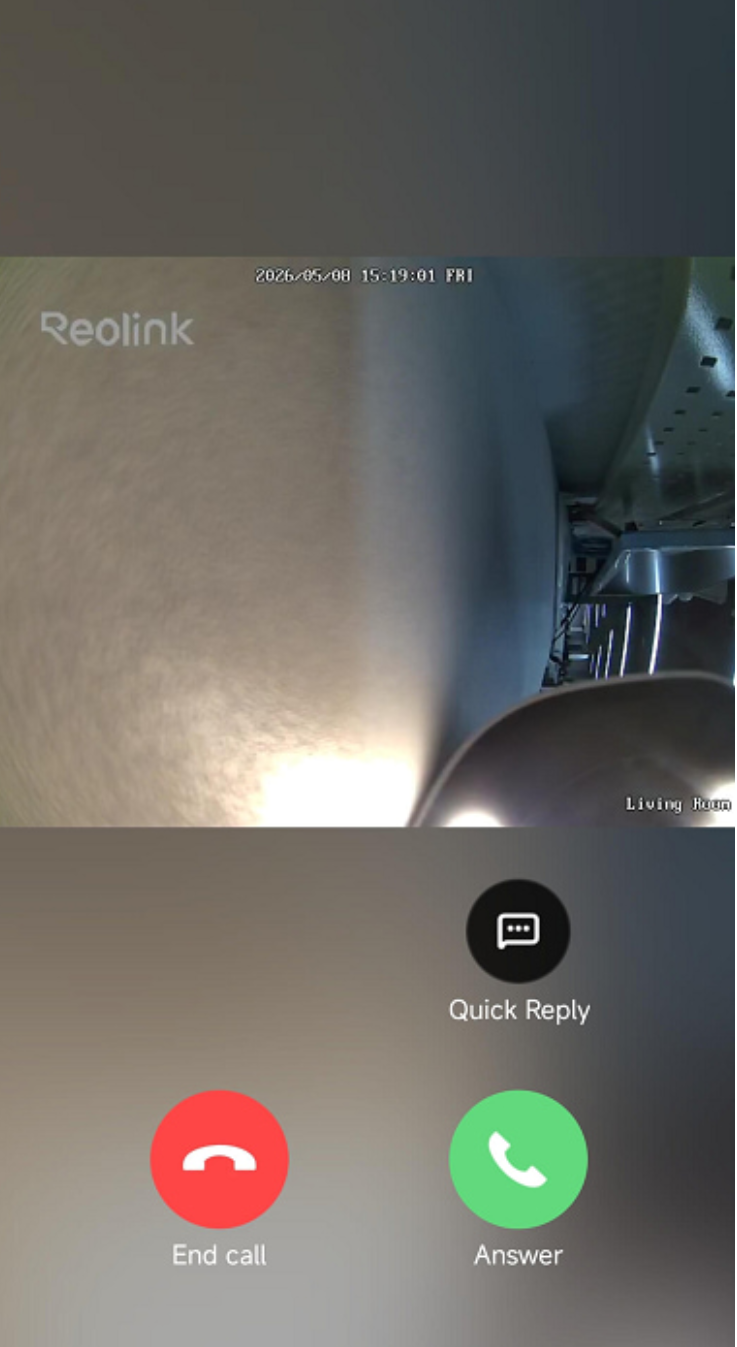
Answer the Call: If you tap on answer, it will initiate a call with the visitor. You can engage in the direct communication. Tap on the camera button to capture a screenshot or the record button to manually record a video.
Quickly Reply: If you don’t want to answer the call, you can also send a quick reply. Tap the quick reply button to send an automatic response based on your settings. Select the reply you want.
What to Look for in a Video Doorbell You Can Answer From Your Phone
Real-Time Doorbell Call Notifications
For answering the doorbell from your phone, you need to know there is someone at the door. That’s where the real-time alerts or notifications come in.
As soon as someone presses the button, you should get an alert on your phone. You get real-time alerts, so you can respond to them on time. The video doorbell you are getting should be able to send real-time alerts or call notifications on the connected devices.
Two-Way Audio
The primary facilitator of the doorbell phone or communication is the two-way audio feature. Your video doorbell needs it to connect you to the person at the door.
You can talk directly to the visitor through your phone and listen to his/her voice. The microphone on the doorbell captures the voice of the visitor, while the speaker on it plays your voice. That said, you both can talk just like you are on a phone call. When getting a doorbell, check the two-way audio feature and also whether it’s connected to a subscription or not.
Remote Access and Live View
People install video doorbells to answer it from any location. Whether they are at home or away, they can answer the doorbell through their phone.
For this, remote access is a necessary feature. Check if the doorbell has this feature before buying. It allows you to answer the doorbell from any location through your phone via the internet. You can not only access the doorbell but also see the live view and even check recordings.
Quick Replies
Sometimes, it’s not possible to talk to the person at the door. And that’s where the quick replies can be helpful.
You can set some quick replies to reply instantly. Just select the reply you want, and it will play on the video doorbell. You can use quick replies when you are in the middle of something or away from home. Not all video doorbells have the quick reply feature, so it’s better to confirm during the purchase.
Multi-User Access
If there are multiple people living in a house, multi-user access is important. You can grant access to your family members, and they can also answer the door through their phones. You can also control their access through permissions. When getting the doorbell, confirm the number of users you can add to it and whether any extra subscription is required.
Best Video Doorbell for Answering From Your Phone
Reolink Video Doorbell PoE
For zero-connection hang-ups and stable audio, you can go with the Reolink Video Doorbell PoE. It offers two-way audio, real-time notifications, and remote access without any subscriptions. You can answer the doorbell with only one tap. Other than that, it also supports quick replies, so you can answer the door faster.
It’s directly connected and powered through an Ethernet cable, which offers optimal reliability and speed and the lowest latency. You can record 24/7 and answer the door by phone from any location. It’s suitable for permanent setups as you need to run an Ethernet cable from the doorbell to the router or PoE switch. However, it’s a plug-and-play device that’s easy to install.
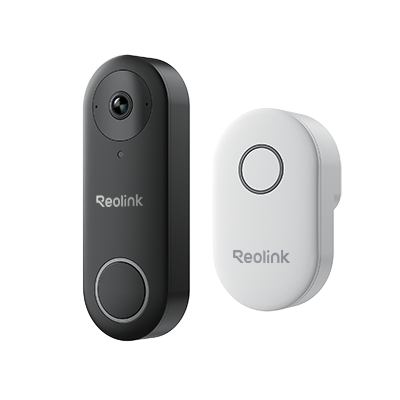
Smart 5MP Video Doorbell with Chime
5MP Super HD, Person Detection, Power over Ethernet, 180° Diagonal Viewing Angle, Two-Way Audio, High-Quality Night Vision.
Reolink Video Doorbell Wi-Fi
Reolink Video Doorbell Wi-Fi also facilitates two-way audio along with live video of the person in front of the camera. You get a real-time alert on the connected device when someone presses the button. You can tap the alert and answer the door through the application. The notable features are noise reduction and echo suppression to listen to the voice clearly without outdoor noise.
It's a suitable option when you have an existing doorbell transformer. It is connected to the existing wiring and is able to record 24/7. You don’t need to run long Ethernet cables, as it wirelessly connects to your router or NVR. It also offers quick replies and pre-motion recording that starts recording before the event starts to capture every moment.
Smart 5MP Video Doorbell with Chime
5MP Super HD Day & Night, Person Detection, 2.4/5 GHz Dual-Band WiFi, 180° Diagonal Viewing Angle, Two-Way Audio, Rich Notification.
Why Can't I Answer My Doorbell From My Phone?
These are the common reasons why you can’t answer your doorbell through your phone.
Disabled Notifications: When you don’t get any notification when someone presses the doorbell button, it means the notifications for the app are disabled. Go to the App settings and enable notifications.
Microphone Restriction: The app requires microphone access to facilitate two-way audio. If you can hear and see the person, but he doesn’t hear your voice, the app cannot access the microphone. Go to the app settings and grant microphone access.
Wrong Phone Mode: Sometimes, your phone is in Do Not Disturb, Silent, or Focus mode. Incoming calls and alerts are automatically silenced, so you don't get notified. Turn off these modes to resolve the issue.
Wi-Fi/Internet Issues: To answer the doorbell from your phone, you need a stable internet connection. Either your internet/Wi-Fi or your home network is having issues. That’s why you can’t answer the doorbell.
FAQ
Can I Answer My Doorbell From My Phone When I'm Not Home?
Yes, you can answer your doorbell from anywhere through your phone. You just need internet connectivity to facilitate the communication.
Can Two Phones Answer the Same Video Doorbell?
Yes, two or more phones can answer the same video doorbell. If you have granted access or permissions to other users, they can also answer. However, only one device can be in an active live view with two-way audio enabled at any given moment.
Can I Answer My Doorbell Without a Subscription?
Some doorbells require an active subscription for two-way audio. However, Reolink doorbells do not require any subscription. You can answer the doorbell from anywhere and talk to the person in front.
Can I Answer a Video Doorbell Without Wi-Fi?
No, you cannot answer a video doorbell without Wi-Fi. For remote access, answering calls, and talking to the visitor, you need to have internet connectivity.
Conclusion
You can answer your doorbell from your phone even if you are away. Once you get a notification or call, just tap it, and you will be directed to the app to talk to the visitors. However, it requires a video doorbell and an internet connection. Secondly, you have to grant the notification and microphone permission to the app. Once everything is sorted, you can talk to the visitor and see the live video. And if you are buying a new video doorbell, consider the important factors we have shared to help you buy the right product.
Search
Subscribe for the Latest Updates
Security insights & offers right into your inbox