
How High Should You Mount a Security Camera? 2026 Explained
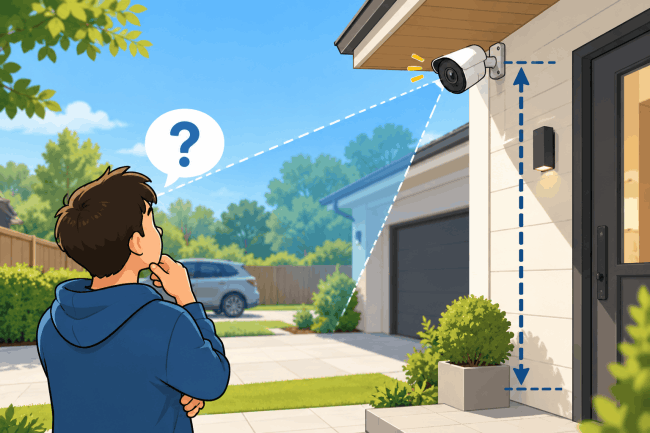
For most home security cameras, 8–10 feet (2.4–3 m) is a practical mounting height. This keeps the camera harder to reach while capturing useful activity. The right height depends on lens, field of view, resolution, location, and identification needs.
Higher mounting may show more ground but less facial detail at steep angles. Lower mounting improves nearby detail but increases tampering and obstruction risks.
- What Is the Best Height for a Security Camera?
- Why Does Security Camera Mounting Height Matter?
- Does the Best Mounting Height Depend on Camera Type?
- What Angle Should a Security Camera Be Mounted At?
- Is It Better to Mount a Security Camera High or Low?
- Common Security Camera Mounting Height Mistakes
- How to Find the Best Mounting Height Before Installation?
- Reolink Cameras for Different Mounting and Coverage Needs
- FAQs About Security Camera Mounting Height
- Conclusion
What Is the Best Height for a Security Camera?
For most residential applications, the optimal starting height for a security camera is 8 to 10 feet (2.4 to 3 meters) off the ground. This elevation keeps the hardware out of easy physical reach while maintaining a clear angle to capture facial features, license plates, and perimeter activity without excessive distortion.
Key Height Recommendations by Location
3 Key Rules for Setting Security Camera Height
-
Balance Tamper Protection with Detail Capture: Mounting higher than 10 feet protects the camera from physical vandalism but steepens the viewing angle. A steep angle records top-down views of hats and tops of heads rather than clear facial features.
-
Prevent Blind Spots for Multi-Lens & AI Cameras: Panoramic or multi-lens cameras require an elevated line-of-sight (at least 8–10 feet) so foreground objects do not warp or distort stitched video feeds.
-
Avoid Direct Light Glare: Position the lens slightly downward and away from direct morning or evening sunlight, porch fixtures, or streetlights to prevent lens flare and night vision blinding.
Why Does Security Camera Mounting Height Matter?
Mounting height affects what a camera records and how clearly it records it. Understanding the following factors helps you choose a position that balances coverage, useful detail, and camera protection.
Field of View and Coverage
A higher camera may reveal more ground, depending on its angle, but distant people appear smaller and harder to identify.
Facial and Identification Detail
A high camera may capture someone's head rather than their face. Identification depends on angle, distance, lens, and resolution together.
Blind Spots
A steep downward angle may miss approaching people farther away, while the area directly below the camera may fall outside its view. Check both areas before drilling.
Tampering and Vandalism
Placing cameras above easy reach discourages interference, but excessive height reduces useful detail.
Night Vision Performance
Walls, eaves, and glass may reflect infrared light into the lens, causing glare or washed-out night footage.
How Do Mounting Height and Distance Affect the Viewing Angle?
A camera mounted high above a nearby target must look down at a steeper angle. This can make it harder to capture facial details. The same camera may have a shallower viewing angle when monitoring a target farther away.
For example, assuming the camera points directly at a target 5.5 feet above ground:
Illustrative geometry, not measured camera performance. Angle = arctan((mounting height − target height) / horizontal distance).
Does the Best Mounting Height Depend on Camera Type?
Yes, optimal camera mounting height varies by body style and optical layout, ranging from 48 inches for doorbells up to 10–12+ feet for wide panoramic or PTZ units.
Bullet and Turret Cameras
Mount at 8–10 feet and angle downward to cover entryways and walking paths without steep facial distortion.
Fixed bullet and turret cameras capture a single directional angle. Mounting them at standard eye-level height (8 to 10 feet) keeps the lens out of arm's reach while providing a clear, natural angle to capture facial features and license plates along key walking routes.
Dome Cameras
Mount flush on ceilings or eaves at 8–10 feet, ensuring nearby walls do not reflect infrared light back into the glass dome.
Dome cameras install flush against flat surfaces. When ceiling-mounted, position the unit away from adjacent walls or overhangs. Nearby surfaces bounce infrared (IR) light straight back into the clear bubble, causing night vision glare and overexposed, blurry video.
PTZ (Pan-Tilt-Zoom) Cameras
Mount at 10–12+ feet with full clearance so the mechanical head pans and tilts without striking structural obstacles.
Because PTZ cameras rotate and tilt dynamically, they require an elevated, unobstructed position. Mounting at 10 to 12 feet or higher on a corner bracket or pole ensures the lens pans across broad areas without hitting walls, gutters, or roof edges during automated tracking routines.
180° Panoramic Cameras
Install at 8–10 feet in a wide-open position to prevent nearby pillars or eaves from blocking horizontal edge-to-edge stitching.
Panoramic multi-lens cameras rely on an unobstructed line-of-sight to stitch overlapping feeds into a continuous horizontal image. Mounting in open locations prevents foreground pillars, soffits, or side walls from warping the stitched panoramic video feed.
Doorbell Cameras
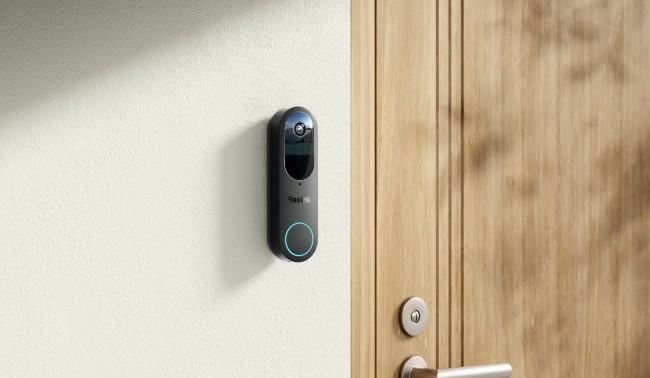
Mount at approximately 48 inches (4 feet) off the ground to balance visitor face recognition with ground-level package detection.
Unlike conventional overhead security cameras, video doorbells install near chest height (around 48 inches) next to standard front door frames. This lower elevation ensures the wide-angle or dual-lens optic captures visitors' full faces directly while keeping lower doorstep packages in view.
What Angle Should a Security Camera Be Mounted At?
Aim toward the target area with a moderate downward tilt, not almost straight down. The angle depends on mounting height, target distance, and field of view. Higher, wider views suit general monitoring, while a shallower angle and shorter distance usually provide better facial detail. Check the live image before fixing the angle.
Does Mounting Height Affect Motion Detection?
Yes. Mounting height can affect motion detection, especially for cameras with passive infrared (PIR) sensors.
PIR sensors detect changes in infrared radiation from objects moving through their detection zones. Mounting a camera above its recommended height or aiming it too steeply may reduce detection performance.
Cameras that use video-based motion detection analyze changes in the image. Their performance depends on factors such as target size, distance, lighting, and detection settings.
Is It Better to Mount a Security Camera High or Low?
Neither position works best everywhere. Mount the camera high enough to discourage tampering but low enough to record the details you need.
Common Security Camera Mounting Height Mistakes
Avoid mounting security cameras too high, too low, or at steep downward angles, and protect the lens from infrared reflection, field-of-view blockages, and privacy boundary overlaps.
Mounting the Camera Too High
Placing cameras above 10–12 feet captures broad yard overviews but loses facial details and license plate numbers.
While higher mounting points prevent physical tampering and cover more ground, high elevations distort human subjects. Instead of recording recognizable facial details, high-mounted cameras capture the tops of heads, hats, and shoulders, so the identification may be difficult during an incident.
Mounting the Camera Too Low
Placing cameras below 7 feet exposes hardware to physical vandalism, theft, and line-of-sight obstructions.
Low-mounted cameras are vulnerable to being covered, twisted, or damaged by hand. Furthermore, parked cars, high bushes, and standing individuals can block the camera’s view, cutting off line-of-sight coverage for the rest of your property.
Using Too Steep a Downward Angle
Pointing the lens sharply downward creates extreme top-down angles that obscure facial features.
When a camera mounts high and tilts steeply down toward a doorway or path, it records a top-down perspective. This orientation hides key details like eyes, noses, and clothing logos under head gear or upper torsos, neutralizing the value of high-resolution sensors.
Ignoring the Camera's Specific Field of View
Positioning a narrow-angle camera in a spot designed for a wide panoramic camera leaves blind spots along perimeters.
Camera body styles require tailored height and spacing. Mounting a standard narrow-angle lens (e.g., 80° diagonal) high up where a 180° panoramic camera belongs creates blind spots directly underneath and beside the mounting location. Always match mounting elevation to the camera’s focal length and optical coverage.
Ignoring Night Vision Obstructions and Reflection
Positioning infrared LEDs near walls, glass, or soffits bounces IR light back into the optic, blinding night vision.
Placing a camera too close to an overhang, wall corner, or window causes infrared (IR) light to reflect straight into the camera lens. This reflection overexposes nearby surfaces into bright white spots while leaving the main background in complete darkness.
Pointing Cameras Into Private Areas
Positioning cameras toward neighbors' windows or yards triggers privacy disputes and risks local legal non-compliance.
Over-elevating or misaiming cameras into adjacent private properties, backyards, or living room windows creates severe privacy issues. Adjust the mounting height and angle—or apply Reolink digital privacy masks in the app—to restrict monitoring strictly to your property lines.
How to Find the Best Mounting Height Before Installation?
The best position becomes clearer when you test the camera in the area you plan to monitor. Follow these steps to check coverage and identification detail before installation.
Step 1: Define What You Need to See
Choose general coverage, motion detection, or identification before selecting the mounting position.
Step 2: Measure the Target Distance
A visitor 6 feet away needs different framing from a vehicle entering a driveway 50 feet away.
Step 3: Check the Camera's Field of View
Wide lenses capture more area but make distant subjects smaller. Narrow lenses or optical zoom focus on specific targets.
Step 4: Test the Live View Before Permanent Mounting
Hold the camera at the planned height while someone walks through the area, then inspect the image.
Step 5: Test Day and Night Footage
Check faces, vehicles, blind spots, lighting, and infrared glare. Adjust the position if details disappear.
Step 6: Adjust Detection Zones and Privacy Masks
Set detection zones for relevant activity and privacy masks for areas you should exclude. The article Privacy Zones vs Detection Zones explains these settings further.
Reolink Cameras for Different Mounting and Coverage Needs
Choosing the right mounting height depends directly on your camera's lens structure and tracking capabilities, whether you need 180° panoramic coverage, long-range optical zoom, or dual-lens PTZ tracking.
Wide-Area Coverage: Reolink Duo 3 PoE
Mount at 8–10 feet in an open area to deliver 16MP 180° panoramic coverage across wide yards, driveways, and commercial perimeters.
The Reolink Duo 3 PoE uses dual sensors to stitch together a continuous 180° horizontal feed in ultra-clear 16MP resolution. To optimize its wide field of view, mount the camera on a flat exterior wall, corner bracket, or soffit where side structures like pillars, rain gutters, or adjacent walls will not block the edge-to-edge image or cause infrared reflection at night.

Groundbreaking 16MP Dual-Lens PoE Camera
16MP UHD, Dual-Lens, Motion Track, 180° Wide Viewing Angle, Power over Ethernet, Color Night Vision.
Adjustable Detailed Monitoring: Reolink RLC-811A
Ideal for mounting at 9–12 feet to zoom in on distant gates, entry points, or long driveways without losing 4K image quality.
The Reolink RLC-811A combines 4K UHD resolution with a 5X optical zoom lens, allowing you to narrow the field of view onto specific targets without pixelation. Mounting this bullet camera slightly higher gives it a clear line of sight over parked vehicles and fence lines, making it perfect for capturing license plates and facial details along extended approach routes.
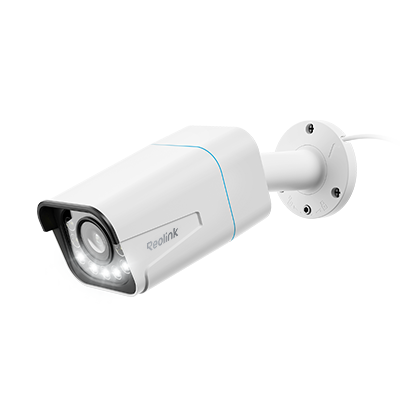
4K Smart PoE Camera with 5 Spotlights
4K 8MP Ultra HD Day & Night, Person/Vehicle Alerts, 5X Optical Zoom, Two-Way Audio, Built-in Siren, Color Night Vision, Live View Anywhere.
Flexible PTZ Coverage: Reolink TrackMix PoE
Mount at 10–12+ feet with full mechanical clearance to enable 355° panning, 90° tilting, and dual-lens auto-tracking across expansive properties.
The Reolink TrackMix PoE features both a wide-angle lens and a telephoto tracking lens in a single motorized housing. It automatically pans and tilts to follow moving people, vehicles, or pets while providing simultaneously zoomed-in and full-view footage. Install this unit high on an open building corner or post so the pan-tilt head rotates freely without hitting roof overhangs or structural obstacles.
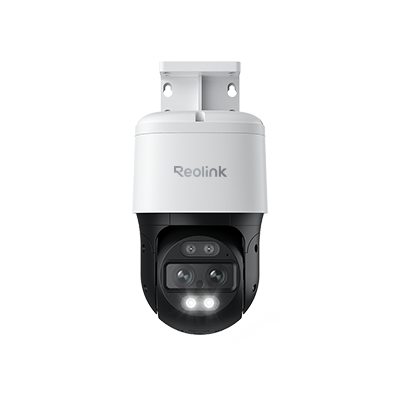
4K Dual-Lens PTZ Camera with Dual Tracking
4K 8MP Ultra HD, Wide & Telephoto Lenses, Pan & Tilt, Auto-Tracking, Person/Vehicle Detection, Power over Ethernet, Two-Way Audio.
FAQs About Security Camera Mounting Height
Mounting questions often depend on the exact location and what you need to see. These answers cover common height, lighting, and placement concerns.
How high should an outdoor security camera be?
Install outdoor security cameras between 8 and 10 feet (2.4 to 3 meters) off the ground.
This baseline balances tamper resistance with optical detail. Mounting at this height keeps the unit out of easy physical reach while preserving a low enough angle to capture recognizable facial features, clothing details, and vehicle license plates.
Is 6 feet too low for a security camera?
Yes, 6 feet is generally too low for standard security cameras because it leaves hardware vulnerable to physical tampering and vandalism.
At 6 feet, passersby can easily grab, redirect, spray-paint, or block the camera lens. Additionally, parked cars, high bushes, or standing individuals can easily cut off the line of sight for the rest of your yard. The only exception is video doorbells, which mount near 4 feet (48 inches) to capture chest-level and facial views of visitors.
Can I mount a security camera 15 feet high?
Yes, but mounting at 15 feet prioritizes wide-area property overviews at the expense of close-up facial identification.
Elevating a camera to 15 feet covers large yards, parking lots, and long perimeters without structural obstructions. However, the steep downward angle captures top-down views of hats and shoulders rather than clear faces. If you mount at 15 feet, choose a high-resolution 4K camera or an optical zoom model (like the Reolink RLC-811A) to pull in sharp detail from a distance.
Does mounting a security camera higher increase its range?
No, mounting a camera higher expands its field of view over obstacles, but it does not extend its optical lens range or sensor detection distance.
Higher mounting points clear line-of-sight obstructions like fences, low roofs, and parked vehicles. However, because the camera is farther away from subjects on the ground, pixels per foot drop, making distant faces harder to identify. Effective range depends on the camera’s focal length, image sensor, and resolution—not its physical mounting elevation.
What is the best height for a security camera under an eave?
Mount under eaves at 8 to 10 feet and make sure the soffit overhang remains outside the top edge of the camera frame.
Soaking under roof eaves protects cameras from direct rain and harsh sunlight. However, avoid mounting flush against the underside of the eave. Angle the camera downward so the roof lip does not block the upper field of view or reflect infrared light straight back into the lens during nighttime recording.
Does mounting height affect a security camera's night vision?
Yes, higher mounting angles spread built-in infrared (IR) light over a larger area, reducing nighttime brightness and causing reflections off nearby structures.
As mounting height increases, the camera’s internal IR LEDs must throw light over a greater distance to reach ground targets, resulting in dimmer nighttime images. Furthermore, if an elevated camera is positioned close to walls, gutters, or eaves, the IR beam will bounce off those surfaces, overexposing the foreground and blinding the background scene.
Conclusion
For most home security cameras, 8–10 feet (2.4–3 m) is a good starting height. It keeps the camera harder to reach while providing a clear view of entrances, driveways, and outdoor areas. However, the best mounting height depends on the camera type, field of view, target distance, and monitoring needs.
Before installation, test the camera's viewing angle, facial detail, motion detection, and night vision. Whether you use a fixed, panoramic, or PTZ camera, the goal is to balance wide coverage with clear, useful footage. Reolink offers different camera options to match your property layout and monitoring needs.
Search
Subscribe for the Latest Updates
Security insights & offers right into your inbox