
Ethernet Splitter: Expanding Connections
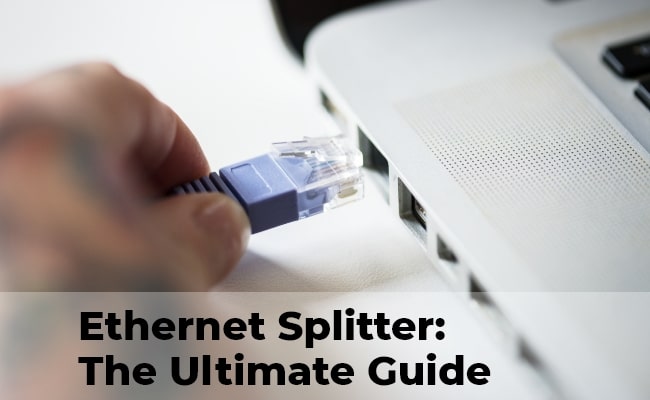
An ethernet splitter is an essential device in the world of networking, allowing multiple devices to share a single Ethernet connection efficiently. These tools are vital for expanding network connectivity without additional wiring or significant hardware upgrades. In this article, we explore the basics of these splitters, exploring their types, functions, usage, and much more.
- What Is an Ethernet Splitter?
- How Does an Ethernet Splitter Work?
- What Are Common Types of Ethernet Splitters?
- What Are Key Benefits of Using Ethernet Splitters?
- What Are Possible Drawbacks of Using an Ethernet Splitter?
- When to Use Ethernet Splitters?
- How to Split Ethernet Cables 1 to 2?
- Using Ethernet Splitters for PoE Security Cameras
- FAQs
- Conclusion
What Is an Ethernet Splitter?
An Ethernet splitter is a passive hardware device designed to multiplex a single network cable run to accommodate two simultaneous device connections. While it appears to "double" port capacity, it does so by exploiting the physical wire pairs inside a standard Category cable (Cat5e or Cat6), rather than acting as an intelligent network switch.
How Does an Ethernet Splitter Work?
To understand how an Ethernet splitter works, you first need to understand what’s happening inside a standard Ethernet cable (such as Cat5e or Cat6).
A standard Ethernet cable contains eight copper conductors, arranged as four twisted pairs. These twists are important because they reduce electromagnetic interference (EMI) and prevent crosstalk between adjacent wires, helping maintain signal integrity over distance.
Different Ethernet standards use these wire pairs differently:
- 100Base-TX (Fast Ethernet, 100 Mbps) uses only two of the four pairs (four wires total):
- One pair is used for transmitting data (Tx)
- One pair is used for receiving data (Rx)
- The other two pairs remain unused
- 1000Base-T (Gigabit Ethernet, 1 Gbps) uses all four pairs simultaneously, enabling full bidirectional communication across all wires to achieve higher speeds.
How an Ethernet Splitter Works
An Ethernet splitter is a passive device that takes advantage of the unused wire pairs in a 100 Mbps Ethernet connection. Unlike a switch or router, it does not manage or route network traffic. Instead, it simply reconfigures the physical wiring inside the cable.
Splitting One Cable Into Two Paths
Because a 100Base-TX connection only needs 4 wires, an Ethernet splitter can take a single 8-wire cable and divide it into two separate 4-wire channels:
- Connection 1 (Device A): Uses the standard Ethernet pins (1, 2, 3, 6), which correspond to two twisted pairs. This carries one data connection.
- Connection 2 (Device B): Uses the remaining unused pins (4, 5, 7, 8), which are mapped into a second 4-wire Ethernet path for another device.
What Are Common Types of Ethernet Splitters?
Ethernet splitters are available in a few different forms, each designed to solve slightly different connectivity problems. While they are often grouped under the same category, their function and usage can vary depending on whether they are passive or active solutions.
Ethernet cable splitters
Ethernet splitters are passive devices that divide a single Ethernet cable run into two separate 100 Mbps connections.
These splitters work by reassigning the unused wire pairs inside a standard 8-wire Ethernet cable. Since Fast Ethernet (100Base-TX) only uses two of the four twisted pairs, the remaining pairs can be allocated to a second connection. However, this setup requires a matched pair of splitters—one at each end of the cable run—and each connection is limited to 100 Mbps.
Ethernet Y-splitter
These Y-shaped adapters are simple single-end devices that attempt to split one Ethernet line into two physical outputs.
These adapters typically resemble a “Y” shape and are often misunderstood as fully independent network expanders. In reality, they still rely on the same underlying limitation of shared wire pairs and usually require specific paired configurations to function correctly. Without proper setup, they do not provide two fully independent gigabit connections.
Ethernet port splitters
Port splitters are devices that convert a single Ethernet port into multiple connection points for additional devices.
Despite the name, most so-called port splitters do not actively manage network traffic. Instead, they either rely on passive wiring tricks similar to cable splitters or are incorrectly used as a substitute term for network switches. In modern networking setups, true port expansion is typically achieved using an Ethernet switch rather than a passive splitter.
Ethernet switches
Switches are active networking devices that expand a single Ethernet connection into multiple high-speed ports with full bandwidth support.
Unlike passive splitters, switches intelligently manage data traffic between devices and ensure each connection can run at full speed independently. They support modern standards such as Gigabit Ethernet and eliminate the wiring limitations of splitter-based solutions, making them the preferred choice for most home and business networks.
What Are Key Benefits of Using Ethernet Splitters?
Ethernet cable splitters can offer practical advantages when used in specific Power over Ethernet (PoE) security camera setups, especially in environments where running new cables is difficult or expensive.
Reduced Wiring Requirements Improve Installation Efficiency
One of the main benefits of using Ethernet cable splitters in PoE camera setups is that they reduce the need for additional cabling. Instead of running separate Ethernet lines for each camera, a splitter can help reuse an existing cable infrastructure.
This can significantly simplify deployment in buildings where wiring access is limited or costly to modify.
Less Drilling Helps Preserve Wall and Building Integrity
By minimizing the number of new cables that need to be installed, Ethernet splitters also reduce the need for drilling holes through walls, ceilings, or structural elements.
This is particularly useful in finished buildings, rental properties, or historical structures where maintaining the original condition of the space is important.
Faster and Less Invasive Installation Process
Ethernet splitters can make PoE camera installation more straightforward by reducing physical setup complexity. With fewer cables to route and terminate, installers can complete deployments more quickly.
This also makes the installation process less disruptive, which is valuable in occupied homes, offices, or commercial environments.
What Are Possible Drawbacks of Using an Ethernet Splitter?
While passive Ethernet splitters can be a quick workaround when installing new cables is not possible, they come with important limitations that affect performance, compatibility, and reliability.
They permanently limit network speed to 100 Mbps.
Ethernet splitters divide an 8-wire Gigabit connection into two 4-wire links, which forces both devices to downgrade to Fast Ethernet. As a result, even if your internet plan supports 1 Gbps, any device connected through a splitter is capped at 100 Mbps.
They are generally incompatible with Power over Ethernet (PoE).
Many PoE devices rely on the same wire pairs that splitters repurpose for data. This can disrupt power delivery and cause devices like IP cameras or VoIP phones to fail to power on or function correctly.
They can increase signal degradation and connection instability.
Because splitters interrupt the normal twisted-pair structure of Ethernet cables, they can introduce interference and crosstalk. This may lead to packet loss, higher latency, or unstable connections, especially under heavy network usage.
They require paired installation and add extra failure points.
Ethernet splitters must be used at both ends of a cable run, meaning incorrect setup or failure at either end can break connectivity for multiple devices. They also increase cabling complexity compared to a single direct connection.
They do not manage traffic or provide any network intelligence.
Unlike network switches, passive splitters cannot route, prioritize, or balance traffic between devices. Each connection operates in isolation without any smart handling of bandwidth or data flow.
When to Use Ethernet Splitters?
While network engineers generally prefer running fresh lines or using active switches, real-world constraints—like uncooperative landlords, finished drywall, or tight budgets—often make passive Ethernet splitters a highly practical, situational lifesaver.
Based on collective user experiences, here is exactly when deploying an Ethernet splitter makes sense, and when it will cause major headaches.
1. The "Landlord/Drywall" Barrier (No-Drill Zones)
You rent an apartment or live in a house where the walls are completely finished, and running a second internal Ethernet cable from the living room to the home office is physically impossible or forbidden by a lease. However, there is already one existing ethernet jack in the wall.
Users frequently run into this when trying to hook up both a work laptop and a personal PC in a spare bedroom. By placing one splitter at the central router downstairs and the second splitter at the bedroom wall jack, they can get both machines online instantly.
It beats drilling through plaster or having a 50-foot blue cable taped across the living room baseboards.
2. Hooking Up Legacy or Low-Bandwidth Smart Devices
You have a cluster of smart home bridges, old network printers, or VoIP desk phones sitting on the same desk, and you are entirely out of open LAN ports on your router.
Smart home enthusiasts often realize that hubs (like Philips Hue, Lutron Caseta, or older smart TVs) only have a 10 Base-T or 100 Base-TX network card inside them anyway. They physically cannot utilize speeds faster than 100 Mbps.
Using a passive splitter here is incredibly efficient. It leaves your router’s high-speed gigabit ports open for demanding devices (like gaming PCs or NAS drives) while grouping the low-bandwidth hardware together without wasting electrical outlets.
3. The Power Outlet Deficit (No-Power Zones)
You need to connect a secondary device in a cramped closet, an attic, or behind a entertainment center where every single AC power outlet is already claimed, or where no power exists at all.
Many users choose a passive splitter over a network switch simply because it is unpowered. A network switch requires its own power brick plugged into the wall. If you are already using a crowded power strip for a TV, soundbar, console, and streaming box, adding another power brick is a fire hazard or physically impossible.
Because splitters are entirely passive, they require 0W of power. You plug them in, and they just work, drawing no electricity and creating no extra heat in tight, unventilated spaces.
How to Split Ethernet Cables 1 to 2?
Using an ethernet cable splitter 1 to 2 or a dual splitter is a straightforward process that doubles your network connectivity. Here are some essential tips for setting up an ethernet splitter 1 to 2:
-
Gather Necessary Tools: Before beginning, ensure you have the splitter and enough Ethernet cables to connect. Also, do you have any tools that might be needed for organizing or securing cables?
-
Power Off Devices: To prevent network issues, power off all devices connected to the splitter, including the router or switch.
-
Connect Ethernet Cables: Connect one end of an Ethernet cable to the router or switch and the other end to the input port. Then, connect additional Ethernet cables from the splitter's output ports to the devices you wish to network.
-
Add Additional Devices: If your splitter allows for more than two outputs, you can connect additional devices accordingly.
-
Power On All the Devices: Once all the connections are securely in place, power on the devices. This includes the router or switch and any devices connected to the splitter.
6.** Test and Verify Network Connectivity**: Finally, check each device to ensure they are properly connected to the network. This can be done by verifying the network status on each device or attempting to access the internet.
Using Ethernet Splitters for PoE Security Cameras
A common question among homeowners installing IP security cameras is: "Can I use a passive Ethernet splitter to run two PoE cameras off a single cable?"
If you cannot run a second physical cable but need to install two or more PoE cameras in the same location, you must avoid passive splitters and use active hardware instead:
1. Active PoE Extenders / Passthrough Switches (Recommended)
An Active PoE Extender is a specialized device designed exactly for this scenario. It is an unpowered, outdoor-rated mini-switch that runs entirely on the PoE power delivered by your main upstream switch. It takes that single high-power line (usually PoE+ 802.3at or PoE++ 802.3bt) and intelligently splits both the data and the power budget into two or more fully functional PoE ports.
2. Dedicated PoE Switches
If the cameras are being installed indoors (like a garage or attic) where an AC power outlet is accessible, the most reliable method is to run the single internet line into a small, 4-Port or 5-Port PoE Switch. The switch plugs into the wall for power and provides clean, dedicated wattages alongside full gigabit data to all connected security cameras.
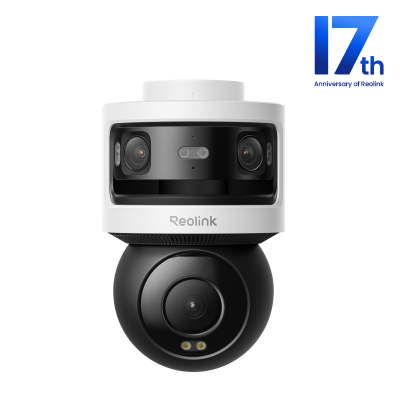
All-in-one Triple-Lens 180° Panoramic Pan-Tilt Security Camera
10MP Dual-Lens 180° View, 4K 360° Full Coverage, SyncTrack with auto framing & auto tracking, Local Storage (No Monthly Fees), Local AI Video Search.
FAQs
Does an Ethernet Splitter Reduce Speed?
The truth is, while splitters are convenient, they can reduce the connection's speed. This is because the splitter shares the bandwidth of a single Ethernet cable between two devices. If both devices are used simultaneously, they may experience reduced speeds due to the shared bandwidth. However, this speed reduction is negligible for many everyday applications and should not significantly impact performance.
Can I Split Ethernet to 2 Devices?
You can split an Ethernet connection to two devices using a splitter. This is particularly useful in situations where there are limited Ethernet ports available. A splitter effectively divides the signal from a single Ethernet cable, allowing two devices to connect to the network. While this setup is convenient, it shares the bandwidth between the two devices, which might affect their internet speed if used simultaneously.
What is a Better Ethernet Switch or Splitter?
Choosing between a lan switch and splitter depends on your specific needs. A splitter is a simpler device that divides a single Ethernet connection into two, suitable for small-scale applications where only a couple of devices need to be connected.
However, a switch is a more advanced solution providing more ports and efficiently managing network traffic. Switches are ideal for larger networks with multiple devices, as they can handle data transmission more intelligently, ensuring better performance and speed for each connected device.
Conclusion
Ethernet splitters play a crucial role in expanding network connections efficiently. Whether for simple home networks or more complex setups like PoE security cameras, these devices offer a practical solution for multiple-device connectivity. With a clear understanding of their types, usage, and benefits, selecting and utilizing one becomes a straightforward task.
Do you use these splitters in your network setup? Share your experiences with us in the comment section below! Let's discuss together!
Search
Subscribe for the Latest Updates
Security insights & offers right into your inbox