
Does Sharing Location Drain Battery? What You Should Know
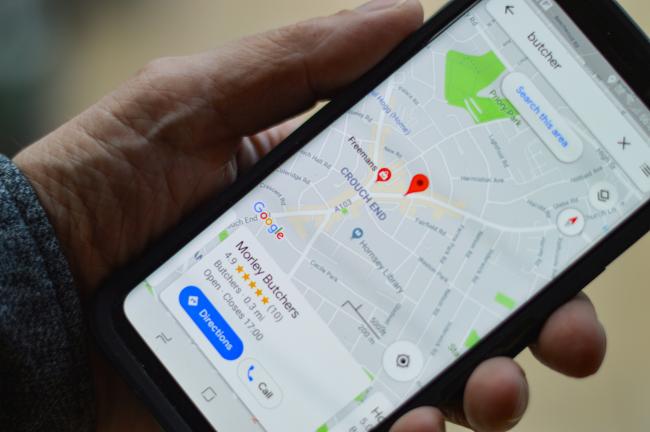
Phone users often ask this question these days. Does sharing location drain battery? They also want to know if sharing your location drains your battery. Phones let people send their locations to others with ease. This action uses battery power. The article explains does sharing your location drain your battery. It covers the effects on different phones and ways to manage the issue.
Does Sharing Location Drain Battery?
Yes, sharing location does drain battery. Phones use power to find locations and send the information. The drain level depends on the phone model and sharing setup. Different phones manage power in their own ways. Users notice larger effects during long shares or bad signals.
iPhone Location Sharing Battery Impact
iPhones share locations through the Find My app or other programs. The phone turns on the GPS chip. It gets signals from satellites and sends data over networks. Newer models work more efficiently than older ones. Live sharing still pulls extra power.
A full day of sharing can lower battery faster than usual tasks. Tests point out that GPS use shortens battery time by 13 percent with good signals. Battery use reaches 38 percent with weak signals. The status bar shows an arrow when location runs. This sign tells users the system's draw power.
Android Location Sharing Battery Impact
Android phones share locations through Google Maps and similar apps. The GPS chip turns on along with other signals for location. Background sharing stops the phone from fully resting. Apps with all-time permission keep checks going.
Newer Android versions limit updates to a few per hour. Live-sharing in busy areas uses more power. Navigation or tracking apps show the drain clearly. Users see quicker drops when sharing runs without stops.

Reolink Spring Sale - Step Into Spring, Step Into Security!
Reolink Spring Sale is here! Grab top deals on security cameras, doorbells, and systems to keep your home safe this season.
How Much Battery Does Location Sharing Use?
Location sharing takes a moderate amount of battery power during regular use. Tests point to about a 1 percent extra drop per hour for simple sharing. Full-day constant sharing adds 20 to 25 percent more use in some cases. The number changes with signal quality.
Good signals let the phone work with less effort. Poor signals force more work and higher drain. How often the phone sends updates also counts. Minutes by minute sends raise the total. Normal phone tasks without sharing keep the battery longer.
How Does Location Sharing Work on Smartphones?
Smartphones find their location with multiple tools together. GPS signals come from satellites in space. The phone receives them and measures distances. It adds data from Wi-Fi spots and cell towers for accuracy indoors. After it knows the spot, sharing begins.
The app gathers the location and sends it over the internet. The send goes to a server or the other phone by cell data or Wi-Fi. This keeps the GPS part and data radio active. Motion parts sometimes track moves without full GPS restarts. The phone repeats these steps for new updates.
What Apps Use the Most Battery When Sharing Location?
Many people use apps every day for getting around town or staying in touch with family. They check the location again and again. This repeated checking is why they use more battery than apps that do not need a location.
Here are common apps that use the most battery with location sharing:
-
Google Maps drains power with live shares or directions. It updates traffic and locations often while talking to servers.
-
Life360 tracks family members all day in the background. The steady updates cause large battery drops.
-
Find My shares with people on iPhone, but still runs GPS and data. Live mode adds more use over time.
-
Snapchat checks locations for maps and friend features. Repeated scans make it use power steadily.
-
Tinder tracks areas to show nearby matches. Constant GPS calls lead to fast battery loss.
-
Uber and Lyft follow locations for rides and driver shares. Trip updates keep systems busy longer.
Why Battery Drains When Sharing Location on iPhone?
Several clear reasons cause battery drain on iPhones. The phone sends location updates more often for good accuracy. Each send starts the GPS and data parts. Weak signals push the phone to search extra and use more power. Apps with full-time access run even when not open. This blocks energy-saving modes. System tools like pattern tracking add steady, small use.
How to Reduce Battery Drain from Location Sharing?
People share locations for safety or quick meets. They can keep the battery strong with simple setting changes. Phones give options to control power use directly.
Here are the steps to lower the drain:
-
Set app access while using only. Background stops and power saves when apps close. This means the app only works when you open it, so the phone can rest more.
-
Turn on low power or saver mode. These cut background work and GPS repeats. The phone slows down some tasks and saves energy for longer use.
-
Limit shares to set times, like one hour. Short runs avoid day-long effects. You turn sharing off after the meet and keep the battery from dropping fast.
-
Use approximate location for some apps. It needs fewer signals and less power. The phone gives a rough spot instead of the exact one, so it works with less effort.
-
Turn down background refresh. Apps wait for open times to update. This way, updates happen only when you check the app yourself.
-
Shut off extra system services. Privacy settings let users stop unneeded tracking like patterns. The phone skips steps it does not need and saves power.
-
On Android, pick optimized use for apps. This keeps features with less power draw. The system balances the app so it runs well without using too much battery.
FAQs
Should I leave location on all the time?
People should not leave location services on all the time. The phone handles daily tasks without it. Steady on leads to power use for checks that may not matter. More battery hours come from off or per-app settings. Users turn on for maps or shares only. This fits the needs and lowers the extra drain. Many people find their phone lasts several hours longer when they turn location off after use.
What is the 20/80 rule in iPhone?
The 20/80 rule supports iPhone battery health for years. Users hold charge levels from 20 to 80 percent. Full 100 percent charges or near-zero drops add wear to battery parts. iPhones have optimized charging that pauses at 80 percent. It learns daily patterns and finishes near use time. Newer models allow charge limits, too. The rule cuts heat and strain for a longer life. This simple habit helps the battery stay strong for two or three years instead of wearing out early.
Why shouldn't you share your location on iPhone?
Sharing uses battery power in the way this article explains. Privacy also matters. Others track full moves with open shares. Risks grow from extra data collection or unwanted follow-up. Share only with trusted people. Turn off when there is no need. This guards the battery and private details. It is better to share for a short time and then stop, so no one can follow you all day.
Conclusion
Location sharing drains battery on phones. Both iPhone and Android types show the power use from location finds and sends. Drain stays low with brief shares. It rises with long runs. Users learned usual levels, the work process, and high-use apps. They also found setting changes to cut the drain. The 20/80 rule helps the battery stay strong longer. People enjoy sharing benefits with smart control. What battery effects have you seen from location sharing? Tell your thoughts below.
Search
Subscribe for the Latest Updates
Security insights & offers right into your inbox