
Amazon Lightning Deals: How to Find the Best Limited-Time Offers
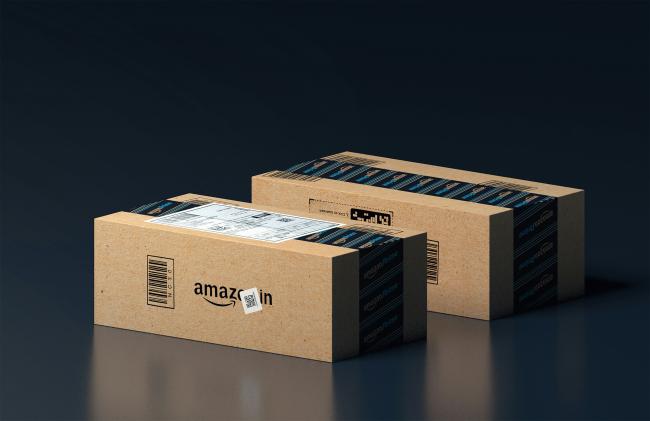
Amazon lightning deals give shoppers a chance to buy products at lower prices for a short time. These deals attract many buyers who search for Amazon lightning deals today. People visit the site each day to grab these offers before they go away. The following sections cover ways to spot and claim the best ones.
What Are Amazon Lightning Deals?
Amazon lightning deals provide big price cuts on items for a limited time. Shoppers find these deals on the Amazon website or app, and they last only until the items sell out or the time runs out. Each deal has a progress bar that fills up as people take it. Unlike daily deals, which last for a full day and include a broader range of products without a strict time limit, lightning deals create a sense of hurry with their brief time frame.
How Do Amazon Lightning Deals Work?
To grasp Amazon lightning deals, begin with the basics of how Amazon sets them up and manages them. The company selects products from sellers and adds discounts to boost fast sales. Buyers should learn the steps to get the most from these offers.
-
Selection of Products: Amazon picks items for lightning deals from seller suggestions. Sellers offer products with a discount, and Amazon agrees if they fit the rules. This ensures deals include popular areas like electronics, home items, and clothes. Buyers gain from a variety of known brands and other choices at reduced costs.
-
Discount Application: After approval, Amazon adds the discount for a fixed time. The price falls by a certain amount, often 20% or more, but it changes by product. Shoppers see the old price crossed out next to the new deal price. This clear view helps buyers see the savings at once.
-
Time and Quantity Limits: Each deal lasts for a set period, usually a few hours, and has a limited number of units. A progress bar tracks claims as they happen. When the bar hits 100%, the deal stops, even if time is left. This design encourages quick decisions from buyers.
-
Claim Process: Shoppers put the item in their cart during the deal time. They need to buy soon after, as the discount works only then. If many people claim it, others can join a waitlist for spots that open up. This setup offers a fair chance to all.
-
End of Deal: When time or items run out, the deal ends. Unclaimed spots from waitlists might get offers, but most items go back to normal prices. Amazon follows these to improve future deals. Shoppers can learn from this and check often for new ones.
How to Find Lightning Deals on Amazon?
Finding Amazon lightning deals needs some work, but a few ways make it simpler. Shoppers who know the spots can find them without much hassle. Begin by using the Amazon site tools made for these offers. This section explains the main methods to find them one by one.
Use the Today's Deals Page
Go to the Today's Deals section on Amazon's main page. Scroll to see the Lightning Deals spot. It shows current and coming deals with timers. Sort by type to focus, like kitchen or tech. Visit this page several times a day for new changes.
Download the Amazon App
Put the Amazon mobile app on your phone. Turn on alerts for deals in the settings. The app has a special tab for lightning deals. Move through types and set notices for certain items. This helps you stay updated even away from a computer.
Join Amazon Prime
Join Amazon Prime to reach special lightning deals. Prime users view deals 30 minutes before others. Search for Prime Early Access marks on deal pages. This benefit lets you take hot items before they sell out to everyone else.
Follow Deal Aggregator Sites
Go to sites that follow Amazon deals, such as Slickdeals or CamelCamelCamel. This list of lightning deals with user scores. Set email notices for keywords. They show past prices to see if the deal gives true savings.
Use Browser Extensions
Add tools like Honey or Keepa to your web browser. These alert you to lightning deals as you shop. They display price drops and deal timers on item pages. Turn on notices for fast updates.
When Are the Best Lightning Deals Available?
Timing matters a lot for getting the top Amazon lightning deals. Some events and times bring bigger cuts and more choices. Plan for these to boost your odds of good finds. This part covers the main times when deals are at their best.
Spring Sale
Amazon holds a Spring Sale each year, often in March or April. In this event, lightning deals include outdoor tools, cleaning items, and clothes. Price cuts go up to 50% on seasonal items. Check each day as fresh deals come out during the week-long sale.

Reolink Spring Sale - Step Into Spring, Step Into Security!
Reolink Spring Sale is here! Grab top deals on security cameras, doorbells, and systems to keep your home safe this season.
Prime Day Lightning Deals
Prime Day takes place in July and runs for two days for Prime users. Lightning deals play a big role with special offers on electronics, toys, and home goods. Users get early entry, and deals update every few hours. Buy gadgets at deep cuts.
Black Friday and Cyber Monday
Black Friday comes the day after Thanksgiving, and then Cyber Monday follows. These days offer huge lightning deals on TVs, laptops, and machines. Cuts start early in the week and reach high on the key days. Watch for fast-selling specials.
Holiday Shopping Seasons
From November to December, holiday times bring lightning deals on gifts, decorations, and winter clothes. Amazon increases deals near Christmas and New Year's. Look for group sets and family items at lower prices. This time has many deals, so move fast.
Early Morning and Limited-Drop Timing Strategies
Deals often start early in the morning, around 3 AM to 6 AM Eastern Time. Set alarms to look then. Limited drops occur at random times, so update pages a lot. Use apps for live alerts to grab these before others.
How Long Do Lightning Deals Last on Amazon?
Amazon lightning deals usually last from 4 to 12 hours, but many finish earlier if items sell out. The deal page shows the exact time with a countdown timer. Some deals on popular items may end in minutes due to fast claims.
How to Get the Best Amazon Lightning Deal?
Getting the top Amazon lightning deals calls for good plans beyond just spotting them. Pay attention to prep and fast moves to get ahead of other shoppers. This way turns normal shopping into good deal-finding. Here are full tips to help you do well.
-
Set Up Alerts: Turn on notices in the Amazon app for lightning deals. Pick types you like, such as books or tools. This lets your phone tell you when a match starts. Look at alerts right away to claim before others.
-
Create a Wish List: Add items to your Amazon wish list. When a lightning deal hits one, Amazon tells you. Check your list often to change interests. This targets deals on things you want already.
-
Compare Prices: Before you claim, look at price history with tools like Keepa. See if the deal is better than past lows. Skip quick buys by checking true savings. This step saves money over time.
-
Join the Waitlist: If a deal fills, put yourself on the waitlist. Amazon gives you time if someone skips buy. Stay online then. Many get the deal this way without more cost.
-
Use Fast Checkout: Set one-click buying in your Amazon account. Save pay and ship info. This makes buying faster to hold the deal. Try it on small buys first to make sure it runs well.
-
Shop During Off-Peak Hours: Search for deals late at night or early morning when fewer people shop. Fewer rivals raise your chances. Change your time if you can for better reach.
FAQs
How do you claim an Amazon Lightning deal?
To claim an Amazon lightning deal, visit the deal page and click "Add to Cart" while the offer is active. Finish the checkout fast to get the discount. If the stock gets low, add to the waitlist for a spot if others do not complete their buy. Prime members get early access often, which helps them grab deals before they end. This process ensures you lock in the savings without delay.
How do I get notified of lightning Deals on Amazon?
Get notices by turning them on in the Amazon app settings under "Notifications" and "Deals." Choose types you want alerts for, like electronics or books. Amazon sends push notices or emails when deals begin. Make sure your device allows these alerts in its settings. This keeps you updated on new offers without constant checks, so you can act quickly on good ones.
What's the difference between lightning deal and regular price on Amazon?
A lightning deal gives a short-term cut on an item for a brief time, which adds hurry with limited items. The regular price stays the same without time or stock limits. Lightning deals show how much you save in percent, while regular prices lack countdowns or bars. This makes lightning deals feel urgent, but regular prices offer steady buying without rush or waitlists.
Conclusion
Amazon lightning deals offer fun ways to save money on buys. When you know how they run and when to search, you find the best offers. Use the tips here to raise your odds. Keep looking at Amazon lightning deals today for fresh chances.
Search
Subscribe for the Latest Updates
Security insights & offers right into your inbox