
UVC Camera Explained: Best Uses and Types of 2026
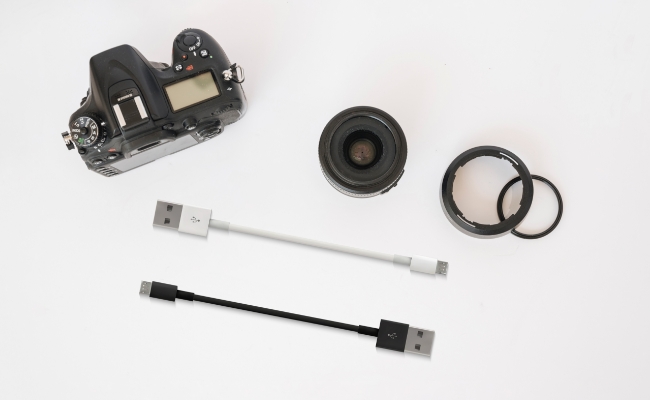
UVC cameras, short for USB video class cameras, are a very versatile type of digital video camera that uses a standardized USB protocol to connect and stream video to computers and other devices very easily.
UVC device cameras have become the go-to video capture solution for a wide range of applications, from casual video calling to industrial machine vision systems, due to their plug-and-play functionality across different operating systems and applications. In this article, we explore UVC camera technology in detail, including the types of UVC cameras, features, uses, and factors to consider when choosing one.
What is UVC Camera?
A UVC USB camera is a digital video camera that communicates with a computer using the USB video device class standard protocol. UVC essentially lets any USB device stream video and audio to a computer without the need for proprietary device drivers. UVC cameras are plug-and-play cameras that are universally compatible with most modern operating systems and applications.
USB UVC cameras contain image sensors, optics, and onboard processing capabilities to capture, compress, and transmit video/audio data over a USB cable. They can be easily connected to laptops, desktops, smartphones, and other devices with a USB port. UVC cameras are also referred to as webcams, USB cameras, or USB webcams.
Types and Top Models of UVC Cameras
There are several types of UVC cameras available today catering to different use cases:
- UVC Webcams - These are the most common UVC cameras used for video calls, conferencing, live streaming, etc. Logitech C920 and C922 are among the most popular UVC webcams. Other top models are Microsoft LifeCam Studio, Logitech Brio, and Razer Kiyo.
- UVC HD Cameras - High-definition UVC cameras capable of 1080p or 4k video. Often used for professional live streaming, video production, and computer vision applications. Examples of models are the Logitech BRIO 4K and Microsoft LifeCam Cinema.
- UVC Microscope Cameras - Specialty UVC cameras with macro lenses and high resolutions for microscope imaging, inspection, and documentation. Celestron and AmScope have quality UVC microscope cameras.
- UVC Industrial Cameras - Rugged UVC cameras are built for automation, inspection, surveillance, and other industrial applications. Key brands are Basler, JAI, Teledyne DALSA.
- UVC Machine Vision Cameras - Optimized for computer vision and AI analytics using USB 3.0/3.1 interfaces. Brands like IDS Imaging, XIMEA, and FLIR offer advanced machine vision UVC cameras.
- UVC Surveillance Cameras - UVC cameras are meant for security and surveillance, and many have pan/tilt functionality. The top options are from companies like Amcrest, Lorex, and Zosi.
Looking for a security camera but tired of dealing with wires? Try the new Reolink Altas PT Ultra. This wire-free camera comes with a powerful 20,000 mAh battery and ColorX technology, providing all-day performance without the hassle.
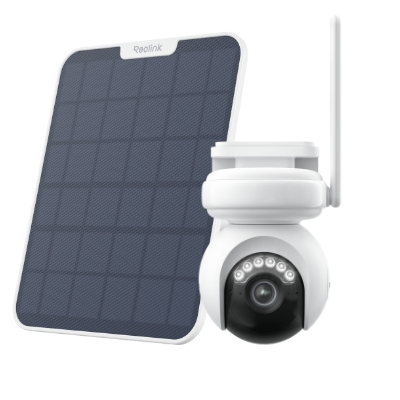
Industry-leading 4K Continuous Recording Battery Camera
4K UHD Continuous Recording; ColorX Night Vision; Pan & Tilt; Automatic Tracking; All Recordings Stored Locally.
Bandwidth of USB Video Device Class
The data bandwidth supported by UVC cameras depends on the USB standard used. Higher bandwidth enables UVC cameras to transmit video at higher resolutions, frame rates, and image quality. Most modern UVC cameras utilize USB 3.0 or higher for HD and 4K video. USB 2.0 bandwidth can support smooth HD video up to 720p resolution. Specialty UVC cameras may use USB 3.1/3.2/4 interfaces to enable multi-gigabit data rates.
Where to Use USB UVC Cameras
Thanks to their plug-and-play nature, UVC camera software is extremely versatile and used across many industries. Here are some of the most common applications:
Security and Surveillance
UVC cameras are widely used for video surveillance due to their simple connectivity and compatibility. Both consumer and commercial UVC security cameras can be set up easily to monitor homes, offices, shops, parking lots, and more. The live and recorded footage from UVC cameras can be viewed remotely as well.
Medical Devices
In the healthcare and medical field, UVC camera drivers are integrated into digital microscopes, dental cameras, ophthalmoscopes, and other inspection devices to capture magnified HD video and images. UVC cameras also enable telemedicine by transmitting live video of patients to doctors.
Industrial Automation Systems
UVC machine vision cameras are ideal for factory automation, quality control, and robotic guidance applications. Their real-time video feeds are analyzed by machine learning software to identify defects, guide robots, detect objects, read barcodes, and more.
Video Conferencing
UVC webcams are the most ubiquitous tool for video calls, virtual meetings, and remote collaboration. Their USB connectivity allows UVC cameras to work seamlessly with popular video conferencing apps.
Access Control
UVC cameras can be integrated with access control systems for identity verification. The video feed from a UVC camera installed at a door/gate can be used for facial recognition or other biometric identification of visitors.
What to Consider When Choosing a UVC USB Camera
With many options available, here are some key factors to consider when selecting a UVC camera for your needs.
Image Quality
Check the camera resolution, sensor size, and maximum frame rate to ensure video quality is adequate for your use case. Webcams can be 720p HD, while higher-end UVC cameras offer 1080p, 4K or more. Larger image sensor sizes also aid in better low-light performance.
UVC Standard
The USB protocol used - USB 2.0, 3.0, 3.1, etc. determines the maximum bandwidth supported for resolutions and frame rates. USB 3.0 or higher is recommended for full HD or 4K video.
Compression
UVC cameras use video compression like MJPEG, H.264, and H.265 to reduce video stream bandwidth. Make sure the compression used is compatible with your viewing software.
Performance
Evaluate metrics like latency, CPU usage, compatibility, and plug-and-play ease to ensure smooth video streaming and integration with your existing hardware/software.
Privacy Concerns
Check for privacy features like camera shutters or LED indicators when the UVC camera is powered on and recording. This gives users control over when they are being recorded.
FAQs
What is the UVC function?
UVC or USB Video Device Class is a protocol that allows USB video devices like cameras and webcams to connect and stream video/audio to computers without needing custom drivers.
What is UVC used for?
UVC cameras are used in a wide range of applications - video conferencing, live streaming, surveillance, industrial inspection, microscopy, machine vision, medical devices, robotics, and more.
How do I know if my phone supports OTG?
OTG or On-The-Go is a USB host mode that allows phones/tablets to connect with USB devices like UVC cameras. If your Android phone has an OTG adapter or OTG support built-in, UVC cameras should work. Refer to phone specs to confirm OTG capability.
Conclusion
Across consumer and industrial applications, USB-connected video cameras have become the default standard for UVC cameras. UVC cameras will remain an essential video capture device with plug-and-play cross-platform compatibility, high-quality video, and flexible integration.
We’ve put this guide together to explain the basic aspects of UVC camera technology, as well as its types, uses, and selection criteria, to help you determine what UVC camera fits your needs best.
Search
Subscribe for the Latest Updates
Security insights & offers right into your inbox