
Reolink Subscription Cost — Explained and Updated 2026
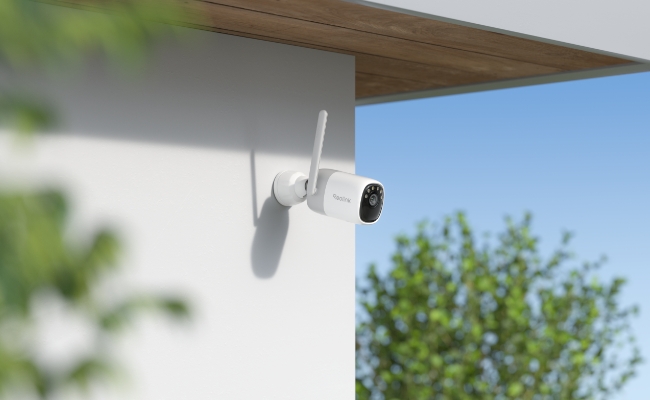
Reolink subscription cost is the first thing many buyers check after they pick a camera. The good news is that every Reolink camera still works the day you take it out of the box, even if you never pay a cent. This article walks through every plan you can buy in 2026, shows the exact prices, and tells you how to keep the bill low while keeping the features you need.
Does Reolink Require a Subscription?
Reolink cloud subscription cost 2026 starts at zero because a subscription is optional, not required. Some cameras can even record to a microSD card up to 512 GB. You can also send clips to your own FTP server or a Reolink NVR. Those choices cost nothing after the hardware is paid for.
Cloud storage only becomes interesting when you want off-site backup, longer video history, or rich phone alerts that show a snapshot before you open the app. If the camera is stolen or the card fails, the Cloud copy is still on Reolink’s server, and you can download it from the app or a web browser. You decide if that safety net is worth the monthly fee. But note that the Reolink Cloud is only available in several countries.
If you’re looking for a complete system with no ongoing costs, consider the Reolink RLK16-1200D8-A. This PoE camera kit includes a 16-channel NVR and a 4TB HDD for local storage, with plenty of room for future expansion.

12MP PoE Security System with Color Night Vision
12MP Ultra HD, Person/Vehicle Detection, Power over Ethernet, 16-Channel NVR.
Reolink Subscription Cost: Cloud Plans
Once you know the camera will run without a plan, the next step is to see what the paid tiers add. Reolink cloud storage subscription cost keeps the lineup simple: two Classic Plans for homes with several cameras, and two Single-Device plans for one-camera installs. All prices below are in US dollars and reflect the permanent discount that is active for 2026.
Classic Plan Series
Standard Plan
This plan fits most small homes. Any mix of 4G cameras and video doorbells can join, as long as they appear on the “Classic compatible” list inside the app. For example, in the basic plans, videos remain online for 30 days before being automatically deleted. You can download any important clips to your phone or computer before they expire.
- Up to 30-day cloud video history
- Up to 5 cameras on one account
- 30GB total Cloud space shared across the 5 cameras
- Rich push notification with thumbnail
- USD 6.99 per month
Upgraded Plan Series
Single-Device LTE Plan (30D)
Pick this plan when you have only one camera and you want the cheapest possible Cloud backup. It also unlocks the full smart-detection menu on models that offer person, vehicle, or pet filtering. The 16GB allowance is enough for about 600 ten-second clips per month in 2K resolution. The starter plan shows as followed:
- Up to 30-day cloud video history
- 1 camera only
- 16GB Cloud space
- Rich push notification with thumbnail
- USD 5.99 per month (regular price USD 4.29, 30 % off)
Note: Reolink Cloud is available in select countries only. Please check availability before subscribing or using the service.
Reolink Subscription Cost: Data Plans
Some Reolink cameras, such as the Go series and the Duo 4G, carry their own 4G LTE modem. These models need Reolink data plans to use the Reolink SIM card. You can buy once or set an auto-renewal. For example, in the United States, the prices were shown as follows:
- 100 MB Trail SIM Plan (Monthly) – Free, one time per device
- 1 GB SIM Plan (Monthly) – USD 5.39 (regular 5.99)
- 2 GB SIM Plan (Monthly) – USD 8.49 (regular 9.99)
- 5 GB SIM Plan (Monthly) – USD 17.59 (regular 21.99)
- 10 GB SIM Plan (Monthly) – USD 33.59 (regular 41.99)
- 20 GB SIM Plan (Monthly) – USD 65.99 (regular 87.99)
Add-on packs work like top-ups when you run low before the month ends:
- 1 GB Add-on – USD 5.99
- 5 GB Add-on – USD 21.99
- 10 GB Add-on – USD 41.99
A battery-powered Go camera uses roughly 30 MB to upload one hour of motion clips in clear daylight. Pick the 2 GB plan if you expect twenty to twenty-five active hours per month. Heavy traffic locations, such as construction sites, normally need the 10 GB or 20 GB tier.
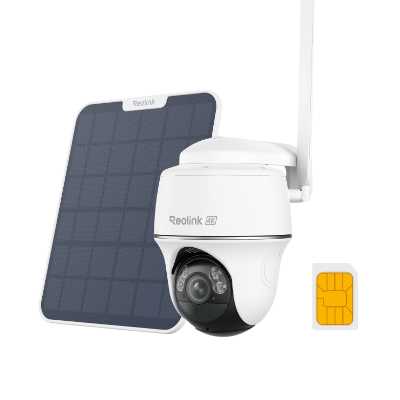
4K 8MP Wire-Free 4G LTE PT Battery Camera
4K 8MP; Smart Detection; 355° Pan & 140° Tilt; Battery/Solar Powered; Color Night Vision; Smart Real-Time Alert.
Reolink Camera Subscription Cost: Smart Features
Reolink’s smart features come with no monthly fees or subscription costs. Here’s what you get the moment you purchase a Reolink camera.:
- Rich push alert – A small thumbnail appears on the phone lock screen so you see who is at the door before you open the app.
- Person, vehicle, pet filter – The camera uploads a short preview to Reolink’s server, where an AI model decides what caused the motion. You can turn off “pet” alerts while keeping “person” alerts.
- Custom zone – Draw a square on the live view and ask the camera to ignore motion outside that zone. The rule is saved in the Cloud, so it still works if the camera reboots.
- Package detection – When the AI sees a box placed in the marked zone, it sends a separate “package delivered” alert.
- Shared access – You can invite four family members to watch Cloud videos without giving them the main account password.
- Time-lapse backup – If you create a time-lapse on the camera, the finished file can auto-upload to the Cloud or local storage devices, so you still have it if the card is removed.
How to Optimize and Lower Reolink Subscription Cost Effectively?
Paying for every camera in the house adds up fast. A few habits can cut the bill without cutting safety.
- Use the free SD card recording for indoor cameras – Indoor units are harder to steal, so off-site backup is less critical. Let them record locally and reserve Cloud plans for outdoor cameras.
- Pick the Single-Device plan for the front door only – One camera covers the main entry. Put that camera on the USD 3 plan and leave the rest on SD cards.
- Lower the clip length – In the app, set recording to stop after 10 seconds instead of 30 seconds. You triple the number of clips that fit inside the same Cloud space.
- Use schedule recording – Turn off motion detection during the day when you are home. Less motion means fewer uploads and less data use on 4G cameras.
- Share a Standard Plan with a neighbor – Five cameras can sit on different houses as long as each owner creates a Reolink account and you invite them as guests. Split the USD 3.49 five ways, and everyone pays under 70 cents.
- Check for promo codes every quarter – Reolink runs 30 % off deals around Black Friday, Prime Day, and Memorial Day. Stack the coupon on top of the annual discount for the lowest price.
FAQs
Does Reolink have a monthly fee?
You can run every Reolink camera at no monthly cost by recording to a microSD card or your own NVR. Cloud storage and 4G data plans are the only services that carry a monthly fee, and you can cancel anytime.
How much is the Reolink data plan?
The smallest paid data plan is 1 GB for USD 5.99 per month (without any discounts). The largest is 20 GB for USD 65.99 per month. A free 100 MB trial is available once for each 4G camera.
Can you use a Reolink camera without a subscription?
Yes. Insert a microSD card or connect the camera to a Reolink NVR, and you will get motion recording, live view, and phone alerts without paying for Cloud. You only lose off-site backup and smart AI filters.
Conclusion
Reolink subscription cost is flexible because the company still lets you store video the old-fashioned way: on a card in the camera. If you want extra safety, the Cloud plans are also available in several countries.
Prices of the data plans of the 4G cameras start at USD 5.99 with 1 GB. Choose only the specifications you want, share plans with family, and take advantage of annual discounts to make the price low. Do you have any Reolink Cloud plan, or do you stick to SD cards? Share your setup and assist other readers in selecting the most suitable one in 2026.
Search
Subscribe for the Latest Updates
Security insights & offers right into your inbox