
Ultimate Guide to Reolink Home Hub Compatibility: What Cameras Work?
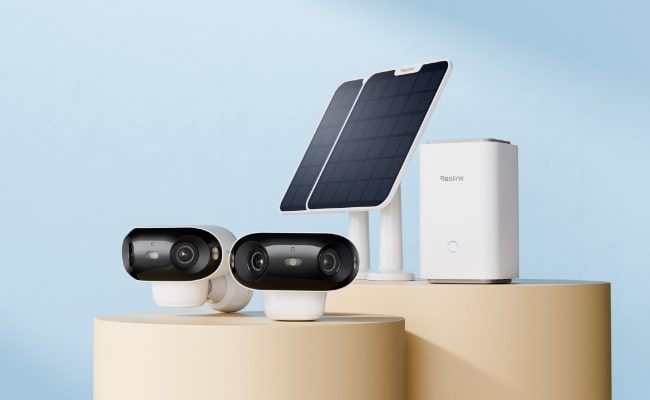
Reolink users love to have Home Hub as a unified control center and connect multiple cameras. However, they frequently ask about its compatibility with the old and recently sold security cameras.
In this article, we will discuss all about Reolink Home Hub compatibility. We will discuss what cameras are compatible with Reolink Home Hub and what you can use without any hassle. It will help you select the right security cameras to connect to Home Hub and offer incredible performance.
What is Reolink Home Hub?
Reolink Home Hub acts as the control system. It’s a wireless control center that connects multiple cameras to one platform. It stores the data of all cameras with incredible security. It is equipped with advanced anti-theft algorithms and encryption technology. It offers offline recording and works like a reliable alarm center. It provides a weekly summary of all your activities on the app.
Home Hub comes with a 64GB microSD card, and you can expand up to two 512GB microSD cards. It can connect up to eight security cameras.
Home Hub Pro is the advanced version. It’s a Wi-Fi 6 wireless security center with built-in 2TB storage. You can increase the storage up to 16TB and connect up to 24 security cameras.
What's the Reolink Home Hub Compatibility?
Reolink Home Hub and Home Hub Pro support all Reolink PoE cameras and Wi-Fi Plug-in cameras. They are designed to work seamlessly, and users can select from a wide range of choices.
Here is a short summary:
- Non-battery-powered cameras: All Reolink security cameras that do not have a battery are supported. It includes all PoE and Wi-Fi models with a UID.
- Battery-powered Cameras: All recently sold battery-powered cameras are compatible. However, some might require a firmware update.
Home Hub works with all kinds of Reolink security cameras, be it wired, wireless, or battery-powered. It is compatible with most of the cameras except the old battery-powered ones. For more details, check Reolink Home Hub compatibility.
How to Set Up Reolink Home Hub with Cameras?
- Connect the Home Hub to power using the given adapter. Turn it on and connect it to the Wi-Fi router using an Ethernet cable.
- Install the Reolink app and open it. Follow the instructions on the screen to connect Home Hub to the app.
- You can now add security cameras. Tap the “+” button on the app. Scan the QR code at the back of the camera. Select the option “Use with Home Hub” to integrate the camera.
- Add all security cameras the same way. Once all are added, you can control them with Home Hub and see the live preview and other details on the app.
Best Reolink Home Hub Kit Recommendation
Home Hub with Argus PT Ultra
Home Hub with Argus PT Ultra is a completely wireless security camera system. It comes with a Home Hub and two Argus PT Ultra security cameras. The Home Hub controls both cameras and offers remote access, live footage, and alarm. It has 1 year of local storage, which is secure and fast.
The cameras record video in 4K and offer incredible video quality and rich details. They have pan and tilt motion, so they can cover 360 degrees. At night, they record clear videos through color or black-and-white night vision. They have a rechargeable battery; you can also power them through a small solar panel.
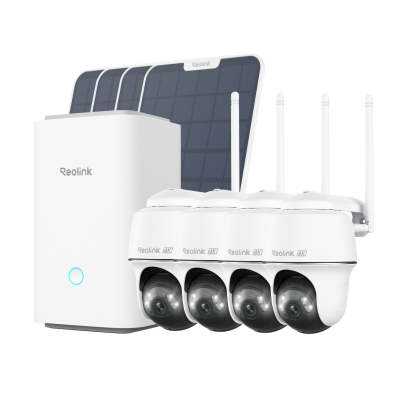
Wireless Security System With 4K PT Standalone Battery/Solar Wi-Fi Cameras
4K Color Footage Day & Night, 1 Year of Local Storage, Exclusive Anti-Theft Algorithms, 360° All-Around Coverage, Expandable System Up to 8 Reolink Cams.
Home Hub Pro with Lumus Pro
The kit contains one Home Hub Pro and four Lumus Pro security cameras. They are ideal to cover a large area. There is a 2TB built-in storage, which is more than enough for 24/7 recording. It’s a Wi-Fi 6 security system, so it offers excellent speed and reliable connectivity. You can connect up to 24 security cameras, and your data will be encrypted.
Lumus Pro has an 8MP lens to capture 4K resolution. It is equipped with an F1.6 aperture that captures more light and offers more clarity in low-light conditions. It is compact and suitable for indoor and outdoor surveillance. You can also operate both cameras hands-free using Alexa or Google Assistant.
FAQs
1. What is Reolink compatible with?
Reolink Home Hub is compatible with all PoE and Wi-Fi plug-in security cameras. It is also compatible with some recent battery-powered cameras. You can connect up to 8 cameras to Home Hub, and it supports Google Assistant for hands-free operation.
2. What is the range of the Reolink Home Hub?
Reolink Home Hub can cover an area of up to 450 square feet. You can connect multiple cameras without any hassle and cover a large area.
3. What is the purpose of the Reolink Home Hub?
The purpose of Reolink Home Hub is to provide a control center to connect multiple cameras and control them without any hassle. Secondly, it offers a secured local storage with encryption and advanced algorithms to ensure privacy. It is meant to provide the summary of all connected devices and be used as an alarm center.
Conclusion
Reolink Home Hub controls all your security cameras and stores their data in a secured local storage. That’s why people love to have it to control and operate their cameras without any issues. It is compatible with a wide range of Reolink cameras we have discussed. It is also compatible with Google Assistant and Alexa.
Search
Subscribe for the Latest Updates
Security insights & offers right into your inbox