
Landscape vs Portrait: What’s the Difference and Which Should You Use?
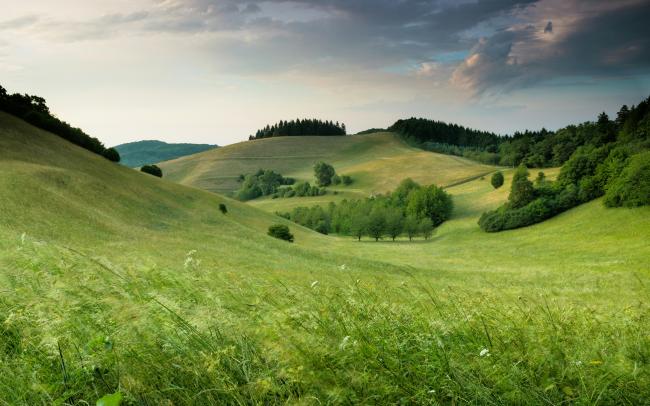
Each picture, video, or image occupies a rectangle. You may put that rectangle on its side or leave it straight. The decision has an impact on composition, mood, and viewing content among the audience. In this article, we have considered the landscape vs portrait orientation and given a comparison between the two, and also provided guidelines on which format to choose under which circumstances.
Towards the end, you will have the clue as to how to fit the shape of your frame, depending on whether you want to have landscape and portrait orientation. The tips are applicable to the cameras, phones, printed pages, slide decks, and any display that you work on daily.
Portrait vs. Landscape: Basic Definitions
Portrait and landscape are used interchangeably as casual terms in numerous conversations, but these two terms have a very specific art and printing definition. The following section identifies both orientations in a manner that subsequent guidance is based on common ground.
What Is Portrait Orientation?
The portrait is erect as a person or a door. It folds into a vertical line, and the canvas stands taller than it is wide. This shape was popular among painters as a single figure since it represented the human figure. Nowadays, you have come across a portrait every time you open a phone, a book, or a vertical story.
The slender body brings the eye up, and it serves to isolate a subject. It is appropriate for headshots, skyscrapers, and any subject that favors the use of height. It becomes more difficult to fit large groups or panoramic locations, however, with a narrow width.
What Is Landscape Orientation?
The orientation towards the landscape goes laterally like a horizon. The horizontal ridge is made longer, and the frame is wider than it is high. The shape was employed by the painters in fields and coastline since the wide canvas was more appropriate for sweeping scenery. The contemporary world continues this tradition through the use of televisions, laptops, and cinema screens.
Extra width leads to panoramas, group shots, as well as stacked compositions. Long sentences and side-by-side charts are also easily read using it. The shape is also capable of wasting the vertical space in instances where you take a photo of one individual or a tall building, and it can make the phone users twist their phones.
Landscape vs Portrait: Key Differences
With definitions in place, the conversation can move from theory to contrast. Portraits and landscapes share the same rectangle yet encourage distinct visual choices. The bullet points below break down practical differences that you will notice as soon as you compose, edit, or print any project.
-
Composition focus: Landscape offers space for sweeping context and side elements, while portrait draws attention to a central vertical line. The viewer scans the landscape left to right; in portrait, the gaze climbs from bottom to top.
-
Subject fit: Wide subjects such as group portraits, city skylines, or action scenes fit the landscape without cropping. Tall subjects like skyscrapers, fashion models, or infographics sit naturally in portrait because the height matches their outline.
-
Reading flow: Long lines of text become harder to track in portrait, especially on large pages. Landscape lets designers use columns or wider margins to maintain comfort. Portraits benefit hand-held reading because short lines reduce eye strain.
-
Device compatibility: Phones default to portrait, laptops and TVs default to landscape. Choosing the wrong orientation forces viewers to rotate screens or accept black bars, which can break immersion or waste valuable pixels and time.
-
Camera handling: Shooting portraits often needs a vertical grip or a cage that repositions controls. Landscape keeps controls in standard places and balances weight across both hands, reducing shake during long takes or slow shutter photography.
Landscape vs Portrait Orientation: When to Use?
Knowing the traits is useful, yet real decisions arise when a project lands on your desk. The following sections link common scenarios to each orientation. Match your medium, message, and audience to avoid unnecessary rework later.
When to Use Landscape Orientation?
-
Presentations: Projectors and conference screens favour landscape slides. Use the width to place headline, image, and key statistic side by side so viewers absorb the story without waiting for builds.
-
Cinematic video: Filmmakers shoot in landscape because cinema screens stretch wide. The format supports tracking shots, two-shot conversations, and scenic establishing views that anchor the plot in place for viewers.
-
Group photos: Weddings, reunions, and sports teams sit comfortably in a wide frame. Landscape lets you maintain equal distance from faces and capture background context, such as venue or mascot banners.
-
Data dashboards: Analysts often rotate monitors to landscape so multiple charts, tables, and code editors remain visible. The added width prevents constant scrolling and speeds cross-referencing during live meeting sessions.
-
For wide views: Use landscape orientation to capture expansive scenes, such as group photos, scenery, or the full area monitored by a wide angle security camera.

Groundbreaking 16MP Dual-Lens PoE Camera
16MP UHD, Dual-Lens, Motion Track, 180° Wide Viewing Angle, Power over Ethernet, Color Night Vision.
When to Use Portrait Orientation?
-
Vertical video: Platforms such as TikTok, Instagram Reels, and YouTube Shorts promote upright clips. Portrait fills the smartphone screen, boosts watch time, and encourages single-hand use while commuting or relaxing.
-
Posters and flyers: Notice boards, street poles, and shop windows often accept tall paper. Portrait orientation fits typical A4 or letter-size sheets and stands out in crowded vertical layouts.
-
Single-subject portraits: Headshots, fashion images, and school photos benefit from extra headroom. The vertical frame mimics human posture and leaves space above the head for titles or branding logos.
-
Reading devices: E-readers and tablets default to portrait because long text flows downward. Readers flip pages with a thumb and enjoy margins that resemble traditional books without distracting blank bars.
Portrait Mode vs Landscape in Video and Printing?
It is easy to think of orientation only as a camera setting, yet distribution channels introduce further limits. The next section examines how phones, televisions, printers, and social networks respond to both formats in practice.
-
Phones: Smartphones sit vertically by default. Native cameras now offer portrait video controls, and system bars hide when content matches the tall shape. Landscape still works but demands two hands, turning viewers into active participants.
-
Televisions: Living-room screens operate in a fixed landscape. Portrait video plays with thick side pillars, wasting light and resolution. If your story targets streaming boxes or broadcast channels, deliver files in widescreen landscape ratios for clarity.
-
Social platforms: TikTok, Instagram Reels, and YouTube Shorts reward portrait with algorithm boosts and full-screen playback. Standard YouTube, Facebook, and LinkedIn favor a landscape. Check platform analytics to discover how your core followers hold their devices.
-
Printing presses: Books, magazines, and comic issues use set signatures that often expect portrait pages. Brochures, calendars, and wall art may flip to landscape to showcase imagery. Align orientation with binding methods and display stands.
-
User experience: Orientation hints at intent. Portrait feels direct, like a message exchanged between two people. Landscape suggests group viewing, inviting audiences to gather. Think about context and social setting before you record or print.
Landscape and Portrait: Which Is Better?
The debate often leads creators to hunt for a universal rule, yet design seldom works that way. The next section shows how to choose an orientation by weighing purpose, audience, and practical constraints for each.
-
Audience device: Research where most viewers consume content. If analytics show ninety percent of phone traffic, portrait gains priority. If halls dominate, use landscape and offer portrait excerpts for social teasers.
-
Subject geometry: Draw an invisible rectangle around the main subject. If the width exceeds the height, the landscape will save cropping. If the height wins, the portrait aligns better and retains detail.
-
Platform rules: Some platforms reject or penalize mismatched ratios. Always check size guides before production. A correct shape reduces export time and keeps compression quality high for every uploaded asset.
-
Story tone: Portrait feels intimate and personal. Landscape feels cinematic and spacious. Pick the mood that matches your message rather than forcing a trend that might dilute emotional impact later.
-
Production resources: Switching mid-project demands re-lighting, reframing, and new graphics. Decide orientation early, lock it in the brief, and avoid expensive reshoots or layout changes late in the schedule plan.
FAQs
Should you video in portrait or landscape?
Choose the orientation that matches the primary screen for your viewers. If most viewers will watch on phones held upright, record in portrait. If you aim for television, projectors, or desktop monitors, film in landscape. Match the shape of your subject to the frame so you avoid awkward empty space.
Which mode is best for video recording?
For most projects, landscape remains safest because it displays without black bars on televisions, laptops, and cinema screens. Portrait shines when you target vertical platforms such as TikTok or Instagram Stories. First, pick your main channel, then arrange cameras, lighting, movement, and editing pipeline workflow to suit that rectangular direction.
Is portrait or landscape better for mobile viewing?
Mobile users flip devices often, yet the default grip stays vertical. Portrait fills the screen at once, prevents rotating, and looks natural for selfies or tall subjects. Landscape works better for movies, games, or group shots. Decide by testing common gestures, screen sizes, and how much detail viewers must read clearly.
Conclusion
Landscape vs portrait remains a simple concept with wide influence. Each orientation guides composition, reading comfort, device handling, and printing logistics. Portrait favors single-hand mobile use and tall subjects, while landscape shines with groups, text width, and cinematic flair.
You can pick confidently by weighing audience devices, subject matter, platform rules, tone, and budget. Share this article with colleagues and join the comments to describe which format you prefer and why in your next project for upcoming visual stories together.
Search
Subscribe for the Latest Updates
Security insights & offers right into your inbox