
16MP vs 4K Security Camera: Which Is Better?
Spec sheets make the 16MP vs 4K decision look simple. One camera has twice the pixels, so it must be better, right?
Not necessarily.
A 16MP camera and a 4K camera offer different trade-offs in image detail, storage requirements, and bandwidth consumption. The right choice depends on how much detail you need, how the footage will be reviewed, and the type of camera system you're building.
This guide compares 16MP vs 4K security cameras in real-world monitoring scenarios, including driveways, front yards, parking lots, and entry points, so you can decide which option fits your property.
16MP vs 4K Security Cameras: Key Differences
*Assuming the same field of view, lens, mounting distance, and recording settings.
Field of View vs Resolution: What Each Security Camera Actually Sees
Many buyers assume a higher megapixel count automatically means better detail.
In reality, the amount of usable detail depends on both resolution and how those pixels are distributed across the image. A camera's field of view, zoom capability, and distance from the subject can have just as much impact as megapixel count.
For example, if two cameras monitor the same field of view, a 16MP camera can capture more image detail because it records twice as many pixels.
However, if one camera uses a much wider lens and the other uses a narrower lens or optical zoom, the difference in usable detail may depend more on how the scene is framed than on resolution alone.
This is why comparing 16MP and 4K requires looking beyond megapixel count. Resolution is only one factor. Lens design, field of view, mounting distance, and zoom capabilities all affect how much detail you can capture from a target.
Which Should You Choose: 16MP or 4K?
For many properties, both 16MP and 4K security cameras can provide clear and reliable surveillance footage. The better choice depends on how much detail you need and how the camera will be used.
A 16MP camera records twice as many pixels as a 4K camera, which can be useful when monitoring wider scenes or when you frequently zoom into recorded footage during investigations.
A 4K camera, on the other hand, already provides enough resolution for many common surveillance applications while requiring less storage and bandwidth.
As mentioned, resolution isn't everything. How the security cameras is constructed plays a part too. Here are 2 security camera examples that are worth looking at.
When a 16MP Security Camera Is the Better Choice
Choose 16MP if you:
- Need the highest possible image detail.
- Monitor large scenes where image detail is spread across a wider area.
- Frequently crop or digitally zoom into recorded footage.
- Want additional pixels available for post-event review and investigation.
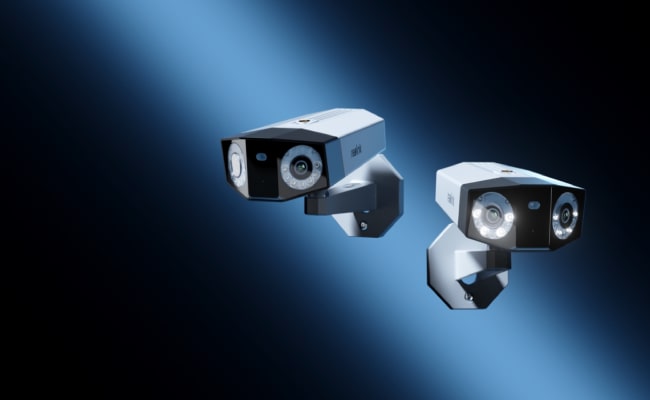
The Reolink Duo 3 PoE uses a 16MP sensor to maintain detail across its 180° panoramic view. With a higher resolution and a wide angle coverage, there is little detail to be lost whenever there is a need to zoom, digitally. If optical zoom is something you prefer for a 16MP camera, the Reolink OMVI X16 PoE below has it.
Because of its fixed lens construction, anywhere that requires wider than a 180° field of view might mean there's a need to invest another camera to cover the blind spot.
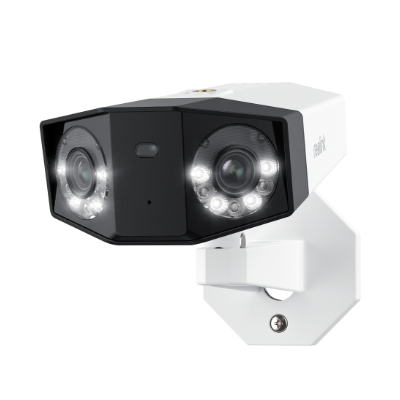
Groundbreaking 16MP Dual-Lens PoE Camera
16MP UHD, Dual-Lens, Motion Track, 180° Wide Viewing Angle, Power over Ethernet, Color Night Vision.
When a 4K Security Camera Is the Better Choice
Choose 4K if you:
- Want strong image quality without the storage demands of 16MP footage.
- Monitor smaller or more focused surveillance areas.
- Do not routinely crop footage after recording.
- Prefer a balance between image detail, storage efficiency, and network usage.
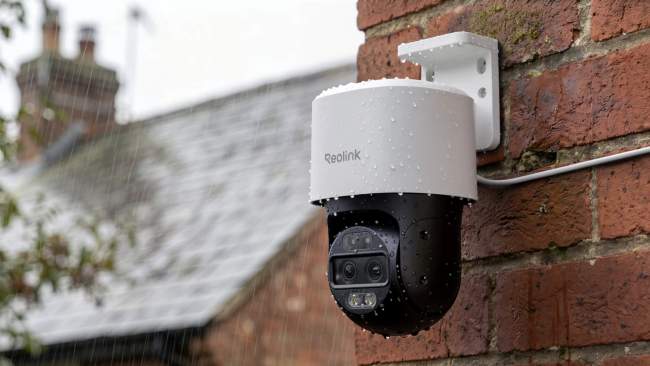
For many homeowners, a 4K security camera like the Reolink TrackMix PoE already provides more than enough detail for monitoring entryways, driveways, garages, and other common surveillance locations. It records through a wide lens and a telephoto lens, with 6X hybrid zoom that blends lens zoom and digital zoom. The view runs from 104° at its widest to 38° zoomed in. It also pans 355° and tilts up to 90°.
The tradeoff is width. At 104° it is much narrower than the Duo 3 PoE's 180°, so a wide yard still favors the Duo 3 PoE.
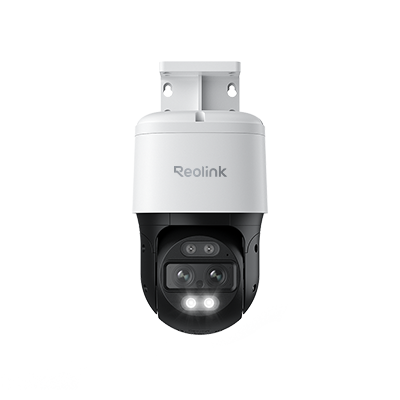
4K Dual-Lens PTZ Camera with Dual Tracking
4K 8MP Ultra HD, Wide & Telephoto Lenses, Pan & Tilt, Auto-Tracking, Person/Vehicle Detection, Power over Ethernet, Two-Way Audio.
Combining 16MP Coverage with 4K Optical Zoom: Reolink OMVI X16 PoE
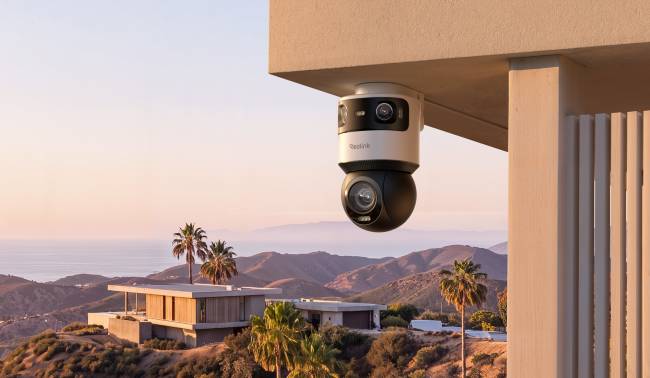
The Reolink OMVI X16 PoE pairs a 16MP panoramic camera with a 4K pan-tilt-zoom (PTZ) camera. One mount gives you a 180° view and 16× optical zoom. That answers the 4K vs 16MP security camera question with one camera.
The panoramic camera records 7680 × 2160 across about 180°. The PTZ camera records 3840 × 2160 and zooms from a 54.2° view down to 3.6°. When the panoramic camera detects a target, SyncTrack points the PTZ camera at it and tracks it with optical zoom.
At full zoom, the PTZ camera packs 3840 pixels into a 3.6° view. That is about 1,070 pixels per degree. The panoramic camera delivers about 43, so full zoom gives roughly 25 times the detail per degree.
Note: The OMVI X16 PoE is listed as 24MP because 16MP plus 8MP adds up. You still get two separate views, not one 24MP picture.
The camera is rated IP66 for weather and runs on 802.3at PoE, with a 60W injector in the box. Person, vehicle, and animal detection and AI video search work with no monthly fee. It follows the OMVI 3i PoE design with a 16MP panoramic camera and 16× optical zoom.
The tradeoff is the installation. The camera runs on Power over Ethernet, so plan a cable run to the mounting location. The included injector means you do not need a PoE switch.
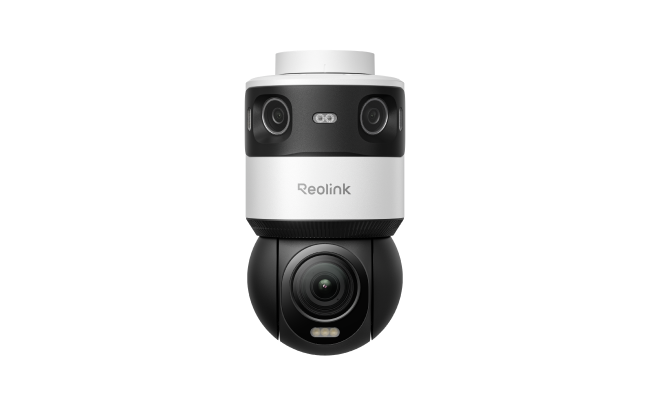
Revolutionary 16X Optical Zoom PTZ Camera with a 180° Panoramic View
- 16MP Dual-Lens with 180° Panoramic view
- 4K 8MP PTZ with Endless 360° Rotation
- SyncTrack with 16X Optical Zoom
- Pinpoint with One Tap
- Auto Patrol
Factors to Consider Beyond Resolution and Field of View
Resolution is only one line on the bill. The cameras you choose also affect how many you need, how you run cables, whether your NVR can record them, and how much storage you buy. Check these six factors before you commit.
Number of Cameras Needed to Cover the Area
Coverage often decides your camera count before resolution does. If a security camera has a narrower view, a wide yard, parking lot, or the side of a building may need two or more cameras to avoid blind spots. Another way to solve coverage problem is to invest in a panoramic camera such tas the OMVI X16 PoE to cover the same space from one mounting point.
One camera also means one continuous view. With two cameras, a person walking across the area moves from one feed to another, and you have to piece the footage together afterward.
Cabling and Installation Costs
Every camera needs its own mount and its own cable run. PoE (Power over Ethernet) carries power and data over one Ethernet cable, up to 100 m (328 ft) on Cat5e or Cat6. That keeps wiring simple, but a long run through an attic, wall, or conduit can still take most of the installation time.
Replacing two cameras with one removes a whole run. Before you buy, check that your NVR or switch can supply the power the camera needs. PoE standards differ: 802.3af provides up to 15.4W per port, and 802.3at provides up to 30W. Most 4K cameras work on either. Some higher-power models, such as pan-tilt-zoom cameras or multi-lens cameras, need more power, so check each camera's spec sheet.
NVR Channel Availability
Each camera typically takes one NVR channel. An 8-channel NVR with eight cameras is full, and adding a ninth means buying a larger recorder. Using one panoramic camera where you would have used two frees a channel.
Channels are not the only limit. As the comparison table shows, some older NVRs cannot record at 16MP. Check the NVR's maximum supported resolution per channel, as well as its channel count, before pairing it with a 16MP camera.
Network Bandwidth Requirements
A 16MP camera records twice as many pixels as a 4K camera, so its video stream typically needs a higher bitrate. If a 4K stream runs at 5 Mbps, a comparable 16MP stream may run at around 10 Mbps. Those figures add up quickly. Ten 16MP cameras could send around 100 Mbps to the recorder, which would saturate a 100 Mbps network link. A gigabit switch gives you plenty of room.
Remote viewing is a separate limit. A single 10 Mbps stream can use up most of a typical home upload connection, so check your internet upload speed if you plan to watch high-resolution live video away from home.
Future Expansion Plans
Systems tend to grow. A camera at the driveway today often becomes a camera at the back gate next year. Leave room for that when you choose equipment:
- Pick an NVR with a few spare channels.
- Keep spare PoE ports on your switch.
- Choose a recorder with drive bays you can upgrade, or storage you can expand.
Higher-resolution cameras use up that spare capacity faster, so decide now whether the next cameras will be 4K or 16MP.
Storage
Storage is where resolution costs the most. Daily storage depends on the recording bitrate:
Storage per day (GB) ≈ bitrate in Mbps × 10.8
Using example bitrates, with the 16MP stream at twice the 4K bitrate, a single camera recording 24/7 would need roughly:
Actual bitrates vary by camera model, video codec, scene, and settings, so check your camera's recording settings. These figures are upper limits. Motion-triggered recording uses much less than 24/7 recording, and lowering the bitrate or the retention period reduces the total further.
One 16MP stream uses about the same storage as two 4K streams. If one 16MP camera replaces two 4K cameras, your storage need may stay roughly the same, while you save on hardware and cabling.
Matching the System to the Site
For a wide, open area, one 16MP panoramic camera can replace two 4K cameras. You get one cable run, one NVR channel, and a similar storage load, plus a single continuous view.
If a doorway or gate is your main concern, a 4K camera is usually enough. It covers a narrow area with half the bandwidth and storage of a 16MP camera.
FAQs
Is 16MP better than 4K?
Not necessarily. A 16MP camera records twice as many pixels as a 4K camera, which can provide more image detail. However, image quality also depends on factors such as field of view, lens design, zoom capability, and camera placement. The better choice depends on your surveillance needs and system requirements.
Is 16MP the Same as 4K?
No. 4K is 3840 × 2160, about 8.3MP. A 16MP camera records 7680 × 2160, about 16.6MP. That gives 16MP exactly twice the pixels of one 4K frame, with the same height and double the width.
Does a 16MP Camera Use More Storage Than 4K?
Yes. A 16MP camera uses more storage than a 4K camera. In the OMVI X16 PoE, the 16MP panoramic camera defaults to 10,240 Kbps. The 4K PTZ camera defaults to 5,120 Kbps, so the 16MP stream uses roughly twice the data. Motion-triggered recording uses less storage than 24/7 recording.
Does a Higher Resolution Camera Have Better Night Vision?
Not exactly. Night vision performance depends more on sensor size, lens design, aperture, infrared illumination, and image processing than resolution alone. A higher-resolution camera can still produce poorer night footage than a lower-resolution model if its low-light hardware is less capable.
Conclusion
A 16MP security camera records twice as many pixels as a 4K security camera, giving it greater potential to capture image detail under comparable conditions.
However, resolution is only one part of overall surveillance performance.
Field of view, lens design, optical zoom, camera placement, image processing, and storage capacity can all have a significant impact on the quality and usefulness of recorded footage.
For many homeowners, a 4K camera already provides more than enough detail for everyday monitoring while requiring less storage and bandwidth. A 16MP camera becomes more compelling when additional image detail is needed, particularly in larger scenes where footage may need to be cropped or digitally enlarged after recording.
Ultimately, the best choice depends on the specific surveillance challenge rather than the resolution alone.
Search
Subscribe for the Latest Updates
Security insights & offers right into your inbox